



















Key Takeaways
- A strong ecommerce push notification strategy ranks messages by customer value: order updates first, then triggers, lifecycle flows, and promotions last.
- Ask for permission after a first value moment, not at launch. Apple and Android both advise requesting it in context.
- Automation beats broadcasts: Omnisend's 2025 push data shows automated sends converted nearly ten times better than campaigns, reaching 22.9% click-to-conversion.
- Segment by behavior and interest, not demographics. Pushwoosh saw click-through up to 10.36% versus under 1% for demographic targeting.
- Build four automations first: abandoned cart, back in stock, welcome, and order updates. Stop every flow the moment a purchase happens.
- Treat consent as layered: system permission, marketing consent, and topic preferences. Apple requires explicit opt-in for promotional push.
- Measure incrementality with a permanent holdout group. Track revenue per send, opt-outs, and uninstalls, not just opens or clicks.
Most ecommerce brands do not have a push problem. They have a permission problem and a relevance problem. You can only reach customers who opt in, and they mute a brand quickly when messages miss.
An ecommerce push notification strategy is the set of rules that decides who gets which message, why, when, and how often, and how you prove it worked. It covers permission, data, automation, content, limits, and measurement. Your sending tool is only one part of it.
This guide serves Shopify and direct-to-consumer (DTC) brands. It covers app push and web push, every major notification type, the platform rules that affect delivery, the privacy duties that apply, and the metrics that show real impact. Every statistic links to its source. When evidence is thin or comes from a vendor, the guide says so.
What Is an Ecommerce Push Notification Strategy?
An ecommerce push notification strategy is a documented plan for using push messages to move shoppers through the customer lifecycle. It defines the audience, trigger, message, timing, frequency limit, and success metric for each notification type.
5 Part Strategy:
- Permission: how and when you earn the right to send.
- Data: the events and attributes that trigger and personalize messages, such as cart updates, product views, stock status, and order history.
- Message system: the notification types, ranked by value to the customer.
- Rules: frequency caps, quiet hours, and suppression, for example, stopping a cart reminder after purchase.
- Measurement: the metrics and holdout tests that separate real lift from noise.
Results stall when one part is missing. Great copy without suppression rules annoys buyers. Great triggers with weak permission reach no one.
How Push Notifications Work
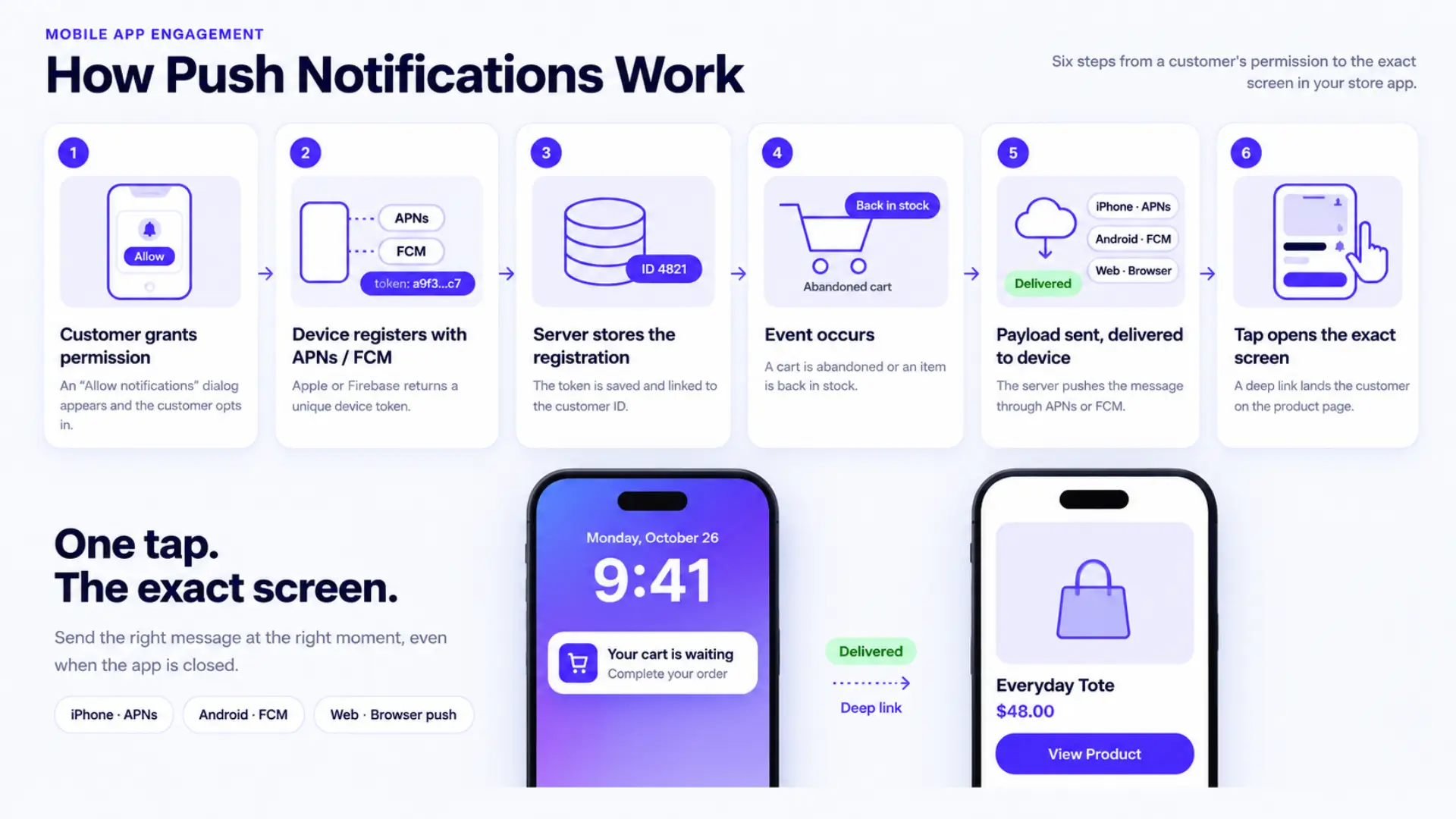
A push notification travels from your system to a customer's device through the operating system's delivery service, even when the app or browser is closed. On iPhone, that service is the Apple Push Notification service (APNs). On Android, it is Firebase Cloud Messaging (FCM). Web push uses the browser's own service. For a deeper technical walkthrough, see our guide to how push notifications work on Android and iOS.
Push Notification Flow:
- The customer grants permission.
- The device registers with APNs or FCM and receives a unique registration.
- Your server stores that registration against the customer.
- An event occurs, such as an abandoned cart or a restock.
- Your system sends a payload to APNs or FCM, which delivers it to the device.
- A tap opens the app, ideally on the exact screen the message refers to, through a deep link.
Two points shape strategy. First, the operating system controls permission, not you. Second, delivery depends on clean registrations, covered in the deliverability section.
App Push vs Web Push
App push reaches people who installed your native app. Web push reaches people who visit your site through the browser. Both work, but they reach different audiences and behave differently.
| Factor | App push | Web push |
|---|---|---|
| Who you reach | App installers | Site visitors, including people with no app |
| Permission prompt | Operating system prompt, timing controlled by your app | Browser prompt, triggered from your site |
| iPhone support | Full support | Supported for web apps added to the Home Screen, since iOS and iPadOS 16.4 |
| Deep linking | Opens exact in-app screens | Opens a web page |
| Best for | Retention, repeat purchase, loyalty, order updates | Cart and restock alerts for visitors who will not install an app |
| Main risk | Small install base | Prompt fatigue and low acceptance |
Apple's WebKit team confirmed that web push on iPhone works for Home Screen web apps, and the request must follow a direct user action such as tapping a subscribe button. That limits web push reach on iPhone. A brand with mostly iPhone traffic gains fewer web subscribers than an Android-heavy brand.
Use app push as your core retention channel and web push as a supporting channel for shoppers without your app. Never send the same message on both channels to the same person. Pick one channel per customer for each trigger, based on where they last engaged. Our overview of using push notifications across web and mobile shows how the two fit together.
Opt-In Strategy: How to Earn Permission
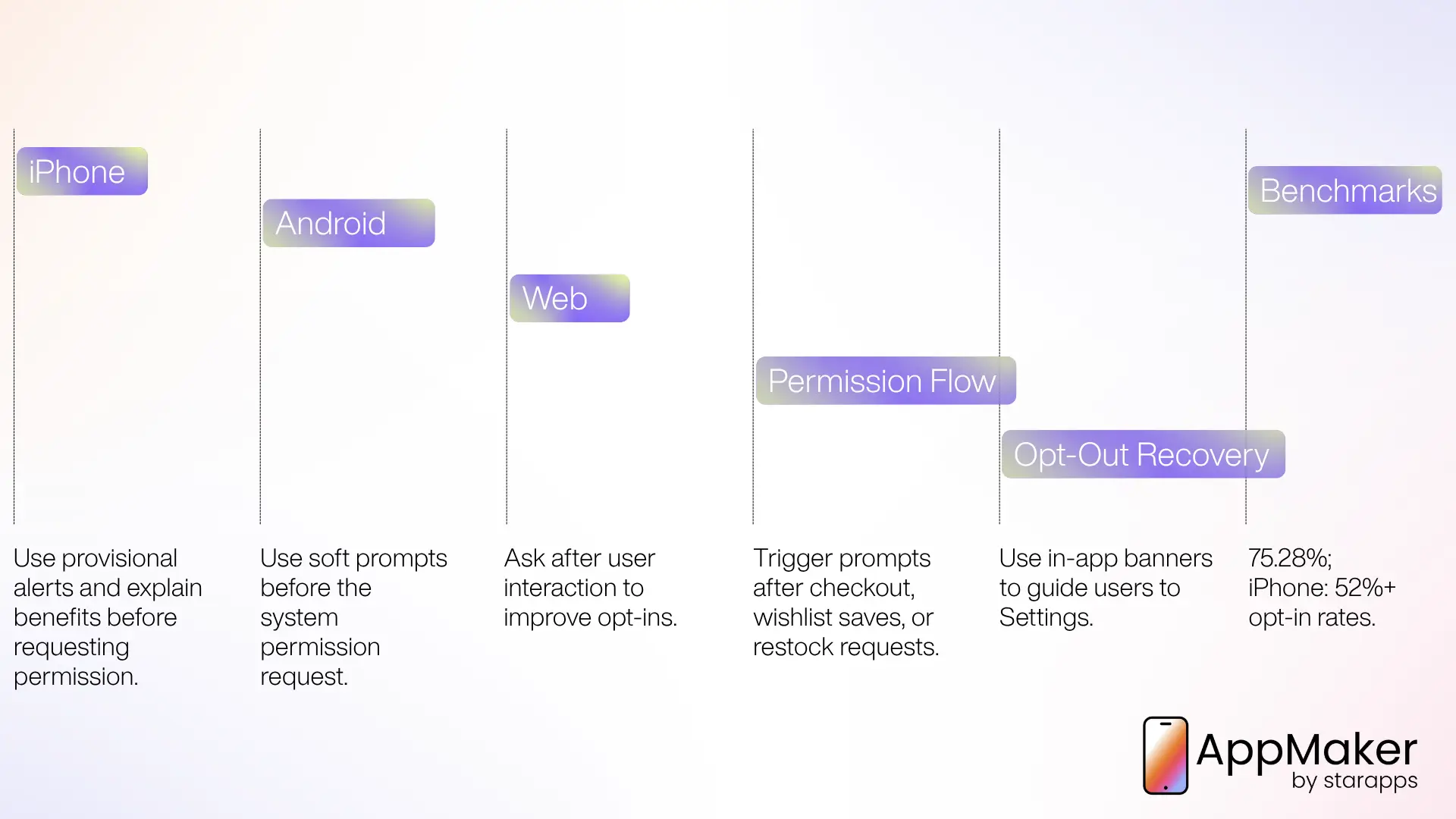
Ask for push permission right after a customer sees a reason to say yes. Both major platforms give this advice in their developer guidance.
Apple's documentation says to request authorization in a context that helps people understand why, and notes that this beats asking on first launch. Android's guidance says to let users get familiar with the app first and gives examples such as the user tapping an alert bell or placing an order.
The platform rules that shape your prompt
iPhone: The system prompt records the first answer, so customers can only reverse a denial in Settings. Apple also offers provisional authorization. No prompt appears, and notifications arrive quietly in Notification Center with options to keep or turn them off. It proves value well, but quiet delivery means no alert or sound, so it suits low-urgency messages.
Android: On Android 13 and higher, notifications stay off by default for newly installed apps, and apps that target Android 13 or higher control when the permission dialog appears. A customer who declines may not see the prompt again, so a soft prompt matters. Airship reported that Android opt-in rates dropped across percentiles as the Android 13 permission requirement spread.
Web: Chrome's research is blunt. Across all permission types on desktop, 77% of prompts appeared without any sign of user intent, and users allowed only 12% of those. After a user interaction, the allow rate rose to 30%. Chrome also recommends offering email as an alternative to push.
A two-step permission flow
Show a soft prompt, also called a pre-prompt, before the system prompt. It is your own screen that explains the benefit. Trigger the system prompt only if the customer taps yes. If they decline, you keep your one system prompt.
Good moments for the soft prompt:
- After a customer taps "Notify me" on a sold-out product.
- After checkout, to offer delivery updates.
- After a customer saves an item to a wishlist.
- After the second or third session, once they have browsed.
Avoid app launch, the splash screen, and any screen that interrupts a task.
Example soft prompt copy: "Want delivery updates and restock alerts? We will only message you about your orders and items you saved."
Tie the benefit to the trigger. A customer who tapped "Notify me" has already asked for a push, so the permission request simply fulfills that request.
Recovering opted-out customers
Opted-out customers are not lost. Airship found that in-app messages lifted opt-in by 14% on average among opted-out users, and that apps running onboarding campaigns saw opt-in as much as 40% above category averages. Both findings come from Airship's customer base, so treat them as directional.
Run a recovery flow for denied customers:
- Detect the denied state in the app.
- Show a short in-app banner after a relevant moment, such as an order or a restock.
- Offer a button that opens system Settings.
- Limit the banner to once every few weeks and stop after repeated dismissals.
Benchmarks for context
Pushwoosh's study of retail apps found opt-in of 75.28% on Android and more than 52% on iPhone. Airship's data varies by category. Use these figures as a sanity check, then compare against your own history. Opt-in rate equals push-enabled users divided by total users.
Consent, Privacy and Platform Rules
Treat consent as three separate layers:
- Operating system permission,
- Marketing consent, and
- Topic preferences
Mixing them is the most common compliance gap.
| Layer | What it means | Who controls it |
|---|---|---|
| System permission | The device allows your app to show notifications | The customer, through the OS |
| Marketing consent | The customer agreed to promotional messages | You capture and record it |
| Topic preferences | The customer chose orders, restocks, offers, or recommendations | The customer, through your preference center |
Apple's rules
Apple's App Review Guidelines (section 4.5.4) say push must not be required for the app to function and should not carry sensitive or confidential information. They also bar promotional or direct-marketing push unless customers explicitly opt in through consent language in your app's interface, and you must give them a way to opt out.
This shapes your design:
- Never make the app, rewards, or discounts depend on enabling notifications.
- Keep promotional consent separate from the system prompt, with clear in-app wording.
- Put an opt-out control in the app, not only in system settings.
- Never place sensitive details, such as health or payment information, in a notification body.
Apple's Human Interface Guidelines add that customers can hide previews. Write body text that still makes sense as a generic label such as "Shipment" when previews are off.
India: the DPDP Act
India notified its Digital Personal Data Protection (DPDP) Rules in November 2025. The notice and consent standards take effect on May 13, 2027, under the phased schedule. The notice must be clear, stand apart from other information, and explain what data you process and why. Customers must be able to withdraw consent. The Press Information Bureau summary describes the phased approach. Brands selling in India should build consent records and withdrawal flows now. Retrofitting them later costs more.
Europe: GDPR and ePrivacy
The General Data Protection Regulation (GDPR) and the ePrivacy Directive apply to brands that serve people in the European Union. Article 5(3) of the ePrivacy Directive requires consent before you store or access information on a user's device, with limited exceptions. The European Data Protection Board's Guidelines 2/2023 explain the technical scope of that rule. They do not explain how to collect consent. Confirm with a qualified advisor how the rules apply to your registrations and marketing messages.
Do note that this section is general information, not legal advice.
Consent records
Store the following for every customer:
- Date and time of each consent change.
- The wording and screen version they saw.
- The channel and topic each consent covers.
- The source, for example, an in-app prompt or checkout.
Honor opt-outs across systems within hours, not days.
Segmentation and Personalization
Segment by what customers do and what they care about, not by who they are. Pushwoosh analyzed 500,000 ecommerce notifications and found that behavior and interest targeting reached click-through rates up to 10.36%, versus under 1% for basic demographic targeting. It is vendor data, but Airship's finding points the same way: segmented push lifted purchases attributed to push by 4% to 72%, and as high as 350%.
Core segments to build first
| Segment | Definition (example) | Typical use |
|---|---|---|
| New subscribers | Opted in within the last 7 days, no purchase | Welcome and first-purchase flow |
| Cart abandoners | Added to cart, no checkout in the last few hours | Cart recovery |
| Browsers | Viewed a product two or more times, no cart | Browse abandonment |
| Waiting for stock | Tapped "Notify me" on an out-of-stock item | Back-in-stock alert |
| First-time buyers | One order, within 30 days | Post-purchase and second-order flow |
| Repeat buyers | Two or more orders | Replenishment, loyalty, early access |
| High-value customers | Top spend or order frequency | VIP offers, loyalty tier messages |
| Lapsing | No app open or order for a set period | Win-back |
Set the time windows from your own data. A tea brand and a furniture brand have very different purchase cycles.
Personalization that matters
Airship reports that tailored messages drive open rates more than any other lever, with a 37% average increase. Relevance beats a first name every time. Our guide to personalized push notification best practices offers more use cases.
Personalize with these inputs, in this order:
- The exact product or category the customer engaged with.
- Stock and price status at send time.
- Purchase history, to avoid recommending what they just bought.
- Stated preferences, such as size, pet type, or skin concern.
- Location and language, where you have consent.
Airship also found that using zero-party data in targeting lifted purchases attributed to push by 91%. Zero-party data is information a customer gives you on purpose, such as a size quiz or preference center answer. Collecting it pays off more than guessing from clicks.
Check data freshness before every send. A push that promotes an item that sold out an hour ago does more harm than no push.
Campaign Planning Framework
Rank every notification type by value to the customer, and let that ranking decide which message wins when two compete. The ranking stops a promotional blast from colliding with an order update.
The notification value ladder
| Tier | Type | Cap |
|---|---|---|
| 1 | Transactional: order confirmation, shipping, delivery | Send as events occur |
| 2 | Requested: back-in-stock for items the customer asked about | Send once per item |
| 3 | Behavioral: cart and browse reminders | Small fixed limit per event |
| 4 | Lifecycle: welcome, replenishment, loyalty, win-back | One active journey at a time |
| 5 | Promotional: sales, drops, recommendations | Weekly limit per customer |
A higher tier always wins. If a Tier 5 sale message sits in the queue and a Tier 1 delivery update fires, send the delivery update and hold the sale message.
The send test
Answer five questions before you build any notification:
- What did the customer do, ask for, or buy that triggers this?
- What single action do we want, and does the tap land there?
- Would the customer be glad to get this at that moment?
- Which tier does it belong to, and does it fit inside their cap?
- How will we measure its effect, and what is the control group?
If you struggle to answer question 3, do not send it.
Suppression rules that protect trust
- Stop all cart and browse messages when the customer buys.
- Pause promotions for customers with an open support complaint.
- Suppress win-back messages for customers with a recent order.
- Hold promotional messages during quiet hours in the customer's local time.
- Combine multiple events into one message. Apple's guidance says to avoid sending several notifications about the same thing, even if the customer has not responded.
Plan around the calendar.
Map your peak dates early and set separate limits for them. Our marketing calendar lists public holidays and marketing moments by market. Our guides on Black Friday and Cyber Monday (BFCM) preparation and Indian festive season planning cover the seasonal side.
Notification Types: When to Use Each, How to Build It and What to Track
Each section below covers when to use the notification, how to build it, an example, and the metric that matters. The examples are illustrative copy, not performance claims. For more sample copy, see our push notification examples.
Welcome notifications
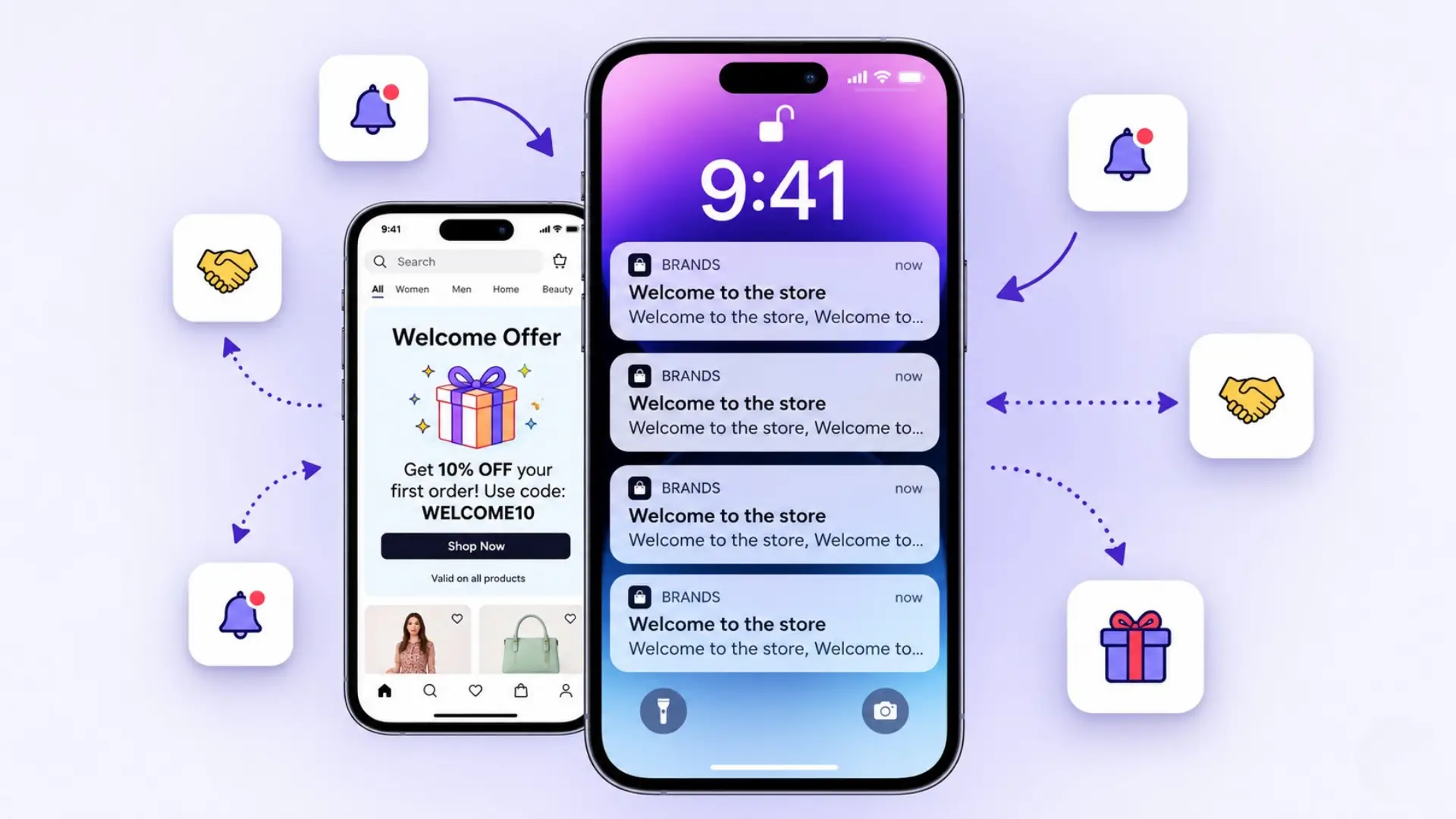
When to use: Right after a customer opts in. Confirm what they will receive and give them one useful first action.
How to implement:
- Trigger on opt-in, with a short delay so it does not clash with the system prompt.
- Reference the topic they chose, such as order updates or restock alerts.
- Link to a relevant screen, such as a category or the wishlist, not the home screen.
- Send no more than two messages in the first week unless the customer acts.
Example: "You are set. We will tell you when your saved items are back in stock."
Track: First-purchase rate for new subscribers within 7 and 30 days, and opt-out rate in the first 14 days.
Omnisend found that abandoned cart and welcome messages drove 76% of all automation-generated orders in its 2025 email data. The figure covers email, but it shows where lifecycle value concentrates.
Abandoned cart notifications
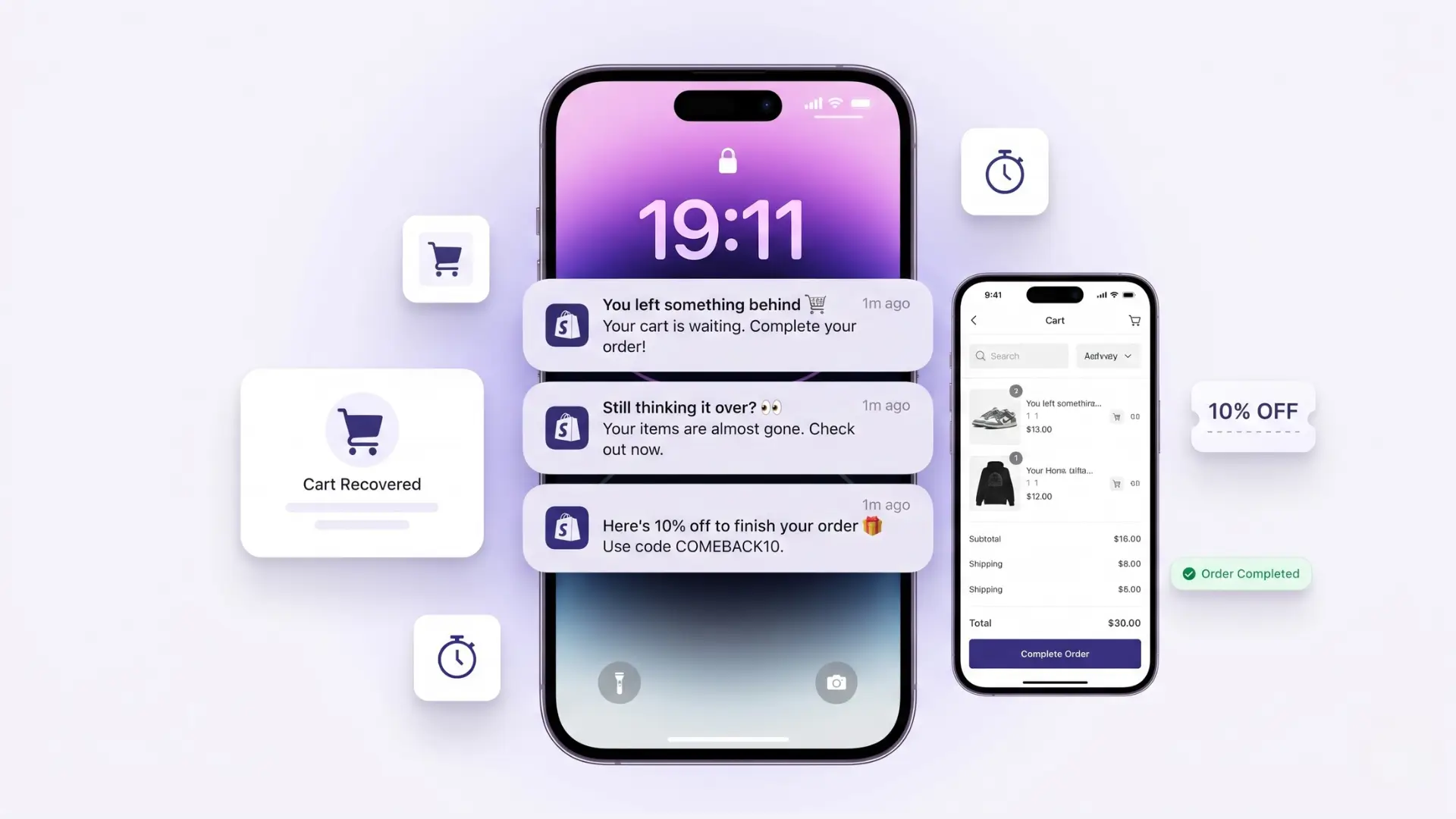
When to use: When a shopper adds items to the cart and leaves without buying.
Know the context first: Baymard Institute's average across 50 studies puts cart abandonment at 70.22%, and 42% of US shoppers said they abandoned a cart because they were just browsing. Many abandoned carts are shortlists, not lost sales. Target recoverable carts, and fix checkout friction separately.
Shopify caveat: Shopify's Help Center says an abandoned checkout counts as abandoned when it stays incomplete for more than ten minutes after the customer provides an email. That page describes the legacy experience, and a newer abandoned checkout experience exists. It also says recovery emails apply only to the Online Store and Buy Button channels, so checkouts from third-party sales channels get none.
App sessions may never appear in Shopify's abandoned checkout list. Our abandoned cart playbook recommends a simple test: abandon a checkout in your own app and see what Shopify records. Build your own cart event instead of relying on Shopify's list.
How to implement:
- Trigger from your own cart event, not a fixed schedule.
- Send the first message 30 to 60 minutes after abandonment, name the product, and skip the discount.
- Send a second message 12 to 24 hours later that answers the likely objection, such as delivery date or return policy.
- Cap reminders at two or three. Pushwoosh suggests one to two behavioral reminders spaced several hours apart.
- Deep link to the cart, never the home screen.
- Stop the flow the moment an order lands.
Treat these timings as starting points for testing, not benchmarks. For wider tactics beyond push, see our guide to reducing Shopify cart abandonment.
Example: "Your running shoes are still in your cart. Size 9 is in stock."
Track: Recovered revenue against a holdout group, recovery rate, and opt-out rate during the flow.
Browse abandonment notifications
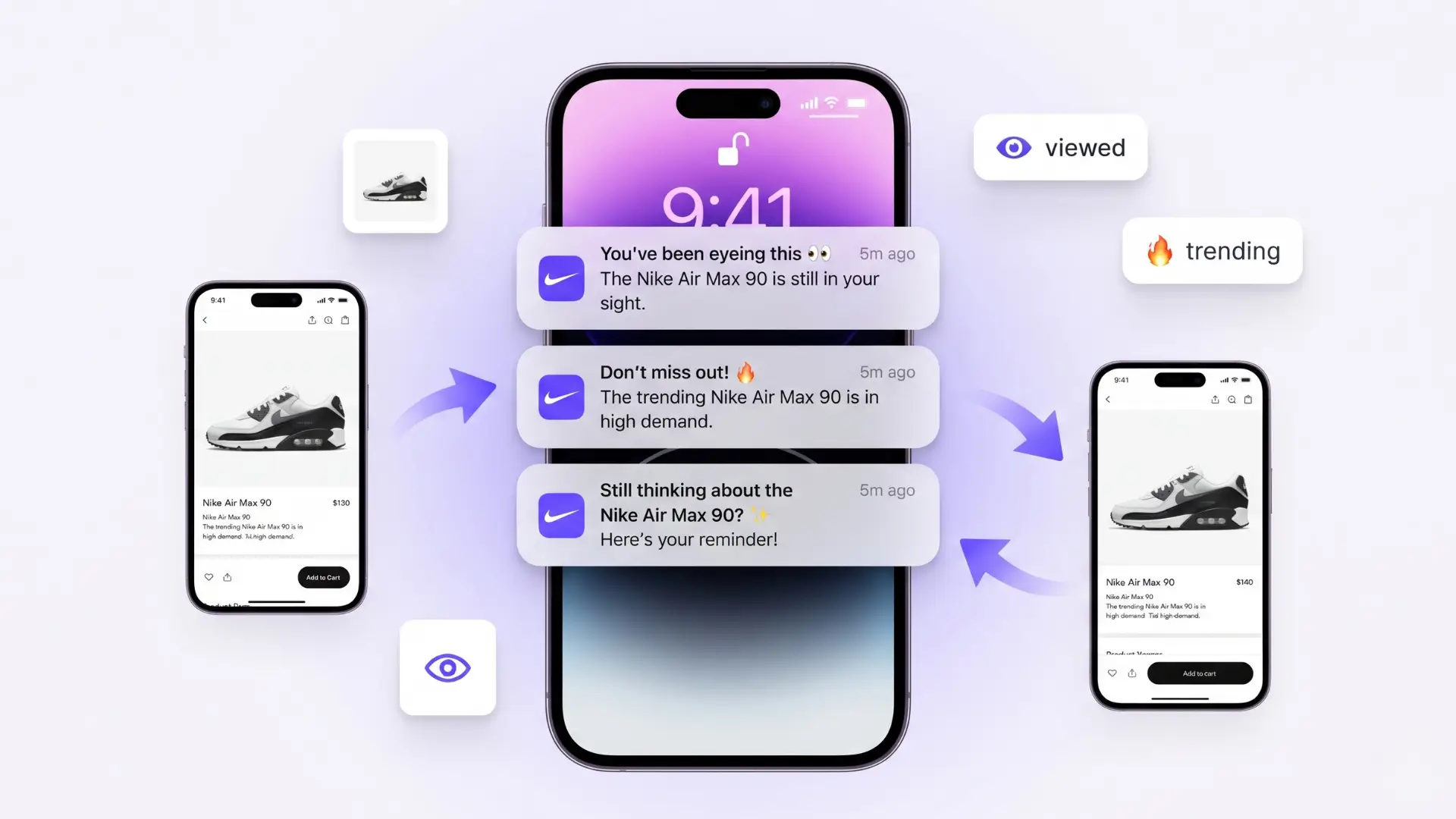
When to use: When a shopper views a product or category more than once and does not add to cart.
How to implement:
- Set a threshold, such as two views in 48 hours, so one casual look does not trigger a message.
- Reference the category or product, and show one clear alternative if the item is out of stock.
- Send once, then wait for new behavior before sending again.
- Rank it below cart messages. If a customer sits in both groups, the cart flow wins.
Example: "Still looking at the linen shirt? Here are two others in your size."
Track: Click-to-add-to-cart rate and incremental orders versus a holdout. Expect lower conversion than cart reminders, since intent is weaker.
Back-in-stock notifications
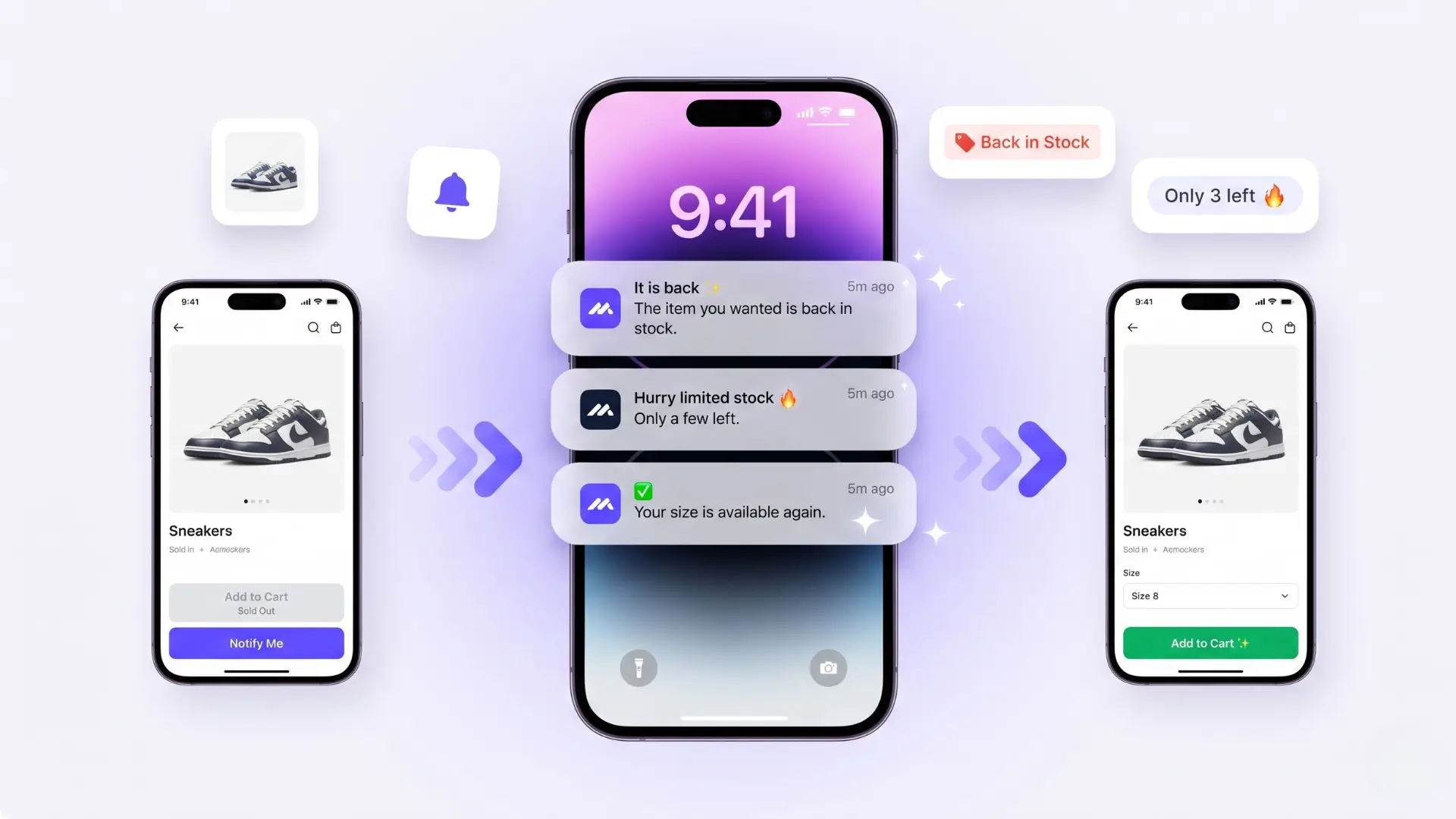
When to use: When an item a customer asked about becomes available again.
Why it earns its place: The customer requested the message, so it carries the clearest permission of any commercial push. Omnisend's email data showed back-in-stock messages had the highest conversion rate (6.46%) of any automation type. Pushwoosh also notes that these messages tap existing demand.
How to implement:
- Add a visible "Notify me" button on out-of-stock product pages, and use it as your soft prompt for push permission.
- Capture the exact variant, such as size and color.
- Trigger when inventory crosses a minimum level, so you never alert people to one remaining unit.
- Send one message per item, with a direct link to the product page.
- Send only if the item is still in stock at send time.
- If stock is limited, say so honestly. Never invent scarcity.
Example: "Your waitlisted jacket in medium is back in stock. Limited units."
Track: Conversion within 24 hours of send, revenue per send, and waitlist size by product, which also informs buying decisions.
Price drop notifications
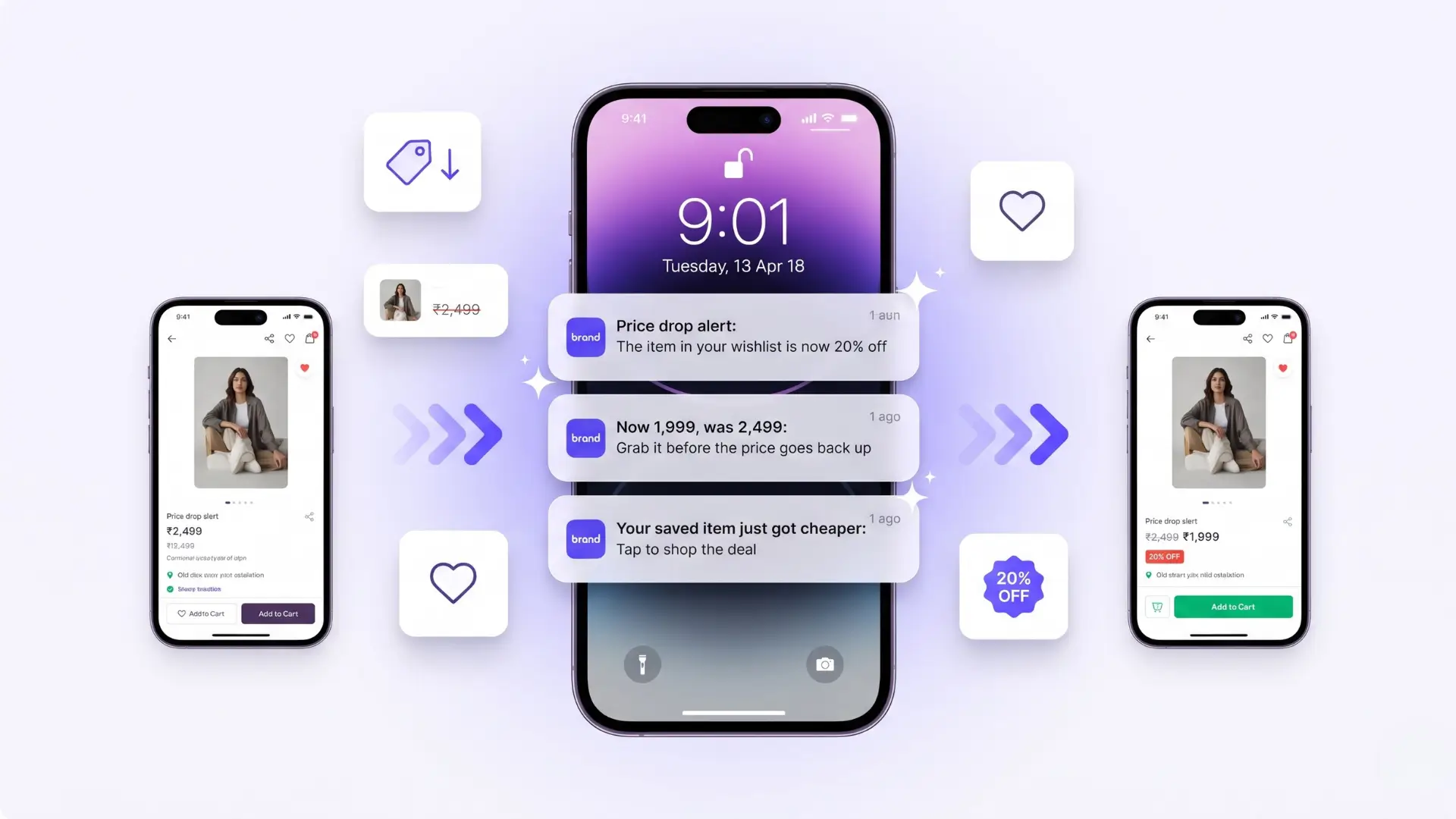
When to use: When a product a customer viewed, saved, or added to a cart falls in price.
How to implement:
- Limit alerts to customers with a clear signal of interest.
- Set a minimum drop, such as a meaningful percentage, so alerts do not become noise.
- Show the new price and the saved amount from verified data.
- Send once per price change per product.
Example: "The ceramic planter on your wishlist is now Rs 1,199, down from Rs 1,499."
Track: Conversion rate and the share of purchases at the discounted price versus a holdout. This tells you whether you are training customers to wait for drops.
Order update notifications
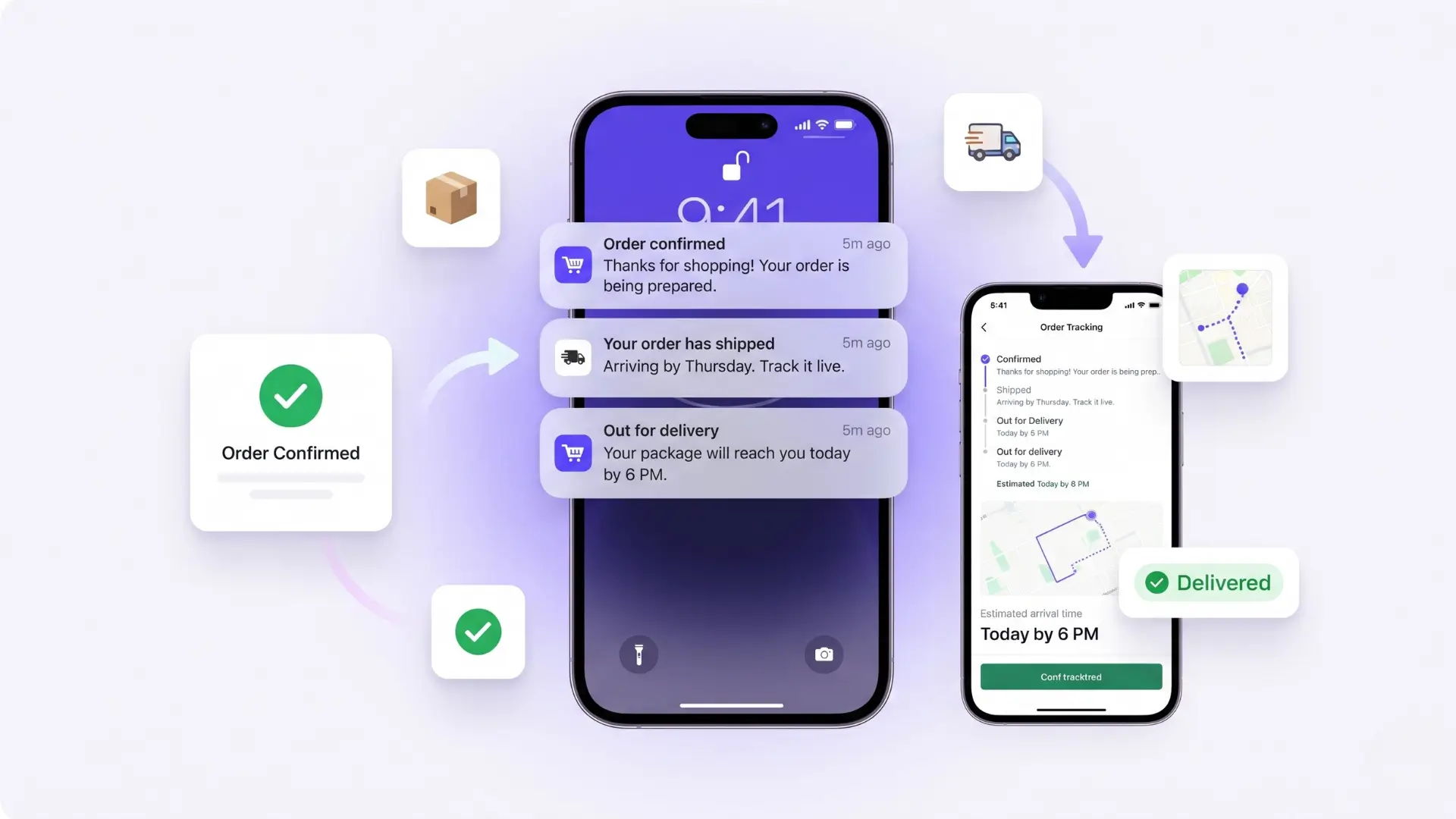
When to use: At confirmation, dispatch, out for delivery, and delivered. These are Tier 1 messages.
How to implement:
- Trigger from fulfillment and carrier events, not manual updates.
- Keep text factual and short. Include the order number or a delivery window.
- Leave out sensitive data. Apple's guidance says to avoid private information in notifications.
- Never add promotions to transactional messages. Apple's rules require explicit opt-in for promotional push, so mixing the two puts consent at risk.
- On iPhone, reserve the Time Sensitive interruption level for messages that must reach people through Focus, such as a delivery arriving now. Apple's documentation says it breaks through system notification controls, so overuse erodes trust.
- On Android, use a separate notification channel for orders so customers can mute offers without blocking updates.
Example: "Your order is out for delivery. Arriving today by 6 pm."
Track: Delivery rate and tap rate. Good order updates also cut support contacts about order status, which you can measure in your helpdesk.
Replenishment reminders
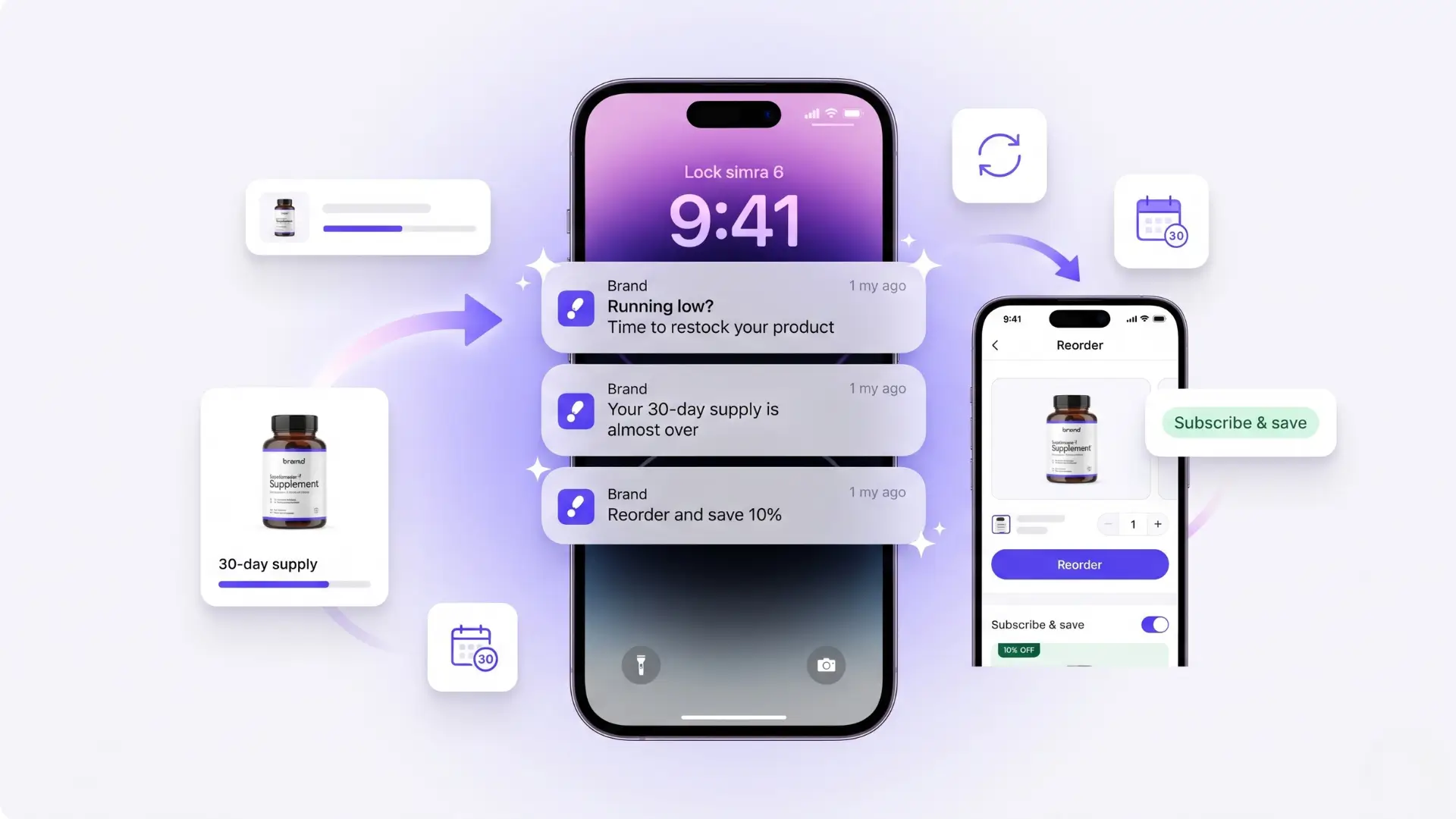
When to use: For consumable products, such as pet food, skincare, coffee, or supplements, as the customer approaches the end of the product.
How to implement:
- Calculate the typical reorder interval for each product from your own order data.
- Trigger a few days before the expected run-out date, not on the date.
- Link to a one-tap reorder of the last purchased item and size.
- After two or more orders, switch to the customer's own interval.
- Stop if they have already reordered.
Example: "Your 2 kg dog food is likely running low. Reorder in one tap."
Track: Reorder rate within 7 days of send, time between orders, and repeat purchase rate for customers who got reminders versus a holdout. Our guide to calculating repeat customer rate explains the formula.
Supertails shows the model at work. The pet care brand uses push for replenishment and care reminders in its AppMaker app, and its case study shows app users repeat at twice the rate of website users. Personalization and native checkout contribute to that result too, so push is not the only driver.
Product recommendation notifications
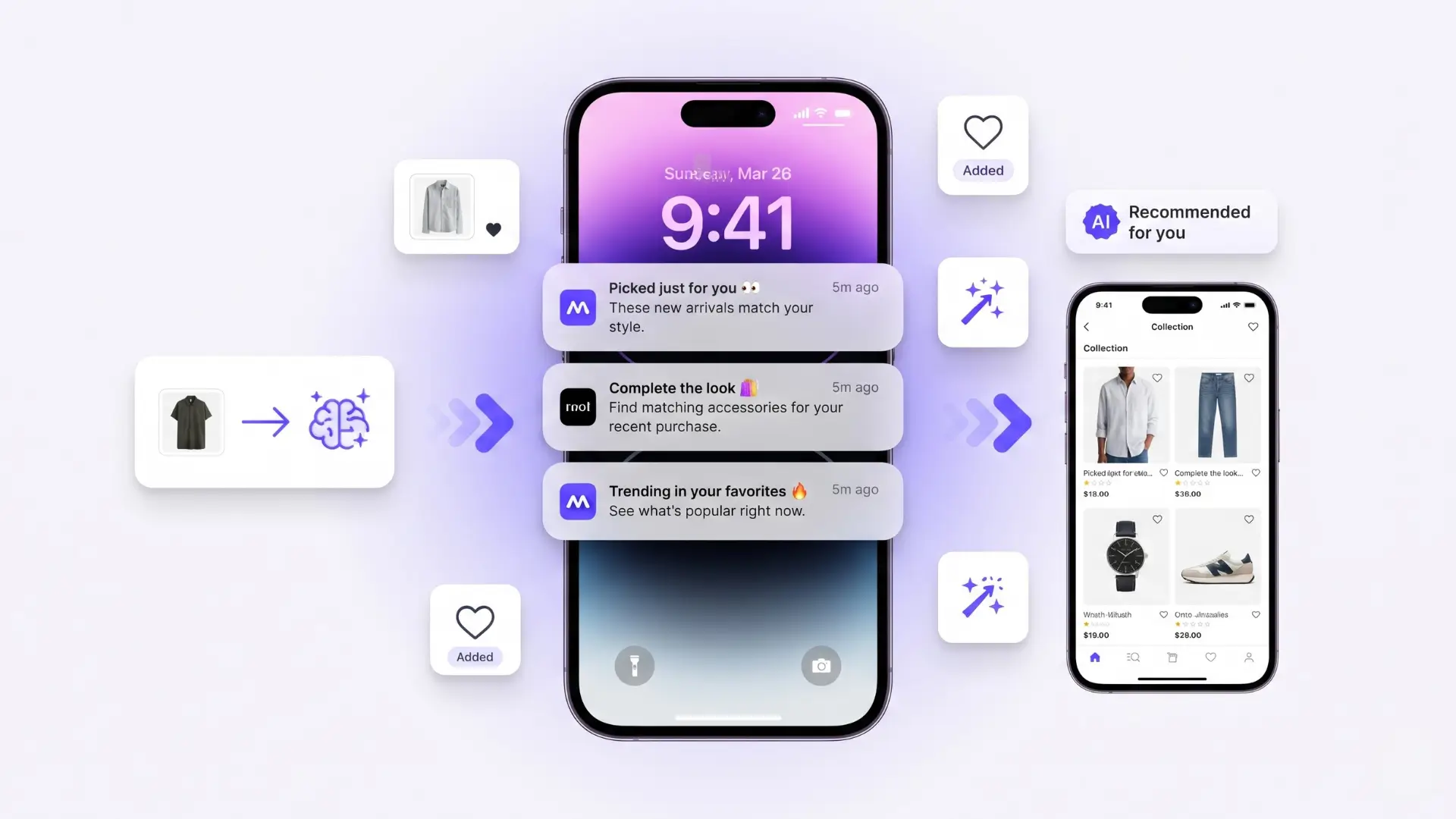
When to use: To introduce relevant new arrivals or complementary items, usually in the weeks after a purchase.
How to implement:
- Base recommendations on category affinity and recent behavior.
- Never recommend something the customer already bought, unless it is a replenishment item.
- Use rich push with a product image where supported. Airship's data shows rich push lifted direct open rates by 22% on average.
- Cap these as Tier 5 promotional messages.
Example: "New in the Merino range you viewed: three colors just landed."
Track: Click-through rate, add-to-cart rate, and revenue per send. Compare personalized recommendations with a generic new-arrivals message.
Loyalty notifications
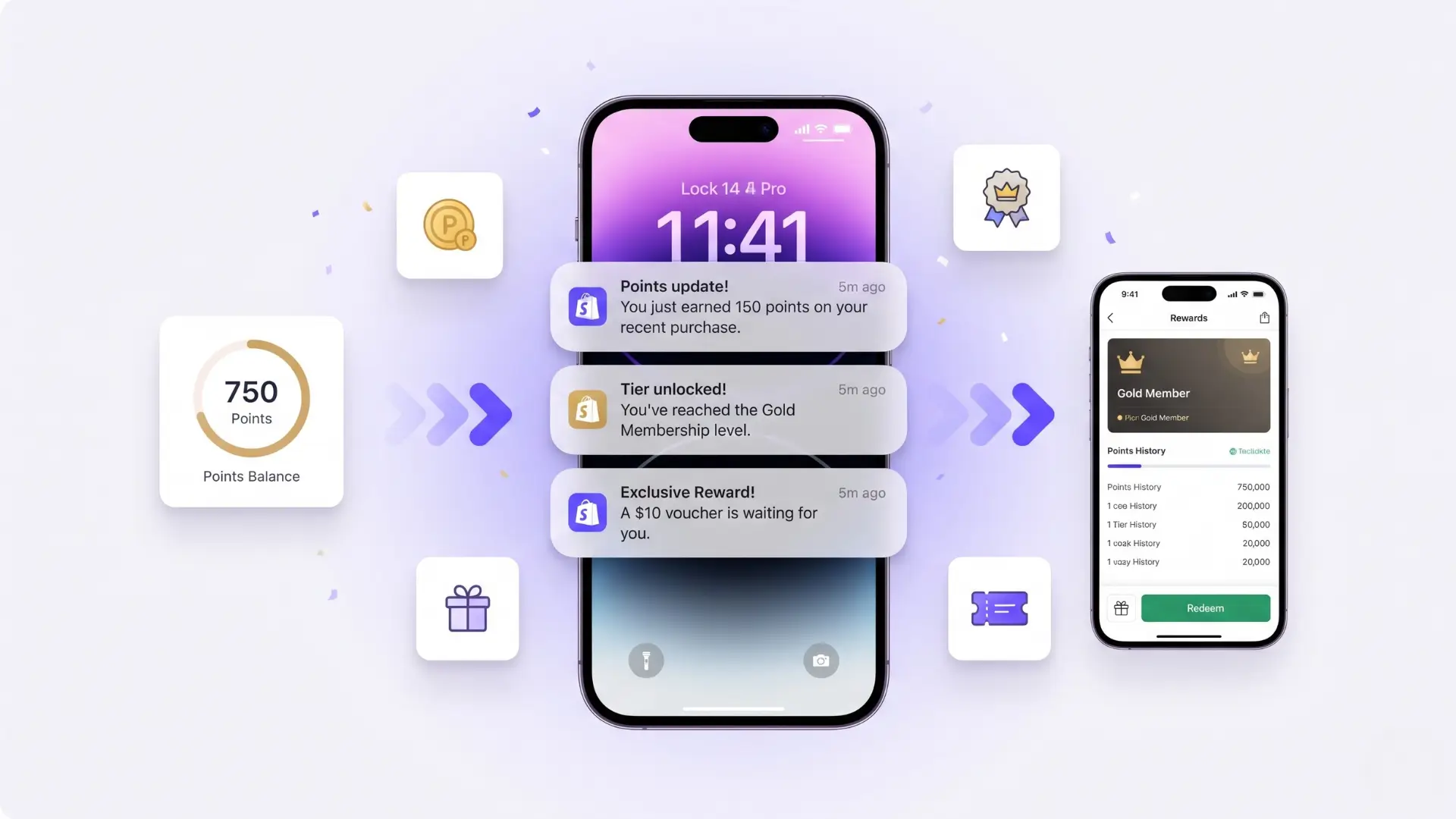
When to use: To show progress, remind customers of rewards, and recognize tier changes.
How to implement:
- Trigger on points balance changes, tier thresholds, and expiry dates.
- Be precise: "You are 120 points from your next reward" works better than "Earn rewards."
- Warn about expiry with enough notice to act, and only when the expiry is real.
- Give top-tier customers early access to launches.
ASDA used rich push and in-app messages tailored to each person's rewards progress and, according to Airship, doubled push open rates for the campaign compared with average performance. It is a single vendor case study. Read it as a signal of what personalized progress messaging can do, not as a benchmark. For loyalty ideas in an app, see our tips to improve customer loyalty with a Shopify mobile app.
Track: Redemption rate, repeat purchase rate among members, and opt-out rate after loyalty messages.
Win-back campaigns
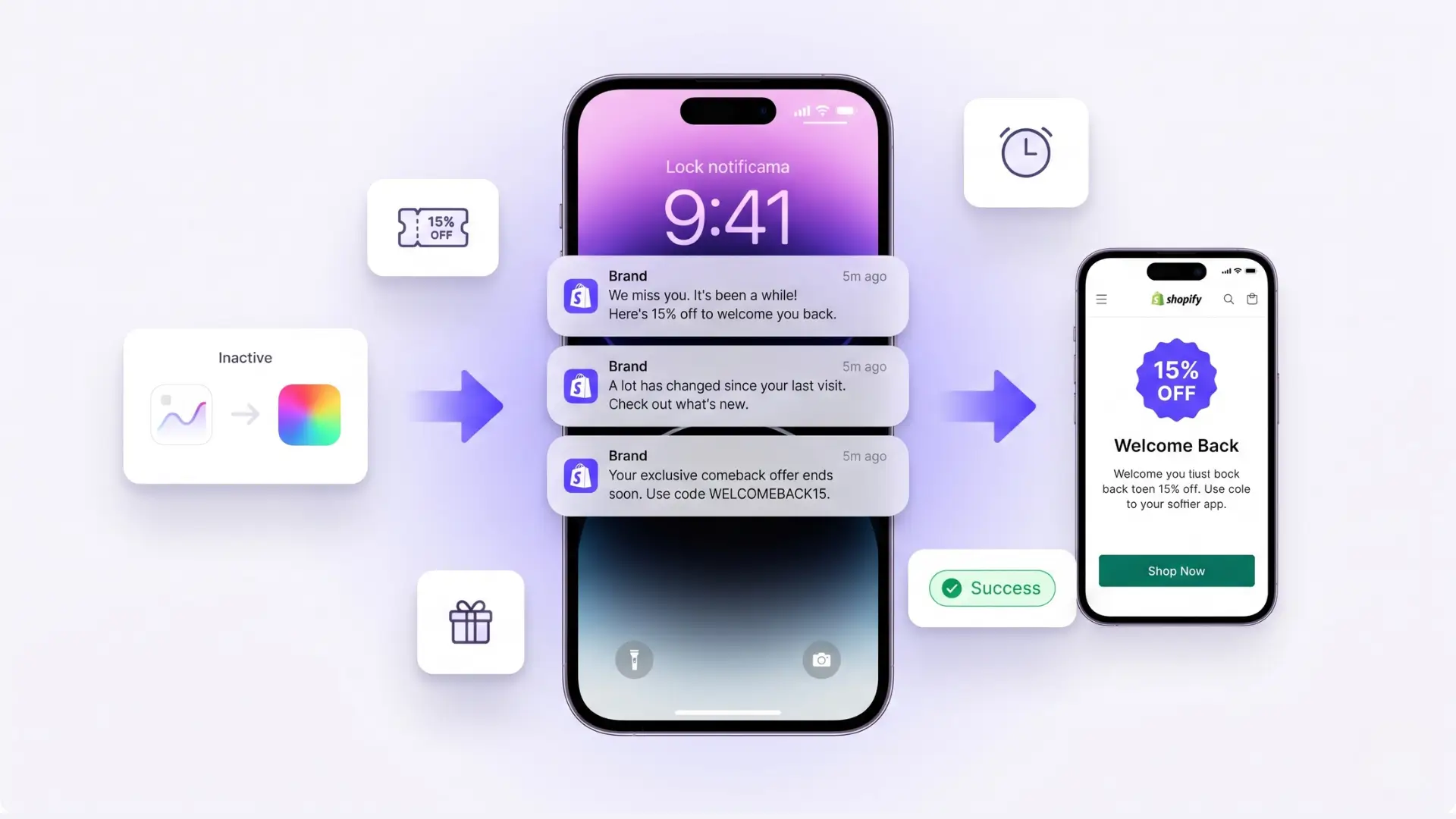
When to use: When a customer goes quiet for longer than their normal buying cycle.
How to implement:
- Define lapse by product category. Thirty days of silence means little for furniture and a lot for groceries.
- Lead with relevance: a restock of something they bought, a new arrival in their category, or an update to their saved items.
- Save incentives for the final step, and tie them to a reason. If the lapsed customer has low value, consider letting them go.
- Send a short sequence of two or three messages across several weeks, then stop. Persistent messaging after silence drives opt-outs.
- Consider switching channels. If push gets no response, email may reach them.
Example: "It has been a while. The serum you bought is back, larger."
Track: Reactivation rate against a holdout, orders in the 30 days after reactivation, and opt-out rate.
Promotional notifications
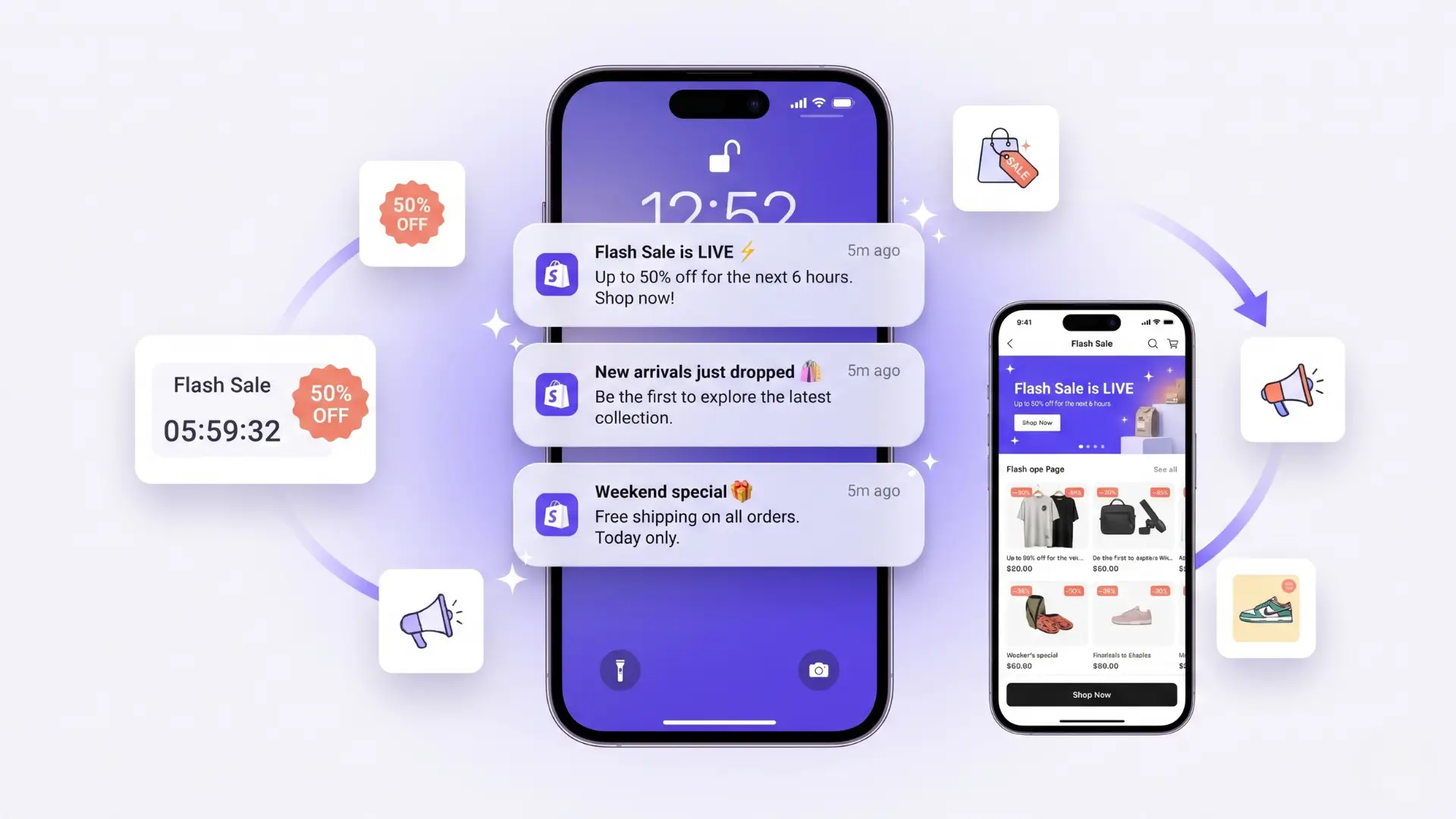
When to use: For genuine events, such as launches, seasonal sales, and limited-time offers.
How to implement:
- Send to segments likely to care, not the whole list.
- Match the offer and the destination. The link should open the sale collection.
- Limit frequency per customer. Pushwoosh suggests no more than two to three promotional pushes per week. That is a vendor guideline, not a rule.
- Use real deadlines only.
Track: Revenue per send, opt-out rate per send, and the long-run effect on engagement. A promotion that wins a day but drives opt-outs has a cost.
Which notification for which lifecycle stage
| Lifecycle stage | Lead notification | Support notification |
|---|---|---|
| Install and opt-in | Welcome | Soft prompt follow-up |
| First session | Browse abandonment | Back-in-stock sign-up |
| Consideration | Cart recovery | Price drop |
| Purchase | Order updates | Cross-sell after delivery |
| Post-purchase | Replenishment | Product recommendations |
| Retention | Loyalty progress | Early access |
| At risk | Win-back | Channel switch to email |
Timing and Frequency
No universal best time to send exists, so find yours from your own customers. Studies that name a single best day or hour reflect one dataset, and they rarely hold across categories and countries.
How to set timing
- Send in each customer's local time, not yours.
- Review when each segment opens the app, and test send windows within that range.
- Let the event drive triggered messages. Cart messages follow the abandonment, and order updates follow the carrier event.
- Set quiet hours. Hold promotional messages late at night and very early.
- Account for platform behavior. Airship notes that on Android, notifications persist on the lock screen until the user swipes them away, while on iPhone they leave the lock screen once the user unlocks the phone. That explains part of why Android direct open rates run higher.
How to set frequency
Frequency trades reach against fatigue. Airship's survey work found that the top two reasons for opting out of brand communications were messages that came too often and messages that lacked relevance. The same report observed that apps in the top 10% for send volume saw 72% more sessions per active user. High volume can work when messages stay relevant. The data does not prove that sending more causes more sessions.
Set a cap per customer by tier:
| Tier | Starting guardrail (test and adjust) |
|---|---|
| Transactional | As events occur |
| Requested alerts | Once per item |
| Behavioral | Up to two reminders per event |
| Lifecycle | One active journey at a time |
| Promotional | Two to three per week at most for most brands |
These are starting points, not industry standards. Lower them for categories with long purchase cycles. Watch opt-out and uninstall rates by frequency band. When the rate rises with frequency, you have found your limit.
Platform controls matter too. Android lets customers see how many notifications an app sends each day and revoke permission at any time. Apple's Focus modes and notification summaries can group or delay messages. Write messages that stand on their own so they survive both.
A/B Testing and Experimentation
Test one variable at a time, on a large enough audience, and measure revenue, not just taps.
Test in this order of usual impact:
- Trigger and audience: who receives the message and when it fires.
- Offer and angle: reminder only, objection handling, or incentive.
- Send delay: 30 minutes versus 2 hours for cart reminders.
- Copy: length, specificity, and the product named.
- Rich media: image versus text-only.
- Channel: push versus email for a given trigger.
Rules for clean tests:
- Randomize at customer level and keep the groups fixed for the full test.
- Run each test for at least one full buying cycle for that segment.
- Pick the success metric before launch. For cart flows, use revenue per recipient, not open rate.
- Change one thing at a time.
- Keep a permanent holdout, a small random group that receives no push at all. Compare their orders and retention with the messaged group to measure true incremental lift.
- Keep test copy honest. Never test deceptive urgency.
Analytics: What to Measure
Measure reach, engagement, revenue, and health together. Any one on its own can mislead.
| Metric | Formula or meaning | Why it matters |
|---|---|---|
| Opt-in rate | Push-enabled users ÷ total users | Defines your reachable audience |
| Delivery rate | Delivered ÷ sent | Shows registration quality |
| Direct open rate | Sends that led to an app open ÷ sends | Airship's core engagement measure |
| Click-through rate (CTR) | Taps ÷ delivered | Varies by vendor definition |
| Conversion rate | Orders ÷ taps | Measures message-to-order quality |
| Revenue per send | Attributed revenue ÷ sends | Compares message types fairly |
| Incremental revenue | Messaged group revenue minus holdout revenue | The truest measure of impact |
| Opt-out rate | Disabled push ÷ reachable users | Early warning of fatigue |
| Uninstall rate | Uninstalls after send | Strongest sign of over-sending |
| Retention lift | Retention of push-enabled vs not | Shows long-term value |
For more on retention measurement, see our mobile app retention strategies and benchmarks.
Reading benchmarks carefully
Vendors measure different things, so compare like with like.
- Airship's 2025 report drew on 2024 data from more than 9 billion app users across thousands of apps. It put median direct open rates at about 3.4% on Android and 3.1% on iPhone. Airship has since published a 2026 edition with 2025 data.
- Pushwoosh reported average retail CTR of 3.05% on iOS and 3.78% on Android.
- Omnisend's 2025 analysis covered 458 million push notifications, within a dataset spanning 150,000 brands. Automated push click-to-conversion rose to 22.9% from 13.9%. Automated push also delivered nearly 10 times the conversion rate, seven times the ROI, and 37% higher open rates than campaign sends. The data comes from brands using Omnisend, whose push product is web push, so it may not match native app behavior.
- Airship also found that opted-in customers made 13% more purchases than opted-out customers, with top apps seeing up to 39% more. That is an association, not proof that push caused the difference. Customers who opt in may simply engage more.
Attribution cautions
- Set an attribution window, such as 24 hours after tap, and keep it fixed.
- Separate last-touch attribution from incrementality. Many people who tap a cart reminder would have bought anyway.
- Report transactional and promotional messages separately.
- Compare push-enabled and non-enabled cohorts for retention, with the caution above.
A simple weekly dashboard
Review these every week: reachable audience, opt-in rate by platform, sends by tier, revenue per send by flow, opt-out and uninstall rates, and holdout lift for your top three flows.
Deliverability and Technical Hygiene
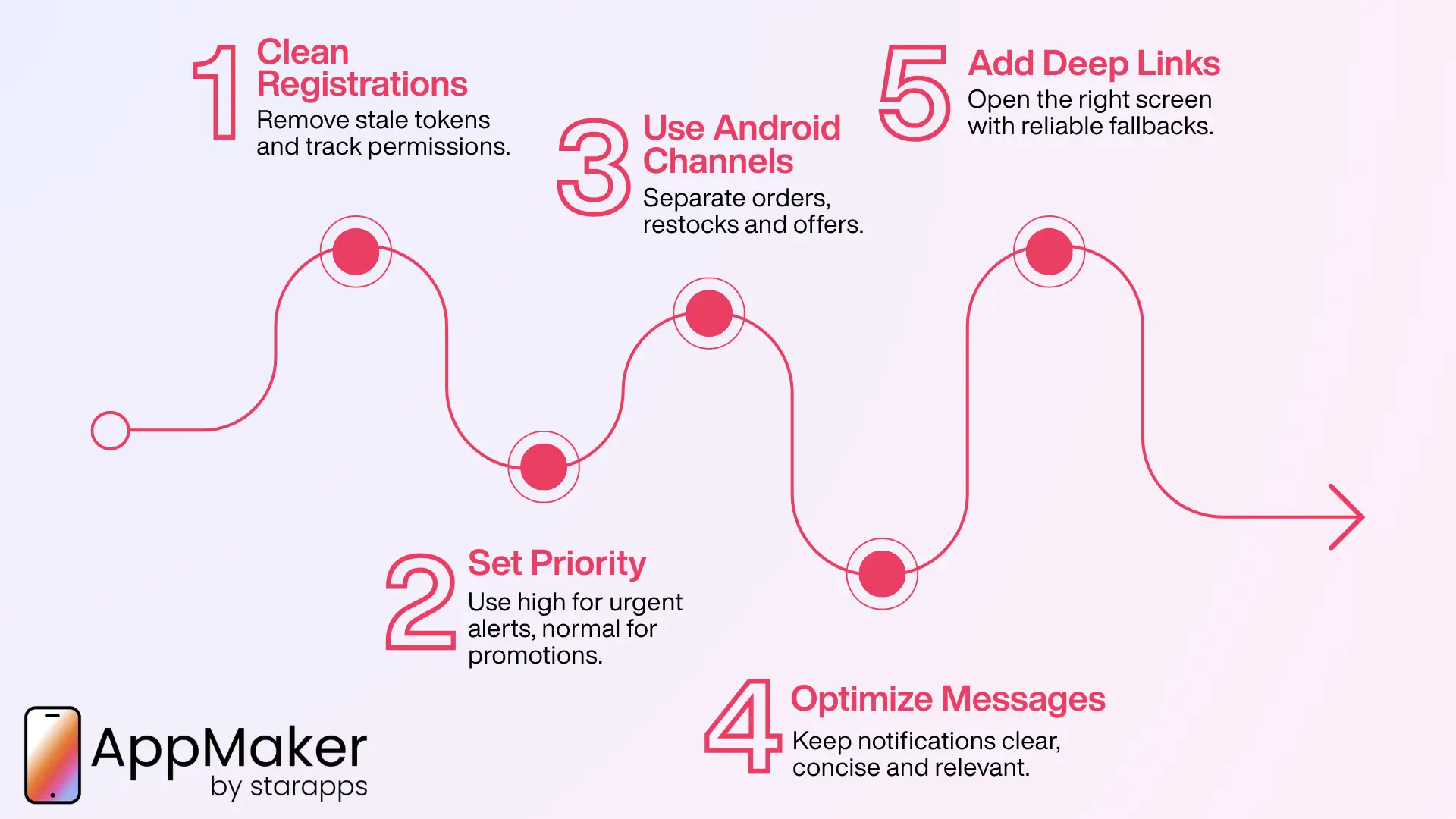
A push converts only if it reaches the device, so registration hygiene belongs in your strategy.
Keep registrations clean
Firebase's guidance treats a registration as stale when a device has not connected to FCM for over a month. On Android, FCM expires a registration after 270 days of inactivity. Stale registrations lower reported delivery rates and waste sends.
- Store each registration with a timestamp, and update it on app open.
- Remove registrations that return UNREGISTERED or INVALID_ARGUMENT when the payload is valid.
- Set your own staleness window, such as 30 days of no activity, before you send to a registration.
- Check permission status in the app and record it, so you know your true reachable audience.
Choose priority carefully
FCM offers normal and high priority. High priority suits time-sensitive, user-visible content and attempts immediate delivery even in Doze mode. Normal priority may arrive late for backgrounded apps. Use high for order updates and live stock alerts, and normal for lower-urgency promotions.
Use Android channels well.
Android 8.0 and higher requires notification channels. Create one per notification type, such as orders, restocks, and offers. Google notes that once you create a channel, you cannot change its behavior, and the user has final control. Well-named channels let customers silence offers without blocking order updates.
Write for how notifications display
Apple's guidance says to use complete sentences, sentence case and proper punctuation, and to avoid truncating your message. Apple Intelligence notification summaries can condense stacked notifications on supported devices, so put the key fact first and keep each message self-contained. Airship also advises that relevance is the main protection against deprioritization by those summaries.
Deep links and fallbacks
- Open the exact screen every push refers to.
- Test deep links on cold start and with the app in the background.
- If the product is gone, fall back to a relevant category, not the home screen.
- Preserve the destination through login for logged-out customers.
Common Ecommerce Push Notification Mistakes
- Asking for permission on first launch. You waste your best moment before the customer sees value.
- Treating the system prompt as the only consent. Promotional consent needs its own clear wording.
- Sending the same broadcast to everyone. It ignores the strongest lever in the data, which is relevance.
- Linking to the home screen. Every extra tap loses customers.
- Letting flows run after purchase. Nothing damages trust faster than a reminder for something already bought.
- Putting offers inside transactional messages. It mixes tiers and risks consent problems.
- Faking urgency. Countdowns and stock claims must be true.
- Chasing open rate. Open rate shows attention. Revenue per send and holdout lift show value.
- Ignoring stale registrations. They distort every delivery metric.
- Skipping the holdout. Without one, you cannot tell lift from coincidence.
- Relying on Shopify's abandoned checkout list for app sessions. Shopify records abandoned checkouts only after the customer gives an email, so it misses many in-app drops.
A 90-Day Rollout Plan
| Weeks | Focus | Actions |
|---|---|---|
| 1 to 2 | Foundations | Define consent layers, set up events, write the value ladder and caps, clean registrations |
| 3 to 4 | Permission | Launch soft prompts at value moments, add "Notify me", build the recovery banner |
| 5 to 6 | Core automations | Welcome, abandoned cart, back in stock, order updates, with a holdout |
| 7 to 8 | Behavior | Browse abandonment, price drop for saved items, first segments |
| 9 to 10 | Retention | Replenishment, loyalty progress, post-purchase recommendations |
| 11 to 12 | Win-back and tuning | Win-back sequence, frequency review, first A/B test results |
Review opt-out and uninstall rates every week during rollout. If either rises, slow down before you add the next flow.
Where AppMaker Fits
A mobile app platform strengthens an ecommerce push notification strategy in three ways. It gives you an owned channel, it connects push to live store and in-app behavior, and it lets your marketing team run flows without engineering for every change. It does not replace the strategy work above. You still own permission wording, tier rules, caps, and holdouts.
AppMaker builds native iOS and Android apps for Shopify stores. Our features page covers the full set. These capabilities matter most for push strategy:
- Scheduled and automated push. Schedule sends for campaigns, launches, and events, and automate triggers for abandoned carts, restocks, and inactivity.
- Behavior-based targeting. Build segments on behavior, preferences, and location.
- Deep links. Send shoppers to specific in-app destinations, such as a product or offer. Our push strategy guide shows how.
- Real-time Shopify sync. Products, inventory, orders, and customer data flow into the app, so messages carry accurate price and stock.
- Conditional blocks. App conditional blocks show offers only to returning users or trigger offers for inactive users, which extends push logic into the in-app experience.
- Analytics. The analytics section tracks revenue per session, conversion rate, average order value, retention, and purchase frequency, with user segmentation and journey analysis.
- Extensions. A reorder product scroller supports repeat purchase journeys.
Supertails proves the model. Its AppMaker app drives 67% of its orders, converts 2.5 times better than mobile web, and brings a 2 times higher repeat rate than website users. See the full Supertails case study. Push contributes alongside personalization, content, and native checkout, and it is one brand's result, not a guarantee.
What to check before you commit to any platform
Whichever platform you choose, confirm these points in writing or in a demo:
- Can you record separate system permission, marketing consent, and topic preferences?
- Does it trigger from your own cart event, and does it cover in-app sessions that Shopify's abandoned checkout list may miss?
- Can flows stop instantly on purchase across all channels?
- Can you set per-customer frequency caps by tier?
- Can you run a permanent holdout and export results?
- Does every push deep link to the exact screen?
- Which flows, such as price drop, replenishment, and order updates, work natively, and which need an integration or manual segments?
- How does it handle stale registrations and delivery reporting?
Final Thoughts
A good ecommerce push notification strategy is mostly restraint. Earn permission at the right moment. Keep consent clear. Rank messages by value to the customer. Automate the few flows that matter most, protect them with suppression rules, and prove their worth with a holdout. Add new flows only when opt-outs and uninstalls hold steady.
Start with order updates, back-in-stock alerts, abandoned cart, and welcome flows. Measure them for a full buying cycle, then expand into replenishment, loyalty, and win-back.
Frequently Asked Questions
What is an ecommerce push notification strategy?
It is a documented plan for who receives which push message, when, how often, and why. It covers permission, data, automations, content, frequency caps, and measurement. The goal: useful messages across the customer lifecycle without driving opt-outs.
What is the difference between app push and web push?
App push reaches people who installed your native app and opens in-app screens. Web push reaches site visitors through the browser, including those without your app. On iPhone, web push works only for web apps added to the Home Screen, which limits reach.
When should I ask customers for push permission?
Ask after the customer sees value, such as after tapping "Notify me", completing an order, or saving an item. Apple and Android both advise requesting permission in context, not on first launch. Show a soft prompt first so a "no" does not use up your system prompt.
Do I need consent to send promotional push notifications?
Yes, on Apple platforms. Apple's App Review Guidelines bar promotional or direct-marketing push notifications unless customers explicitly opt in through consent language in your app and can opt out. Privacy laws in your markets may add duties. Check with a qualified advisor.
What are the most important push notifications for ecommerce?
Start with order updates, abandoned cart, back in stock, and welcome messages. Then add browse abandonment, replenishment, loyalty, and win-back flows. Omnisend's 2025 email data found abandoned cart and welcome messages drove 76% of automation-generated orders.
How soon should I send an abandoned cart push?
Start with 30 to 60 minutes after abandonment, and send a second message 12 to 24 hours later. Treat this as a test plan, not a rule. Deep link to the cart and stop the flow immediately after purchase.
How often should I send push notifications?
No universal number exists. Set caps by message tier, send transactional messages as events occur, and limit promotions. Pushwoosh suggests two to three promotional pushes per week as a guide. Watch opt-out and uninstall rates, and lower frequency if they rise.
What is a good push notification open rate?
It depends on how you measure it. Airship's 2025 report put median direct open rates at about 3.4% on Android and 3.1% on iPhone. Pushwoosh reported retail CTR of 3.05% on iOS and 3.78% on Android. Compare against your own history and by platform.
What is the best time to send push notifications?
No single best time exists. Send in each customer's local time, test windows within when your segments are active, and let triggered messages follow the event. Avoid late-night promotions.
How do I measure whether push is working?
Use a permanent holdout group that receives no push. Compare orders, revenue, and retention against the messaged group to find incremental lift. Track revenue per send, opt-out rate, and uninstall rate alongside click-through rate.
Why is my push delivery rate falling?
Stale registrations from inactive devices cause most drops. FCM expires Android registrations after 270 days of inactivity, and Firebase advises removing invalid ones. Also check permission status, since customers may have turned off notifications.
Does Shopify track abandoned carts from my mobile app?
Not reliably. Shopify's Help Center says an abandoned checkout registers after more than ten minutes without completion once the customer gives an email, and that recovery emails cover the Online Store and Buy Button channels. Test your app flow and build your own cart event.