




























Push notifications are everywhere, yet the same message can perform completely differently on Android and iOS devices. An Appmaker study found that push notifications deliver 5–10X higher CTRs than email and paid marketing channels. That gap makes it important to understand why results change across platforms even when the campaign stays the same.
Behind every notification, different systems decide when it shows, how it appears, and whether users even notice it. Android gives more flexibility in delivery and display, while iOS applies stricter controls that affect visibility and timing. These differences quietly shape engagement, making platform-specific strategy more important than most teams realize.
In this article, a clear breakdown explains how push notifications work on Android and iOS, along with their key differences. The insights shared here will help build smarter notification strategies that improve engagement, conversions, and overall app performance.
Key Takeaways
- Push notifications drive 5–10X higher CTRs than email and paid channels, making them one of the highest-performing engagement tools.
- Android delivers higher reach with more flexible permissions, while iOS drives stronger engagement due to stricter opt-in behavior.
- Notifications rely on FCM and APNs, where delivery timing and visibility differ based on system rules and user settings.
- Delivery, display, and system filtering directly impact how often users see and interact with notifications.
- Platform-specific timing, targeting, and messaging are necessary to improve engagement, conversions, and overall campaign performance.
What is a Push Notification?
A push notification is a message sent by an app directly to a user’s device without requiring the app to be open. These notifications appear on the lock screen, notification tray, or banner to deliver updates, reminders, or promotional content instantly.
Businesses use push notifications to engage users in real time, drive actions, and increase retention across mobile apps.
What Is the Basic Framework of Push Notifications?
Push notifications follow a simple framework where different systems work together to deliver messages from an app to a user’s device. Here is how the push notification process works step by step:
- Event triggers a notification: An action like a purchase, cart abandonment, or promotion signals the system to send a notification.
- Server prepares the message: The backend system selects users, personalizes content, and formats the notification based on available data.
- Push service routes the message: Platform services like Firebase Cloud Messaging or Apple Push Notification Service handle the delivery request.
- Device receives the notification: The message is sent to the user’s device using a unique device token linked to the app installation.
- System controls the display: The operating system decides how and when the notification appears based on user settings and priority rules.
Once the process is clear, the next factor that shapes performance is whether users even allow these notifications to reach them.
Push Notification Permission Differences on Android vs iOS
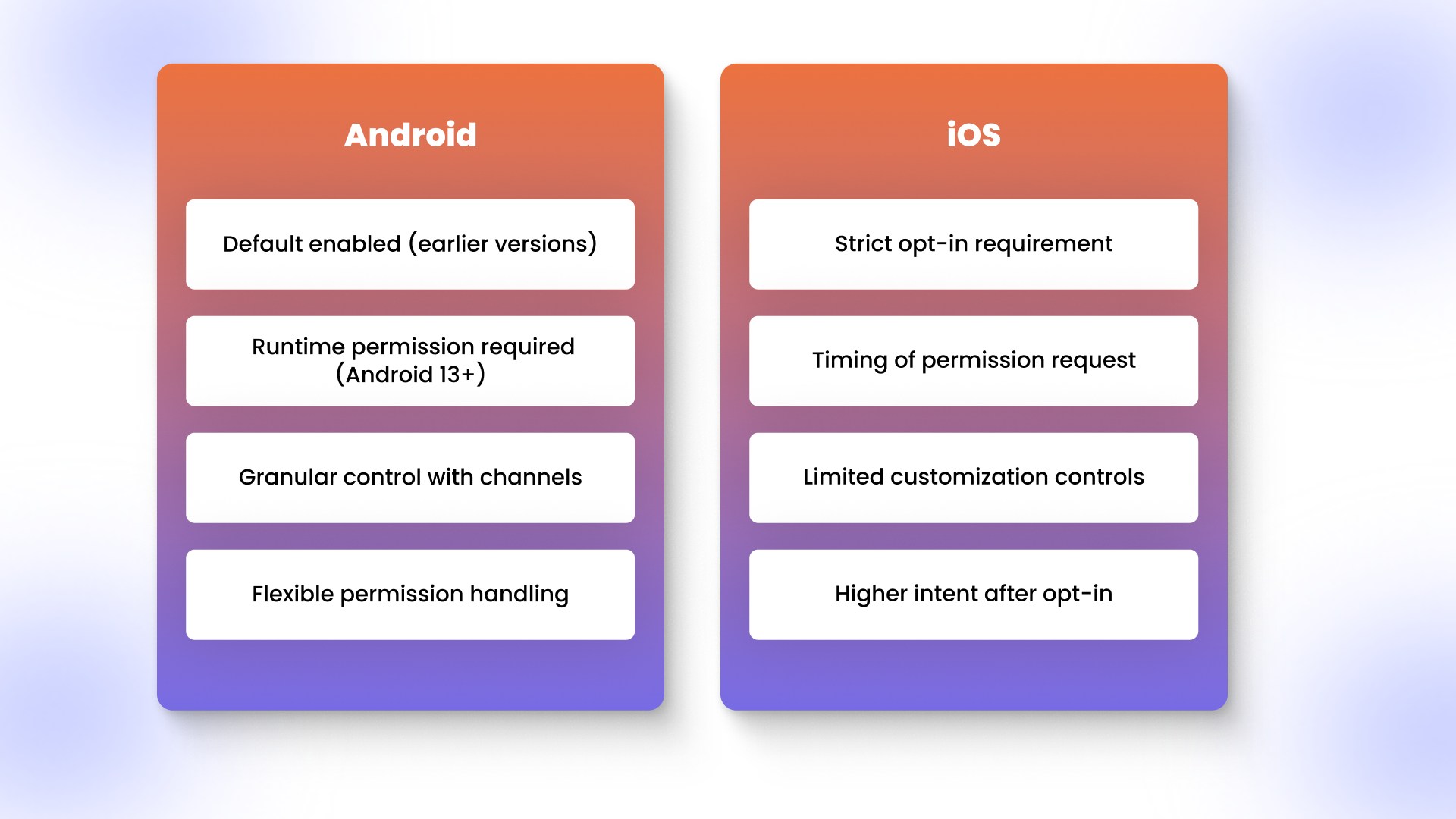
Permission settings determine whether notifications reach users, making them a critical difference between Android and iOS platforms. Here is how permissions work across each platform:
Push Notification Permissions on Android
- Default behavior in earlier versions: Notifications were enabled by default, allowing apps to send messages without explicit user approval.
- Android 13 and newer changes: Runtime permission is now required, meaning users must allow notifications after installing the app.
- Granular control with channels: Users can manage notification types like promotions or updates separately within system settings.
- Flexible permission handling: Apps can continue sending notifications once approved without frequent system interruptions.
Push Notification Permissions on iOS
- Strict opt-in requirement: Notifications remain disabled until users explicitly allow them through a system permission prompt.
- Timing of permission request: Early prompts often lead to rejection, making it important to request permission at the right moment.
- Limited customization controls: Users can allow or block notifications, but options are less granular compared to Android.
- Higher intent after opt-in: Users who accept notifications tend to engage more, leading to stronger conversion potential.
After permissions are granted, the way each platform handles delivery and visibility starts to shape how notifications perform in real scenarios.
How Push Notifications Are Delivered and Shown on Android vs iOS?
Delivery speed, visibility, system filtering, and performance vary across Android and iOS after a notification is sent. Here is how each platform handles notifications:
Push Notification Delivery on Android vs iOS
- Android delivery flow: Notifications are sent through Firebase Cloud Messaging with fewer delays and more consistent real-time delivery.
- iOS delivery flow: Notifications pass through Apple Push Notification Service, where timing depends on priority and system conditions.
- Reliability differences: Android notifications are more likely to arrive instantly, while iOS may delay delivery based on system rules.
Push Notification Display on Android vs iOS
- Android display behavior: Notifications appear immediately in the notification tray with support for rich media and multiple interaction options.
- iOS display behavior: Notifications follow a standard layout and may be grouped or delayed by system features like Notification Summary.
- User interaction differences: Android allows more flexible actions, while iOS keeps interactions simpler and more controlled.
Push Notification Control by the Operating System
- Android system behavior: The system applies minimal filtering, allowing apps to deliver notifications with fewer automatic restrictions.
- iOS system behavior: The system actively filters notifications using Focus Mode, priority rules, and background limitations.
- Impact on visibility: Notifications on iOS are more likely to be delayed, grouped, or hidden compared to Android.
Push Notification Performance on Android vs iOS
- Reach differences: Android generally achieves higher reach due to more flexible permissions and delivery behavior.
- Engagement differences: iOS users who receive notifications tend to show stronger engagement and higher intent.
- Outcome impact: Delivery, display, and system control together influence open rates and conversion performance across platforms.
A quick comparison highlights how Android and iOS differ across delivery, visibility, control, and performance, making it easier to scan key differences at a glance. The table below summarizes the most important distinctions between the two platforms:
Understanding these differences is only part of the picture, as the real impact shows up in how users engage and convert.
Impact of Push Notifications on Engagement and Conversions
Delivery timing, visibility control, and permission behavior directly influence how users engage and convert across Android and iOS platforms. Mobiloud report claims that mobile apps have a 23% higher purchase rate and an 85% higher add to cart rate, making push notifications a key driver of that performance. Here is how these differences affect real engagement and conversion outcomes:
1. Reach vs intent tradeoff:
- Android: Higher reach due to fewer restrictions, but lower attention per notification
- iOS: Lower reach due to strict opt-in, but higher intent once users accept notifications
2. Cart abandonment recovery performance:
- Android: Immediate delivery helps capture users within minutes of drop-off
- iOS: Delayed or batched notifications reduce urgency, lowering recovery rates if timing is not optimized
3. Time-sensitive campaign impact:
- Android: Flash sales and limited-time offers perform better with instant visibility
- iOS: Campaigns require precise scheduling since notifications may be grouped into summaries
4. Notification fatigue and drop-off:
- Android: Frequent notifications can lead to gradual disengagement due to higher volume exposure
- iOS: Overuse leads to faster opt-outs since users have already made a conscious opt-in decision
5. Conversion quality vs volume:
- Android: Drives more sessions and clicks due to broader delivery
- iOS: Drives fewer sessions but higher conversion rates due to stronger user intent
6. Impact on revenue predictability:
- Android: Performance is volume-driven and easier to scale with frequency
- iOS: Performance is timing-driven and depends on delivering messages at high-intent moments
Knowing how outcomes differ is useful, but applying the right approach is what actually drives better results across platforms.
Best Practices for Sending Push Notifications
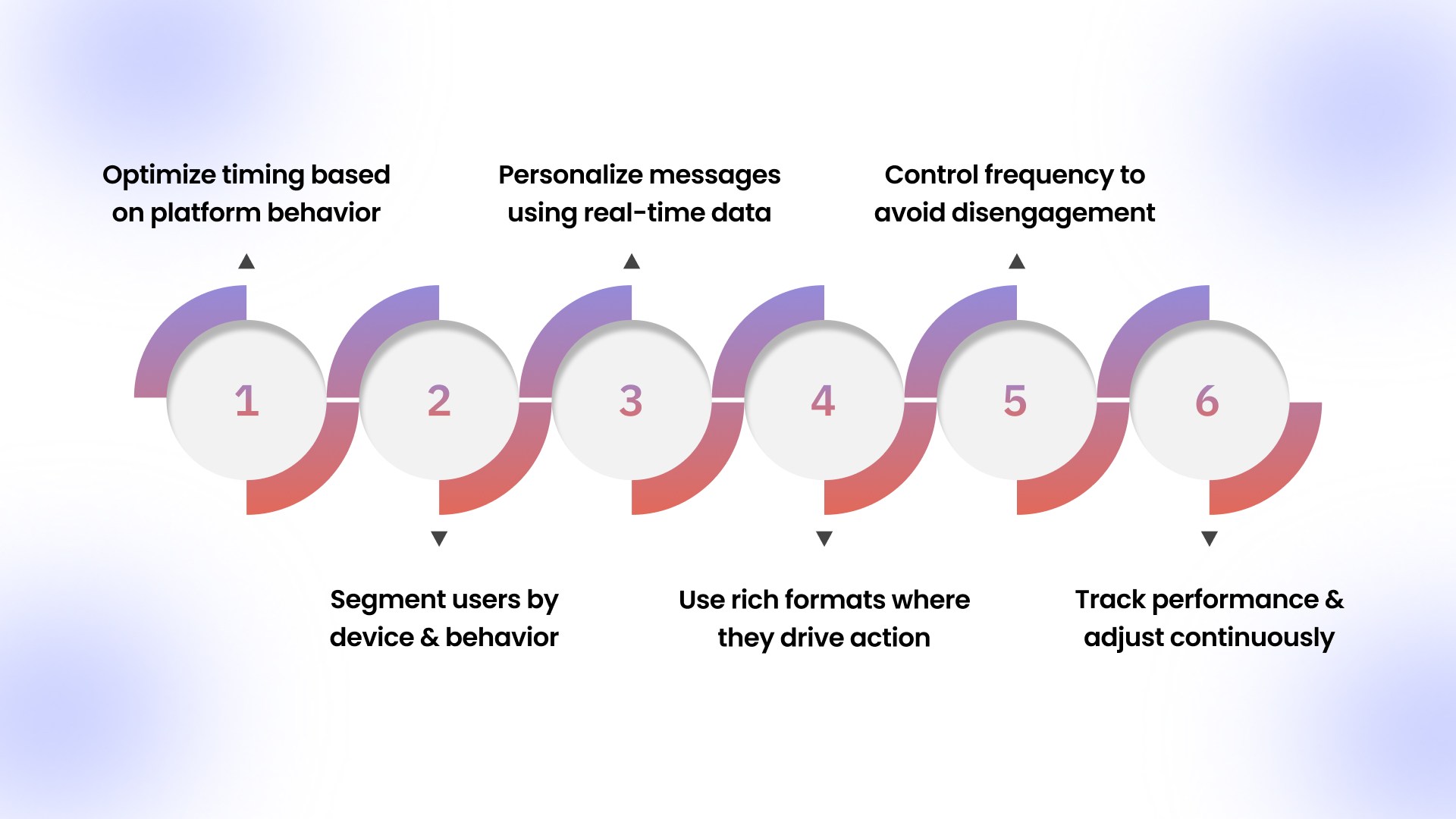
Platform differences in delivery, visibility, and user behavior require a more deliberate approach to push notification strategy. Here are the most effective ways to improve engagement and conversions across Android and iOS:
Optimize timing based on platform behavior
Notification timing should align with how each platform surfaces messages to avoid missed visibility or delayed engagement. Android supports real-time delivery, making it suitable for immediate triggers like cart reminders or flash sales.iOS requires more precise scheduling since notifications may be grouped or delayed, making timing critical for performance.Segment users by device and behavior
User segmentation based on platform and activity helps deliver more relevant and effective notifications. Android users respond better to frequent, behavior-driven messages, while iOS users engage more with fewer, high-intent notifications.Combining device type with behavioral data improves targeting accuracy and increases conversion potential.Personalize messages using real-time data
Personalized notifications perform better because they reflect user intent and recent activity within the app. Data such as browsing history, purchase patterns, and cart activity can be used to tailor messages that feel timely and relevant.Real-time personalization increases engagement by delivering content that matches user expectations.Use rich formats where they drive action
Rich notifications with images, buttons, and dynamic content can improve interaction rates when used strategically. Android supports more flexible formats, allowing deeper interaction directly from the notification.iOS requires a cleaner approach, where clarity and relevance matter more than visual complexity.Control frequency to avoid disengagement
Notification frequency should be balanced to maintain engagement without overwhelming users. High frequency can work on Android, but may reduce attention over time if not managed carefully.iOS users are more likely to opt out when notifications feel excessive, making controlled frequency essential.Track performance and adjust continuously
Tracking delivery rates, open rates, and conversions helps identify what works across different platforms. Differences in Android and iOS behavior require separate analysis to avoid misleading conclusions.Continuous optimization based on performance data improves long-term engagement and revenue outcomes.
Appmaker helps you manage, personalize, and optimize push notifications across Android and iOS from one place, turning platform differences into measurable growth.
Common Mistakes That Reduce Push Notification Performance
Small missteps in timing, targeting, and platform understanding can significantly reduce the effectiveness of push notification campaigns. Here are the most common mistakes that impact performance:
- Sending identical campaigns across Android and iOS: Ignoring platform behavior leads to poor timing, lower visibility, and missed engagement opportunities.
- Requesting permissions at the wrong moment: Asking too early on iOS often results in rejection, reducing long-term reach and campaign effectiveness.
- Overloading users with notifications: High frequency without relevance causes notification fatigue and increases opt-outs, especially on iOS.
- Ignoring delivery timing differences: Treating notifications as real-time on both platforms leads to missed urgency in time-sensitive campaigns.
- Skipping user segmentation: Sending the same message to all users reduces relevance and lowers both engagement and conversion rates.
- Not using behavioral data: Failing to personalize notifications based on user actions leads to generic messaging that users ignore.
- Overusing rich formats without purpose: Adding images or actions without clear value can distract rather than improve interaction.
- Not tracking platform-specific performance: Combining Android and iOS data hides key insights and prevents accurate optimization.
Avoiding these mistakes is easier when the right tools and systems are in place to manage notifications across both platforms.
How Appmaker Improves Push Notification Performance
Managing push notifications across Android and iOS becomes easier when delivery, timing, and targeting are handled within one system built for performance. Here is how Appmaker helps improve engagement and conversion outcomes:
- Centralized push notification control: Manage campaigns, launches, and event-based notifications across both platforms without handling separate delivery systems.
- Automated triggers for high-intent actions: Send notifications instantly for abandoned carts, product restocks, and inactivity to recover lost revenue opportunities.
- Advanced segmentation and targeting: Reach users based on behavior, preferences, device type, and location to improve relevance and engagement.
- AI-powered push optimization with John AI: Analyze performance, identify trends, and get real-time insights on what messages drive clicks, conversions, and retention.
- AI-driven campaign execution with Rubik's AI: Automatically decide the best message, timing, and audience to maximize engagement without manual guesswork.
- Real-time store sync for accurate messaging: Trigger notifications based on live store data, ensuring users receive timely and contextually relevant updates.
- Built for measurable ecommerce growth: Achieve up to 10x higher revenue per session, 4x higher conversions, and 7x more purchase frequency compared to mobile web.
- Designed for higher customer value: Drive up to 40 percent higher average order value and improved repeat purchases through consistent engagement.
- Proven impact across ecommerce categories: Brands across fashion, pet supplies, personal care, and food see up to 70% app revenue contribution, 4x higher conversions, and stronger repeat purchase rates with Appmaker.
Conclusion
Push notifications do not perform the same across Android and iOS, and those differences directly affect visibility, engagement, and conversion outcomes. Understanding how each platform handles delivery, permissions, and timing helps build strategies that actually drive results instead of relying on guesswork.
Turning these insights into consistent growth requires the right system to manage, personalize, and optimize notifications across both platforms.
Book a Demo with Appmaker to see how you can manage, personalize, and optimize push notifications across Android and iOS to drive higher engagement and conversions.
FAQs
Why do some push notifications not show up on Android or iPhone?
Push notifications may not appear due to disabled permissions, battery optimization settings, or system-level filtering applied by the operating system. Factors like inactive apps, network issues, or user-controlled settings can also prevent notifications from being delivered or displayed properly.What is the best time to send push notifications for higher engagement?
The best time depends on user behavior, but studies show notifications perform better during active hours, like late morning or early evening. Timing should also vary by platform, as Android supports real-time delivery while iOS may delay notifications based on system settings.How many push notifications should you send per day?
Sending too many notifications can lead to user fatigue and higher opt-out rates, especially on iOS, where users are more selective. Most apps see better engagement by limiting notifications to one or two high-value messages per day based on user activity.Do rich push notifications increase click-through rates?
Rich push notifications that include images, buttons, or dynamic content can improve interaction rates when used with clear intent. However, overusing rich elements without relevance can reduce effectiveness, making it important to match format with user context.How do you measure push notification performance effectively?
Push notification performance is measured using metrics like delivery rate, open rate, click-through rate, and conversion rate. Tracking these metrics separately for Android and iOS helps identify platform-specific issues and optimize campaigns more accurately.