

























Key Takeaways
- Work the Shopify mobile app launch checklist in three phases: pre-launch build and compliance, launch-day submission and promotion, then post-launch monitoring and retention.
- Build iOS apps with Xcode 26 and the iOS 26 Software Development Kit, required for every App Store Connect upload since 28 April 2026.
- Target Android 16, Application Programming Interface level 36, for Google Play, mandatory for new apps and updates since 31 August 2026.
- Sell physical goods through Shopify's native checkout, never Apple's In-App Purchase, as App Store Guideline 3.1.3(e) requires. Getting this wrong means rejection.
- Supply a working, non-expiring demo account with clear reviewer notes, since incomplete review access is one of Apple's most common rejection triggers.
- A brand-new personal Google Play account must run a 14-day closed test with 12 testers before production, so register as an organisation to skip it.
- Judge the app by repeat purchase rate and retention, not downloads, because an app earns its keep through the customers who come back.
Why Launching A Shopify App Is Different From Launching A Website
Launching an app is not launching a website with rounded corners. A store is built to win strangers and turn a first visit into a first order. An app is built for the people who already know you, the ones who reorder, respond to a notification, and keep your brand on their home screen. Treat the app like a second website, and you will build the wrong thing, then wonder why nobody opens it.
The commercial logic is straightforward. Mobile now drives most of what happens in e-commerce, with mobile devices accounting for roughly 60% of global e-commerce sales and mobile commerce heading toward about $2.4 trillion in 2026. Mobile web, though, still leaks badly at checkout. An app recovers a good share of that leak because its whole reason to exist is the returning customer, who browses deeper and buys more often than a first-time mobile visitor.
What makes an app launch harder than a redesign is that it has hard gates. Apple and Google both enforce build deadlines that reject you outright if you miss them. A single missing demo login can bounce your submission. Privacy disclosures, age ratings, and SDK versions all have to be right before a shopper ever sees the thing. One wrong answer and launch slips a fortnight.
This checklist covers the full journey in the order you actually hit it, and every platform requirement in it is verified against current 2026 documentation from Apple, Google, and Shopify. Use it as a working reference, not a pep talk. Tick the boxes in sequence, and you reach the stores with a submission that clears on the first try.
What Is A Shopify Mobile App Launch Checklist?
A Shopify mobile app launch checklist is the ordered set of tasks that moves a store from app idea to a live, compliant listing on the Apple App Store and Google Play, then into healthy day-to-day operation. It runs across strategy, build, Shopify configuration, design, catalogue, checkout, integrations, testing, security, privacy, store submission, promotion, analytics, and retention.
It matters because a mobile launch is full of requirements that fail quietly rather than loudly. A privacy label that does not match what your app actually collects, an SDK one version behind, a demo account the reviewer cannot reach: each one stalls a submission without any obvious error on your side. A checklist turns that scattered compliance surface into a sequence you can actually finish.
The work below is grouped into three phases. Pre-launch is everything you build and verify before you submit. Launch day is store submission, release control, and the marketing push. Post-launch is monitoring, iteration, and the retention work that decides whether the app pays for itself.
Does Your Shopify Store Need A Mobile App Yet?
Before the checklist, a gate worth being honest about. A native app is a strong move for some Shopify brands and a distraction for others.
Build a native app when most of these are true:
- You have meaningful repeat-purchase behaviour already, or a product people buy on a cycle.
- A sizeable share of your revenue comes from a known, returning customer base rather than one-off buyers.
- You want push notifications and a home-screen presence as owned channels, not more paid retargeting.
- You can commit to running the app after launch, since an unattended app decays fast.
Hold off and fix mobile web first when:
- Most of your traffic is first-time visitors you are still trying to convert.
- Your mobile site is slow or clunky, in which case that is the higher-leverage fix.
- You cannot staff ongoing merchandising, notifications, and updates.
An app is a retention instrument. If you have nothing to retain yet, the money is better spent making the mobile site convert.
Phase 1: Pre-Launch Checklist
Most of the real work lives here. Get this phase right and launch day is paperwork.
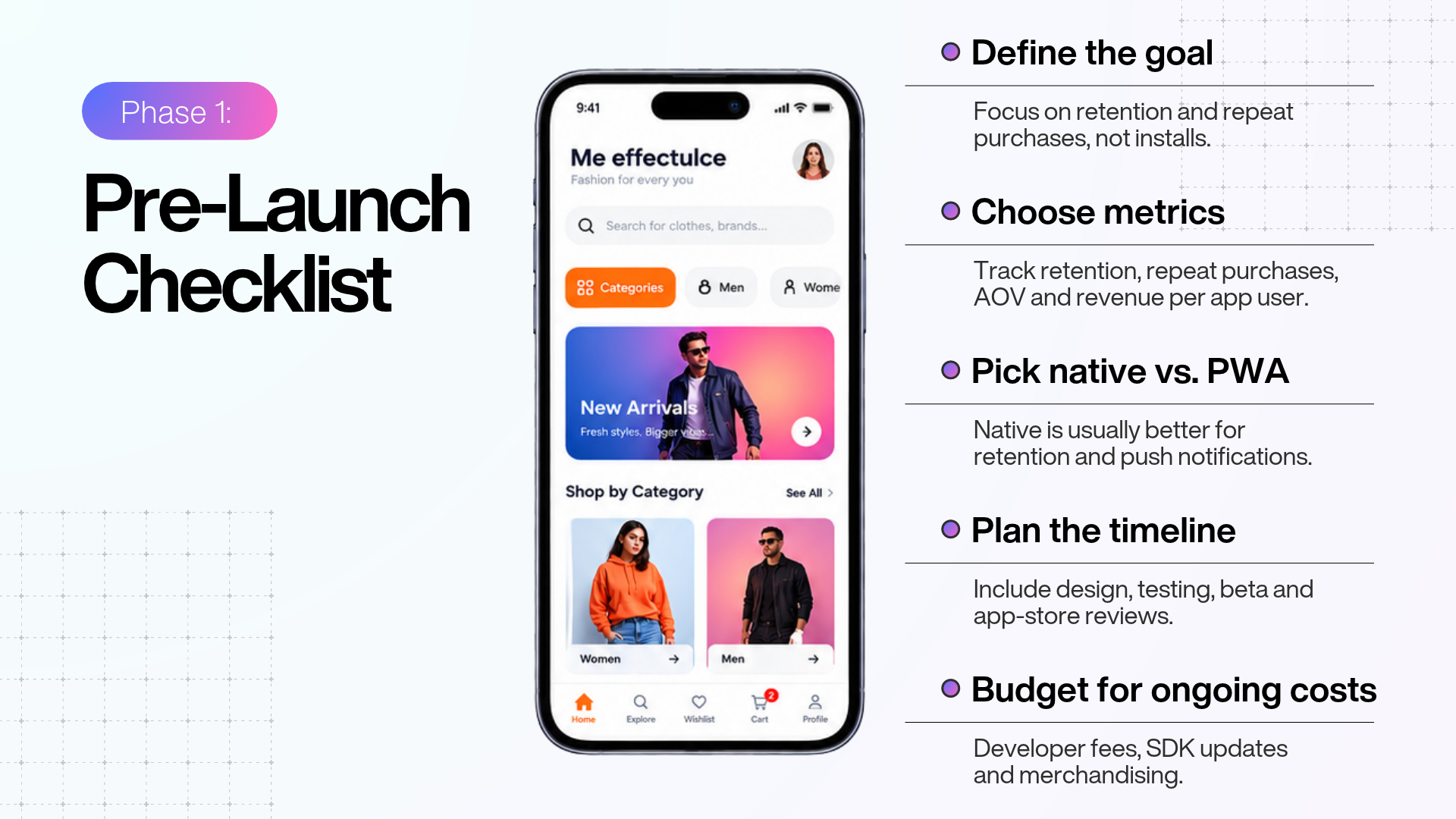
App strategy and goals
Decide what the app is for before anyone designs a screen.
- Name the primary job: For most Shopify brands, that is retention and repeat purchase from existing customers, not acquisition. Say so internally so nobody measures success by install count.
- Choose the metrics up front: Repeat purchase rate, retention over 30 and 90 days, average order value on app versus web, and revenue per app user are the real scoreboard.
- Settle native versus Progressive Web App: A native app gives you push, home-screen presence, and app-store discovery. A Progressive Web App offers app-like speed without a download but cannot match native on those owned-channel levers. For a retention play, native is usually the answer.
- Build a realistic timeline: Account for design, build, internal testing, beta testing, and review at both stores, and remember the first Android launch can carry a two-week testing gate covered below.
- Confirm the budget is ongoing: The two developer programmes, SDK upkeep, and post-launch merchandising are recurring, not one-off.
Shopify store setup
The app reads from your store, so the store has to be clean first. A messy catalogue on the web becomes a messy app.
- Tidy the catalogue: Accurate titles, descriptions, pricing, inventory, and high-resolution images carry straight into the app.
- Structure collections logically, since app navigation is usually built from them.
- Know Shopify's official mobile building blocks: Shopify provides the Storefront API for product browsing, search, and cart, Checkout Kit for native checkout, and the Customer Account API for sign-in. A no-code builder wires these up for you, but you should know what sits underneath.
- Populate metafields and tags if you personalise content, as builders often use them for conditional blocks and merchandising.
- Check your plan tier supports the checkout features and integrations you are counting on.
Branding and visual identity
The app is a brand surface, not a template with your logo dropped in.
- Design a real app icon: Apple needs a 1024 by 1024 pixel icon. Make it legible at thumbnail size.
- Apply brand colours, type, and logo consistently across home, product, and navigation.
- Prepare a launch screen that reinforces the brand in the first second.
- Plan for the current iOS look. Apps built with the iOS 26 SDK apply Apple's Liquid Glass design to native interface components by default, so check how your navigation bars, tab bars, and sheets render rather than assuming they look as they did.
- Support dark mode, and show at least one dark-mode screenshot in your listing if you do.
UX and UI design
App UX lives or dies on speed and clarity. Shoppers bail on friction faster here than anywhere.
- Design for thumbs. Primary actions within easy reach, tap targets large enough, no fiddly controls.
- Make the home screen work. Surface new arrivals, bestsellers, and live promotions. It sets the tone in one glance.
- Shorten the path to purchase. Fewer taps from product to cart to checkout.
- Give search real filters and sorting. App users browse deeply, so this is not optional.
- Design the empty and error states. An empty cart, a dead search, a dropped connection: each needs an intentional screen.
Product catalogue and navigation
- Surface your best web merchandising. The products and collections that convert on web deserve prominence in the app.
- Keep the menu shallow. Deep nesting kills discovery on a small screen.
- Offer wishlists or saved items where your builder supports them, since app users return to saved products.
- Show variant and stock availability clearly, so nobody reaches checkout to find their size gone.
- Add related and recommended products on product pages to lift order value.
Payments and checkout
This is the single most important compliance area in the whole build, and the rules differ by platform. Read it twice.
- Use Shopify's native checkout for physical goods. Shopify's Checkout Kit renders your store's checkout natively in the app, keeping your branding, discounts, and payment methods, with Shopify processing the payment and creating the order.
- Obey Apple's physical-goods rule. Under App Store Review Guideline 3.1.3(e), apps that let people buy physical goods or services consumed outside the app must use payment methods other than In-App Purchase, such as Apple Pay or card entry. A Shopify store selling physical products must not route purchases through In-App Purchase, and doing so is a reliable way to get rejected.
- Turn on accelerated checkout. Add Shop Pay and Apple Pay buttons to product and cart pages so buyers can finish in a single tap.
- Offer the methods your customers expect, including Google Pay on Android.
- Test the whole checkout on real devices, with discount codes, gift cards, taxes, and shipping, before you go near submission.
One clarification that trips merchants up: Google Play Billing Library 8, which became the minimum on 31 August 2026, applies only to apps that sell digital goods or subscriptions through Google Play billing. A standard Shopify app selling physical products does not use Play billing at all, so this requirement does not apply to it. It only matters if you also sell in-app digital content.
Integrations
Carry over the systems that already run your store.
- Connect analytics so you can measure app behaviour from day one.
- Reconnect email, SMS, reviews, and loyalty tools your builder supports.
- Disclose every third-party SDK that collects data. Both Apple and Google require this in your privacy disclosures, and an undisclosed SDK is a common rejection cause.
- Test each integration end to end, because working on the web does not mean working in the app.
Customer accounts
- Enable account creation and login through Shopify's Customer Account API so shoppers keep order history, addresses, and saved details.
- Offer Sign in with Apple wherever you offer another social or third-party login, which Apple requires for parity under Guideline 4.8.
- Provide in-app account deletion. Apple's Guideline 5.1.1(v) requires any app supporting account creation to also let users delete their account from within the app. A link to an email request does not satisfy it; the deletion must start in the app.
- Pre-fill known details at checkout for logged-in customers to speed repeat orders.
Push notifications
Push is why many brands build an app at all. It is a direct, owned line into the customer's pocket, and the retention data is strong: in Airship's study of 63 million users, people who received push in their first 90 days showed roughly 3x higher app retention than those who received none.
- Set up the notification service before launch so you can message from the start.
- Design the opt-in moment with care. Ask in context, after the shopper has seen value, not the instant the app opens.
- Plan the core flows: abandoned cart, back-in-stock, order updates, price drops, and new-arrival or promotion announcements.
- Segment from day one. Personalised messages consistently beat broadcasts, and personalisation is the biggest single lever on open rates in Airship's benchmark work.
- Respect frequency. Over-notifying is a leading reason shoppers delete retail apps, so cap volume and honour quiet hours.
Analytics and tracking
- Instrument the key events: install, product view, add to cart, checkout start, purchase, and notification interaction.
- Add crash and error reporting so you find problems before your reviews do.
- Verify attribution so you know which channels drive installs and app revenue.
- Match tracking to your disclosures. If you track for advertising, it has to appear in your privacy labels and, where required, sit behind user consent.
Testing and quality assurance
Thorough testing is non-negotiable, and it is also what Apple expects. Crash-prone or incomplete builds are rejected under Guideline 2.1, App Completeness, which accounts for a large share of unresolved review issues.
- Test on real devices across a range of current iPhone and Android models, not just simulators.
- Run the full purchase journey repeatedly: browse, search, add to cart, apply a discount, check out, and confirm the order lands in Shopify.
- Use TestFlight for iOS beta testing, which runs on Xcode 26 and later in 2026, and Google Play's testing tracks for Android.
- Test on poor networks and offline so the app degrades gracefully.
- Fix every crash. One reproducible crash in review is enough to fail.
Performance optimisation
Speed is money on mobile. Google and Deloitte's "Milliseconds Make Millions" study of 30 million sessions found that recovering just 0.1 seconds of mobile load time lifted retail conversion by 8.4% and average order value by 9.2%. An app has to feel instant.
- Compress images so product pages load fast on cellular.
- Cut app launch time and keep heavy work off the first screen.
- Lazy-load long collections rather than loading everything at once.
- Test on older phones and slower networks, not just the newest flagship on office Wi-Fi.
Security and privacy
- Serve everything over HTTPS. Never send customer data in the clear.
- Publish a privacy policy and link it both in the listing and inside the app. Apple's Guideline 5.1.1 requires the policy in the App Store Connect metadata field and in an easily accessible place within the app, and Google requires a privacy policy to complete its Data Safety form.
- Complete App Privacy labels accurately on iOS, listing every data type you collect, how you use it, and whether you share it, including data gathered by third-party SDKs.
- Complete Google Play's Data Safety form. Every app on Google Play must complete it, even if it collects no data, and provide a privacy policy link. Inaccurate disclosures are treated as a policy violation.
- Handle consent properly. For regions under the General Data Protection Regulation and similar laws, get consent before collecting or sharing personal data.
- Answer the age-rating questionnaires accurately. Apple moved to a new age-rating system that has applied automatically since 31 January 2026, so review your rating rather than assuming the old one carries over.
- Sort out EU trader status if you sell in the EU. Under the Digital Services Act, apps without verified trader status are removed from the App Store in the European Union until it is provided.
Phase 2: Launch-Day Checklist
With an approved, tested build, launch day is about a clean submission, controlled release, and a coordinated push.
Developer accounts and enrolment
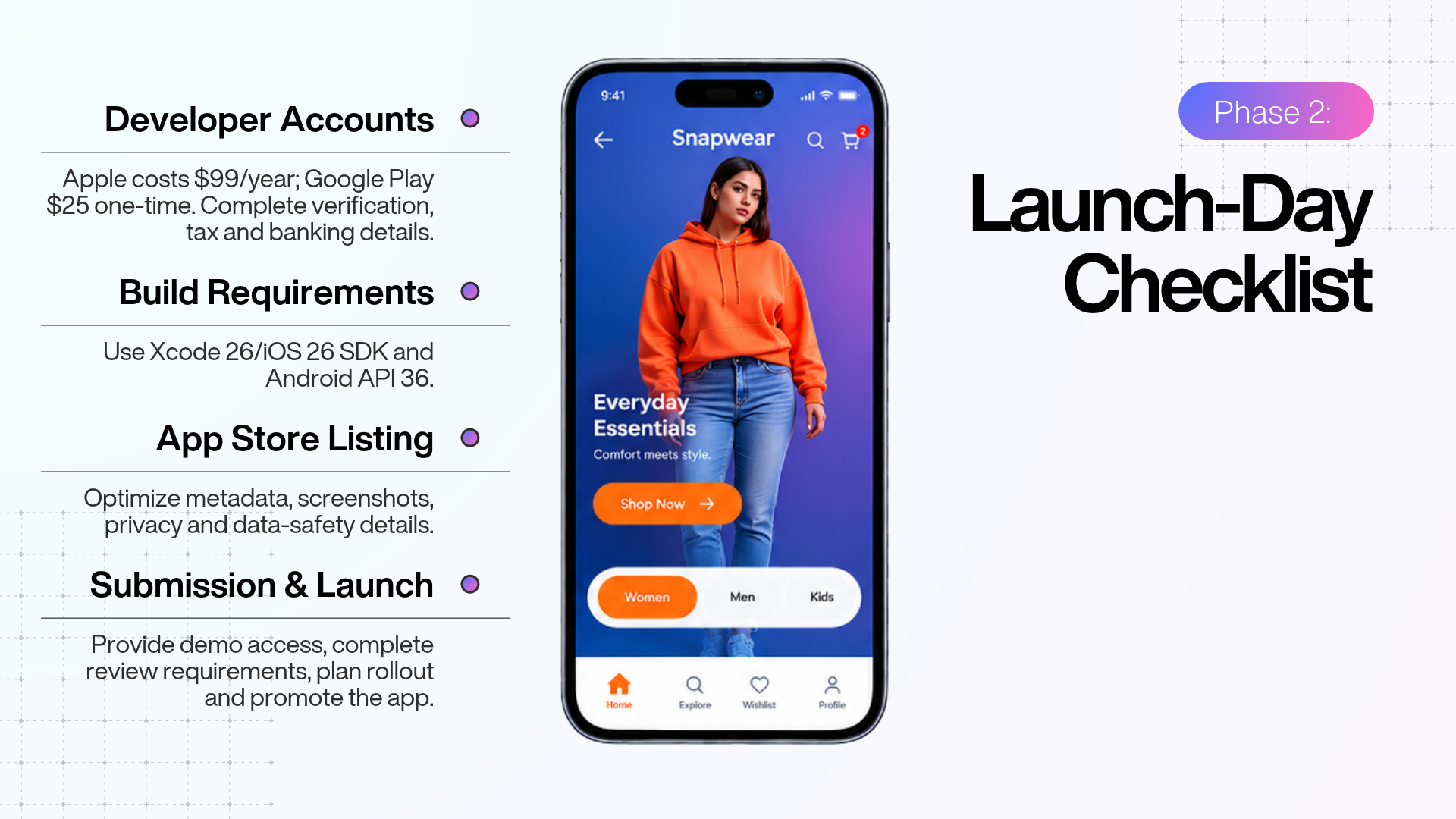
- Enrol in the Apple Developer Program, which costs 99 US dollars a year and unlocks App Store Connect and submission.
- Register for a Google Play developer account, a one-time 25 US dollar fee.
- Choose the right Google Play account type, and choose early. This is the detail that ambushes first-time Android publishers. A personal Google Play account created after 13 November 2023 must run a closed test with at least 12 testers, opted in continuously for 14 days, before it can even apply for production access. Organisation accounts are exempt. If you are a registered business, register as an organisation to skip the 12-tester gate entirely; the trade is business verification time against a fortnight of recruiting and holding testers.
- Complete agreements, banking, and tax details in both consoles. Unsigned agreements block release silently.
Meeting the 2026 build requirements
These are hard platform gates. Miss one and your upload is rejected on sight.
- iOS: build with Xcode 26 and the iOS 26 SDK. Since 28 April 2026, every app and update uploaded to App Store Connect must be built with Xcode 26 or later using the iOS 26 SDK, or the matching 26 SDK for iPadOS, tvOS, visionOS, or watchOS. Building with the iOS 26 SDK does not force your app to require iOS 26 at runtime; it only sets the build toolchain. Separately, apps must now target at least iOS 13 at runtime.
- Android: target Android 16, API level 36. Since 31 August 2026, all new apps and app updates must target API level 36 or higher to publish on Google Play. Existing apps must target at least level 35 to stay available to new users on newer devices.
If you build through a no-code Shopify app platform, the provider typically keeps these SDK and API targets current for you, which is a quiet advantage of not maintaining native code yourself. Confirm it with your provider rather than assuming.
App Store listing and optimisation
Your listing is both a compliance document and a conversion asset. The iOS metadata limits below are confirmed against Apple's App Store Connect field-length reference.
| Field | Limit | Notes |
|---|---|---|
| App name | 30 characters | Searchable; brand plus one key term |
| Subtitle | 30 characters | Searchable; add value, do not repeat the name |
| Keyword field | 100 characters | Hidden; no need to repeat name or subtitle terms |
| Promotional text | 170 characters | Updatable without a new review |
| Description | 4,000 characters | Not indexed for search ranking |
- Write a name and subtitle that read like a human wrote them and carry your most valuable terms. The name, subtitle, and keyword field together form your indexed search space, so coordinate them and never duplicate words across them.
- Make screenshots sell in five seconds. Both stores allow up to 10 screenshots, and the first two or three show without scrolling and do most of the converting. Show real app usage, not a login or settings screen.
- Add a 15 to 30 second app preview video if you can, showing the experience.
- Complete the age-rating questionnaire accurately in both consoles.
- Add the privacy policy URL and finish all privacy and data-safety disclosures.
Submission and review access
Missing or broken review access is among the most common and most avoidable rejection causes.
- Give a working, non-expiring demo account. If the app needs login, Apple needs active credentials that work from a clean device, or a fully featured demo mode approved in advance. Reviewers will not create their own account.
- Write specific reviewer notes. Explain anything non-obvious: features behind login, special setup, region-specific behaviour. If the app is hard to review, add a short demo video.
- Keep your backend live during review. Placeholder content and dead services stall it.
- Submit, and confirm you submitted. In App Store Connect, adding a version to a submission is not the same as submitting it; complete the final submit step.
Release control and realistic timing
- Pick your release method. Release manually, release automatically on approval, or schedule a date. Manual gives you the most control to line up with marketing.
- Plan around real review windows. Apple's App Review page states that, on average, 90% of submissions are reviewed in less than 24 hours, though a first submission from a new account commonly runs longer. On Google Play, an established account clears in a day or two, but a first launch on a new personal account carries the 14-day closed-testing gate before review even starts. Budget for approval plus up to 24 hours before the listing is actually live, and never announce for the same minute you expect the approval email.
- Use a staged rollout on Android so you can catch issues with a small slice of users before full release.
- Know your rollback plan before you need it.
Launch promotion
An app nobody hears about does not get installed. Coordinate the push with your approved release.
- Announce across owned channels: email, SMS, social, and an on-site banner telling web visitors the app exists.
- Add app banners and QR codes on your site and in packaging to convert existing shoppers, the cheapest and highest-intent install source you have.
- Offer an app-only reason to install, such as first-order-in-app pricing or early access, to pull your best customers over.
- Brief customer support so they can guide installs and answer app questions.
- Ask happy customers for reviews at the right moment, after a good experience, never mid-checkout.
Phase 3: Post-Launch Checklist
Launch is the starting line. The app's value compounds through what you do after it goes live.
Monitoring and stability
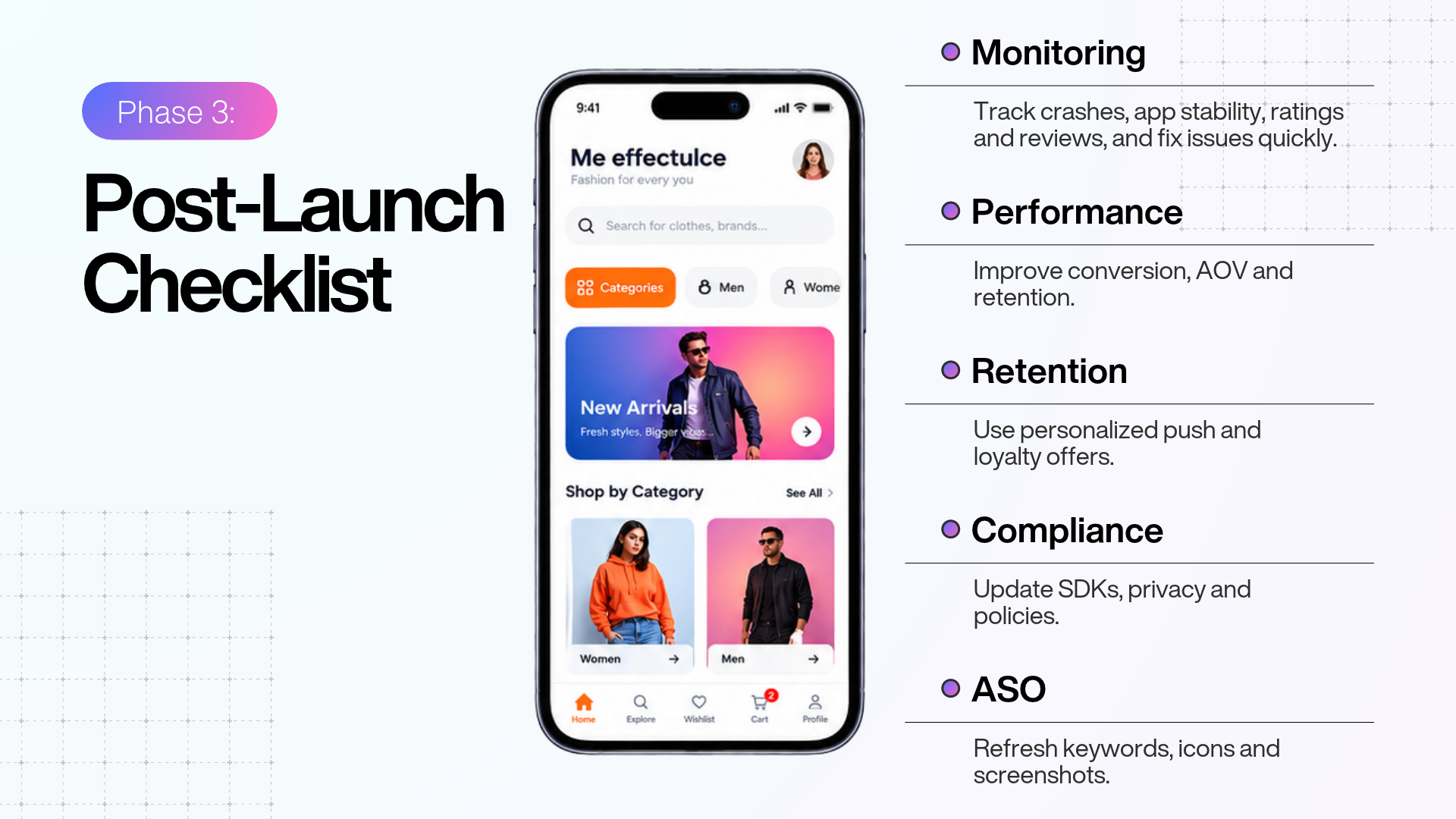
- Watch crash and error dashboards daily for the first few weeks, then settle into a regular rhythm.
- Monitor store vitals. Google Play Console reports Android vitals such as crash and stability rates; App Store Connect has its own analytics.
- Track ratings and reviews and reply promptly. Both stores let you respond to reviews directly, and it visibly improves sentiment.
- Ship fixes fast, testing each update as rigorously as the first submission.
Performance and conversion
- Compare app against web: conversion rate, average order value, and repeat purchase rate. This tells you whether the app is doing its job.
- Map the funnel from install to first purchase and find the drop-offs.
- A/B test the store listing, including icon and screenshots, since small conversion gains compound across every future install.
Retention and engagement
Retention is where the app earns back its cost, and for a Shopify brand it is the entire point.
- Run and refine your push flows with real data: abandoned cart, back-in-stock, price drops, personalised recommendations.
- Segment by behaviour and purchase history and tailor the message.
- Build loyalty into the app, whether through points, early access, or app-only drops.
- Re-engage lapsing users before they churn, and keep frequency sane so you do not trigger uninstalls.
Ongoing compliance
- Keep SDK and API targets current. Both stores raise minimums on a roughly annual cycle, so plan to rebuild and resubmit ahead of each deadline rather than scrambling at it.
- Refresh content ratings where required.
- Update privacy labels, the Data Safety form, and your policy whenever your data practices change.
- Audit third-party SDKs periodically for necessity and compliance.
- Follow the official Apple and Google developer channels so policy changes never surprise you.
ASO maintenance
App Store Optimisation is a practice, not a launch task you finish.
- Refresh metadata and creatives when major features ship.
- Update keywords from real store-search performance, not guesses.
- Localise your listing for key markets, since localising the name, subtitle, keywords, and screenshots can lift downloads meaningfully in those regions.
- Keep testing icon and screenshots against conversion data.
Common Mistakes To Avoid
Even sharp teams trip over the same handful of things.
- Routing physical-goods payments through Apple's In-App Purchase. This breaks Guideline 3.1.3(e) and gets rejected. Use Shopify's native checkout.
- Submitting without working demo credentials. Apps that require login but leave the reviewer locked out are among the most rejected.
- Discovering the Google Play 12-tester rule on launch day. A new personal account cannot ship to production without the 14-day closed test. Decide on an organisation account early if you qualify.
- Building on an outdated SDK or API target. An old Xcode or a sub-36 Android target is an automatic rejection in 2026, however good the app is.
- Inaccurate privacy disclosures. Labels or a Data Safety Form that do not match reality, including third-party SDK data, cause rejections and erode trust.
- Treating the app as a second website. Copying the web experience one-to-one throws away what makes an app valuable: retention, push, and a faster repeat purchase.
- Over-notifying at launch. Aggressive push in week one drives uninstalls. Earn the opt-in, then message with restraint.
- Measuring success by downloads. Installs are vanity. Repeat purchase rate, retention, and app revenue are the real measure.
Build It Yourself Or Use A Platform: Where Appmaker Fits
Read back through this checklist and split the items into two piles.
The pile that stays yours, no matter what:
- Deciding what the app is for
- Cleaning the catalogue and planning merchandising
- Writing the push flows and the store listing
- Running retention after launch
The pile that stalls launches, the engineering most Shopify brands have no reason to own:
- Wiring Shopify's Storefront, Checkout Kit, and Customer Account libraries so browsing, native checkout, and sign-in work together
- Getting the payment model right so physical goods route through Shopify's checkout and never trip Guideline 3.1.3(e)
- Building in-app account deletion to satisfy Guideline 5.1.1(v)
- Keeping the build on Xcode 26 and the iOS 26 SDK, and on Android API level 36, then rebuilding each time those minimums move
For a team without native iOS and Android engineers, that second pile is weeks of specialist work plus a standing maintenance commitment, and a single missed deadline means rejection. It is exactly what a no-code Shopify app platform is built to carry, which is why most merchants reach for one rather than hiring a native team.
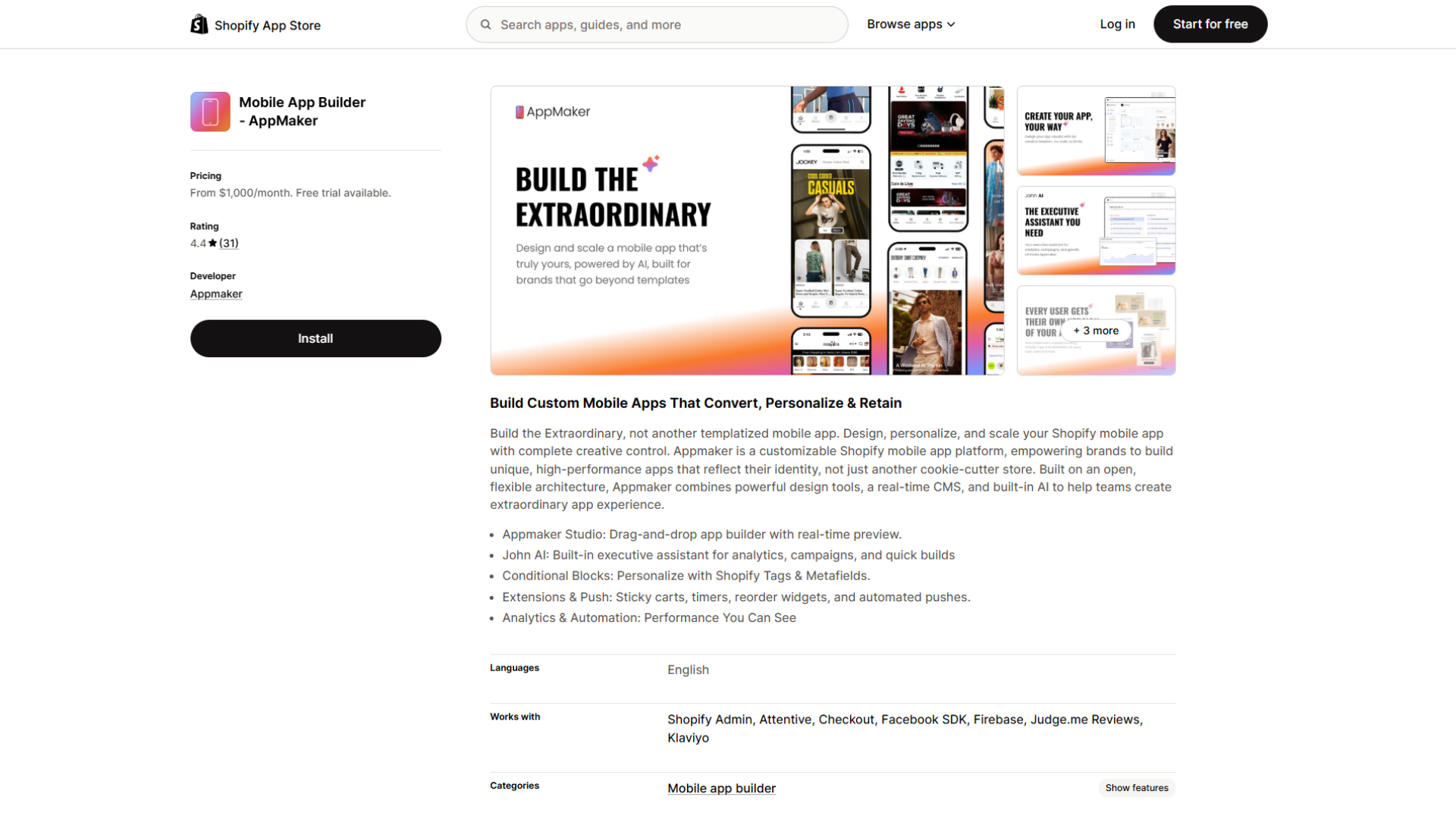
AppMaker builds native iOS and Android apps for Shopify stores without code. It splits along the same two piles:
- You stay close to the work that matters: designing the home screen, applying branding, organising navigation from your Shopify collections, and setting up push notifications, all through a drag-and-drop dashboard. It syncs with your store in real time and supports personalisation through Shopify tags and metafields, mapping directly onto the catalogue, navigation, and merchandising steps earlier in this guide.
- The platform carries the plumbing: the native layer, the Shopify commerce integration, and keeping the build aligned with current Apple and Google requirements.
One honest caveat: a platform removes the engineering and compliance plumbing, not the judgement. It does not decide your retention strategy, write your push flows, or set up your developer accounts, store accounts, identity verification, and the Google Play closed test; that stays yours regardless of who builds the app.
So the real question is not whether AppMaker can build the app. It is whether you would rather spend your launch energy on merchandising and retention than on native code and store deadlines. For most repeat-purchase Shopify brands, that answer is clear, which is why the build-versus-platform decision usually lands on a platform. As with any provider, confirm exactly which submission and compliance steps it takes on so nothing falls through the gap.
Bringing It Together
A Shopify app launch rewards the team that treats it as a sequence, not a scramble. The brands that clear review on the first try are not the ones with the biggest budgets; they are the ones who sorted the demo account, the privacy disclosures, the SDK versions, and the Google Play account type before launch week, not during it. Work the three phases in order, keep the platform requirements current, and let the checklist absorb the parts that fail quietly.
Keep the one idea underneath all of it in view. The app is for the customer who comes back. Every decision, from the home-screen layout to the push cadence, should make that returning shopper's next purchase faster and more tempting. Get the compliance right so you reach the stores, then put your real effort into retention, because that is where a mobile app actually earns its place. Ship it clean, measure what matters, and improve it in public.
Frequently Asked Questions
What is a Shopify mobile app launch checklist?
It is the ordered list of tasks that takes a Shopify store from app concept to a live, compliant app on the Apple App Store and Google Play, then runs it well afterwards. It spans three phases: pre-launch build and compliance, launch-day submission and promotion, and post-launch monitoring and retention.
How long does it take to launch a Shopify mobile app?
Mostly, it depends on the store, not the build. A no-code app can be assembled quickly, but budget time for design, thorough testing, and review. Apple reviews most submissions within about a day, though a first submission runs longer. On Google Play, a brand-new personal account must complete a 14-day closed test with 12 testers before it can even apply for production, so a first Android launch can take longer than iOS. Plan your marketing around an approved build, not a submitted one.
Do I have to use Apple's In-App Purchase to sell on my Shopify app?
No. For physical goods, Guideline 3.1.3(e) requires payment methods other than In-App Purchase, such as Apple Pay or card entry. Shopify's native checkout handles this correctly, processing the payment and creating the order. Routing physical-goods sales through In-App Purchase gets the app rejected.
What are the 2026 app-store build requirements?
For iOS, every app uploaded to App Store Connect since 28 April 2026 must be built with Xcode 26 and the iOS 26 SDK or later. For Google Play, all new apps and updates since 31 August 2026 must target Android 16, API level 36, or higher. Both are hard gates that cause automatic rejection if missed.
Why does Google Play ask new accounts for 12 testers?
To cut spam from throwaway publishers. Any personal Google Play account created after 13 November 2023 must run a closed test with at least 12 testers opted in continuously for 14 days before it can apply for production access. Organisation accounts are exempt, so registering as an organisation is the usual way to skip it if your business qualifies.
Why launch an app if I already have a mobile-optimised site?
Because they do different jobs. A site is built for discovery and first-time conversion; an app is built for retention and repeat purchase through push, home-screen presence, and faster checkout for logged-in customers. App users browse more deeply and return more often, which is why repeat-heavy brands see strong app performance even though most traffic still arrives on web.
How do I avoid the most common rejections?
Give a working, non-expiring demo account with clear reviewer notes; build on the current required SDK and API targets; complete your privacy labels and Google's Data Safety form accurately, including third-party SDK data; link your privacy policy in the listing and inside the app; offer in-app account deletion if you support account creation; and never route physical-goods payments through In-App Purchase. Test on real devices and fix every crash before submitting.
What should I measure after launch?
Track repeat purchase rate, retention over 30 and 90 days, average order value on app versus web, and app revenue per user, alongside stability metrics like crash rate. Downloads alone are a weak measure, because an app's value comes from the customers it keeps, not the installs it collects.