




























You’ve probably turned off notifications from at least one app. It was not because you didn’t like the brand, but because the messages felt random, poorly timed, or plain annoying. That’s the problem most e-commerce brands face with push notifications. Used the wrong way, they interrupt. Used the right way, they bring shoppers back, recover lost carts, and drive repeat purchases.
The difference comes down to timing, relevance, and intent. Nearly 39% of users say push notifications bother them because they arrive at the wrong time, not because they hate notifications altogether. That means the opportunity is still wide open.
In this blog, we’ll cover how push notifications really work, the right channels to use, and proven best practices. We will also learn practical ways to build a push strategy that drives engagement and conversions without frustrating your users.
Overview
- Push notifications work best when they are timely, behavior-driven, and tied to a single clear goal like purchase, reactivation, or retention.
- Choosing the right delivery channel, mobile app, web, or wearables, depends on user intent, urgency, and where shoppers are most active.
- High-performing push strategies rely on behavioral segmentation, real user context, and precise timing rather than generic broadcasts.
- Effective push programs balance relevance and frequency, using deep links and action-oriented copy to reduce friction and drive meaningful actions.
- Continuous testing, measurement, and refinement are essential to keep push notifications aligned with changing shopper behavior and engagement patterns.
What Are Push Notifications and Why Do They Matter?
Push notifications are a direct line to users, delivering timely, personalized messages that drive immediate app engagement. Unlike traditional channels, they cut through digital noise, influence behavior in real time, and turn fleeting attention into measurable actions, making them indispensable for growth-focused brands. In fact, according to the Master CS Strategy Draft by Plobal Apps, brands have seen up to 400% higher revenue on days push notifications are sent.
Here’s why push notifications play an essential role in driving engagement and conversions:
- They create instant touchpoints by delivering messages in real time, not hours later like email.
- They re-engage inactive users by pulling them back into an app or site without requiring prior intent.
- They shorten the path to action by linking users directly to specific screens, offers, or tasks.
- They support high-intent moments such as cart abandonment, account activity, or time-sensitive updates.
- They scale efficiently since one well-timed notification can reach thousands of users simultaneously without added friction.
When used strategically, push notifications are not just alerts; they become behavioral triggers that guide users toward meaningful actions, drive repeat purchases, and strengthen long-term engagement.
Now that we understand why push notifications drive conversions and engagement, the next step is choosing the right channels to deliver these messages effectively.
Also Read: How to Build a Mobile App MVP in 2026: Complete Guide
What Are the Different Channels to Deliver Push Notifications for E-Commerce?
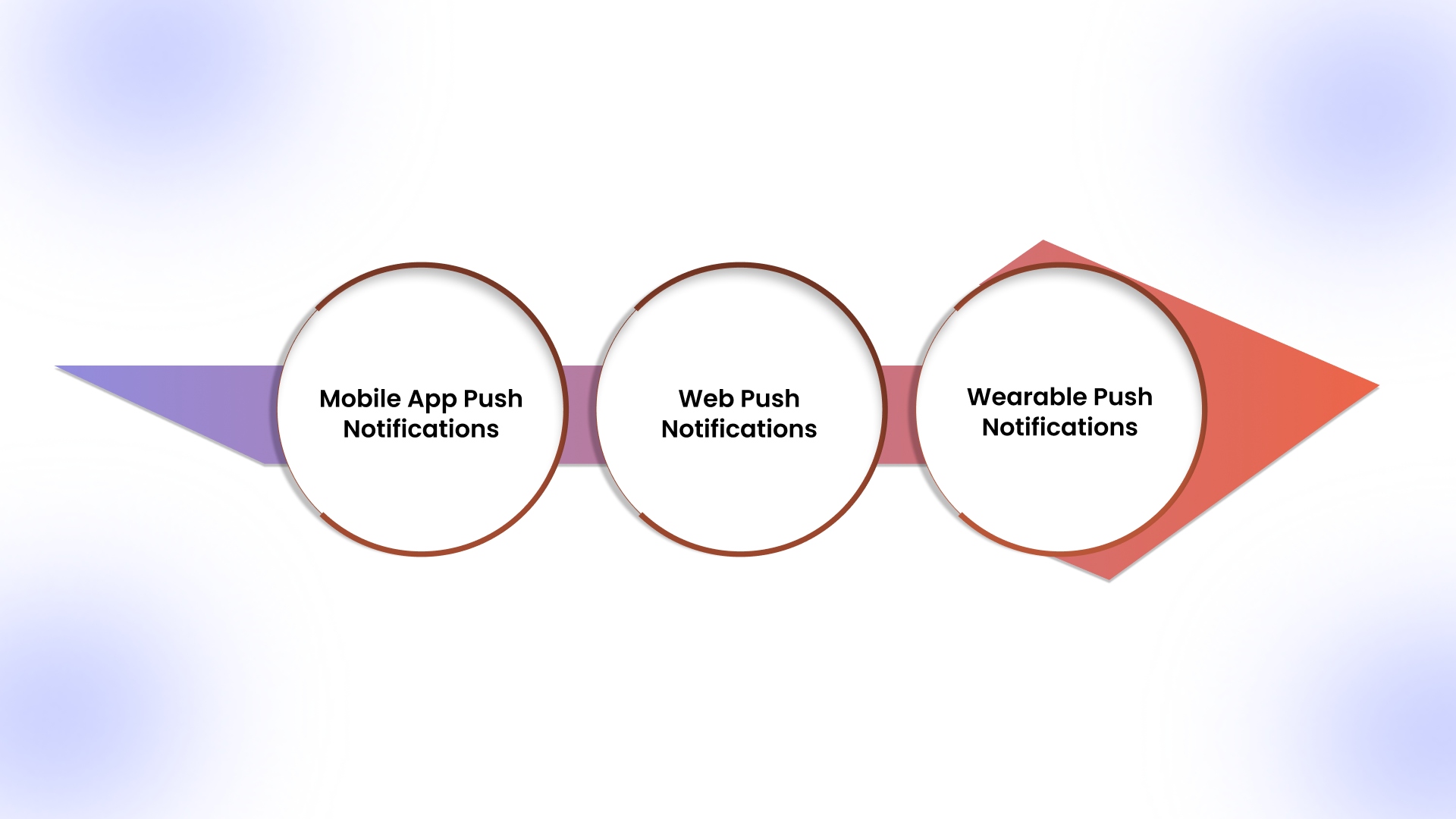
Push notifications can reach users across multiple digital touchpoints, but not all channels perform the same for e-commerce brands. Choosing the right channel depends on where your customers spend time, the type of action you want them to take, and how quickly you need them to respond.
1. Mobile App Push Notifications (iOS & Android)
Directly reaches users on their smartphones via your app, making it ideal for abandoned cart reminders, flash sales, or personalized offers. Mobile push drives immediate engagement, shortens the path to purchase, and turns app users into repeat buyers with timely, relevant messages.
2. Web Push Notifications
Delivered through browsers, web push reaches customers who haven’t installed your app. Perfect for alerting users about product restocks, price drops, or limited-time promotions. For e-commerce, web push helps capture high-intent users and drive conversions without relying on email or app adoption.
3. Wearable Push Notifications
Glanceable alerts on smartwatches provide immediate visibility for urgent updates, such as flash deals, order confirmations, or delivery tracking. They reinforce brand engagement by reaching users in real time, ensuring e-commerce messages cut through noise and prompt fast, actionable responses.
Having explored the platforms where push notifications perform best, let’s dive into nine proven e-commerce strategies that maximize engagement and convert interest into measurable revenue.
9 Push Notifications Best Practices to Boost Mobile App Engagement in 2026
Did you know? Brands that implement push notifications strategically see engagement 85% higher than email and CTRs up to 10× greater, highlighting the power of timely, personalized pushes. These nine e-commerce push notification strategies show exactly how to engage shoppers, recover abandoned carts, boost repeat purchases, and convert interest into revenue.
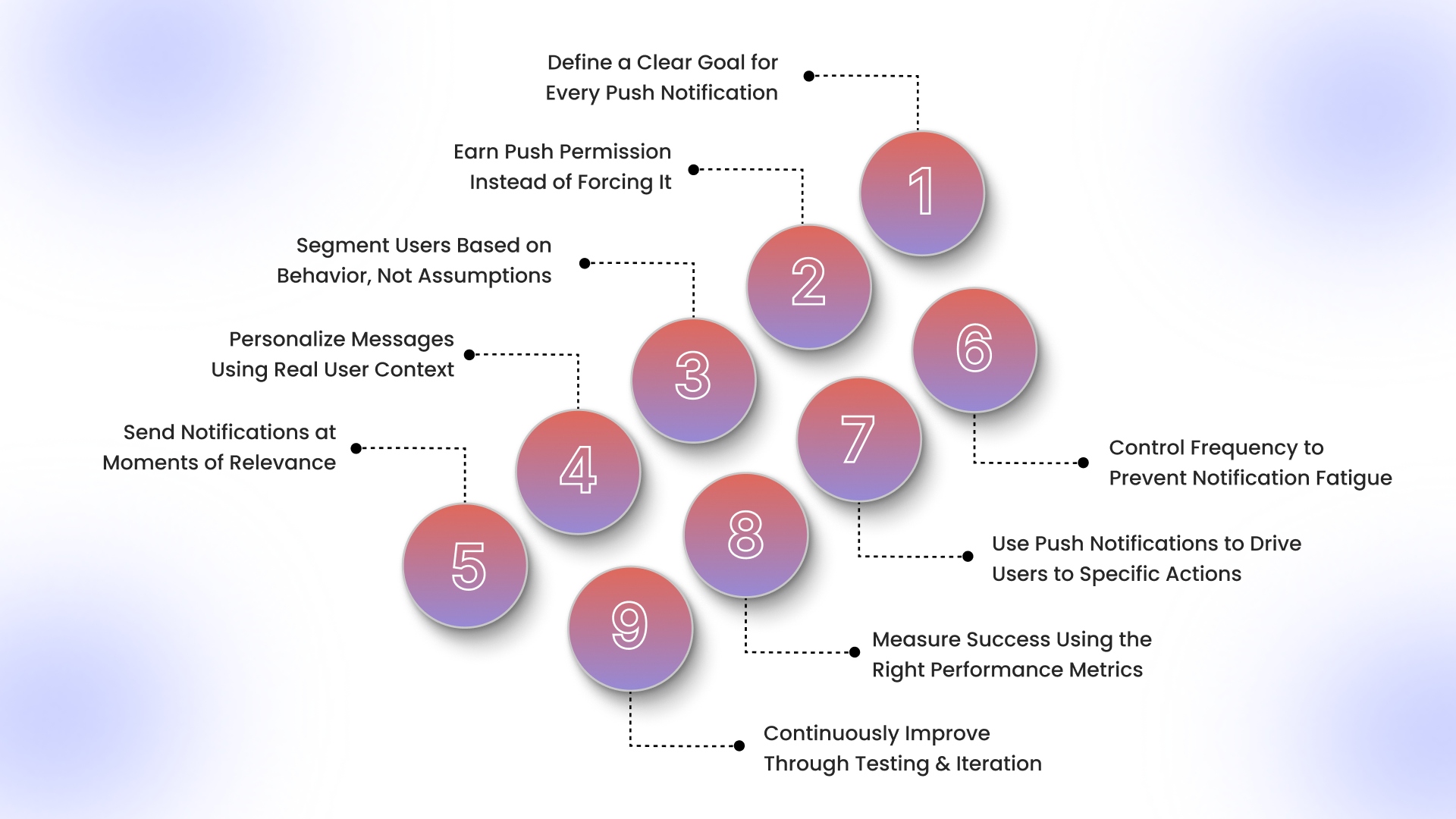
1. Define a Clear Goal for Every Push Notification
In e-commerce, each push notification should serve one primary objective, such as driving a purchase, reactivating dormant users, or boosting engagement with seasonal campaigns. Mixing goals dilutes focus and reduces effectiveness. Clear goals ensure every message is crafted with a specific purpose, improving click-throughs and conversions.
How to execute it:
- Decide if the push targets sales, engagement, retention, or reactivation.
- Align copy, offer, and CTA with the goal.
- Use goal-specific metrics to measure success, such as completed purchases for cart recovery pushes.
2. Earn Push Permission Instead of Forcing It
Shoppers are more likely to accept notifications after experiencing value from your app or site. Prompting users immediately at first launch often leads to declines, shrinking your audience for important campaigns. Timing and context are important to maximize opt-ins. In fact, 87%+ of app users allow push notifications when opt-in screens are personalized.
How to execute it:
- Ask after a meaningful interaction, like browsing products or adding items to the cart.
- Highlight benefits: “Get exclusive flash sale alerts on your favorite products.”
- Use contextual triggers such as category exploration or wishlist activity.
3. Segment Users Based on Behavior, Not Assumptions
Demographics alone rarely predict purchase behavior in e-commerce. Behavioral segmentation, using purchase frequency, browsing patterns, and engagement level, ensures pushes are relevant and personalized, increasing conversion rates. Sending generic pushes across the board wastes opportunities.
How to execute it:
- Use tools like AppMaker to automate segmentation and reach the right users
- Send personalized incentives for lapsed users, like discounts on previously viewed products.
- Target top spenders with VIP-exclusive offers or early access campaigns.
4. Personalize Messages Using Real User Context
Push notifications perform best when they are contextual. Using a shopper’s behavior, purchase history, and engagement patterns allows you to deliver offers or reminders that feel relevant, increasing the likelihood of immediate action. Personalization goes beyond inserting names.
How to execute it:
- Reference recently viewed or wishlisted items.
- Offer tailored discounts based on past purchases or browsing behavior.
- Adapt tone and offer depending on the user’s lifecycle stage (new vs returning vs VIP).
5. Send Notifications at Moments of Relevance
Timing is the key in e-commerce. Push notifications generate clicks in as little as 90 seconds, making them the fastest engagement channel compared to email or SMS. Even a highly relevant push can fail if delivered at the wrong moment. Triggers should align with user intent, ensuring notifications reach shoppers when they’re most likely to act, improving conversions.
How to execute it:
- Send abandoned cart pushes within 30–60 minutes of cart abandonment.
- Alert users to flash sales during peak engagement hours or local time zones.
- Use lifecycle triggers: welcome, reactivation, or customer loyalty milestone notifications.
6. Control Frequency to Prevent Notification Fatigue
Sending too many notifications overwhelms users and increases opt-outs. In e-commerce, fewer, high-value notifications outperform frequent generic pushes, ensuring your audience stays engaged and receptive. Quality matters over quantity.
How to execute it:
- Limit pushes to 1–2 high-value messages per day per user.
- Prioritize high-intent campaigns like cart recovery or limited-time offers.
- Monitor opt-out rates and adjust frequency dynamically.
7. Use Push Notifications to Drive Users to Specific Actions
Every e-commerce push should lead users directly to an actionable step, reducing friction. Generic notifications like “Check the app” fail to convert. Clear, deep-linked pushes increase purchase likelihood and engagement.
How to execute it:
- Deep-link to product pages, checkout, or offer redemption.
- Include a single, clear CTA per push (e.g., “Buy Now,” “Claim Your Offer”).
- Avoid routing users to the app homepage or unrelated screens.
8. Measure Success Using the Right Performance Metrics
E-commerce pushes are meant to drive measurable results. Tracking only open rates doesn’t reveal real impact. Focus on conversion-driven metrics that align with revenue and retention goals to continuously refine campaigns.
How to execute it:
- Track CTR, completed purchases, revenue per push, and retention.
- Segment performance by audience type (frequent buyers vs lapsed users).
- Use long-term metrics, like repeat purchase behavior, to evaluate push effectiveness.
9. Continuously Improve Through Testing and Iteration
Push notifications must scale with your users. Testing and iterating elements like copy, timing, and offers helps optimize engagement and conversions. A/B testing on e-commerce segments ensures strategies remain effective as preferences change.
How to execute it:
- Regularly A/B test headlines, CTAs, and send times for different segments.
- Monitor engagement patterns to adjust personalization and segmentation.
- Scale high-performing messages and retire underperforming ones.
With these best practices in mind, we can now structure a comprehensive push notification marketing strategy. It should align messaging with the customer journey and deliver results consistently.
Also Read: Complete Guide to Ecommerce App Development Cost in 2026
How to Create Push Notification Strategies for Apps?
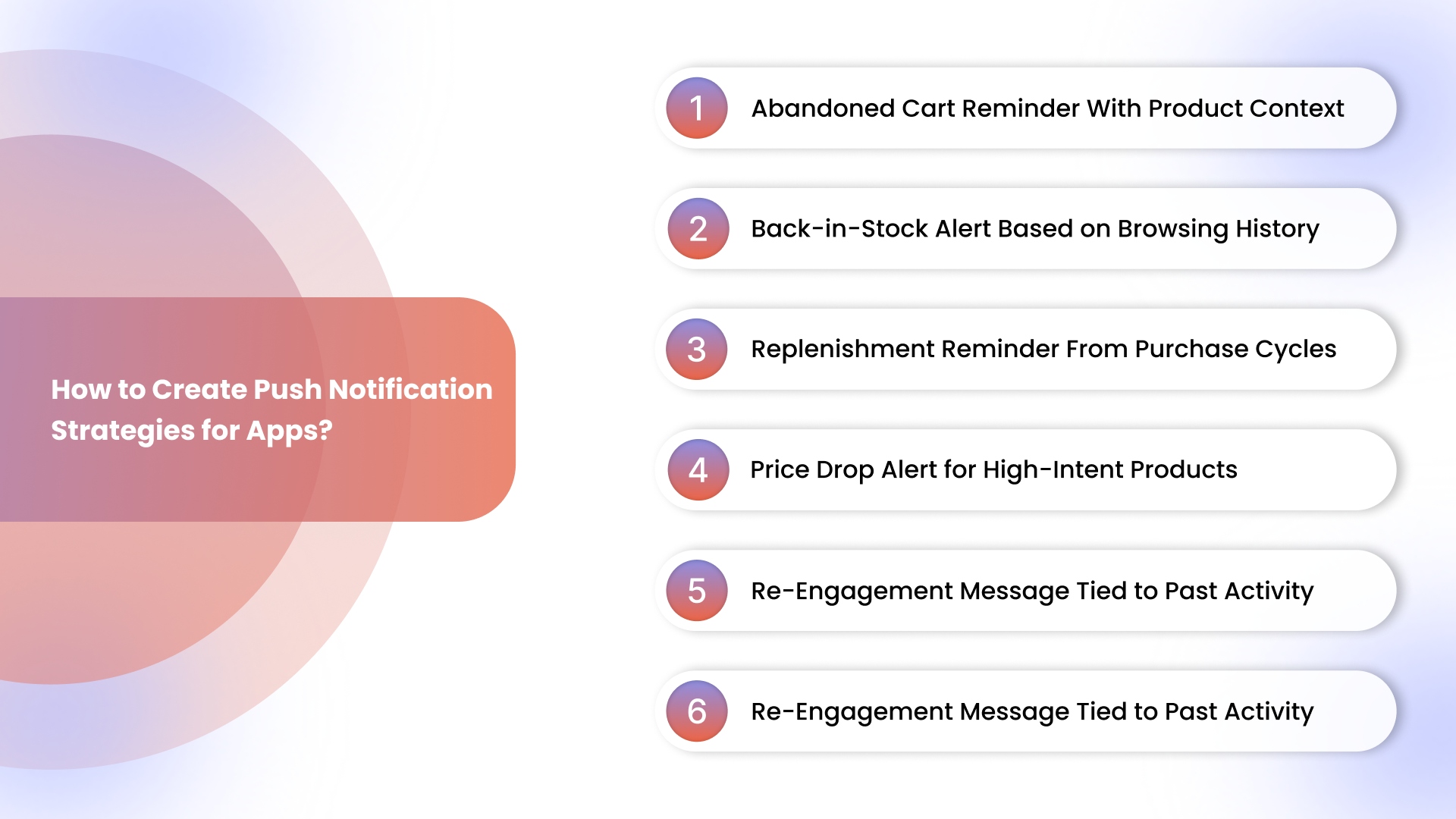
A push notification strategy in e-commerce ensures every message reaches the right shopper at the right moment. By mapping notifications to user behavior and intent, retailers can turn pushes into revenue-generating touchpoints rather than mere alerts. Here’s a step-by-step approach tailored for online retailers.
Step 1: Identify Where Push Fits in Your Customer Journey
Determine the important moments where push notifications can influence purchase decisions or retention, such as post-signup onboarding, product browsing, cart abandonment, and loyalty milestones. Prioritizing these high-impact touchpoints ensures pushes are relevant, timely, and tailored to actual shopper behavior.
Step 2: Decide Which Push Types You Need (Transactional, Promotional, Lifecycle)
Choose the right type of notification for each scenario: transactional pushes confirm or update shopper actions, promotional pushes highlight offers or limited-time deals, and lifecycle pushes nurture engagement over time. Each type should support a specific business objective rather than sending generic messages.
Step 3: Define Audience Segments and Trigger Conditions
Segment users based on behavior, purchase history, and engagement frequency to deliver personalized notifications that resonate. Trigger conditions like cart abandonment within 30–60 minutes or product wishlist activity help ensure that each push arrives when shoppers are most likely to act.
To bring these segments and triggers to life, using a platform like AppMaker can simplify execution. It lets Shopify stores automate push notifications based on user behavior, ensuring each message hits the right audience at the right moment, without technical setup.
Step 4: Set Rules for Timing and Frequency
Establish clear guidelines for when and how often notifications are sent to prevent fatigue and maximize engagement. Align timing with peak browsing hours, consider time zones, and limit high-intent pushes to avoid opt-outs while maintaining visibility for critical campaigns.
Step 5: Align Push Notifications With Other Channels Like Email or SMS
Coordinate push messages with email, SMS, and in-app campaigns to maintain consistent messaging and amplify impact. Use push for urgent, high-intent notifications and reserve email for detailed content, ensuring each channel complements the other without overwhelming the shopper.
Step 6: Track Results and Refine Based on Performance Data
Monitor metrics like click-through rate, conversions, and repeat purchase behavior to understand the effectiveness of each push. Use A/B testing on timing, copy, and CTA to continuously optimize campaigns, scaling high-performing pushes and retiring low-impact ones.
Once you map push notifications to your customer journey, practical execution becomes essential. Next, we’ll cover actionable tips and tricks to enhance performance and boost conversions further.
Tips for App Push Notification Conversion
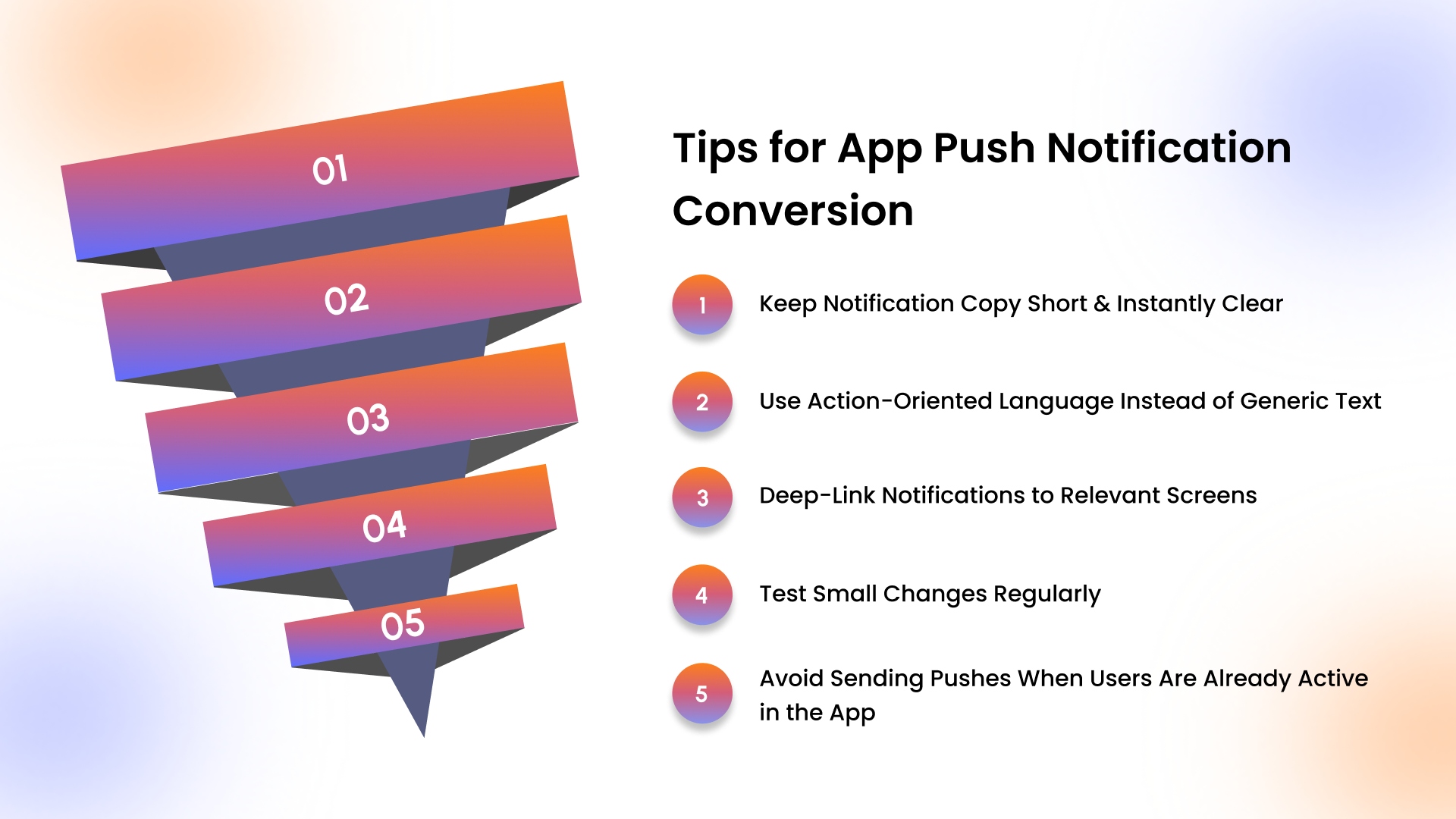
Small tweaks in how you execute push notifications can dramatically boost engagement and conversions. Beyond strategy, the way messages are written, delivered, and timed can make the difference between a tap and an ignored alert.
1. Keep Notification Copy Short and Instantly Clear
Shoppers decide within seconds whether a push is worth tapping. Use concise messaging that communicates value immediately, like “50% off sneakers; today only” or “Your cart is about to expire.” Avoid clutter or unnecessary context that slows decision-making.
2. Use Action-Oriented Language Instead of Generic Text
Every word should nudge users toward a specific action. Replace vague phrases like “Check this out” with direct verbs: “Claim Your Discount,” “Complete Your Purchase,” or “Unlock Early Access.” Clear instructions increase conversion likelihood.
3. Deep-Link Notifications to Relevant Screens
Take users exactly where they need to go. Instead of sending them to the app homepage, link abandoned cart pushes to the pending checkout page or new product alerts to the item page. Reducing friction shortens the path to purchase.
4. Test Small Changes Regularly
Even minor tweaks in headlines, CTAs, or timing can yield measurable improvements. A/B test subject lines like “Flash Sale: 30% Off” vs “30% Off Today Only” or experiment with sending times to identify high-converting windows for different segments.
5. Avoid Sending Pushes When Users Are Already Active in the App
Interrupting an engaged user can annoy and reduce perceived value. Use contextual triggers to detect active sessions and postpone notifications until after the session ends, ensuring the push feels helpful rather than intrusive.
Implementing these best practices consistently can be challenging, which is why having the right tools to automate, personalize, and optimize your push campaigns is key.
Boost Your Shopify Push Strategy with AppMaker
Executing a successful push notification strategy on Shopify requires more than just sending messages. You have to include personalization, timing, and real‑time optimization. AppMaker allows Shopify merchants to do all of this effortlessly, without any coding, by turning your store into a fully branded mobile app.
Key Features for Smarter Push Notification Campaigns:
- Eidolon AI (Design‑to‑App Automation): Upload your Shopify store screenshots or Figma designs and let AI turn them into functional app UI components seamlessly.
- John AI (Analytics & Campaign Assistant): Ask questions, get insights, and refine campaigns from inside the AppMaker dashboard with an AI assistant that helps inform decisions and execution.
- Real‑Time Shopify Sync: Your products, inventory, orders, and customer data sync directly from Shopify into the app, so notifications and content are always up to date.
- Behavior‑Driven Automation: Trigger automated push notifications based on user activity, like abandoned carts or wishlist interactions, to engage users at the right moments.
- Dynamic Personalization: Use Shopify tags and metafields to tailor user experiences with personalized content blocks and segmented messaging.
- Action‑Oriented Notifications: Push messages can send shoppers to relevant parts of the app, like promotions or specific products, reducing friction and encouraging action.
With AppMaker, Shopify merchants can build smarter, automated push campaigns that enhance engagement, retain users, and strengthen customer loyalty, all without technical setup.
Also Read: 10 Mobile App Engagement Metrics That You Should Track in 2026
Conclusion
Push notifications are a powerful tool for e-commerce, enabling brands to engage users, recover abandoned carts, and drive conversions. Properly crafted and delivered, push notifications convert fleeting interactions into purchases, re-engagement, and ongoing brand loyalty.
AppMaker makes implementing a robust push notification strategy effortless for Shopify stores. With no-code app creation, real-time syncing, and advanced targeting features, AppMaker ensures your messages reach the right users at the right moment, enhancing engagement and boosting revenue without technical hurdles.
Ready to turn your app users into loyal customers? Contact us today to build customized push notifications that drive conversions.
FAQs
1. How do I maximize value from push notifications?
You maximize value by sending behavior-based, timely, goal-driven notifications. Focus on high-intent moments like cart abandonment, personalized offers, and lifecycle triggers while controlling frequency to keep users engaged.
2. What are the key aspects of sending effective push notifications?
You need relevance, precise timing, personalization, and clarity. Target the right audience, communicate value instantly, and deep-link users to a specific action to increase engagement and conversions.
3. Why are push notifications better than email for connecting with your customers?
You reach customers instantly without relying on inbox checks. Push notifications perform better for urgent, high-intent actions like flash sales or cart recovery, driving faster engagement and higher conversion rates.
4. What are some use cases of push notifications?
You can use push notifications for abandoned cart reminders, flash sales, product restocks, order updates, loyalty rewards, price drops, and reactivation campaigns to bring inactive shoppers back.