

























Key Takeaways
- Building an app without code is now mainstream: pick one of three routes- visual builders, AI generators, or commerce platforms- based on your starting point.
- The low-code market should reach $44.5 billion in 2026, per Gartner, and most builders now come from outside IT teams.
- Plan your data model before your screens. A weak data structure is the single most expensive no-code mistake, and every screen inherits it.
- Apple rejects apps that just repackage a website. Add native features: push, offline, camera, to clear its minimum functionality rule.
- New personal Google Play accounts must run 12 testers for 14 continuous days before launch. Start that clock on day one.
- Expect roughly $500 to $6,000 in year one with no-code, against $15,000 to over $500,000 for custom development, per GoodFirms.
- Retention is where apps die: median day-30 retention sits near 4% to 7%, so design an engagement loop before you launch.
- Shopify and ecommerce brands should convert an existing store, not build from scratch: the backend, catalogue, and checkout already work.
You can build a mobile app without coding in 2026, ship it to both app stores, and do it in two to six weeks for a first-year cost of roughly $500 to $6,000. The tooling has caught up. What has not changed, and what still separates the apps that survive from the ones that get pulled or ignored, is product judgement. Knowing what to build, structuring your data, and clearing two app stores that have grown openly sceptical of generated software.
This guide covers the whole path, from choosing an approach and pinning down requirements to design, development, integrations, testing, publishing, analytics, maintenance, and scaling, with specific notes for Shopify and ecommerce brands along the way.
What "Build a Mobile App Without Coding" Actually Means in 2026
Building a mobile app without coding means creating and publishing working software through visual tools or plain-language prompts instead of writing source code. These tools strip out the syntax. They do not strip out the thinking, and that distinction is the whole game.
The label has shifted more than once. Not long ago, no-code meant a template you reskinned with a logo. Then it meant visual logic: real conditions, workflows, and databases without writing expressions. In 2026, it also means describing an app in a sentence and getting a working first draft back. That progression quietly created three different tool families, and picking the wrong one is a common early mistake, because switching later usually means starting over.
One warning is worth internalising before you spend anything: no-code does not mean no rules. Apple and Google hold a drag-and-drop app to the same review standard as one written by hand in Swift or Kotlin. The build gets easier. The gate does not move.
Why 2026 Is a Realistic Year to Build Without Code
Every year, someone declares no-code ready for the mainstream. This time the numbers are specific enough to take seriously.
- Gartner projects the low-code development market will reach $44.5 billion in 2026 at a compound annual growth rate (CAGR) of 19%, and expects developers outside formal information technology (IT) departments to make up at least 80% of low-code users by 2026, up from 60% in 2021.
- The demand side matters more to anyone building today than the supply of tools. Sensor Tower's State of Mobile 2026 report counted 149 billion app downloads in 2025 and $167 billion in in-app purchases and paid-app revenue, with people spending 5.3 trillion hours inside apps, around 3.6 hours a day.
Read the split, though: downloads grew just 0.8% year on year while revenue climbed 10.6%. The market has stopped being about getting installed. Sensor Tower found the average person opens only about 10 apps a day, so the real fight is to be one of those ten. That is a harder bar than it sounds, and it is exactly why the decisions you make before opening a builder matter more than the building itself.
The Three No-Code Approaches, Compared
Three families of tools can build an app without code, and each fits a different starting point. Choose the family first; the specific product matters less than getting this right.
Visual builders hand you a canvas. You drag components onto screens, wire them to a database, and define what each tap does. The logic is visible, so it is easy to debug. Bubble, Adalo, Glide, and FlutterFlow live here.
AI app generators hand you a conversation. You describe the app, the system writes the code, and you refine by prompting rather than dragging. Lovable, Bolt, Replit Agent, and Vercel's v0 live here. Fast to a first draft, harder to maintain once it exists.
Commerce app platforms hand you a conversion. If you already run a store, they mirror your catalogue, checkout, and customer data into a native app and keep both in sync. It is a narrower category with a higher hit rate, because the hardest part, the backend, is already built. Appmaker and Tapcart live here.
| Approach | What you do | Typical output | Best for | Where it struggles |
|---|---|---|---|---|
| Visual builder | Drag components onto screens, connect a database, set what each tap does | Web app, or native via the platform | Building a product from scratch with explicit, debuggable logic | Slower than AI for a rough first draft |
| AI app generator | Describe the app in plain language; the system writes and refines the code | Usually web apps | Validating a concept and shipping a fast prototype | Maintaining generated code without a developer |
| Commerce app platform | Connect an existing store; it mirrors catalogue, checkout, and customers into an app | Native iOS and Android | Online stores adding a mobile channel | Only relevant if you already run a store |
Within those families sits a wider field of no-code and AI app builders. A few of the most established, sorted by what they output and whether you can take the code with you:
| Tool | Family | Output | Own the code? | Best suited to |
|---|---|---|---|---|
| Appmaker | Commerce app platform | Native iOS and Android | Custom code on higher tiers | Shopify stores adding a native app |
| Bubble | Visual builder | Web app (native via wrapper) | No | Complex web apps with deep logic |
| Adalo | Visual builder | Native iOS and Android | No | Non-developers shipping to both stores |
| FlutterFlow | Visual, low-code | Native, source-exportabl | Yes | Teams that want to keep the source code |
| Glide | Spreadsheet-to-app | Progressive web app | No | Internal tools built from spreadsheets |
| Softr | Web app builder | Web app | No | Airtable-based portals and client apps |
| Lovable, Bolt | AI generator | Web app | Yes, via code export | Fast prototypes and minimum viable products (MVPs) |
Pricing across these tools moves constantly, and every vendor's comparison page ranks itself first, so check current tiers directly and model your cost at scale before committing. For a Shopify-specific breakdown, Appmaker keeps a running comparison of the best Shopify mobile app builders.
Before You Build: Define Your Requirements
- Most no-code projects collapse in the planning gap, not the builder, so settle five decisions in writing before you open a tool. Answer these in plain language, and the platform choice largely makes itself.
- Decide the single job your app does: Finish this sentence: this app lets a specific person do a specific thing in a specific amount of time. If you cannot finish it without adding an "and", your first version is trying to do too much. An app that does one thing well is far easier to build, review, and keep people on.
- Decide who opens it, and how often: Frequency dictates architecture. A weekly-use app can live on a simple database and survive without notifications. A daily-use app needs offline handling, fast cold starts, and a notification strategy from day one.
- Decide what data your app actually holds: This is the decision most people skip and most people regret. Before you design a single screen, list your entities (users, orders, products, bookings, whatever they are) and the relationships between them: one user has many orders, one order has many items, one item belongs to one category. Get this wrong, and every screen you build afterwards inherits the flaw. Platforms handle relational depth very differently, and a data model that needs deep hierarchies or location-based queries will hit a wall on tools designed for flat lists.
- Decide native, web, or store-connected: A native app installs from the App Store or Google Play and gets full access to push, camera, biometrics, and offline storage. A progressive web app (PWA) installs from a browser and gets a narrower subset, noticeably less on iOS. A store-connected commerce app is native but built on an existing backend. Only one of these needs app store approval, and only one gets reliable push notifications, so choose deliberately.
- Decide how money moves: Free, one-time purchase, subscription, in-app purchases, advertising, or a service you charge for elsewhere. This is not a launch-day detail. It sets which store policies apply to you, what commission you pay, and whether you need payment infrastructure your platform may not support.
How to Choose the Right No-Code Approach
With those five answers in hand, the question stops being which tool is best and becomes which family fits what you described. The usual mistake is chasing capability instead of fit: a pre-revenue idea does not need an enterprise platform, and a brand doing real revenue should not be fighting a template tool's ceiling.
| If your situation is | Take this path | Why it fits | Where it breaks |
|---|---|---|---|
| An idea with no existing product | Visual builder | You need a database and screens from scratch, and explicit logic is easier to debug | Slower than AI for a first rough draft |
| A validated concept needing a fast prototype | AI app generator | Fastest path from a description to something clickable | Maintaining generated code without a developer |
| An existing store, catalogue, or web product | Commerce app platform | The backend already works, so you are adding a channel, not building a product | Only applies if you already run a store |
| An internal tool for a team | Spreadsheet-to-app builder | Your data already lives in a spreadsheet | Outgrows the spreadsheet quickly |
| A regulated product (health, finance) | Code-exportable platform | You need control over where data lives | Requires more technical comfort |
How to Build a Mobile App Without Coding, Step by Step
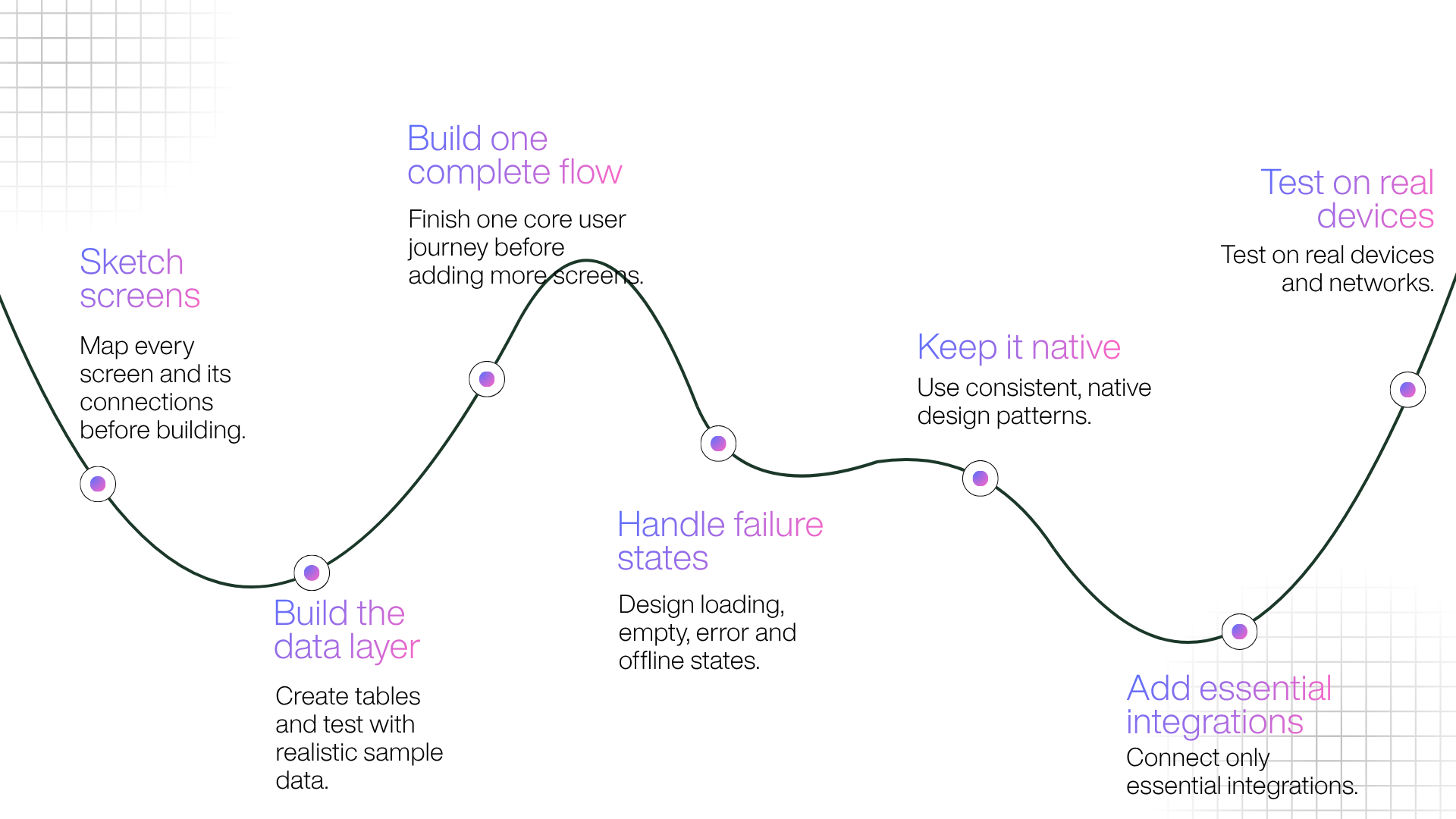
Experienced no-code builders follow a specific order, and the order is the point: each step below is cheap to change and expensive to skip. Together they cover design, development, integrations, and testing.
Step 1: Sketch the screens on paper first
Ten minutes with a pen saves ten hours in a builder. List every screen, then draw an arrow from each screen to every screen it can reach. If a screen has no arrow pointing to it, it does not exist yet. If a screen has seven arrows leaving it, it is doing too much and needs splitting.
Step 2: Build the data layer before the interface
Create your tables, fields, and relationships, then fill them with fifteen or twenty rows of realistic sample data. Not "Test User 1", but the messy entries real users produce: long names, missing fields, special characters, empty states. This step exposes structural problems while they still cost nothing to fix, which is the entire reason to do it before you design anything.
Step 3: Build one complete flow end to end
Do not build twenty screens at 60% each. Build one path all the way through: sign up, complete the core action, see the result, at 100%. A single finished flow tells you more about your platform's real limits than a screen full of half-built pages, and it surfaces the integration and logic problems you would otherwise hit at the worst possible moment.
Step 4: Handle the states where things go wrong
Now wire the conditions: empty lists, failed submissions, expired sessions, no network. Amateur no-code apps are recognisable almost entirely by their missing empty states. A list that shows nothing when there is nothing to show reads as broken, not minimal, so design what the user sees when there is no data, when something fails, and when a screen is still loading.
Step 5: Make it feel native, not templated
A specific visual signature makes people close an app within seconds, and it is usually inconsistency rather than bad taste. A few disciplines fix most of it:
- Pick four text sizes and use only those four. Every extra size makes the app feel assembled rather than designed.
- Choose a base spacing unit of 4 or 8 pixels and make every margin and padding a multiple of it. Uneven spacing is the most common no-code tell.
- Put primary actions in the lower third of the screen where thumbs reach comfortably, and keep destructive actions away from them.
- Follow each platform's conventions. iOS users expect swipe-back and a bottom tab bar; Android users expect the system back button to work. Fighting either costs you retention.
- Design the loading state. A skeleton screen that hints at incoming content feels faster than a spinner, even when the wait is identical.
Step 6: Connect only the integrations you need
Payments, email, analytics, authentication. Test each one against real credentials, not sandbox mode, and check what happens when a service is slow or down. Shallow integrations, the ones that work in a demo but fail on an edge case, are a common no-code failure point, and they are far cheaper to catch now than after launch. Wire up what your first version needs and leave the rest until the core works.
Step 7: Test on real devices, not the preview
Preview panes lie. They render at desktop speed, on desktop hardware, with a mouse. Load your app on a mid-range Android phone and an older iPhone, on mobile data rather than office Wi-Fi, and use it with your thumb. Cold-start time, tap target size, and scroll performance all reveal themselves here and nowhere else, which is why real-device testing is a step, not an afterthought.
How to Publish Your App to the App Store and Google Play
No-code builds the app; publishing is a separate discipline, and it is where first-time builders lose weeks they did not budget for. The fees are trivial. The calendar dependencies are what catch people.
| Requirement | Apple App Store | Google Play |
|---|---|---|
| Account fee | $99 a year, recurring | $25 one-time |
| Identity verification | Required | Required |
| Testing before launch | TestFlight, optional: up to 100 internal and 10,000 external testers | Closed test: at least 12 testers for 14 continuous days (new personal accounts) |
| Typical first review | Often within a day, sometimes up to three | A few hours to seven days or more |
| Commission on digital sales | 15% under $1M in proceeds, 30% above | 15% on first $1M, 30% above |
Three details deserve emphasis because they routinely blindside people.
The Google Play testing requirement is a hard gate. For personal developer accounts created after 13 November 2023, Google requires a closed test with at least 12 testers opted in for 14 continuous days before you can apply for production access. Since 2026, it also checks that those testers actually used the app, not just installed it. Google cut the minimum from 20 to 12 testers in December 2024, but the 14-day clock is fixed calendar time you cannot compress. Organisation accounts registered as a legal business entity, which supply a Dun and Bradstreet (D-U-N-S) number, sit outside this requirement. Start the closed test the day you have a testable build, and prepare your listing and assets in parallel so the fortnight is not dead time.
Developer verification is expanding. Google's Android developer verification requirement begins regional enforcement on 30 September 2026 in Brazil, Indonesia, Singapore, and Thailand, with a global rollout planned through 2027. It ties every app installed on a certified Android device to an identity-verified developer, whether the app comes from Google Play, another store, or a direct download. Most Play developers are already verified, but plan for document turnaround if you are new.
Review speed is asymmetric, so plan around it. Apple often clears submissions within a day, though that number blends trivial updates from established teams with brand-new apps. Google publishes no review-time target and says some accounts can take up to seven days or longer. Submit early in the week and treat a first launch as a multi-day dependency, not a same-day task.
One more thing the store decides: whether anyone finds you. The listing is a search surface in its own right, so treat app store optimisation (ASO) as part of launch, not a chore for later. Use a clear, keyword-relevant title and subtitle, screenshots that show the core experience rather than a splash screen, and honest early reviews. Ratings and keyword relevance drive most organic installs, and the pattern across 2025 is consistent: the apps that win pair ASO with paid acquisition and a real retention plan, not any one of the three on its own.
Why No-Code Apps Get Rejected, and How to Pass Review
The most common reason a no-code app gets rejected is that it reads as a repackaged website, which Apple's Guideline 4.2 exists to catch. Learn a handful of rules and rejection turns from a launch-killer into a minor delay.
Apple's App Store Review Guidelines set a minimum functionality bar under Guideline 4.2: an app should include features, content, and interface that lift it beyond a repackaged website, and if it is not particularly useful, unique, or app-like, it does not belong on the store. In practice, reviewers reject apps that feel no different from browsing a mobile site. There is a matching trap in the same guideline: an app whose main purpose is marketing a service, with little for the user to actually do, is treated as an advertisement and rejected.
This is where native versus WebView decides your outcome. Many cheap no-code and website-to-app tools output a WebView wrapper, which is a website loaded inside an app shell, and that is precisely what Guideline 4.2 rejects. Tools that render real native screens clear the bar the same way a hand-coded app does. To move from "web clipping" to "app", add something a browser cannot do: push notifications, offline access, camera or location use, biometric login, persistent native navigation, saved state between sessions, or home-screen widgets. Two or three of these, properly built, usually settle it.
Two other guidelines snare generated apps. Guideline 4.3 targets spam and duplication: apps built from common templates face extra scrutiny when the result looks too similar to other submissions, and resubmitting with a new icon or a tweaked name rarely works, because Apple tracks submissions across your account. Guideline 2.5.2 covers apps that download and run code the reviewer never saw, a risk on platforms that push logic at runtime, so favour tools that keep your app's behaviour reviewable.
A short pre-submission checklist clears most avoidable rejections:
- A privacy policy live at a public link, referenced in both the app and the listing.
- Accurate data-collection disclosures on the store listing.
- Working demo credentials if anything sits behind a login.
- Review notes that explain anything a reviewer might misread.
- Screenshots from real screens at the correct sizes, with no beta language.
- Every external link working, and every empty state handled.
- A build tested on a physical device, not a simulator.
What It Costs to Build an App Without Coding
No-code's headline argument is cost, and it holds up, as long as you compare the same things. A realistic first-year budget for most small-business no-code apps lands around $500 to $6,000, covering the platform subscription, Apple's recurring fee, Google's one-time fee, and a few third-party services.
| Cost line | No-code path | Custom development |
|---|---|---|
| Platform or build | $0 to around $3,600 a year | $15,000 to over $500,000 |
| Apple Developer Program | $99 a year | $99 a year |
| Google Play account | $25 once | $25 once |
| Design | $0 to $1,500 | $5,000 to $30,000 |
| Integrations | Usually included | Engineered per integration |
| First-year total | Around $500 to $6,000 | $20,000 to over $200,000 |
For context on the custom side, GoodFirms puts the cost to build an app in 2026 at $15,000 to over $500,000, with agencies charging $75 to $250 an hour and freelancers $25 to $150. Its survey of thousands of projects puts the average custom build around $170,000, with most small and mid-sized business apps between $50,000 and $120,000. GoodFirms also notes that hidden costs, including store fees, transaction charges, compliance, and marketing, typically account for 25% to 35% of total project cost, so budget beyond the sticker price, whichever route you take.
The honest comparison is not the build, though. It is the change. A custom app costs developer time every time you want a different homepage; a no-code app costs an afternoon. Over a few years, that gap usually exceeds the original build gap. The costs people forget are platform tier upgrades as usage grows, third-party services such as email and analytics, Apple's recurring fee, and the time cost of maintaining the app yourself.
What to Measure After Launch: Analytics That Matter
Once the app is live, the numbers worth watching are the ones that show whether people reach value and come back. Install count is not one of them.
- Activation: the share of new users who complete the core action at least once. If this is low, onboarding is the problem, not marketing.
- Time to value: how long a new user takes to reach that first useful moment. Shorter almost always wins.
- Retention at day 1, day 7, and day 30: the clearest read on product-market fit, and the number that sets lifetime value.
- Notification opt-in rate: the percentage who allow push, which strongly predicts whether you can bring people back.
- Crash-free sessions: stability problems quietly cap retention and are easy to miss without monitoring.
- Session frequency and length: how often people return, and what they do when they do.
For a store, add the commercial metrics that matter: add-to-cart rate, checkout completion, repeat purchase rate, and app conversion against mobile web. Most no-code and commerce platforms bundle analytics, and some layer in assistants that answer these questions in plain language.
Retention: Where Apps Are Won or Lost

Retention, not downloads, is where most apps quietly fail, so build an engagement loop before launch rather than after. The benchmarks are bleak and consistent. Adjust's Mobile App Trends 2026 puts median retention at roughly 26% on day 1, 13% on day 7, and 7% on day 30. UXCam's 2026 data runs lower, with an all-category median near 4% by day 30 and ecommerce apps typically between 2% and 6%. The shape holds across sources: about three-quarters of users stop opening an app within the first days, and more than 90% are gone before day 30.
So the app's job on day one is not to impress. It is to deliver value before the user's patience runs out. Four practices move the number more than anything else:
- Shorten time to value. Do not open with a signup wall. Let people feel the core action first, then ask for an account when there is something worth saving.
- Ask for permissions in context. Explaining why you want notifications before you trigger the system prompt beats asking on first launch.
- Earn the notification. Users who accept push stay materially longer, but that advantage vanishes the moment you use the channel for noise.
- Plan the install path before launch. Nobody finds your app by accident. Website banners, post-purchase prompts, email, and an app-only reason to install are what turn existing traffic into installs. For a store, synchronised web and app messaging built around cart activity and restocks is a proven lever, which Appmaker covers in its push notifications guide.
Maintenance and Scaling: Avoiding the No-Code Ceiling
Version one always flies. The wall shows up in the hardest fifth of the app: deeper logic, tighter integrations, compliance, or scale. Four ceilings are worth knowing before you hit them.
Data complexity is the first. Products with deep hierarchical relationships, full-text search, or location-based queries need increasingly creative workarounds as they mature, and those workarounds pile up into technical debt. A missing feature becomes a custom integration; a data limit becomes a blob of data stuffed into a field never meant for it. Each fix works, and each one makes the next harder.
Performance under load is the second. Platform apps can slow during traffic spikes in ways that are hard to diagnose when you do not control the stack. Compliance is the third: obligations such as the General Data Protection Regulation (GDPR), the Health Insurance Portability and Accountability Act (HIPAA), and SOC 2 are difficult to satisfy on shared, opaque infrastructure, so regulated products should start on code-exportable or self-hosted platforms. Vendor lock-in is the fourth, and often the most expensive: it happens when your data, logic, and hosting are welded to one platform, and some tools offer no export path at all.
Run a portability test before you commit, not in year two:
- Can you export all your data in a standard format, on demand?
- Is your business logic documented anywhere outside the platform?
- Can you export the source code, or at least the schema?
- What happens to your published app if you stop paying?
- What did the platform's pricing look like two years ago, versus today?
The cost of asking these on day one is fifteen minutes; the cost of asking late is a migration. Maintenance is also a retention factor in its own right, because an app with no update cadence signals abandonment to users and store algorithms alike, so plan for regular releases from the start.
Building an App for a Shopify or Ecommerce Store
If you already run a store, the smart move is not to build an app from scratch, but to add one to what already works. Most of what makes app building hard is backend work: accounts, catalogue, inventory, payments, order history. For a store, all of that already exists and already works. You are not building a product; you are adding a native channel to one, which removes the single most expensive no-code mistake: getting the data model wrong.
That is why commerce app platforms sit apart from general no-code tools. Appmaker turns an existing Shopify store into a native iOS and Android app that stays in real-time sync with your catalogue, pricing, inventory, and orders, so the store stays the single source of truth and there is no second backend to maintain. Three capabilities map directly onto the problems in this guide:
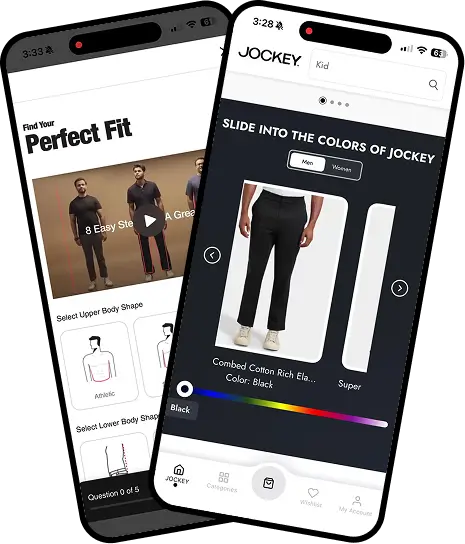
- Conditional Blocks adapt what a shopper sees using Shopify tags and metafields, so a first-time visitor, a returning VIP, and a wholesale buyer can each get a tailored experience in one app. That personalisation is also a credible answer to Apple's scrutiny of apps that look too generic.
- Code Blocks are the escape hatch most no-code tools lack. You start in the drag-and-drop studio and extend with custom code when the roadmap outgrows the canvas, which is the ceiling problem solved by design rather than by workaround.
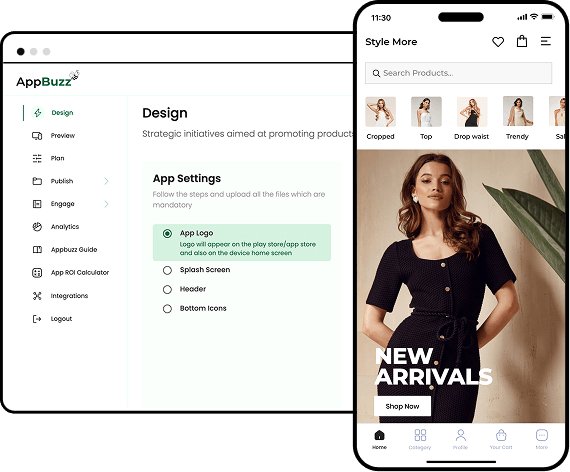
Appmaker reports that brands on its platform have seen repeat purchase rates rise by as much as 70% and conversion increase up to fourfold across categories such as fashion, personal care, pet supplies, and food. As with any platform's own figures, treat those as a ceiling rather than a promise: your numbers will track your store and your execution. For a deeper look at platforms, pricing tiers, and how the category compares, Appmaker's ultimate guide to Shopify mobile app builders and its walkthrough on converting a Shopify store into an app go further than this article's scope allows. Stores on WooCommerce, BigCommerce, or Wix can start with AppBuzz, Appmaker's lighter self-serve product. The broader principle applies to everyone, though: build on what you already own, because every asset you can reuse is a category of failure you get to skip.
Your 30-Day Plan to Launch Without Code
A focused first version is a four-week project, and the sequencing matters because two dependencies run on calendar time you cannot speed up. Register the developer accounts and start Google's testing window in week one; the rest is work you control.
| Week | Focus | What "done" looks like |
|---|---|---|
| Week 1 | Decide and set up | Five decisions written down, approach chosen, developer accounts registered and verified, Google closed test started |
| Week 2 | Data and core flow | Tables and relationships built, realistic sample data loaded, one complete user flow working end to end |
| Week 3 | Build out and polish | Remaining screens built, empty and loading and error states handled, integrations connected, design system applied |
| Week 4 | Test and submit | Real-device testing on both platforms, store assets and privacy policy prepared, submitted to both stores |
Common Mistakes to Avoid
The errors that turn a fast build into a slow rebuild are process errors, not platform limits, which means they are yours to avoid:
- Building before validating. A landing page and fifty email signups cost a weekend and answer the only question that matters.
- Designing screens before the data model. Every screen built on a broken schema has to be rebuilt.
- Choosing a platform on monthly price alone. Model the cost at ten times your expected usage, because metered pricing looks cheap until it is not.
- Building everything to 60%. Finish one flow instead; it surfaces problems that a screen full of half-built pages hides.
- Treating store submission as an afterthought. Verification, testing windows, and review are calendar dependencies, not quick tasks.
- Launching with no install path. Decide before launch how the first thousand people will hear about the app.
- Shipping it and leaving it. An app with no update cadence signals abandonment to users and store algorithms alike.
The Bottom Line
The real shift in 2026 is not that the tools got easier. It is that the bottleneck moved. The constraint on building an app used to be technical: could you write the code, or afford someone who could? That is largely gone. What replaced it is harder to outsource: knowing what to build, structuring the data correctly, satisfying two app stores that no longer wave through generated software, and building something people still open on day 30.
Those are product problems, not engineering problems, which is the good news, because they are exactly the problems the person closest to the customer is best placed to solve. Write your five decisions this week, register the developer accounts, start the Google testing window, and build one flow completely. That is a real app inside a month, without a single line of code.
Frequently Asked Questions
Is no-code the same as low-code?
No. No-code tools let you build entirely through a visual interface or plain-language prompts, with no code at all. Low-code tools still build visually but expose a code layer for developers to extend, which suits teams that expect to customise beyond the platform's defaults.
Can someone with no technical background really build and publish a mobile app in 2026?
Yes, and it is now routine. Gartner expects most low-code users to come from outside formal IT departments, and the skills that matter are structured thinking about data and user flows, not syntax. Store compliance is the one layer you cannot skip.
How long does it take to build a mobile app without coding?
Two to six weeks for a focused first version. The build itself often takes days; the schedule is dominated by fixed calendar dependencies, namely account verification, Google Play's 14-day closed testing window, and app store review.
Do I need a Mac to publish an iOS app built with a no-code platform?
Usually not. Most cloud-based platforms compile and submit iOS builds on their own infrastructure, unlike traditional iOS development, which needs macOS. You still need an Apple Developer account and a physical device for testing.
Who owns a no-code app, you or the platform?
You own your content, data, and brand. Whether you own the application itself depends on the platform, because most do not allow code export, so the app exists only while your subscription does. Confirm it publishes under your own developer accounts, not the vendor's.
Can a no-code app use native features like camera, GPS, biometrics, and offline mode?
Native-output platforms generally support them; web-output tools and progressive web apps do not, especially on iOS. This matters more than most feature lists suggest, because those capabilities are exactly what separate an app from a website in Apple's review criteria.
Can no-code apps scale to hundreds of thousands of users?
Some can, and the limiting factor is data complexity rather than user count. Scalability varies significantly by platform, and performance problems are much harder to fix once users depend on the app, so test realistic data volumes before launch.
Is a progressive web app a good substitute for a native app?
For internal tools and captive audiences, often yes, because a progressive web app skips store review and updates instantly. For consumer products, usually not: you lose app store discoverability, iOS push is unreliable, and home-screen presence is weak.
How much should I budget to keep a no-code app running for a year?
Roughly $500 to $6,000 for most small-business apps, covering the subscription, Apple's recurring fee, and third-party services. The variable to watch is the pricing model, because usage-metered platforms can climb sharply as you grow.
When should a business move from no-code to custom development?
When any one of four signals appears: your platform bill approaches a developer's cost, you keep building workarounds for the same gap, you start handling regulated data, or your competitive advantage now depends on something the platform cannot do.