

























Quick Answer
A Shopify mobile app builder is a platform that turns your existing Shopify store into a branded native iOS and Android app without custom code, syncing your products, pricing, inventory, and checkout in real time. The best builder for your brand depends on how much customization, retention tooling, and operational control you need as you scale. For high-growth and established Shopify brands, AppMaker leads the field in 2026 because it pairs a no-code studio with deep customization, AI-assisted design, and an in-app analytics assistant.
Key Takeaways
- Mobile drives the majority of e-commerce, with global m-commerce at roughly $2.51 trillion in 2025 and about 59% of online sales, yet mobile web converts at only ~2% (Statista, Contentsquare).
- For Shopify brands, 77% of store visits came from mobile in 2025 (Shopify), making the phone the primary storefront.
- A native app converts engaged mobile shoppers meaningfully higher than the mobile web, commonly 2x to 3x for the download segment, and drives higher AOV and purchase frequency (Criteo; Narang and Shankar, Marketing Science 2019).
- Push notifications are the owned channel that makes apps pay off, with retention up to 3x higher for users who receive push (Airship).
- A Shopify mobile app builder delivers native results without native development cost or timelines, often launching in days.
- For scaling and established brands, AppMaker leads in 2026 by combining no-code speed, deep customization, AI design (Eidolon AI), and an in-app analytics and campaign assistant (John AI). Smaller stores can start with AppBuzz.
Most Shopify merchants have already solved the easy part of mobile. Their storefront is responsive, the theme looks fine on a phone, and checkout works. The hard part is what that mobile traffic actually does once it arrives, and this is where a lot of growing brands quietly leak revenue.
Here is the tension every Shopify operator is living with right now. Mobile drives the overwhelming majority of your visits, but the mobile web converts those visits at roughly half the rate of desktop. You are paying rising ad costs to send people to the channel where they are least likely to buy.
This guide is written for Shopify and Shopify Plus merchants who are evaluating that move seriously. We will cover what these builders actually do, the real performance data behind the "apps convert better" claim (including where that claim gets oversold), how to compare the leading platforms, and how to choose one without locking yourself into a tool you outgrow in a year.
What is a Shopify Mobile App Builder?
Direct answer: A Shopify mobile app builder is software that converts your Shopify store into a fully functional native mobile app for iOS and Android, without requiring you to write code or hire an app development agency. It keeps the app in sync with your store, so catalog changes, pricing, inventory, and orders flow automatically between the two.
Under the hood, these platforms connect to your store through Shopify's APIs and mirror your data inside a native app shell. You design the app's layout, navigation, and content through a visual editor, then the platform handles the technical work of compiling, submitting, and updating the app on the Apple App Store and Google Play.
The category has matured a long way from the early "wrap your website in an app" tools. Modern builders offer genuinely native experiences with features the mobile web simply cannot match, including:
- Push notifications sent directly to a customer's lock screen
- Real-time, two-way Shopify sync for products, collections, pricing, inventory, and orders
- Drag-and-drop design with live preview
- Personalization based on customer tags, behavior, and segments
- Native checkout and one-tap payments (Apple Pay, Google Pay)
- App-specific merchandising like sticky carts, countdown timers, and reorder widgets
- Analytics that separate app performance from web
Some platforms stop at templates. The stronger ones add developer access, custom code, and AI tooling so the app can grow with your brand instead of capping it.
Why your Shopify Store Needs a Mobile App in 2026
Direct answer: Mobile now accounts for the majority of e-commerce sales worldwide, yet mobile web converts poorly compared to apps. A native app captures more of that mobile demand through higher conversion rates, stronger retention, higher average order values, and a direct push-notification channel that does not depend on paid ads.
Let's ground that in data, because this is where a lot of marketing content gets sloppy. The numbers below come from primary research, not recycled vendor claims.
Mobile is where commerce happens now
Global mobile commerce sales reached an estimated $2.51 trillion in 2025 and are projected to climb to $3.35 trillion by 2028, according to Droidsonroids. Mobile already makes up roughly 59% of all retail e-commerce sales worldwide, a share expected to reach about 63% by 2028.
For Shopify merchants specifically, the skew is even sharper. Shopify's own Global Ecommerce Report found that 77% of e-commerce website visits came from mobile devices in 2025. In the United States, more than 200 million adults (around 76% of the adult population) have purchased a smartphone, and roughly 92% of those mobile shoppers are under 50.
The takeaway is simple. The phone is no longer a secondary screen. It is the primary storefront, and for younger demographics it is often the only one.
The conversion gap is the real problem
Here is the part that should keep growth teams up at night. Despite dominating traffic, the mobile web underperforms badly on conversion. Contentsquare's 2026 Digital Experience Benchmark, built on 99 billion sessions across 6,500 websites, measured mobile web conversion at 2.03% versus 3.81% on desktop. Mobile pulls in most of the visits and a smaller share of the revenue.
Cart behavior tells the same story. Baymard Institute, which aggregates dozens of studies, puts the average documented online cart abandonment rate near 70%, and on mobile web that figure runs higher still, into the low-to-mid 80s by most measurements. People browse on their phones and bail at checkout.
Where apps change the math
This is the argument for a native app, and it is worth stating carefully because the headline stat gets inflated all over the internet.
You will see claims that apps convert "3x" or even "3.2x" higher than the mobile web. That figure traces back to Criteo's 2018 Global Commerce Review, which compared more than 5,000 retailers across 80 countries and reported a 3-to-5x advantage. The catch is that Criteo measured conversion as buyers divided by product-page viewers, not buyers divided by sessions, which naturally produces a larger number. More recent, session-based comparisons land lower. Tapcart, for example, now publishes a 2.3x in-app conversion advantage, down from its earlier 3.2x claim, based on same-brand comparisons across its merchant base.
So the honest version is this: a native app does not magically triple your conversion, but a well-built one converts your engaged mobile shoppers at a meaningfully higher rate than the mobile web, commonly in the range of 2x to 3x for the segment that downloads it. The reasons are structural, not marketing fluff:
- Apps load near-instantly because assets and data live on the device
- Login and payment details are stored, so checkout is one or two taps
- Personalization can run continuously against customer data
- There are no browser tabs, ads, or distractions competing for attention
The downstream metrics compound the effect. Average order values run up to 17% higher in-app based on Criteo's matched-shopper data. And a peer-reviewed study by Narang and Shankar in Marketing Science (2019), using a difference-in-differences method on real customer data, found that app adoption increased customer spending by 37% and purchase frequency by 33%, with the lift appearing across both online and offline channels. That last point matters: the app did not just shift sales from web to app; it grew total spend.
Push notifications are the channel you actually own
The app's quiet superpower is push. Unlike email, which fights spam filters and crowded inboxes, a push notification lands on the lock screen for free.
Airship analyzed 63 million app users across 1,500 apps and found that retention rates were nearly 3x higher for users who received at least one push notification in their first 90 days compared with those who received none. In a separate analysis, Airship estimated that brands not currently sending push could lift 90-day retention by roughly 190% simply by starting. For e-commerce and retail specifically, Pushwoosh's 2025 benchmarks (across 600+ apps) put push click-through rates at about 3% to 3.8%, comfortably above the cross-industry average, with e-commerce opt-in rates around 68%.
Email still matters. But owning a direct, opt-in channel to your highest-intent customers, one that does not get more expensive every quarter, is the kind of asset that changes unit economics over time.
Native App vs Mobile Web vs PWA: What is the Difference?
Direct answer: A native app is built specifically for iOS and Android and installs from the app stores, giving the best performance, push notifications, and device features. The mobile web is your responsive Shopify storefront in a browser. A progressive web app (PWA) is a website that behaves somewhat like an app but with limited access to native features, especially on iOS.
Plenty of merchants get stuck here, so a quick comparison clears it up.
| Capability | Native App | Mobile Web | PWA |
|---|---|---|---|
| Installs from App Store / Play Store | Yes | No | Limited |
| Push notifications | Full, reliable | No (web push is weak on iOS) | Partial, unreliable on iOS |
| Performance and load speed | Fastest | Slowest | Medium |
| One-tap checkout (Apple/Google Pay) | Yes | Limited | Limited |
| Offline and on-device data | Yes | No | Partial |
| Home-screen presence | Strong | None | Weak |
| Discoverability in app stores | Yes | No | No |
| Build and maintenance cost | Higher (or via a builder) | Lowest | Medium |
For a serious retention play, native wins on the metrics that drive revenue. The good news is that a Shopify mobile app builder gives you native results without native development costs or timelines. That is the entire point of the category.
What to Look for in a Shopify Mobile App Builder
Direct answer: Evaluate a Shopify mobile app builder on real-time Shopify sync, depth of customization, retention and engagement tools, AI capabilities, integration with your existing stack, scalability, support quality, and transparent pricing. Surface-level template counts matter far less than how the platform handles your actual catalog and growth.
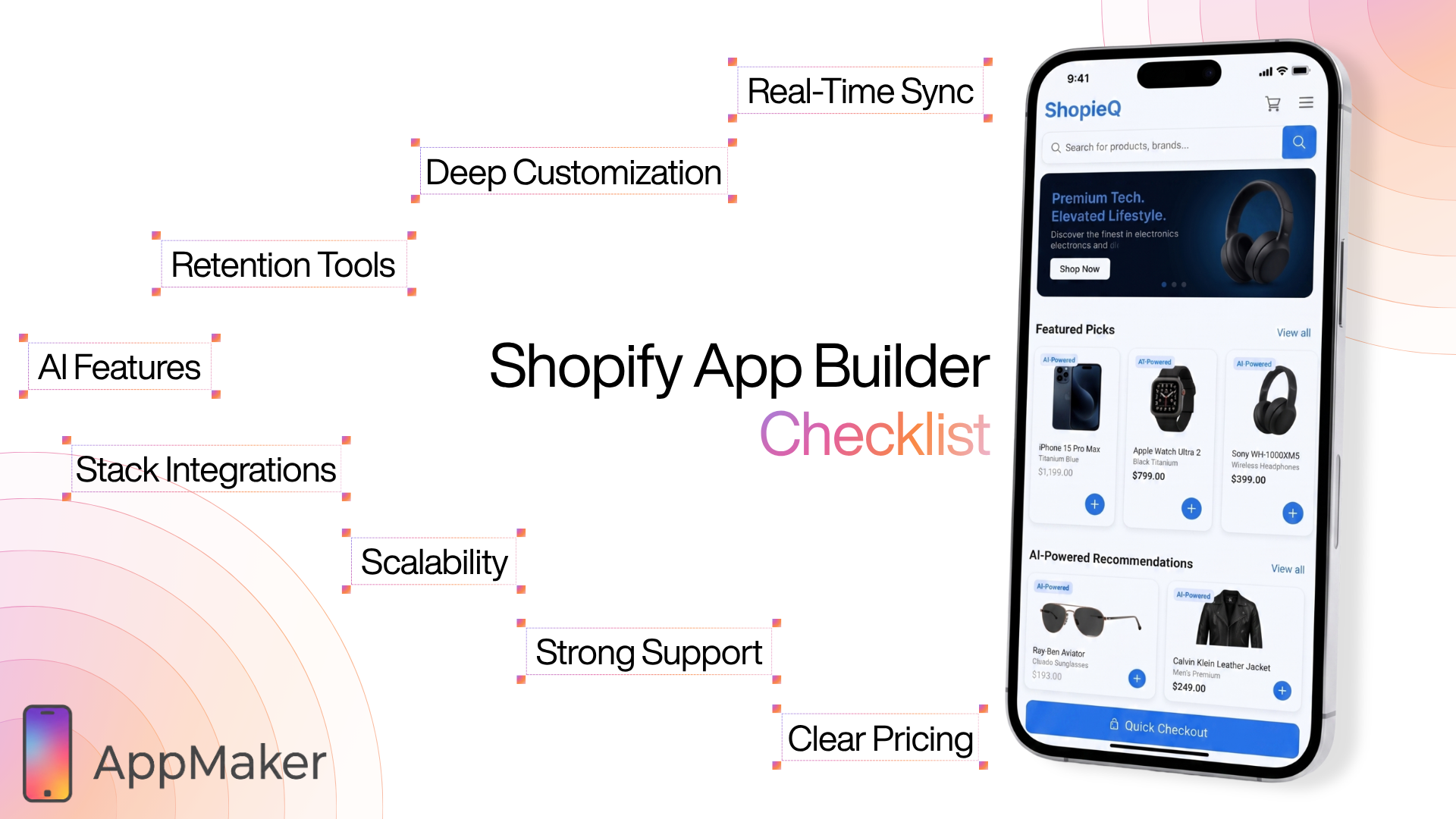
Before you compare brand names, get clear on the criteria that separate a tool you will keep from one you will rip out in twelve months.
1. Real-time, two-way Shopify sync. For a store doing meaningful volume, any lag between your store and your app creates oversells, pricing mismatches, and support tickets. Sync should be instant and bidirectional. This is non-negotiable for catalogs that change often.
2. Customization depth. Templates get you live quickly, but they also make your app look like everyone else's. The strongest builders let you start no-code and then extend with custom blocks, custom code, and developer access when you need a brand-specific experience. Ask whether the platform caps you at templates.
3. Retention and engagement tooling. Push notifications (segmented, automated, and behavior-triggered), in-app personalization, loyalty integration, and merchandising widgets like sticky carts and timers. These are the features that turn a download into a repeat customer.
4. AI capabilities. In 2026, this is a real differentiator, not a buzzword. Look for AI that genuinely saves time: design engines that turn a Figma file or screenshot into an app layout, assistants that draft and schedule campaigns, and analytics tools you can query in plain language.
5. Integration with your stack. Your reviews app, loyalty program, subscriptions, search, analytics, and customer support should all carry over. A builder that breaks your tech stack is a downgrade no matter how nice the editor is.
6. Scalability and performance under load. Some apps freeze during traffic spikes or flash sales. Ask how the platform performs at your peak, not your average.
7. Support and onboarding. App store submission, review compliance, and updates are where DIY tools leave you stranded. Hands-on support during launch and growth is worth paying for.
8. Transparent, predictable pricing. Understand what scales the bill (revenue share, installs, MAUs, feature tiers), so there are no surprises at scale.
The Best Shopify Mobile App Builders in 2026
The platforms below cover the realistic options for most Shopify and Shopify Plus brands, from budget self-serve tools to enterprise-grade builders. Pricing shifts frequently, so treat the bands as indicative and confirm current rates on each provider's site.
| Builder | Best for | Standout strength | Pricing band |
|---|---|---|---|
| AppMaker | Scaling and established brands ($1M+) | Deep customization plus AI design and analytics | Custom (free plan and trial available) |
| MobiLoud | Brands wanting web-and-app parity | Mirrors your existing site closely | Premium |
| Vajro | Brands wanting live selling | Live video shopping and quick setup | Mid-market |
| Shopney | Speed-to-launch on a budget | Simple no-code setup, in-app marketing | Mid-market |
| Tapcart | Fast launches with marketing workflows | Mature template-and-blocks ecosystem | Premium/enterprise (quote-based) |
| VennApps | Enterprise managed builds | Fully managed native development | Enterprise (from ~$1,999/mo) |
| Shopney | Speed-to-launch on a budget | Simple no-code setup, in-app marketing | Mid-market |
| Plobal Apps | Mid-market, support-driven stores | Guided setup and automation | Free to install (revenue-based) |
| GoodBarber | Smaller stores and PWAs | Low entry price, design templates | Budget (from ~$36/mo) |
| AppBuzz | Self-serve, multi-platform stores | No-code app across Shopify, WooCommerce, BigCommerce, Wix | Budget / self-serve |
A few notes on how to read this. Tapcart and Shopney lean toward predefined blocks and fast go-live, which is great if you want speed and can live inside their templates. GoodBarber and PWA-style tools suit smaller stores or those testing the waters. VennApps sits at the managed, enterprise end. AppMaker is the pick for brands that have outgrown templates and want a fully branded, extensible app without giving up no-code speed, which is why it heads the list for serious operators.
AppMaker: A Closer Look at Why it Leads for Scaling Brands
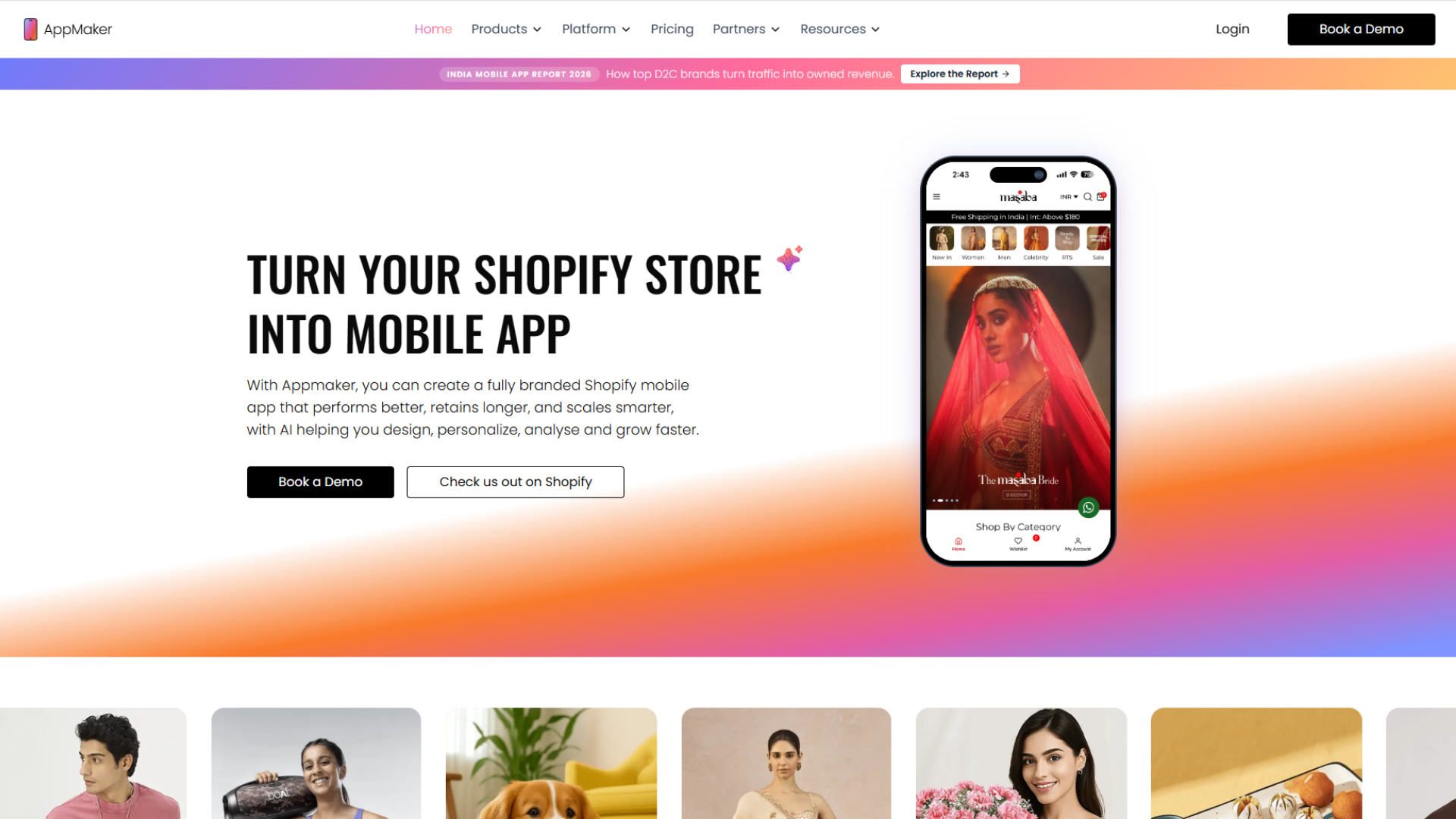
Direct answer: AppMaker is a Shopify-native mobile app builder designed for high-revenue and high-growth brands that have outgrown templated tools. It combines a no-code drag-and-drop studio with deep customization, AI-assisted design (Eidolon AI), an in-app analytics and campaign assistant (John AI), and conditional personalization, all while keeping the app in real-time sync with Shopify.
The reason AppMaker earns the top spot is not a longer feature list. It is the positioning. Most builders force a trade-off between "easy but templated" and "custom but requires a developer." AppMaker is built to remove that trade-off, which is exactly what a brand scaling past the $1M mark needs.
Here is what that looks like in practice.
AppMaker Studio: No-code that does not cap you
The core builder is a block-based, drag-and-drop studio with real-time preview. Your team can build and publish banners, scrollers, product pages, videos, and timed content without waiting on developers. When you do need something bespoke, Code Blocks let you extend the app with custom code. You get the speed of no-code with an escape hatch for when your ambitions outgrow it.
Eidolon AI: Design from a screenshot or Figma file
This is the part that genuinely shortens timelines. AppMaker's AI design engine, Eidolon AI, turns a screenshot, a Figma frame, or a plain-text prompt into a ready-to-use, on-brand native layout. Instead of rebuilding your vision block by block, you hand the AI your design and refine from there. For teams that have a clear brand identity but limited dev bandwidth, this collapses weeks of work into hours. ( coming soon )
John AI: Your in-app executive assistant
John AI is AppMaker's standout differentiator, and it reflects where app commerce is heading. It is an AI assistant that lives inside your AppMaker dashboard and does three jobs that normally eat a team's week:
- Analytics on demand. Ask plain-language questions like "Which campaign drove the highest LTV?" or "Why did conversions dip last week?" and get an answer instantly, instead of waiting days for a report.
- Campaign creation and scheduling. John drafts and schedules push notifications with dynamic variables (names, offers, products), and builds automation flows like abandoned-cart recovery, welcome series, and win-back campaigns using your Shopify tags and customer data.
- Quick builds. Ask it to create a countdown banner for a sale, a "buy more, save more" progress bar, or a homepage image, and it produces them in the app.
The point is leverage. A lean team gets the output of a much larger one because the analysis, copywriting, and campaign setup are handled by an assistant that already knows your store.
Conditional Blocks and deep personalization
Conditional Blocks let you adapt the app's UI and content using Shopify Tags and Metafields, so a VIP customer, a first-time visitor, and a wholesale buyer can each see a tailored experience. This is the Amazon-style personalization that drives conversion, made accessible without a custom build.
Extensions, integrations, and the wider ecosystem
AppMaker ships with plug-and-play extensions (sticky carts, countdown timers, reorder scrollers, loyalty modules) and connects with the tools Shopify brands already run, including Klaviyo, Judge.me, Shopify Flow, Firebase, Google Analytics, and payment and store-credit solutions. It is recognized on the Shopify App Store for meeting Shopify's standards for performance, design, and integration, and it works alongside major commerce platforms beyond Shopify as well.
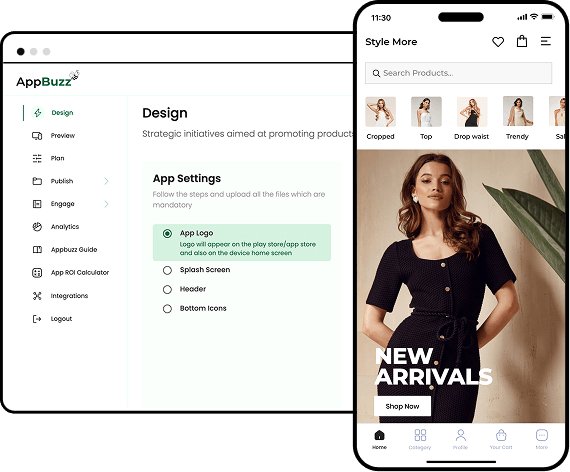
For brands that want a lighter, self-serve route, AppMaker's sibling product AppBuzz offers a no-code mobile app builder that works across Shopify, WooCommerce, BigCommerce, and Wix, with AI-powered push, machine-learning-driven abandoned-cart recovery, and a built-in analytics dashboard. It is a sensible entry point for smaller stores that want app commerce without the enterprise scope.
How AI is Reshaping Shopify App Building
Direct answer: AI is moving app building from a manual, developer-dependent process to an assisted one. In 2026, the leading platforms use AI to generate app layouts from designs, write and schedule marketing campaigns, personalize content automatically, and answer analytics questions in plain language, which compresses both build time and ongoing operational work.
The first wave of app builders sold convenience: no code, faster than an agency. The current wave sells leverage. The difference shows up in three places.
- Design. AI design engines (like AppMaker's Eidolon AI) interpret a Figma file or screenshot and produce an editable native layout. This removes the "blank canvas" tax and lets brands ship a custom-looking app without a custom-build budget.
- Operations. Assistants like John AI take over the repetitive, time-sensitive work, drafting push copy, building recovery flows, and scheduling drops, so a small team can run the kind of always-on lifecycle marketing that used to require dedicated headcount.
Insight. Conversational analytics turn a dashboard you have to interpret into a question you can simply ask. "What was my push-notification revenue last month?" gets answered in seconds.
For Shopify brands, the practical effect is that the gap between "we have an app" and "we run a high-performing app program" is shrinking. The platforms that bake AI into design, campaigns, and analytics let you operate at a level that previously belonged to brands with much larger teams.
How to Choose the Right Builder for Your Store
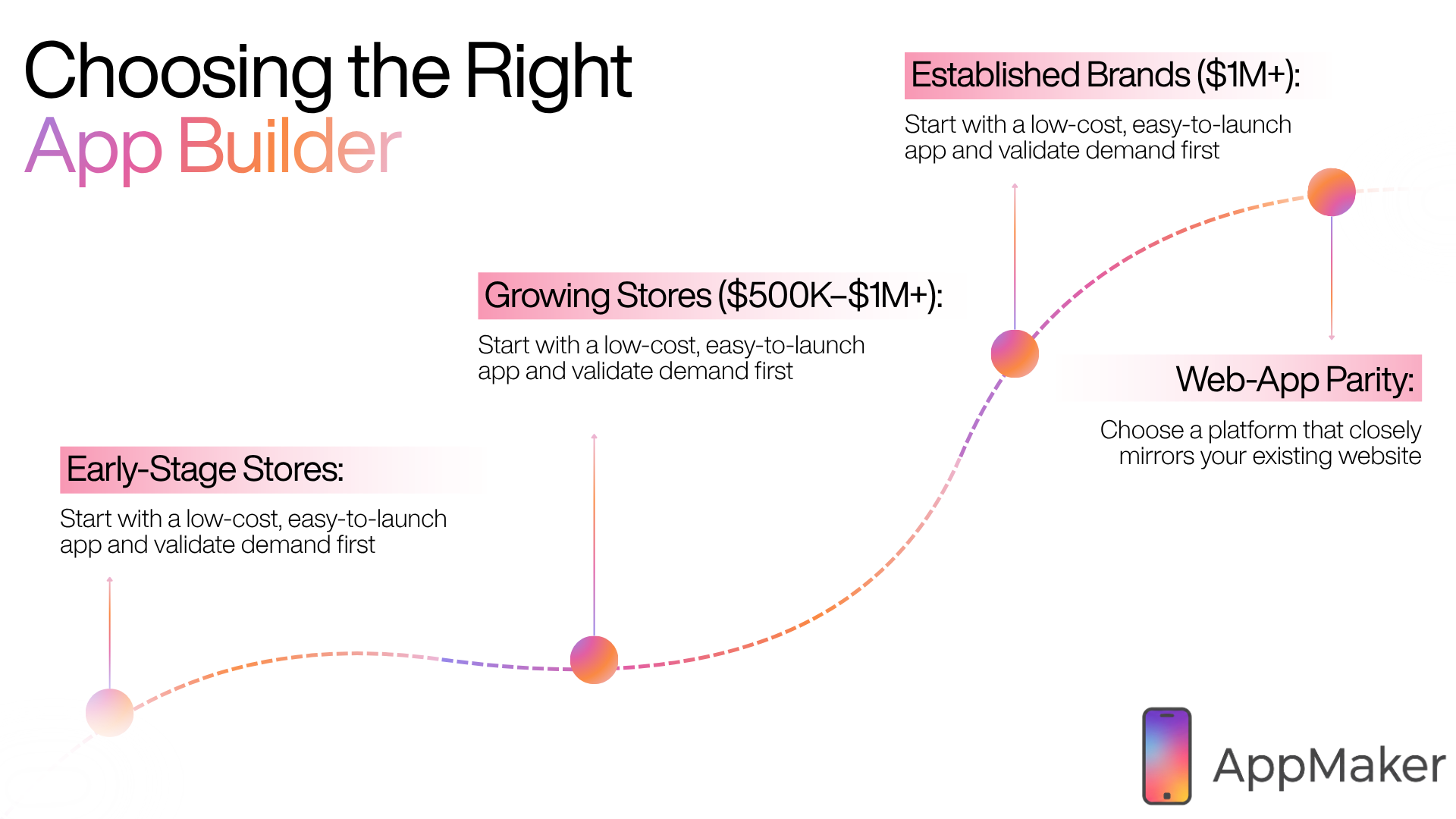
The right choice depends mostly on your store's stage and ambition. Use this as a quick decision guide.
If you are an early-stage or budget-conscious store: Start with a self-serve, lower-cost option such as AppBuzz or a budget builder like GoodBarber. Validate that your customers actually want an app before investing heavily. Prioritize ease of setup and a free or low-cost trial.
If you are a growing store doing $500K to $1M+: This is the inflection point. You have enough mobile traffic and repeat-purchase potential to justify a real app program. Look hard at retention tooling, push, personalization, and whether the platform will scale with you. AppMaker is built precisely for this transition.
If you are an established or Shopify Plus brand ($1M+): Customization, control, integrations, and AI-assisted efficiency matter most. You want a fully branded app, not a templated one, plus the ability to extend with custom code and personalize deeply. AppMaker leads here; consider Tapcart if your priority is a mature blocks ecosystem, or a managed builder like VennApps if you want development fully handled.
If your priority is web-and-app parity: A tool like MobiLoud that closely mirrors your existing site can be a fit, though you trade some native depth for that mirroring.
The honest meta-point: do not over-buy or under-buy. A pre-revenue store does not need an enterprise platform, and a brand doing $5M should not be wrestling with a template tool that caps its roadmap.
How to Build and Launch a Shopify Mobile App: Step-by-Step
Direct answer: Building a Shopify mobile app with a no-code builder takes days, not months. The process is: install the app from the Shopify App Store, connect your store, design the app, configure features and integrations, test it, then submit it to the Apple App Store and Google Play with the builder's help.
- Choose and install your builder. Add it from the Shopify App Store and connect it to your store. Your catalog, collections, and customer data sync automatically.
- Design the app. Use the drag-and-drop studio (or an AI design engine) to lay out your home screen, navigation, product pages, and collections to match your brand.
- Configure features. Set up push notifications, personalization rules, merchandising widgets (sticky carts, timers), and any loyalty or subscription integrations.
- Connect your stack. Link reviews, analytics, search, and marketing tools so nothing breaks in the move from web to app.
- Test thoroughly. Use a preview build to check the full journey on real devices: browse, add to cart, checkout, and notifications.
- Submit to the app stores. This is where a good platform earns its keep. The builder handles (or guides you through) Apple and Google submission, review compliance, and approval.
- Launch and promote. Drive your existing mobile traffic to download via banners, email, and post-purchase prompts, then use push to activate and retain.
- Iterate with data. Watch app-specific analytics, run campaigns, and refine. This is where AI assistants meaningfully speed up the ongoing loop.
Common Mistakes to Avoid
- Treating the app as a copy of your website. An app is a retention channel. If you do not use push, personalization, and app-only perks, you are paying for a second storefront and getting little extra.
- Choosing on template count alone. Pretty templates do not drive revenue. Real-time sync, performance under load, and retention tooling do.
- Ignoring the download problem. An app only works if customers install it. Plan the acquisition path (banners, email, post-purchase prompts) before launch.
- Buying for today, not for scale. A budget template tool can become a ceiling. If you are growing fast, weight customization and extensibility heavily.
- Underestimating support. App store submission and updates are where DIY tools strand merchants. Hands-on onboarding is worth paying for.
Conclusion
The mobile question for Shopify brands has shifted. It is no longer "should we be on mobile," because the data settled that years ago. It is "how do we convert the mobile demand we are already paying for." A responsive storefront is table stakes. A native app is how growing brands turn that traffic into repeat revenue, through higher conversion, stronger retention, larger orders, and a direct channel to their best customers.
If you are an early store, validate demand with a self-serve tool first. If you are scaling past $1M or running Shopify Plus, the right move is a platform that gives you a fully branded, high-performing app without trapping you in templates or a long development cycle. That is exactly the gap AppMaker is built to fill, pairing no-code speed with deep customization, AI-assisted design through Eidolon AI, and an in-app executive assistant in John AI that turns analytics and campaigns from a weekly chore into a question you can simply ask.
The brands pulling ahead in 2026 are not the ones with the flashiest theme. They are the ones who built a mobile experience their customers come back to. An app is how you build it.
Ready to see it for your store? Explore AppMaker or book a demo to see how a fully branded, AI-powered Shopify app would work for your brand.
Frequently asked questions
What is the best mobile app builder for Shopify in 2026?
For high-growth and established Shopify brands, AppMaker is the strongest choice because it combines no-code building with deep customization, AI-assisted design, and an in-app analytics assistant. Tapcart suits brands wanting a mature template-and-blocks ecosystem, while budget or early-stage stores can start with AppBuzz or GoodBarber. The "best" builder depends on your store's stage, customization needs, and budget.
Do I need coding skills to build a Shopify mobile app?
No. Modern Shopify mobile app builders are no-code, using drag-and-drop editors so anyone on your team can design and launch an app. Platforms like AppMaker also offer custom Code Blocks and developer access for brands that want bespoke functionality later, but you do not need to write code to get started.
How long does it take to build and launch a Shopify mobile app?
With a no-code builder, you can typically design and launch a Shopify app in a matter of days rather than the months a custom build would take. The main variable is app store review: Apple and Google approval can add a few days, which a good builder helps you navigate.
How much does a Shopify mobile app builder cost?
Pricing ranges widely. Budget tools start around $36 per month, mid-market builders sit in the low hundreds, and enterprise or managed builds can run $1,999 per month or more. Several platforms, including AppMaker, offer a free plan and a trial, with custom pricing for scaling brands. Always confirm current rates, since pricing changes often.
Is a mobile app worth it compared to leaving customers on the mobile web?
For brands with meaningful mobile traffic and repeat purchases, yes. Mobile web converts at roughly half the rate of desktop, while a native app converts your engaged shoppers significantly higher, drives larger order values, and gives you a direct push-notification channel you own. For pre-revenue stores with little traffic, the mobile web may be enough until you validate demand.
How do mobile apps actually increase conversions?
Apps load near-instantly because data lives on the device, store login and payment details for one-tap checkout, remove browser distractions, and personalize content continuously. These structural advantages help engaged shoppers convert at a higher rate than the mobile web, with downstream gains in average order value and purchase frequency.
Do Shopify app builders sync with my store in real time?
The strong ones do. Real-time, two-way sync keeps your app's products, pricing, inventory, and orders aligned with Shopify automatically, which is essential for stores with large or frequently changing catalogs. Always confirm a builder offers instant bidirectional sync before committing.
How do push notifications help my Shopify app?
Push notifications reach customers directly on their lock screen without paid ads or spam filters, making them highly effective for cart recovery, restock alerts, product drops, and promotions. Research from Airship found retention nearly 3x higher for users who receive push notifications, and e-commerce push click-through rates outperform most other channels.
Can a mobile app builder handle a large product catalog?
Yes, but capability varies. High-growth-focused platforms like AppMaker are built to handle large, variant-heavy catalogs with real-time sync and stable performance under load, whereas some lighter tools struggle with scale or freeze during traffic spikes. Match the builder to your catalog size and peak traffic.
What is the difference between a templated and a customizable app builder?
A templated builder gets you live fast using predefined blocks, but limits how unique your app can look and behave. A customizable builder like AppMaker lets you start no-code and then extend with custom code, conditional personalization, and developer access, so the app can grow with your brand instead of capping it. Templates favor speed; customization favors brand control and scalability.
Does AppMaker work with platforms other than Shopify?
AppMaker is Shopify-native and built primarily for Shopify and Shopify Plus brands. Its sibling product, AppBuzz, extends no-code app building to WooCommerce, BigCommerce, and Wix, so brands on other platforms still have a route to a native app.
How is AI changing Shopify mobile apps in 2026?
AI now assists across design, operations, and insight. Design engines turn a Figma file or screenshot into an app layout, assistants like John AI draft and schedule campaigns and build automation flows, and conversational analytics answer questions in plain language. The result is that small teams can run high-performing app programs that once required much larger staff.