




























Every Shopify store owner dreams of turning visitors into buyers, but most struggle silently. Your site might get hundreds or thousands of clicks daily, yet only a tiny fraction actually buys.
That’s the reality: the average ecommerce conversion rate hovers around 1.6% to 2.95%. Behind that small number are invisible blockers. This includes slow-loading pages, confusing product information, unclear value, and checkout friction that quietly kill sales.
Fixing these points isn’t complicated, but it requires focus on what really drives buying decisions. In this blog, we will walk you through 10 high-impact tactics to increase Shopify conversions, optimize the buying journey, and make every visitor more likely to become a paying customer. We will also provide you with 15 helpful apps to help you increase Shopify conversions in 2026.
Overview
- The average Shopify conversion rate is 1.4%. Raising 1.4% to 2% can generate 60 extra orders per 10,000 monthly visitors, boosting revenue without extra ad spend.
- Increasing the conversion rate even slightly compounds revenue. A store with 100,000 visitors and $75 AOV jumps from $150,000/month at 2% CVR to $225,000/month at 3% CVR.
- Diagnosing funnel leaks, PDP to checkout, traffic source gaps, scroll depth, and returning vs new visitors, reveals hidden friction quietly suppressing purchase intent.
- Native mobile apps reduce mobile friction, provide AI-driven layouts, structured navigation, and push notifications, increasing session depth, repeat purchases, and overall Shopify conversions.
- Optimizing mobile UX, site speed, product clarity, trust signals, and checkout flow, combined with smart personalization and urgency tactics, directly improves buying momentum and maximizes conversion impact.
Average Shopify Conversion Rates in 2025–2026
The average conversion rate for Shopify stores sits around 1.4%, meaning most stores convert only about 1–2 visitors out of every 100. Conversion rates also vary by traffic source. This means referrals can reach 3.9%, email 2.5%, direct traffic 2.1%, social media 2%, paid search 1.7%, and organic search 1.5%.
While these numbers may seem small, even modest improvements can add up quickly; for example, a store with 10,000 monthly visitors could gain 60 extra orders per month by raising the conversion rate from 1.4% to 2%, without spending more on ads.
Now that you know where most stores stand, it’s time to see what even small gains in conversion can mean for your revenue.
Why Conversion Rate Drives Real Shopify Growth?
Conversion rate is the only growth lever that improves every dollar you already spend. For example, if you get 100,000 monthly visitors with a 2% conversion rate and $75 AOV, you generate $150,000/month. Increase conversion to 3% with the same traffic, same AOV, and revenue jumps to $225,000/month. That’s an extra $900,000 per year without increasing ad spend.
At scale, the math compounds:• $1M store → +1% CVR ≈ +$500K revenue• $5M store → +1% CVR ≈ +$2–3M• $10M store → +1% CVR can bring $5M+
Most Shopify stores stay stuck at 1–2% because mobile UX, weak product pages, slow speed, and checkout friction quietly suppress buying intent, especially on paid traffic.
Now that you understand the revenue impact of conversion rate, the next step is identifying exactly where your funnel is leaking revenue.
Before You Optimize: Diagnose the Drop-Off
Before making changes, isolate where buying momentum breaks. Pull a step-by-step funnel report and calculate the conversion rate between each stage.
Start by focusing on these five diagnostics:
- PDP → Add to Cart rate: If below 5%, your offer, pricing structure, or above-the-fold trust signals aren’t strong enough to trigger buying intent.
- Cart → Checkout rate: If under 55%, unexpected shipping costs, taxes, or discount-code distractions are creating hesitation before commitment.
- Traffic source Conversion Rate (CVR) gaps: Large differences between paid social, non-branded search, and branded traffic reveal intent mismatch or messaging misalignment.
- New vs Returning CVR delta: If returning users convert 3–4x higher, your first-visit credibility and product clarity are underperforming.
- Scroll depth + micro-events: Low engagement with reviews, variant selectors, search, or shipping calculators signals hidden friction suppressing purchase progression.
Once you’ve identified the weakest transition in your funnel, it’s time to apply targeted fixes that directly increase buying momentum.
Also Read: Tips to Improve Customer Loyalty with A Shopify Mobile App
10 High-Impact Tactics to Increase Your Shopify Conversion Rate
Most Shopify stores waste paid traffic because their funnel leaks revenue at critical decision points. These 10 high-impact tactics target product pages, checkout friction, trust gaps, and buyer psychology to systematically increase your Shopify conversion rate.
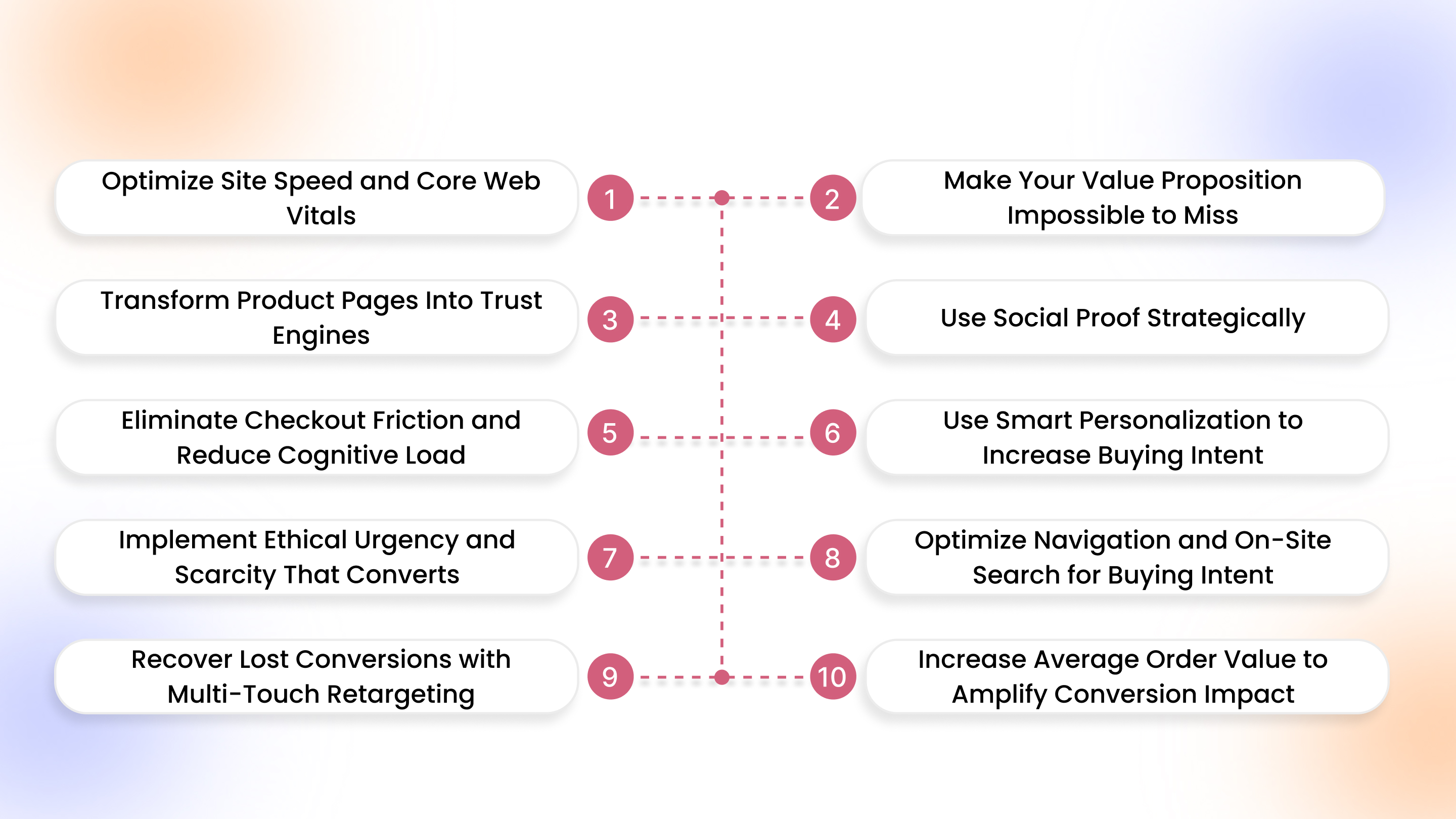
1. Optimize Site Speed and Core Web Vitals (Especially on Mobile)
On Shopify, speed shapes first impressions before your offer is even seen. Most visitors browse on mobile with short attention spans. Delays create doubt, reduce perceived credibility, and quietly kill buying momentum before customer engagement begins.
Here’s what to fix immediately:
- Keep product page load time under 2.5 seconds on mobile devices.
- Serve compressed WebP images and enable lazy loading below the fold.
- Remove unused Shopify apps, inject background scripts, and duplicate tracking pixels.
- Minimize third-party code, custom fonts, and excessive JavaScript libraries.
- Improve Largest Contentful Paint and reduce layout shift across templates.
2. Make Your Value Proposition Impossible to Miss
If visitors cannot understand what you sell, who it’s for, and why it’s better within five seconds, they leave. Shopify product pages must communicate clarity instantly. Confusion kills momentum faster than price ever will.
Here’s what to fix immediately:
- State who the product is for and the primary outcome above the fold.
- Lead with the core benefit, not features or generic brand statements.
- Add risk-reversal messaging near the CTA to reduce hesitation instantly.
- Clearly explain how your product differs from common alternatives.
- Align headline, visuals, and CTA so the message feels consistent.
3. Transform Product Pages Into Trust Engines
A Shopify product page should remove doubt step by step. Buyers scan for proof, clarity, and safety signals before committing. Your page must answer objections before they are consciously formed.
Here’s what to optimize carefully:
- Use high-resolution images with zoom, lifestyle context, and product scale.
- Write benefit-driven descriptions focused on outcomes, not specifications.
- Display shipping timelines, return policy, and payment options visibly.
- Place FAQs below the description to handle common objections clearly.
- Reinforce credibility with guarantees and trust badges near CTAs.
4. Use Social Proof Strategically (Not Just Reviews)
On Shopify, social proof should reduce hesitation at decision moments. It should not sit passively at the bottom of the page. Placement and format matter more than volume. Proof must answer doubt exactly when it appears.
Here’s what to implement precisely:
- Enable review filters by rating, keyword, and use case.
- Feature user-generated photos and short customer videos near the CTA.
- Use trust badges sparingly and place them close to payment areas.
- Insert testimonial snippets directly below price or add-to-cart buttons.
- Highlight specific outcome-driven reviews instead of generic five-star praise.
5. Eliminate Checkout Friction and Reduce Cognitive Load
Checkout is where intent turns into revenue. Even small obstacles increase abandonment. The goal is speed, clarity, and minimal mental effort from cart to confirmation.
Here’s what to simplify immediately:
- Enable guest checkout to avoid forced account creation.
- Activate Shop Pay, Apple Pay, and other payment methods for faster payments.
- Remove unnecessary form fields and optional information requests.
- Use address auto-fill to reduce typing errors and friction.
- Display clear progress indicators across checkout steps.
6. Use Smart Personalization to Increase Buying Intent
Generic Shopify stores show the same products to everyone. High-converting stores adapt based on behavior. Personalization should increase relevance at key decision points. This includes homepage, PDP, cart, and post-add-to-cart moments.
Here’s what to implement strategically:
- Show dynamic product recommendations based on browsing and purchase history.
- Segment users by behavior, not demographics, to tailor homepage content.
- Display recently viewed items for returning visitors to restore momentum.
- Trigger contextual offers when cart value or exit intent signals hesitation.
- Personalize bundles or upsells based on complementary purchase patterns.
Also Read: Personalized Push Notifications: Best Practices and Use Cases
7. Implement Ethical Urgency and Scarcity That Converts
Urgency works when it reflects reality. On Shopify, scarcity should reinforce demand. It must not manipulate buyers. When used honestly, it boosts decisions without damaging trust.
Here’s how to execute properly:
- Display real low-stock counts pulled directly from inventory data.
- Use time-bound offers tied to actual campaign deadlines.
- Position limited editions around production limits or seasonal drops.
- Avoid fake countdown timers that reset on page refresh.
- Reinforce urgency near CTAs, not buried below content.
8. Optimize Navigation and On-Site Search for Buying Intent
If shoppers cannot find products in seconds, they leave. On Shopify, navigation should shorten decision time. High-converting stores structure their menus and search around how buyers think.
Here’s what to improve deliberately:
- Build smart filters based on price, use case, size, and buyer intent.
- Enable auto-suggest search with product thumbnails and pricing previews.
- Map synonyms and common misspellings to prevent zero-result searches.
- Structure categories around buying goals.
- Surface bestsellers and high-converting products within filtered results.
9. Recover Lost Conversions with Multi-Touch Retargeting
Most Shopify buyers do not purchase on the first visit. Revenue recovery requires coordinated follow-up across email, SMS, and paid channels. This means a single abandoned cart reminder doesn't work.
Here’s how to execute systematically:
- Send a three-step abandoned cart email sequence within 24 hours.
- Trigger SMS reminders for high-intent carts with time-sensitive nudges.
- Run dynamic retargeting ads showing exact abandoned products.
- Deploy exit-intent popups offering value, not immediate discounts.
- Segment retargeting by cart value and product category.
10. Increase Average Order Value to Amplify Conversion Impact
Increasing Shopify conversions becomes more powerful when the order value rises simultaneously. Even small AOV lifts compound revenue without additional traffic costs.
Here’s what to implement carefully:
- Set free shipping thresholds slightly above the current average order value.
- Create product bundles that increase perceived savings and convenience. According to the 2025 BFCM Strategy Report, bundles capture 85% of impulse buys, increasing AOV and profit through pre-purchase options and post-purchase add-ons, without cannibalizing initial purchases.
- Offer volume discounts tied to practical usage quantities.
- Add cart-level upsells that complement selected products.
- Test post-purchase upsells immediately after checkout completion.
With tactical improvements in place, it’s time to have a look at the top 15 Shopify apps that can help you improve your Shopify conversion.
The 15 Best Shopify Apps to Increase Shopify Conversion
Not all Shopify stores realize that the right apps can directly plug revenue leaks and boost buying momentum. From speeding up mobile shopping to improving trust, personalization, checkout flow, and social proof, these tools tackle the hidden blockers that silently suppress conversions. Implementing a strategic set of apps ensures every visitor has a smoother, faster, and more persuasive path to purchase.
While these apps can significantly boost conversions, many Shopify stores still overlook small friction points that quietly drain revenue.
Also Read: Complete Guide to Ecommerce App Development Cost in 2026
Common Conversion Killers Most Shopify Stores Ignore
Many Shopify stores focus on adding features instead of removing friction. Conversions rarely drop because of one big mistake: they decline due to small, repeated trust breaks across the buying journey. Here’s what quietly hurts performance:
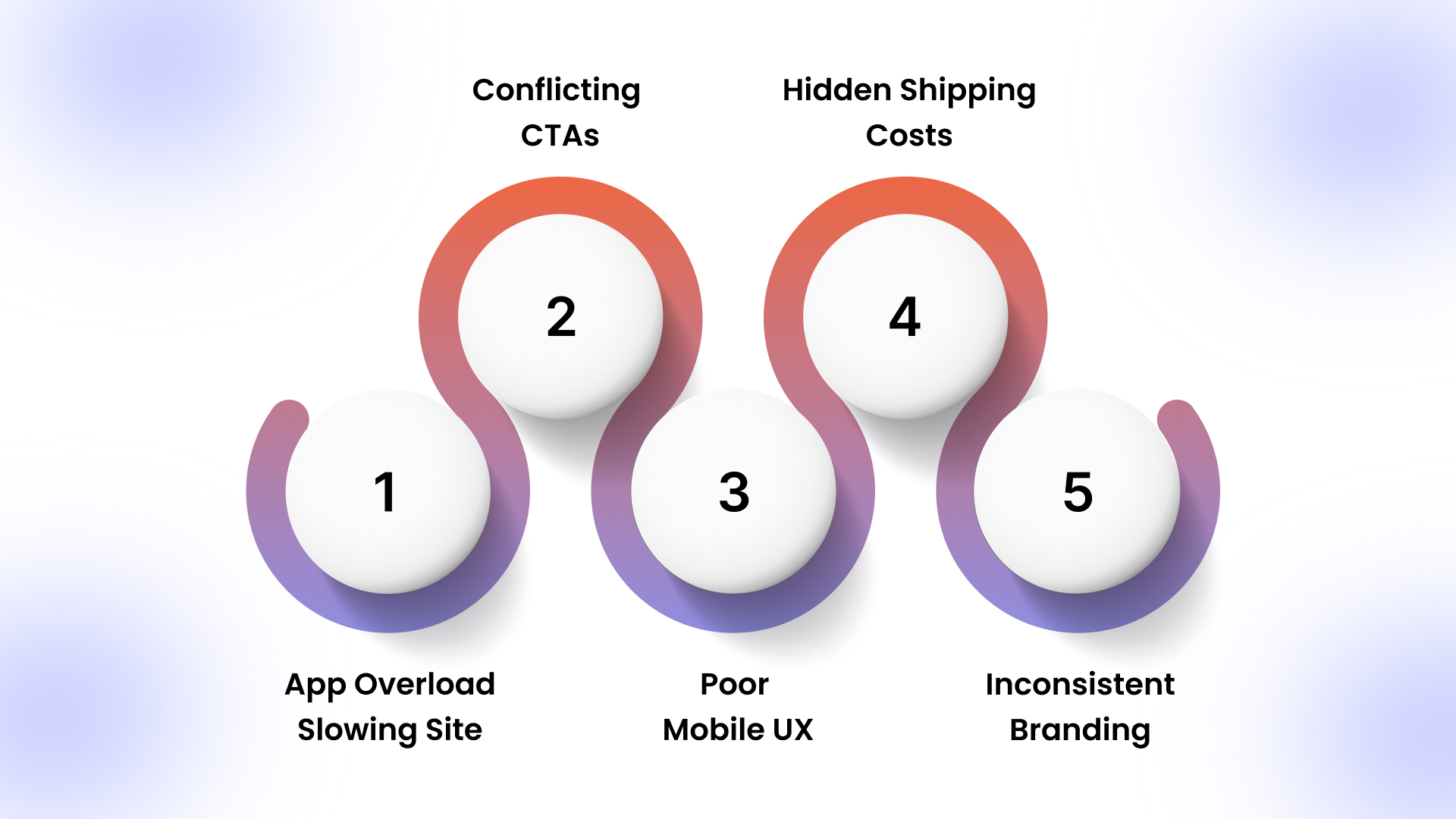
1. App Overload Slowing Site
Installing 15–20 Shopify apps often means duplicate tracking pixels, multiple review widgets, and overlapping pop-up scripts loading simultaneously. This increases Time to Interactive, delays add-to-cart clicks, and weakens performance during paid traffic spikes.
2. Conflicting CTAs
A product page showing “Add to Cart,” “Buy It Now,” subscription toggles, bundle offers, and sticky upsells forces split attention. Instead of supporting purchase, it overloads decision-making and reduces primary CTA clicks.
3. Poor Mobile UX
Long product descriptions, oversized announcement bars, stacked popups, and delayed image rendering push the add-to-cart button below excessive scroll depth. It lowers mobile conversion despite strong traffic quality.
4. Hidden Shipping Costs
Displaying “Calculated at checkout” without upfront estimates creates uncertainty. When final pricing appears 12–18% higher due to shipping and taxes, abandonment spikes immediately before payment submission.
5. Inconsistent Branding
Different fonts between the homepage and PDP, mismatched product photography styles, and varying tone in product descriptions create subconscious doubt. This makes the store feel fragmented rather than established and trustworthy.
With browser friction minimized, the next logical step is strengthening mobile buying flows through a native app layer.
How AppMaker Helps You Increase Shopify Conversions
Most Shopify conversion leaks happen on mobile. Slow rendering, tab switching, and browser friction weaken intent before checkout even begins. AppMaker removes those browser-layer limitations by converting your store into a native mobile app built specifically to tighten buying flows, reduce distractions, and increase session depth.
Here’s where it creates measurable conversion impact:
- Eidolon AI layout engine: Converts Figma or screenshots into reusable app layouts and dynamically adapts blocks based on user behavior.
- Structured bottom navigation: Keeps search, collections, and cart accessible without forcing users through layered menus.
- In-app supported checkout: Supports Shop Pay and wallet integrations inside a simplified purchase flow.
- Rubik’s AI personalization: Dynamically adjusts product recommendations, content blocks, and layouts based on user behavior to increase relevance and conversion.
- Conditional & reusable code blocks: Enable custom logic and app features for different user segments, giving merchants flexibility that no other mobile app builder provides.
- Push-based behavioral targeting: Re-engages cart abandoners and dormant users with segmented, action-driven notifications.
Conclusion
Shopify conversion rate is not a design trend or a temporary tactic. It is the multiplier behind every dollar you spend on ads, influencers, and SEO. When speed improves, messaging sharpens, navigation simplifies, and checkout friction disappears, revenue grows without traffic needing to double. That is sustainable scaling.
For brands hitting limits with theme-based optimization, AppMaker adds another layer of control. By converting your Shopify store into a native app powered by Eidolon AI layouts and structured in-app buying flows, you reduce mobile friction and strengthen repeat purchase behavior.
If your traffic numbers look healthy but revenue isn’t compounding the way it should, the experience layer deserves a closer look. Talk to our team and evaluate whether a native app approach makes sense for your growth stage.
FAQs
1. Why do some Shopify stores get thousands of visitors but still struggle to make sales?
High traffic does not guarantee buying intent. Many stores attract low-intent paid social clicks but fail on product clarity, pricing transparency, mobile UX, or checkout flow. When friction outweighs motivation, visitors browse but do not convert.
2. Is a 7% conversion rate good?
Yes, 7% is considered very strong for Shopify. Most stores average between 1–3%, depending on niche and traffic source. A 7% rate usually indicates high purchase intent, strong brand trust, optimized product pages, and repeat customers.
3. Why is my Shopify conversion rate so low?
Low conversion rates often stem from slow mobile performance, weak value propositions, hidden costs, poor product presentation, or mismatched traffic sources. If visitors are landing but not adding to the cart, friction exists before checkout begins.
4. How Product Badging Helps Shopify Merchants To Increase Conversions And Branding?
Product badges like “Best Seller,” “Limited Stock,” or “New Arrival” guide attention and reduce decision fatigue. When used accurately, they highlight social proof and urgency while reinforcing brand positioning across collections and product pages.