




























Mobile apps provide a smoother, more intuitive shopping experience than mobile websites, offering benefits such as personalized recommendations, straightforward navigation, and secure payment features.
Today, the main challenge is understanding the actual cost of building an e-commerce app.
Your final price depends on your approach, features, timeline, and whether you're creating for iOS, Android, or both.
If you're a US-based Shopify merchant generating $1M–$10M annually, understanding the cost factors can save you months of wasted budget and help you launch faster.
In this article, we'll break down the real costs of ecommerce mobile app development, compare custom vs. no-code platforms, and show you how to build a high-converting app without burning through your budget.
Key Takeaways
- Platform choice, feature complexity, design requirements, and ongoing maintenance are the primary cost drivers that determine your total investment.
- Custom agency development provides complete control but requires significant upfront capital and extended timelines, which delay revenue generation.
- No-code solutions built for Shopify eliminate technical complexity and compress launch timelines from months to days while maintaining professional quality.
- Hidden costs, including app store fees, hosting infrastructure, push notification services, and continuous updates, can significantly impact your total cost of ownership.
- Most growing Shopify merchants achieve faster ROI with no-code platforms that include Shopify sync, ongoing maintenance, and conversion-optimized features, all at predictable monthly pricing.
What Determines E-commerce App Development Cost?
Before diving into pricing models, you need to understand what actually drives the cost to build e-commerce mobile apps.
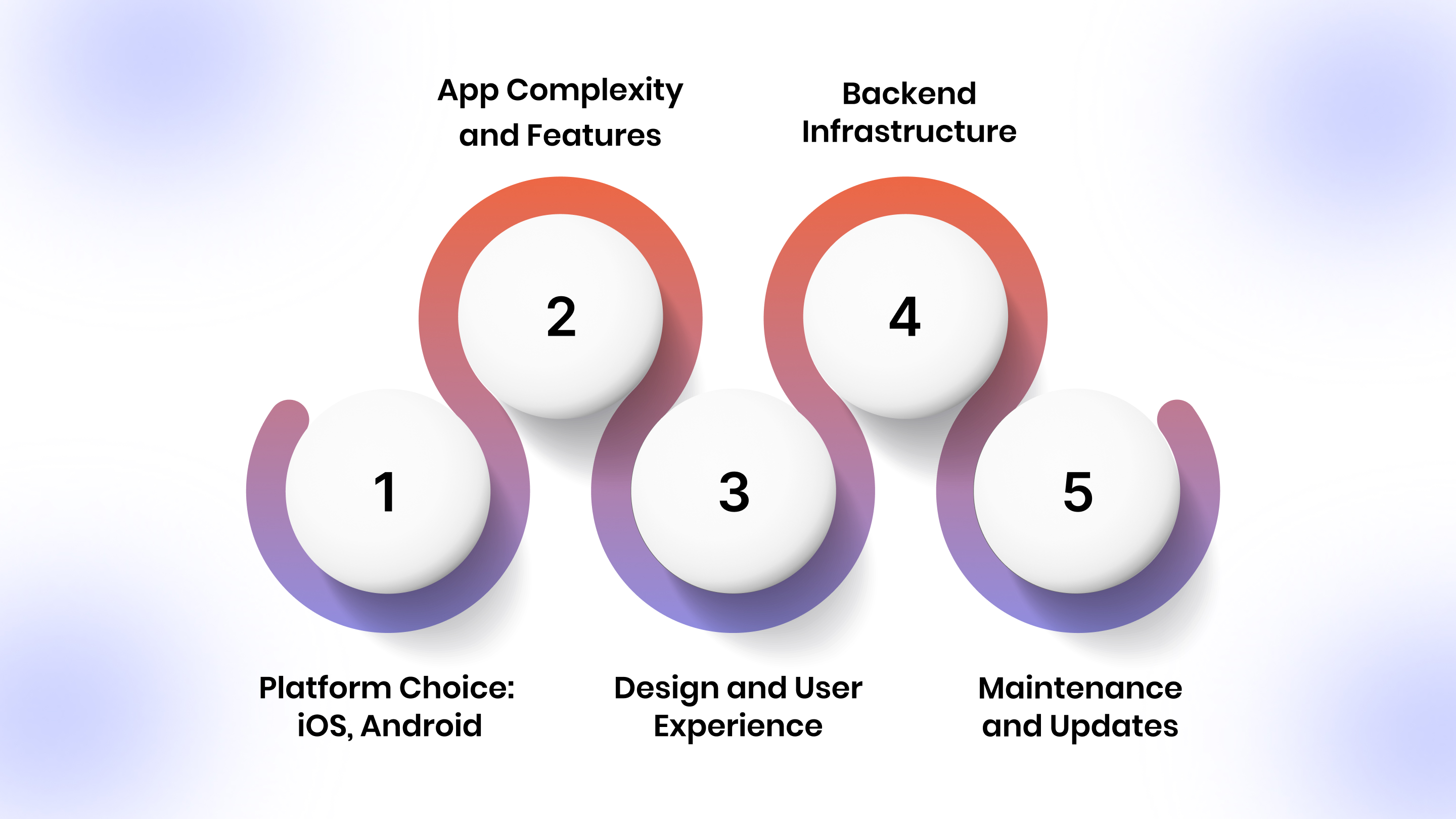
1. Platform Choice: iOS, Android, or Both
Building for one platform costs less than building for two. Native development for iOS requires Swift, while Android uses Kotlin or Java. If you want both, you're essentially paying for two separate builds unless you use cross-platform frameworks like React Native or Flutter.
Most US merchants should launch on both platforms simultaneously. Your customers expect it, and limiting yourself to one OS cuts your addressable market in half. iOS users in the US tend to spend more per transaction, but Android holds significant market share in specific demographics and regions. Missing either platform means missing revenue.
Cross-platform frameworks reduce costs by letting developers write code once and deploy to both platforms, but they introduce performance trade-offs and limitations compared to fully native builds.
2. App Complexity and Features
A basic catalog app with product browsing and checkout is cheaper than a feature-rich app with AR try-ons, live chat, loyalty programs, and personalized recommendations.
Standard features that impact cost:
- Real-time inventory sync with Shopify
- Push notifications and campaign automation
- User accounts and order tracking
- Wishlist and saved items
- Payment gateway integrations (Apple Pay, Google Pay, Shop Pay)
- Multi-language and multi-currency support
- Reviews and ratings
- Social sharing and referral programs
- Advanced search with filters
- In-app customer support
- Subscription management
3. Design and User Experience
Custom UI/UX design from a professional agency costs approx $150/hour × 300 hours = $45,000, depending on the number of screens and level of customization. This includes wireframes, prototypes, design iterations, and final assets.
Good design isn't optional; it directly impacts conversion rates. Users judge your app in seconds, and poor UX leads to immediate uninstalls. Professional design includes user research, competitive analysis, information architecture, and multiple rounds of testing.
No-code platforms provide pre-built templates that you can customize, eliminating most design costs while still delivering a professional look. These templates are built on proven conversion patterns and continuously optimized based on real merchant data.
4. Integrations and Backend Infrastructure
Your app needs to talk to your Shopify store, payment processors, analytics tools, email platforms, and more. Each integration adds development time.
Critical integrations for Shopify merchants:
- Shopify API for products, collections, customers, and orders
- Payment gateways beyond Shopify Payments
- Email marketing platforms (Klaviyo, Mailchimp)
- Loyalty programs (Smile.io, Yotpo)
- Customer service tools (Zendesk, Gorgias)
- Analytics platforms (Google Analytics, Mixpanel)
Building custom integrations requires reviewing API documentation, setting up authentication, mapping data, handling errors, and ongoing maintenance as third-party platforms update their APIs.
If you're using Shopify, look for solutions with native Shopify sync to avoid building custom APIs from scratch. Platforms like Appmaker take this approach by offering integrations across common marketing, analytics, payments, and support tools.
5. Maintenance and Updates
Apps require ongoing maintenance. iOS and Android release new versions regularly, and your app needs updates to stay compatible. Security patches, bug fixes, performance optimization, and feature updates are continuous requirements.
Custom apps typically require dedicated maintenance contracts. Agencies often structure this as a monthly retainer covering a set number of hours for updates, bug fixes, and minor feature additions. When major OS updates arrive, expect additional costs for compatibility updates.
E-commerce App Development Cost by Approach
Let's break down the three main ways to build an e-commerce mobile app and what each one actually costs. Please note that the estimates below are only indicative. Actual costs can vary widely based on your specific needs, and the figures mentioned reflect best-case assumptions rather than final pricing.
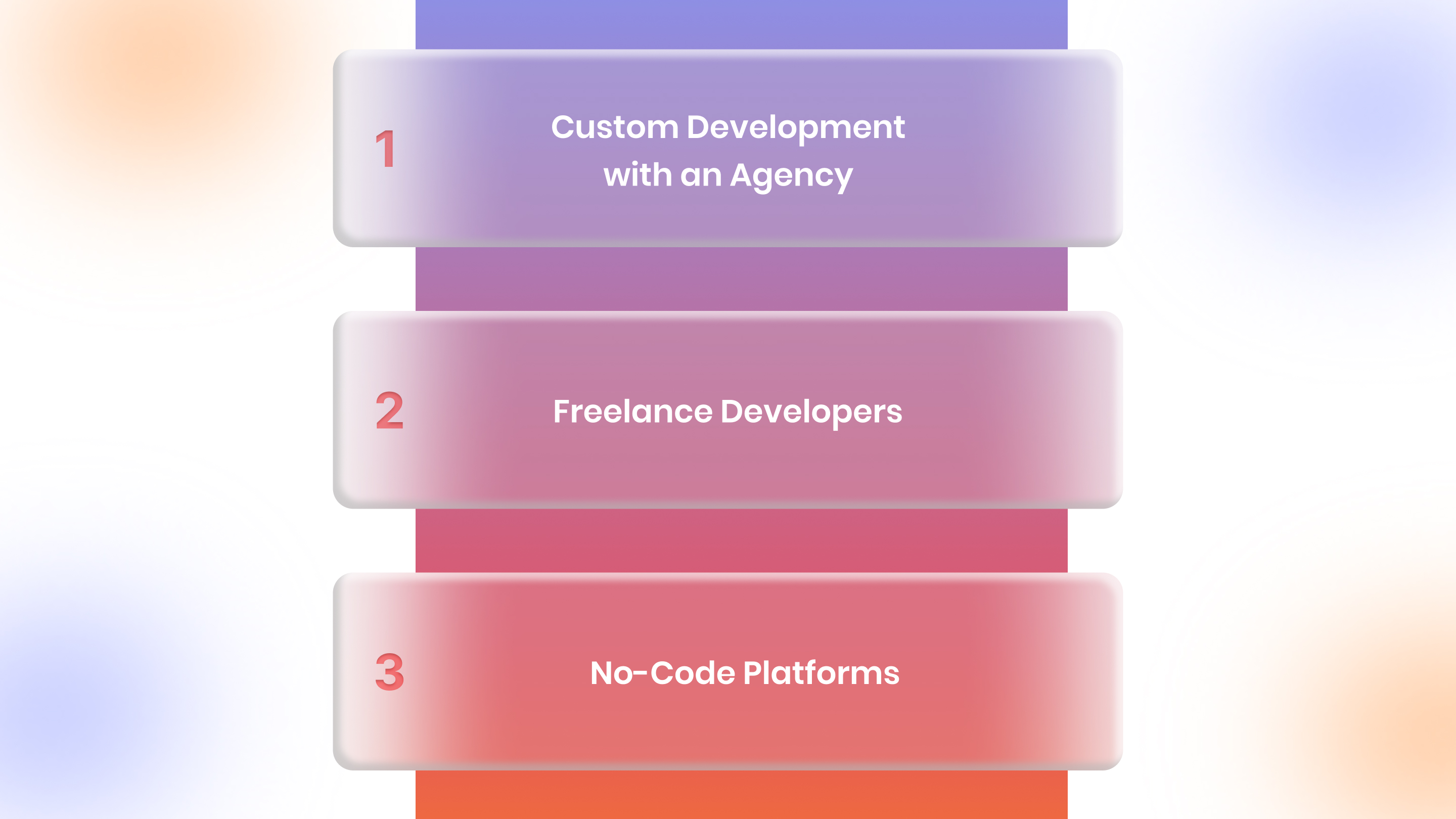
1. Custom Development with an Agency
Cost Range: $50,000–$300,000+
Timeline: 6–12 months
Best For: Brands with complex requirements, enterprise budgets, and long development timelines.
Custom development gives you complete control. An agency builds your app from scratch based on your exact specifications.
What you get:
- Fully custom design and functionality
- Dedicated development team (project manager, designers, developers, QA)
- Project management and strategy
- Quality assurance and testing
- Post-launch support (usually 3–6 months)
- Complete ownership of code and intellectual property
What you pay for:
- Discovery and planning: $5,000–$15,000
- UI/UX design: $10,000–$50,000
- iOS development: $30,000–$150,000
- Android development: $30,000–$150,000
- Backend and API development: $20,000–$80,000
- Testing and QA: $10,000–$30,000
- App store submission and launch: $2,000–$5,000
The discovery phase alone can take weeks, followed by design, development, and testing before launch. For most Shopify merchants, this level of work isn't needed.
You end up paying for flexibility you won't use and delaying your launch, while competitors go live faster with simpler solutions. Custom development only makes sense when you need truly unique functionality that gives you a real edge.
If the six-month timeline and six-figure budget aren't realistic for your business, Appmaker's drag-and-drop Studio lets you launch a professional Shopify app in days, with real-time sync and built-in push notifications.
2. Freelance Developers
Cost Range: $10,000–$100,000
Timeline: 3–9 months
Best For: Merchants with technical knowledge who can manage developers directly.
Hiring freelancers through Upwork, Toptal, or Fiverr can reduce costs, but quality varies dramatically.
Hourly rates by location:
- US-based developers: $100–$150/hour
- Eastern Europe: $50–$80/hour
- India: $25–$50/hour
Budget at least 500–1,000 hours for a functional two-platform ecommerce app. That's 500 hours for basic functionality and up to 1,000+ hours for apps with advanced features, custom animations, and complex integrations.
Risks with freelancers:
- Inconsistent quality and communication
- No dedicated project management or accountability
- Harder to scale or pivot mid-project
- Maintenance and support issues after launch
- Intellectual property concerns and code ownership disputes
- Time zone differences are complicating collaboration
- Limited recourse if deliverables don't meet expectations
Freelancers work best for specific tasks like design or single-feature development, but coordinating multiple freelancers across iOS, Android, backend, and design creates project management overhead that most merchants underestimate.
Unless you have technical expertise and time to manage developers, freelancers add project risk that most growing brands can't afford. You become the project manager, QA tester, and technical liaison, roles that require skills most e-commerce operators don't have.
3. No-Code Platforms
Cost Range: $1,200–$10,000/year
Timeline: Days to weeks
Best For: Shopify merchants who need speed, simplicity, and proven ROI.
No-code platforms let you build, customize, and launch native iOS and Android apps without writing code.
Typical pricing:
- Entry plans: $99–$199/month
- Growth plans: $299–$499/month
- Enterprise plans: $999+/month
What's included:
- Pre-built templates and drag-and-drop customization
- Real-time Shopify sync for products, orders, and customers
- Push notifications with campaign automation
- Analytics and reporting dashboards
- App store submission assistance and optimization
- Ongoing updates and support included
- OS compatibility updates at no additional cost
- Built-in integrations with popular Shopify apps
No-code platforms compress timelines dramatically. What takes agencies six months can launch in a week. You get immediate access to mobile revenue instead of waiting through discovery, design, development, and testing phases. Templates are pre-optimized for conversion based on data from thousands of merchants, and updates roll out automatically at no additional development cost.
The trade-off is less customization, but most Shopify merchants benefit more from speed to market than from custom features that take months to build and may not drive incremental revenue.
Hidden Costs You Need to Budget For
Most merchants focus only on development costs and miss the ongoing expenses that add up fast.
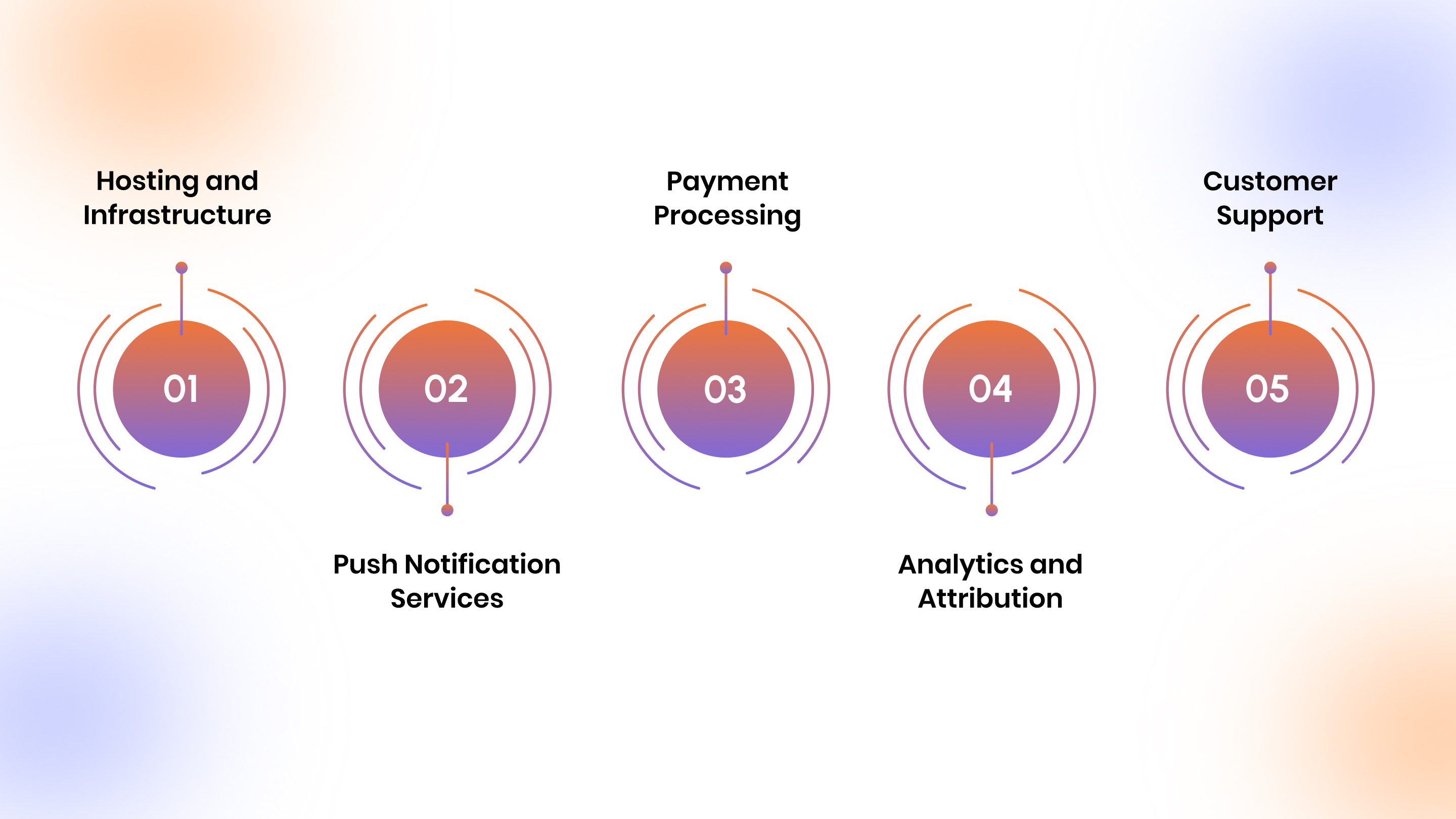
1. Hosting and Infrastructure
If you're building custom, you will need cloud hosting (AWS, Google Cloud, Azure), depending on traffic volume, data storage requirements, and bandwidth consumption.
Costs scale with usage. An app serving an average of 10,000 monthly active users requires less infrastructure than one serving 100,000 users. Database hosting, content delivery networks, and backup services add additional monthly charges.
No-code platforms include hosting in their monthly fee, eliminating variable infrastructure costs and scaling automatically as your user base grows.
2. Push Notification Services
Platforms like OneSignal, Firebase, or Braze charge based on monthly active users. Free tiers cover small audiences, but expect costs to increase as you scale.
The monthly budget will increase once you scale past 10,000 app users, with pricing based on volume and advanced features such as segmentation, A/B testing, and automation workflows.
3. Payment Processing
Shopify Payments has standard transaction fees that apply regardless of whether customers check out via web or app. Third-party gateways add additional percentage fees on top of Shopify's base rates.
These costs exist regardless of your app approach and should be factored into overall revenue projections, not app development budgets.
4. Analytics and Attribution
Advanced analytics platforms offer features such as cohort analysis, funnel visualization, and predictive analytics to optimize conversion rates and customer lifetime value. Free plans work for early validation, but serious growth requires paid analytics.
5. Customer Support
Your app users will need help with login issues, payment problems, and feature questions. Factor in support costs, whether through dedicated staff or by using platforms with built-in support to handle the app-specific issues.
Support volume typically represents a small percentage of your overall customer service load, but app-specific technical issues require expertise different from that needed for standard product or shipping questions.
Cost Comparison: Custom vs. No-Code for Shopify Merchants
Here's what a typical estimated cost for a two-platform ecommerce app looks like over 12 months.
Note: The costing presented here is a rough estimate; pricing may vary based on your requirements.
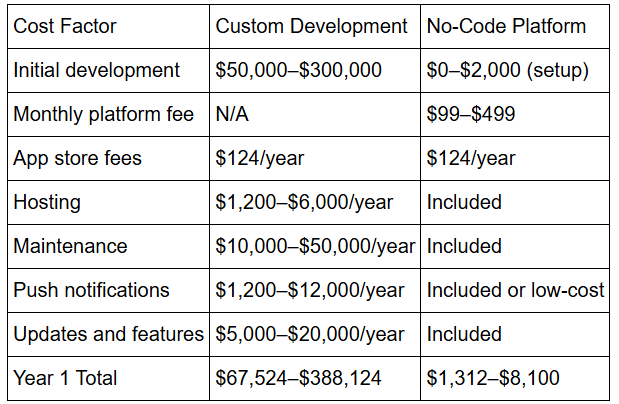
This is an attempt to help you visualize the substantial cost difference. Custom development requires significant upfront capital and ongoing maintenance budgets. No-code platforms shift to predictable monthly costs with maintenance, updates, and infrastructure included. You can check and compare as per your personalized requirements.
With hosting, maintenance, and updates included in one monthly fee, Appmaker eliminates the hidden costs that make custom apps expensive. Launch your Shopify app for a fraction of agency pricing.
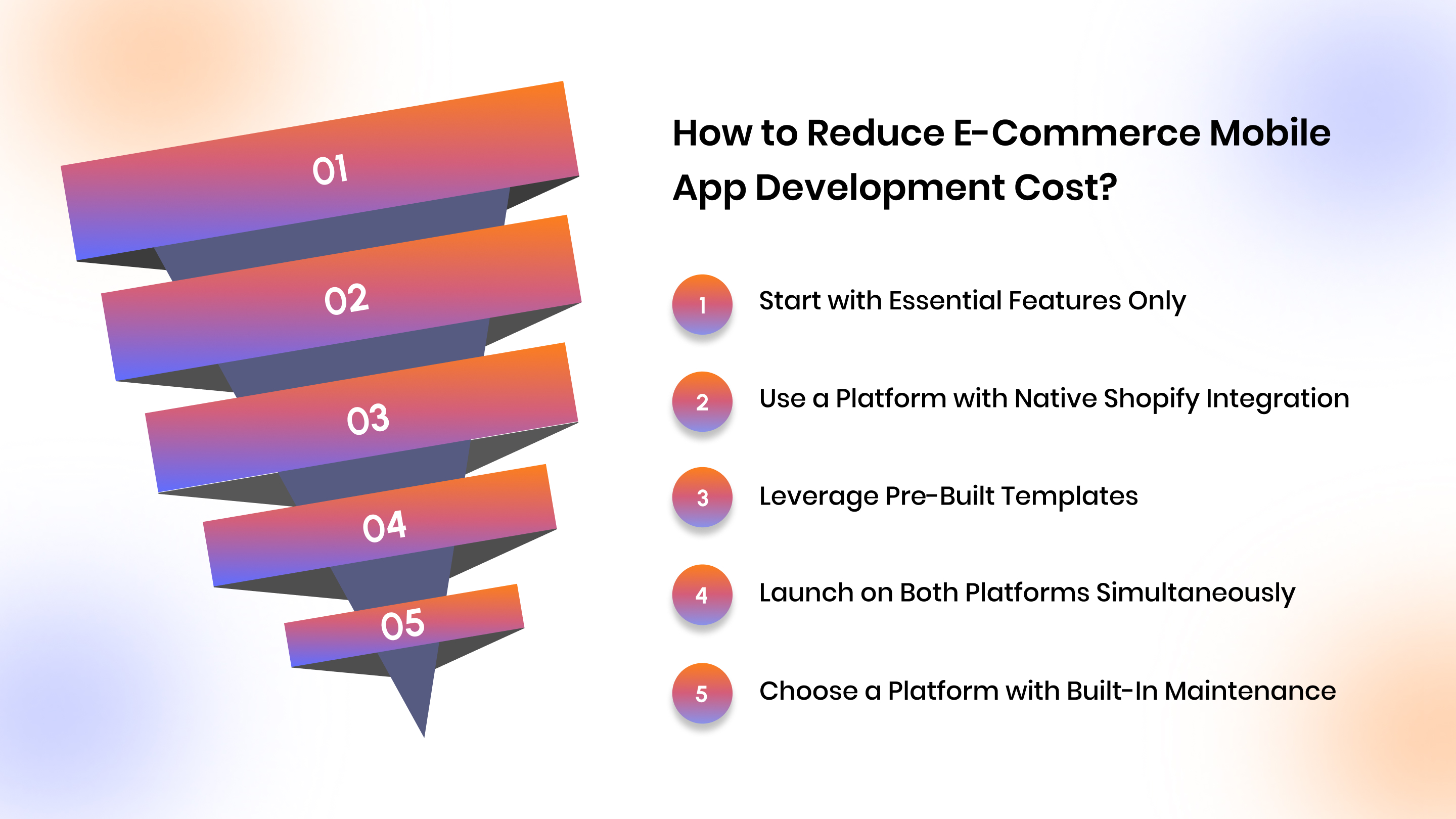
How to Reduce E-Commerce Mobile App Development Cost?
You don't need a six-figure budget to launch a profitable mobile app. Here's how to keep costs down without sacrificing quality.
1. Start with Essential Features Only
Don't build everything at once. Launch with core functionality that drives immediate revenue:
- Product catalog and search
- User accounts and authentication
- Shopping cart and checkout
- Order tracking and history
- Push notifications for promotions
Add advanced features like AR product visualization, live chat support, or loyalty program integration once you've validated demand and generated revenue from your initial launch.
Many merchants overestimate which features customers actually want. Launch lean, gather data, and add features that move conversion metrics.
2. Use a Platform with Native Shopify Integration
Building custom APIs to sync products, orders, and customers with Shopify is expensive and time-consuming. Each endpoint requires documentation review, authentication setup, error handling, and ongoing maintenance as Shopify updates its API.
Choose a solution with built-in real-time Shopify sync. This eliminates API development costs and ensures your app automatically reflects inventory changes, new products, and order updates without manual intervention or custom backend development.
Native integration also provides better performance and reliability than custom-built API connections, which require ongoing maintenance and troubleshooting.
3. Leverage Pre-Built Templates
Custom design costs tens of thousands of dollars and adds months to your timeline. Pre-built templates from no-code platforms deliver professional results at a fraction of the cost.
You can still customize colors, fonts, layouts, and component positioning to match your brand without paying for custom wireframes, mockups, and design iterations. Templates are built on proven conversion patterns and tested across thousands of merchants, giving you a design that works without the cost and time of custom UI/UX.
4. Launch on Both Platforms Simultaneously
Building iOS first and Android later doubles your project timeline and increases total costs. Development teams need to context-switch between platforms, and learnings from the first platform often require rework on the second.
Use a cross-platform solution or a no-code platform to launch everywhere at once. This captures your entire mobile audience from day one and generates revenue from both iOS and Android users simultaneously, rather than staggering launches by months.
5. Choose a Platform with Built-In Maintenance
Platforms that include updates, bug fixes, OS compatibility, and feature additions in their monthly fee eliminate ongoing maintenance costs that agencies charge separately.
Custom apps require maintenance contracts or per-incident billing for updates. When iOS 18 or Android 15 launches, you're paying for compatibility updates. When bugs appear, you're paying hourly rates to fix them. No-code platforms absorb these costs and handle updates automatically.
When Custom Development Actually Makes Sense?
No-code platforms work for most Shopify merchants. Custom development makes sense only in specific cases.
When custom development is needed
- Proprietary featuresIf your advantage depends on unique workflows, algorithms, or features that platforms don't support, custom builds may be required.
- Enterprise scaleLarge brands with high traffic and complex systems may need custom infrastructure and deeper integrations with ERP, warehouse, or logistics tools.
- Deep integrationsWhen your app must connect closely with proprietary internal systems, custom development offers more flexibility.
Even at scale, custom builds should be chosen carefully. They often cost more and take longer to maintain than no-code solutions.
Build Your Shopify Mobile App with Appmaker
If you're a US-based Shopify merchant looking to launch a mobile app without the cost and complexity of custom development, Appmaker is built for you.
Appmaker gives you everything you need to turn your Shopify store into a high-converting mobile app in days, not months.
What you get:
- Appmaker Studio: A drag-and-drop builder with pre-built conversion-optimized templates that let you customize your app's design, layout, and functionality without code. Choose from multiple templates designed specifically for different ecommerce categories, customize every element to match your brand, and preview changes in real-time before publishing.
- Real-time Shopify sync: Your products, collections, inventory, orders, and customer data sync automatically between Shopify and your app with zero manual updates. Changes to product descriptions, prices, or availability are reflected instantly in your app without requiring rebuilds or resubmissions to app stores.
- Push notifications: Drive repeat purchases with targeted notification campaigns based on user behavior, cart abandonment, order status, and promotional events. Segment your audience, A/B test messaging, and track conversion rates directly in your dashboard to optimize campaign performance.
- Eidolon AI: Transform Figma design files or screenshots into fully functional app layouts instantly using AI-powered design conversion. This eliminates the gap between design and development, letting you implement custom layouts without writing code or hiring developers to translate designs into working screens.
- John AI: Get instant sales insights, analytics summaries, and revenue forecasts through conversational AI. Instead of manually building reports or exporting data, ask John questions in plain English and receive actionable insights about your app's performance, user behavior, and growth opportunities.
- Code Blocks & Conditional Blocks: Add custom functionality and logic-based content without hiring developers. Create reusable components, implement conditional display rules based on user segments or cart contents, and build sophisticated personalization without touching code.
- Analytics dashboard: Track app performance, conversion rates, user retention, and revenue attribution with built-in analytics that show exactly how your app impacts your bottom line. Monitor key metrics, identify drop-off points, and measure ROI without integrating external analytics platforms.
Launch your app in under a week and start capturing mobile revenue while your competitors are still talking to agencies.
Conclusion
The cost to build an ecommerce mobile app varies dramatically based on your approach. Custom development can cost $50,000–$300,000+ and take a year to launch. Freelancers reduce costs but add risk and project management overhead. No-code platforms deliver professional results for under $10,000 annually with speed and simplicity that custom builds can't match.
For US-based Shopify merchants, the math is straightforward. Mobile commerce is growing, your customers expect a branded app experience, and waiting months to launch means leaving revenue on the table. Most growing brands achieve faster ROI with no-code solutions that compress timelines, eliminate technical complexity, and include ongoing maintenance in predictable monthly pricing.
Appmaker gives you the tools to build, launch, and scale a native mobile app without the cost, timeline, or technical complexity of custom development. Start converting mobile traffic into loyal customers today.
Ready to see what your Shopify store could look like as a mobile app? Book a demo with Appmaker and launch in days, not months, no developers, no six-figure budgets, just results.
FAQs
1. How much does it cost to build an e-commerce app for a small business?
Small businesses can launch a fully functional e-commerce mobile app for under $5,000 annually using no-code platforms that include hosting, maintenance, and Shopify sync. Custom development starts at $50,000 with additional ongoing costs.
2. Is it cheaper to build an e-commerce app for iOS or Android first?
Building for one platform initially costs less, but you'll miss half your potential customers and delay revenue from the other platform. Cross-platform solutions and no-code builders let you launch on both simultaneously without doubling costs.
3. What are the ongoing costs of maintaining an e-commerce mobile app?
Custom apps require significant ongoing investment for OS updates, bug fixes, new features, and compatibility maintenance, typically structured as monthly retainers or hourly billing. No-code platforms include maintenance in monthly fees with automatic updates.
4. Can I build an ecommerce app without coding experience?
Yes. No-code platforms like Appmaker let Shopify merchants build native iOS and Android apps using drag-and-drop tools with pre-built templates. You can customize design, add features, and launch without writing code or hiring developers.
5. How long does it take to build an e-commerce mobile app?
Custom development takes six to twelve months from initial planning through launch. Freelancers need three to nine months, depending on complexity and coordination. No-code platforms let you launch in days to weeks, giving you immediate access to mobile revenue.