




























Shopping habits have changed fast. Today, most customers don’t wait to reach a laptop. They browse, compare, and buy directly from their phones; often in minutes. In fact, 91% of people make online purchases using their smartphones.
For Shopify brands, this shift creates pressure. A mobile site alone often isn’t enough. Slow loading, drop-offs at checkout, and limited personalization quietly hurt sales. That’s why more brands start thinking about mobile apps, but quickly get stuck on one big question: cost.
Some options promise speed. Others promise control. Many hide long-term expenses behind low upfront pricing.
In this blog, we will discuss how much it really costs to build a Shopify app in 2026, the different ways to do it, and how to choose the right option without wasting time or money.
Overview
- Shopify app development cost varies widely based on approach, features, design complexity, and integrations, with custom builds being the most expensive.
- Custom development provides full control and flexibility but requires high upfront investment, long timelines, and ongoing maintenance.
- App builders offer faster launches and lower upfront costs but limit design customization, feature complexity, and long-term scalability.
- No-code platforms balance speed, cost, and flexibility, allowing layout customization, advanced features, and logic-driven personalization without full development teams.
- Choosing the right approach depends on store size, growth stage, and need for control, personalization, and long-term ROI.
How Much Does a Shopify Store Cost and What Are the Ways to Build It?
A Shopify store can cost anywhere between $500 and $50,000+, and the gap exists for one simple reason: how you choose to build it. Shopify’s monthly plan is the smallest part of the expense. Design complexity, custom features, integrations, and long-term upkeep usually determine the real cost.
There are three common ways to build a Shopify store:
- Custom Shopify mobile app development: Typically costs $50,000–$200,000+. You get full control over features, design, and backend logic, but long timelines, high upfront spend, and ongoing maintenance make this risky for most scaling brands.
- Shopify mobile app builders: Usually priced between $600–$1,500+ per month. These tools are faster to launch but rely on templates, limited layout control, and restricted customization as your app grows.
- No-code Shopify app platforms: Offer predictable monthly pricing, faster launches, and deeper customization than builders without needing a full development team or rebuilding features from scratch.
With that context on cost expectations, let’s now break down the three actual ways Shopify brands turn their stores into mobile apps, starting with custom Shopify mobile app development.
Also Read: Complete Guide to Ecommerce App Development Cost in 2026
Custom Shopify Mobile App Development
This approach involves building a native iOS and Android app entirely from the ground up. It offers maximum control over features and architecture, but comes with high upfront costs, long development cycles, and ongoing technical dependency.
Upfront Development Cost
You must expect upfront development costs here to be around $50,000 to $200,000+. Pricing, however, depends on whether you’re building for iOS and Android separately, the number of custom features (checkout logic, loyalty, subscriptions), and how deeply the app integrates with Shopify and third-party tools.
Cost Breakdown
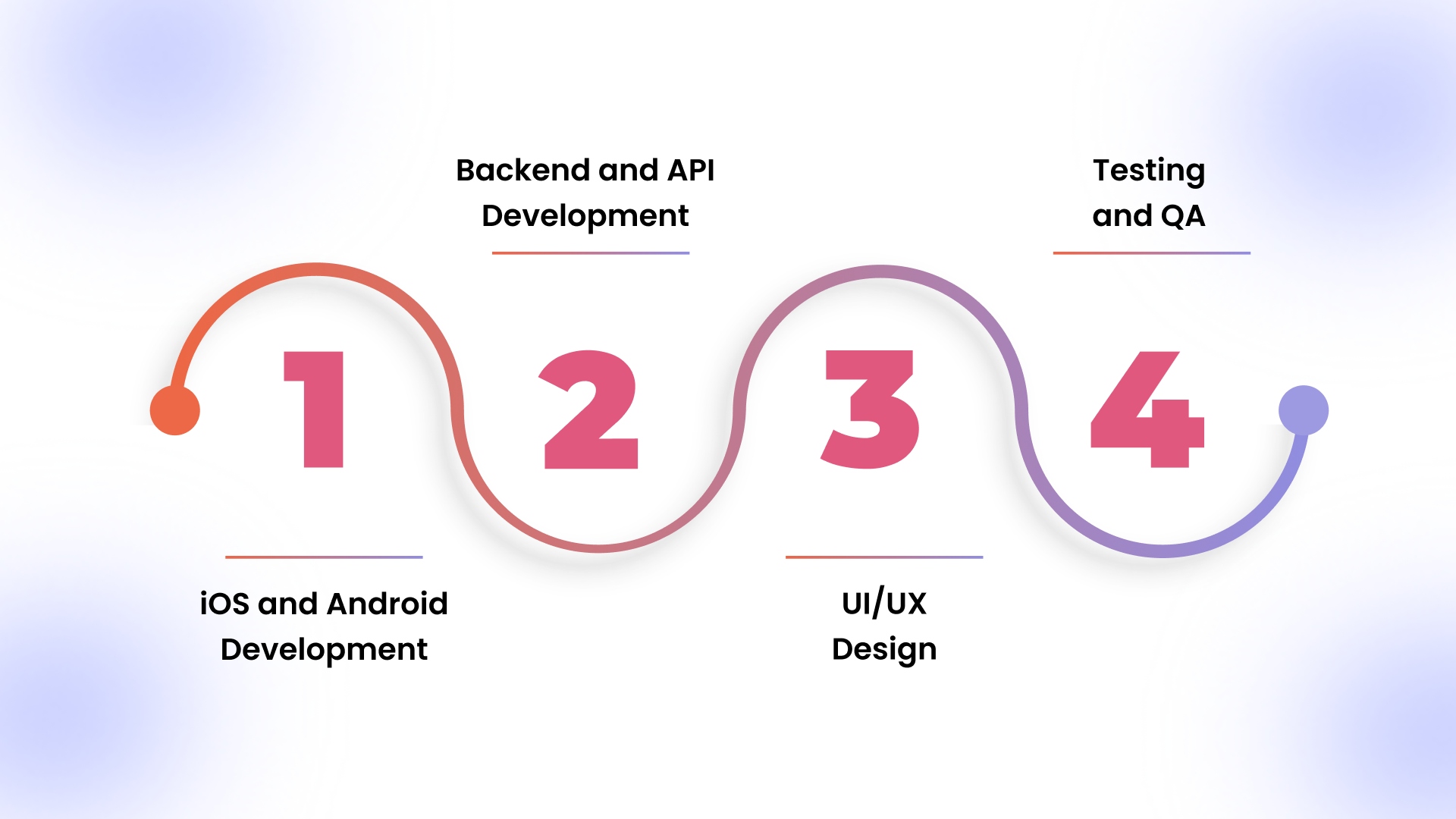
Let’s break down where the money actually goes when building and launching a mobile app.
1. iOS and Android Development
Even when you use React Native, you can’t escape platform-specific work. Payment flows, push notifications, and OS-level permissions often behave differently on iOS and Android, which means separate fixes and extra engineering time.
2. Backend and API Development
Behind the scenes, custom APIs are needed to keep everything in sync. This includes products, variants, inventory, customers, orders, and payments. It also includes integrations with tools like CRMs, analytics platforms, and fulfillment systems your business already relies on.
3. UI/UX Design
Design isn’t a one-and-done task. It covers wireframes, high-fidelity screens, interaction states, and multiple rounds of revisions after testing. Each iteration adds effort and can slow down handoffs between design and development teams.
4. Testing and QA
Before an app reaches the App Store or Play Store, it has to survive real-world scenarios. That means testing across devices, screen sizes, and OS versions and catching edge cases like failed payments, broken flows, or abandoned carts.
Agency vs Freelancer Costs
Agencies typically bundle development with project management, QA layers, documentation, and ongoing account handling, which drives costs up but reduces the coordination burden on internal teams. You’re paying for process, predictability, and coverage, not just code.
Freelancers, on the other hand, can significantly lower upfront spend but introduce single-point dependency risks. Timelines often slip due to limited availability, context switching, or lack of backup, and if a freelancer drops off mid-project, teams are forced into expensive rework or rehiring, often erasing the initial cost savings.
Timeline for Custom Development
An average build time for custom development is 6–12 months. Timelines extend when scope changes mid-project, features evolve, or apps are rejected during Apple or Google review cycles.
Ongoing Maintenance Costs
After launch, maintaining a custom mobile app goes far beyond hosting. It requires constant attention to keep the app running smoothly and compliant.
- OS Updates: Major iOS and Android updates frequently break existing functionality, requiring code updates to maintain performance and compliance.
- Bug Fixes: Post-launch issues, crashes, payment failures, and UI glitches require ongoing developer support, usually billed hourly or via retainers.
- Feature Updates: Any new feature or change restarts design, development, and testing cycles, increasing long-term cost well beyond the initial build.
Up next, let’s explore Shopify mobile app builders, a faster, more affordable way to turn your store into an app while balancing ease of use with some limitations.
Shopify Mobile App Builders
Shopify mobile app builders use pre-made templates and tools to convert your store into a mobile app quickly. They cost less upfront and are faster to launch than custom apps, but they come with limits on design flexibility, features, and long-term scalability.
Monthly Subscription Costs
Most builders charge between $600 and $1,500+ per month, depending on the plan, number of users, and available features. This typically covers hosting, updates, and basic support, but advanced features may cost extra.
What’s Included in Builder Pricing
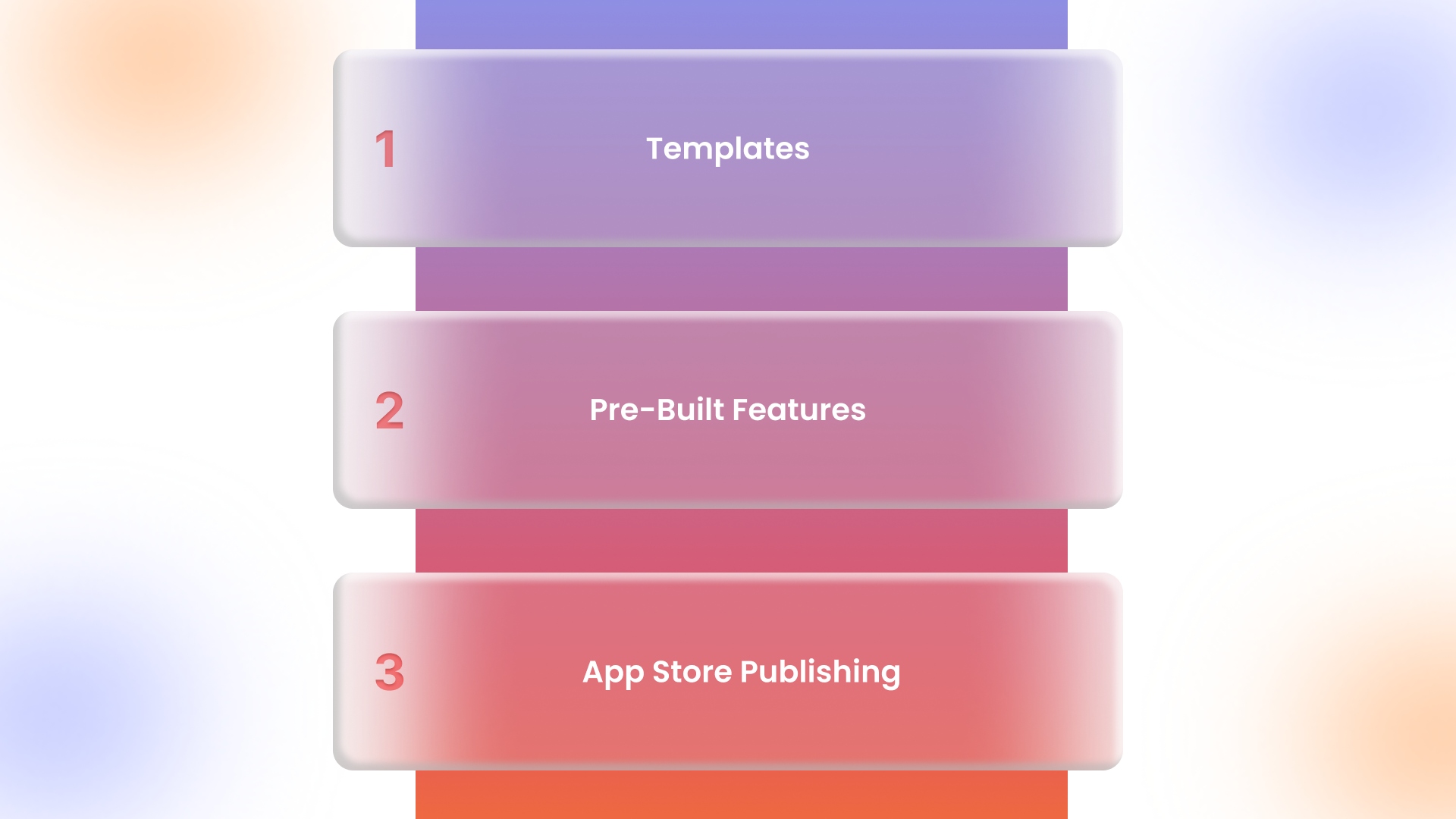
When you pay for a Shopify mobile app builder, you’re not just paying for the platform. You're paying for ready-made tools that help you launch faster and manage your app more easily.
1. Templates
Pre-designed layouts for home screens, product pages, and checkout flows. These let you launch quickly without hiring a designer, but customization beyond colors, fonts, and basic layout is limited.
2. Pre-Built Features
Common e-commerce functionalities are ready out of the box, including product catalogs, shopping carts, promotions, and basic push notifications. Advanced features like subscriptions or loyalty programs may require extra plugins or workarounds.
3. App Store Publishing
Most builders handle submitting your app to the Apple App Store and Google Play Store, including initial approval checks. However, you may face delays due to shared developer accounts or platform-specific restrictions.
Hidden Costs With App Builders
While app builders reduce upfront effort, they come with hidden costs that can add up as your store grows.
1. Limited Customization
You’re restricted to the templates and design elements the platform provides. Any advanced layout changes, unique flows, or custom interactions often require workarounds or additional plugins, which can increase complexity and cost.
2. Feature Restrictions at Scale
Builders handle basic functionality well, but as your app grows, you may hit limits on product variations, loyalty programs, subscriptions, or complex checkout flows. Adding these often requires upgrading plans or moving to another platform.
3. Platform Dependency
Your app is tied to the builder’s technology and policies. Any platform downtime, pricing changes, or feature limitations directly impact your app, and switching to a different solution later can be expensive and time-consuming.
App Store Submission Challenges
Even with a builder, submitting your app to the Apple App Store or Google Play Store can be tricky. Approval delays are common, especially if your app requires features outside standard templates or triggers compliance checks.
Using shared developer accounts can add further delays, since multiple apps rely on the same credentials, and any changes or issues on the account can block updates or new submissions. This can slow down your launch and future updates.
Long-Term Limitations
Template-based app builders come with inherent design constraints, limiting your ability to create unique layouts or fully branded experiences. Personalization is also restricted. Dynamic content, behavior-driven recommendations, or complex user journeys often aren’t supported.
As your store grows, these limitations can prevent you from delivering the tailored, scalable app experience your customers expect, and moving to a custom or no-code platform may become necessary.
App builders get you live fast, but when you hit design limits, feature gaps, or scaling headaches, they start holding you back. That’s where no-code Shopify app platforms come in, letting you customize, scale, and control your app without hiring expensive developers.
Also Read: E-commerce Mobile App Development: A 2026 Guide
No-Code Shopify App Platforms
No-code Shopify app platforms bridge the gap between costly custom builds and limited template-based builders. They let you launch fully branded, scalable apps with advanced features, deep customization, and faster deployment without relying on a full development team. AppMaker is a prime example, giving brands the flexibility to control design, features, and personalization while keeping costs predictable.
Pricing Structure
AppMaker offers tiered plans to suit different business needs:
- Growth: $599/month + 2% of in-app sales. It is ideal for brands launching a mobile channel.
- Essential: $999/month + 1% of in-app sales. It is perfect for scaling brands needing deeper control over app layout and features.
- Enterprise: Custom pricing; for high-volume apps requiring full developer access and extensive custom functionality.
Customization Capabilities
No-code platforms give you control at multiple levels:
- Layout Customization: AppMaker’s Studio drag-and-drop builder lets you fully customize home screens, product pages, banners, and navigation, making it easy to create a unique, branded app without writing a single line of code.
- Feature-Level Control: Add or adjust checkout flows, loyalty modules, push notifications, and other advanced features without touching code.
- Logic-Based Personalization: Behavior-driven rules allow you to dynamically display products, promotions, and content tailored to each user.
Technology Stack
No-code Shopify platforms rely on a modern tech stack to deliver performance, reliability, and seamless integration with your store.
- React Native Apps: Provides native-like performance on both iOS and Android from a single codebase.
- Real-Time Shopify Sync: Keeps product catalogs, inventory, orders, and customer data automatically synced with your Shopify store.
Time to Launch
No-code platforms like AppMaker enable much faster deployment compared to fully custom builds, often within weeks rather than months. It supports complex layouts, advanced features, and scalable personalization.
Now that we’ve explored what no-code platforms offer, it’s important to evaluate the factors that influence costs, helping you plan accurately for features, design, and more.
Factors That Impact Shopify Mobile App Costs
Several factors determine how much it will cost to turn your Shopify store into a mobile app. Knowing these helps you budget accurately and choose between custom development, app builders, or no-code platforms like AppMaker.
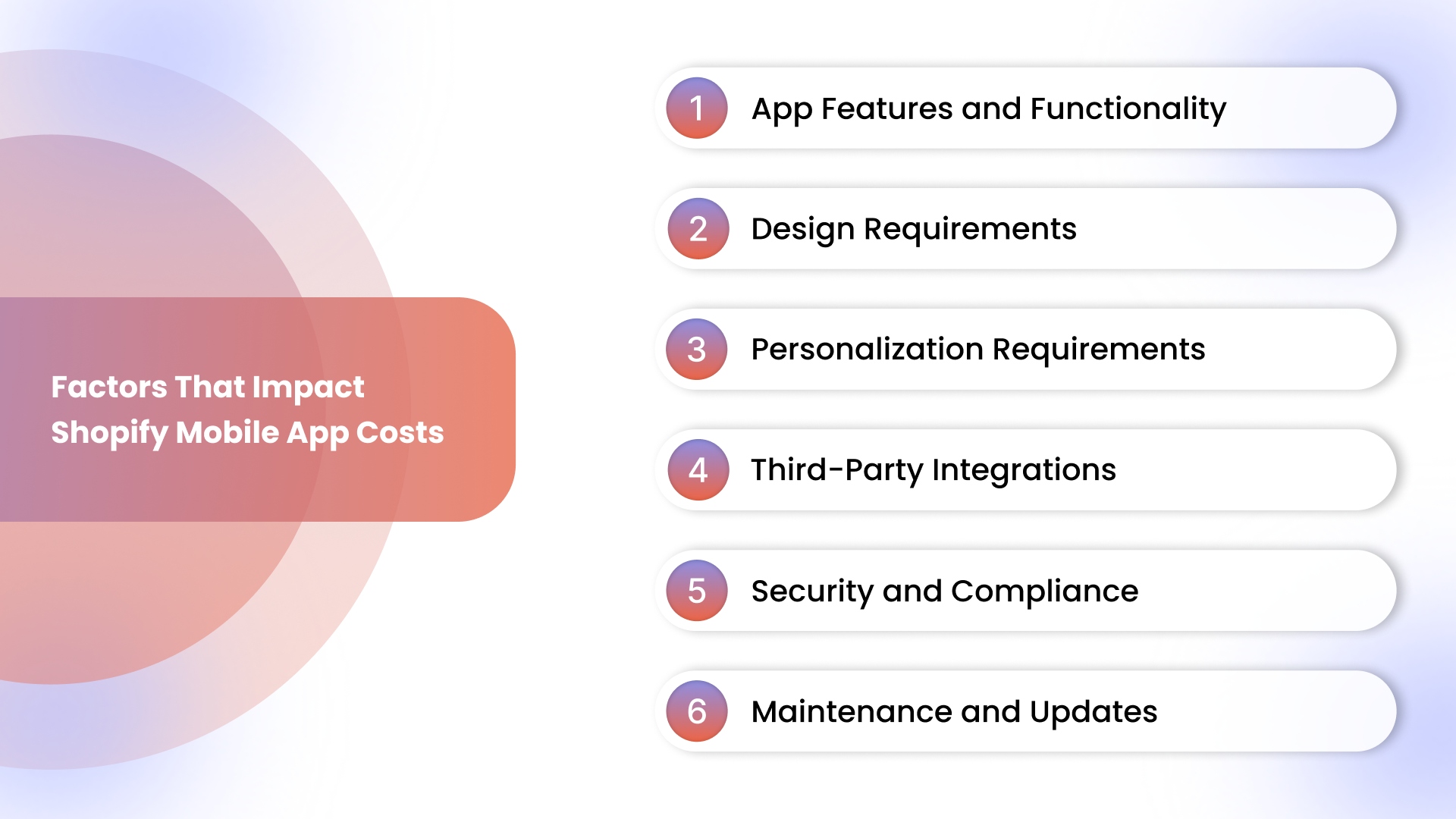
1. App Features and Functionality
The complexity and number of features heavily impact cost. Loyalty programs, subscriptions, and custom checkout flows require additional backend logic, integrations, and testing. Each advanced functionality adds engineering hours, increasing development time, maintenance needs, and overall investment for a fully functional mobile app.
2. Design Requirements
Your app’s design directly affects cost. Custom branding, UX complexity, and multiple interactive elements demand more design iterations and coordination with development teams. The more unique and user-friendly your interface, the longer it takes to finalize, increasing both time and budget.
3. Personalization Requirements
Apps that deliver tailored experiences add to the cost. Behavior-based content, dynamic product recommendations, and AI-driven personalization require extra backend logic and testing. More personalization improves engagement but involves significant engineering, design, and data handling efforts that drive up development costs.
4. Third-Party Integrations
Integrating external systems increases both complexity and expense. CRM tools, payment gateways, and analytics platforms require careful syncing with your Shopify store. Each integration may demand custom APIs or testing, ensuring that your app works seamlessly while maintaining accuracy and reliability.
5. Security and Compliance
Maintaining security and compliance adds significant effort. Features like data protection, GDPR, PCI-DSS, and CCPA compliance, along with meeting App Store and Play Store guidelines, require careful coding, audits, and testing. Ensuring safety and compliance directly influences cost and development time.
6. Maintenance and Updates
Ongoing maintenance affects long-term cost. Feature enhancements, bug fixes, performance improvements, and API updates require regular developer involvement. Without proper upkeep, apps degrade in performance and usability, making continual investment in maintenance essential for a stable, high-performing mobile experience.
Having explored cost drivers, we can now directly compare these three options to see which delivers the best balance of cost, speed, and control.
Cost Comparison: Custom Development vs App Builders vs No-Code Platforms
Building a Shopify app comes down to speed, cost, and control. Custom development is flexible but expensive and slow. App builders are quick and cheap but limited. No-code platforms like AppMaker balance speed, customization, and predictable costs. Let's have a closer look at the table:
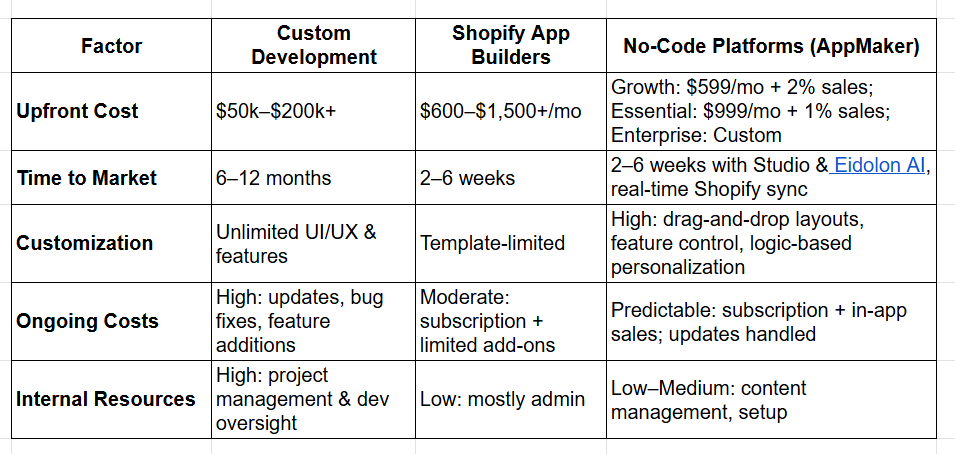
Once you see cost differences, it’s clear why cheaper options can limit features, personalization, and long-term revenue, potentially impacting retention and app performance.
Why Lower Cost Options Can Reduce Long-Term ROI?
Cheaper app solutions save money upfront but can restrict features, customization, and scalability. This reduces engagement, revenue, and long-term value for your Shopify mobile app. Here’s how:
- Revenue Impact of Mobile Apps: Limited features, basic upsells, and no loyalty programs cap revenue potential, preventing stores from maximizing average order value and repeat purchases.
- Push Notifications and Retention: Simple notification tools can’t target users effectively. Personalized campaigns drive higher retention, repeat orders, and lifetime customer value, which low-cost builders often fail to provide.
- Speed of Feature Updates: Slow iterations, template constraints, and workarounds delay new features. Platforms like AppMaker enable fast updates, real-time Shopify sync, and feature-level control to boost ROI.
Understanding ROI implications, let’s now discuss how to select the right Shopify app solution based on your store size, growth stage, and revenue goals.
How to Choose the Right Shopify App Option?
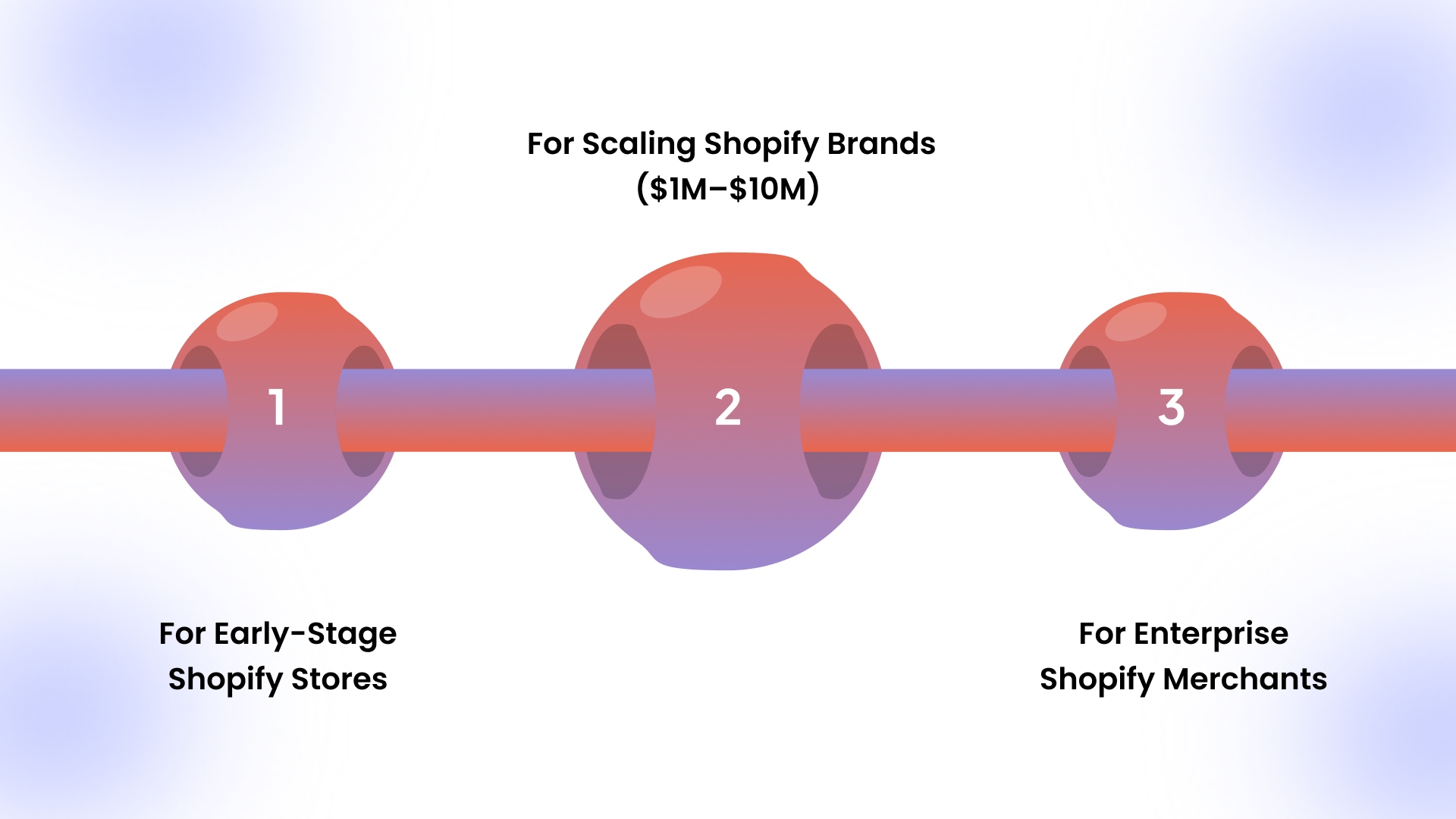
The best Shopify app approach depends on your store’s size, budget, and growth goals. Matching the option to your stage ensures faster ROI, smoother operations, and better customer experiences.
1. For Early-Stage Shopify Stores
Small stores or new Shopify brands benefit from low-cost app builders or no-code platforms. Quick deployment, pre-built templates, and basic features let you launch without heavy upfront investment.
Platforms like AppMaker’s Growth plan provide affordable, fully functional apps with push notifications and real-time Shopify sync. It helps you test mobile engagement and build a loyal customer base.
2. For Scaling Shopify Brands ($1M–$10M)
Scaling stores need more control and flexibility. No-code platforms like AppMaker Essential offer layout customization, feature-level control, logic-based personalization, and behavior-driven push notifications.
These options reduce dependency on developers while enabling advanced features, loyalty programs, and upsell flows, maximizing revenue.
3. For Enterprise Shopify Merchants
High-volume stores with complex workflows or custom integrations benefit most from full custom development or AppMaker Enterprise.
These options support advanced API integrations, subscription models, and fully bespoke designs, while providing developer access and scalable infrastructure to handle large traffic and high transaction volumes.
Picking the right Shopify app option directly impacts growth, revenue, and customer retention, ensuring your store avoids costly mistakes and scales smoothly.
Also Read: Mobile Shopping Revolution: Your Ultimate Guide to Consumer Preferences
Why Choose a No-Code Shopify App Platform Like AppMaker?
For Shopify brands, the real challenge is keeping the app flexible as the business grows. No-code platforms like AppMaker give brands the ability to adapt without relying on developers for every change.
Instead of rebuilding features or waiting weeks for updates, teams can adjust layouts, user flows, and in-app content as the store evolves. That balance between control and speed is where no-code platforms deliver real, day-to-day value.
Here’s how AppMaker supports this approach:
- Deep Customization: AppMaker Studio allows teams to shape screens, navigation, and key app flows without being locked into fixed templates.
- Growth Partnership: Beyond launch, AppMaker supports ongoing improvements, helping brands refine the app experience and scale alongside business growth.
- Flexible Pricing for Different Growth Stages: Instead of forcing brands into rigid contracts, AppMaker offers pricing that aligns with where a business is today, making it easier to start, adapt, and expand without overcommitting upfront.
The result is an app that stays practical, adaptable, and aligned with how the brand actually operates.
Conclusion
Choosing the right Shopify mobile app approach is about matching cost, speed, and control to your business stage. Custom development delivers full flexibility but costs $50k–$200k+ and takes 6–12 months. App builders are fast and cheap but restrict layout, personalization, and advanced features, limiting long-term revenue potential. No-code platforms, meanwhile, provide full-featured apps with faster deployment and lower ongoing overhead.
AppMaker stands out by combining high customization, feature-level control, and real-time Shopify sync. Its Studio drag-and-drop builder, Eidolon AI for layouts, and behavior-driven push notifications enable scaling brands to launch apps in weeks, retain customers, and boost average order value without heavy development.
Contact us today to launch a Shopify mobile app that drives repeat purchases, dynamic upsells, and measurable ROI without costly delays or template restrictions.
FAQs
1. Can I turn my Shopify store into a mobile app without coding?
Yes. No-code platforms and app builders let merchants create fully functional apps using drag-and-drop layouts, pre-built features, and logic-based personalization. It removes the need for developers while syncing products, orders, and customer data in real time.
2. How long does it take to build a Shopify mobile app?
Custom development takes 6–12 months due to coding, design iterations, testing, and app store approvals. App builders and no-code platforms can launch apps in 2–6 weeks, depending on design complexity and integrations.
3. What are the ongoing costs after launching a Shopify app?
Ongoing costs include monthly subscriptions for app builders or no-code platforms, bug fixes, OS updates, feature enhancements, and maintenance. Custom apps require developer retainers, testing, and updates, which increase long-term expenditure.
4. Which option is best for scaling Shopify brands?
Scaling stores ($1M–$10M revenue) benefit from no-code platforms that offer layout customization, feature-level control, behavior-driven personalization, and fast iteration. It balances speed, flexibility, and predictable costs without heavy developer involvement.