




























A user opens your app during a lunch break. Scrolls twice. Taps a product. Checks the price. Adds it to the cart. Then the page takes a second longer than expected. The delivery fee shows up late. The checkout asks for more details than needed. The moment passes.
In 2025, the average e-commerce conversion rate is 2.91%. Out of 100 visitors, 97 leave without buying. Not because they hated the product. Because something small slowed them down.
Conversion loss often hides inside tiny delays, unclear buttons, extra fields, or misplaced trust signals. In this blog, we will discuss practical ways to tighten those weak points and turn more active users into paying customers.
Overview
- Mobile conversion rate measures how effectively your app turns active users into meaningful actions. Calculating it accurately helps identify friction points across installs, purchases, and feature engagement.
- Increasing mobile conversion requires optimizing core elements like value proposition clarity, navigation flow, onboarding, checkout, and contextual CTAs to reduce hesitation at every stage.
- Personalization, segmentation, predictive offers, AI-driven layouts, and behavioral triggers help surface relevant content at the right moment, improving engagement without overwhelming users.
- Systematic execution through a structured 4-week optimization plan ensures improvements are measurable, prioritized, and aligned with real user behavior rather than random tweaks.
- Technical flaws, unclear messaging, poor UX hierarchy, unstructured testing, and irrelevant notifications can quietly damage conversions even when the app’s features are strong.
What is Conversion Rate and Why Does It Matter?
Conversion rate is the single metric that shows how many users actually take the actions you want in your mobile app, from signing up to completing a purchase. Every swipe, tap, or click in 2026 directly impacts your growth and revenue.
Understanding conversion rate is important for improving your app’s performance and turning casual users into loyal customers. Here’s why it matters
- It measures how effectively your app converts visitors into paying users
- It highlights where users drop off, so you can fix friction points
- It helps you get more revenue from the traffic you already have
- It provides actionable data for testing, personalization, and optimization
- It shows which features keep users engaged and returning
- It enables smarter growth strategies without spending more on acquisition
Having seen why conversion matters, the next step is learning how to calculate it accurately to make every improvement measurable.
Also Read: 10 Smart Ways to Promote Your Shopify Store in 2026
How to Calculate Conversion Rate for Your App?
Calculating conversion rate for your mobile app is simple, but doing it correctly can reveal exactly how well your app turns users into customers or active users. The basic formula is:
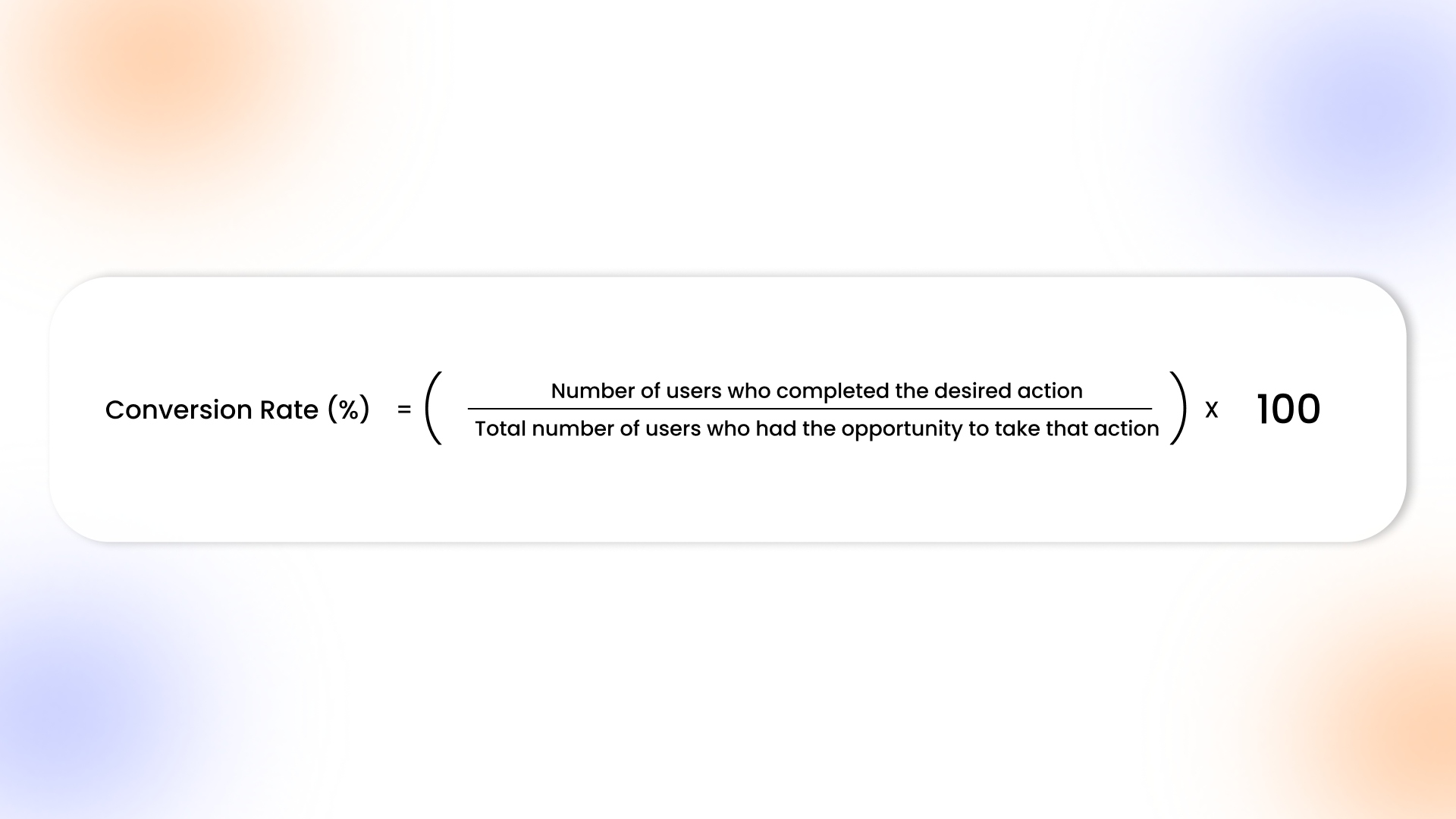
Conversion Rate (%) = (Number of users who completed the desired action ÷ Total number of users who had the opportunity to take that action) × 100
For example, if 1,500 users open your app in a week and 300 of them complete a purchase, your conversion rate is (300 ÷ 1,500) × 100, which equals 20 percent. This number tells you that one in five users took the action you wanted, giving you a clear measure of your app’s effectiveness.
You can calculate the conversion rate for multiple actions depending on your goals, such as app installs, newsletter sign-ups, in-app purchases, or feature engagement. Tracking these consistently lets you pinpoint friction points, optimize experiences, and make every user interaction count toward growth.
Once you know your app’s conversion metrics, let’s dive into several actionable strategies that enhance conversion, reduce friction, and boost engagement across your app.
20 Unique Strategies to Improve Mobile Conversion Rate in 2026
Improving your app’s conversion rate means designing every screen, notification, and interaction to guide users naturally toward the actions that matter most. The 20 strategies below show exactly how to capture attention, reduce friction, and drive measurable results at every stage of the app journey.
1. Optimize Your App’s Unique Value Proposition (UVP)
Your app’s UVP must communicate its core value in under five seconds. Clearly define the exact problem it solves, highlight features competitors don’t offer, and integrate subtle cues throughout the interface so every screen, banner, and prompt reinforces why users should engage, convert, and return consistently.
2. Simplify Navigation and User Flows
Every interaction must feel purposeful and frictionless. Structure screens logically, eliminate redundant taps, and design intuitive gestures that guide users naturally to key actions. From onboarding to checkout, anticipate intent, reduce cognitive load, and ensure that moving through the app feels fluid, fast, and directly aligned with user goals.
3. Apply High-Quality Visuals & Product Demonstrations
Visual content should immediately communicate value and functionality. Use interactive previews, motion graphics, or short demonstration videos to show features in action, highlight benefits, and reduce uncertainty. Video-rich product detail pages can deliver up to +152% lifts in conversion rate, according to the Tapcart BFCM 2025 report. Each visual element must be purposeful, guiding users toward understanding, trust, and a higher likelihood of engagement or conversion.
4. Work on Effective Calls-to-Action (CTAs)
CTAs should feel natural within the user journey, appearing in contextually relevant areas with clear, action-oriented language. For example, a “Reserve Your Spot” button on a limited-seating webinar page or a “Buy Now – Only 3 Left” prompt on a product screen guides users intuitively. Placement, color, and copy reduce hesitation, signal urgency without friction, and align perfectly with user intent.
5. Optimize Onboarding Process
The first few moments define user perception. Simplify sign-ups, highlight important app benefits, and guide users to core features without overwhelming them. By gradually introducing functionality and reinforcing value early, you reduce drop-offs and create a sense of clarity and purpose that encourages continued app engagement.
6. Send Segmented Push Notifications
Push notifications perform best when tailored to precise user behaviors, past purchases, and engagement patterns. Push notifications achieve 85% higher engagement than email. With AppMaker’s intelligent segmentation, you can trigger context-aware messages. This could be reminding a user about an abandoned cart or highlighting a recently viewed product, driving conversions while keeping interactions highly relevant.
7. A/B Test Key Elements
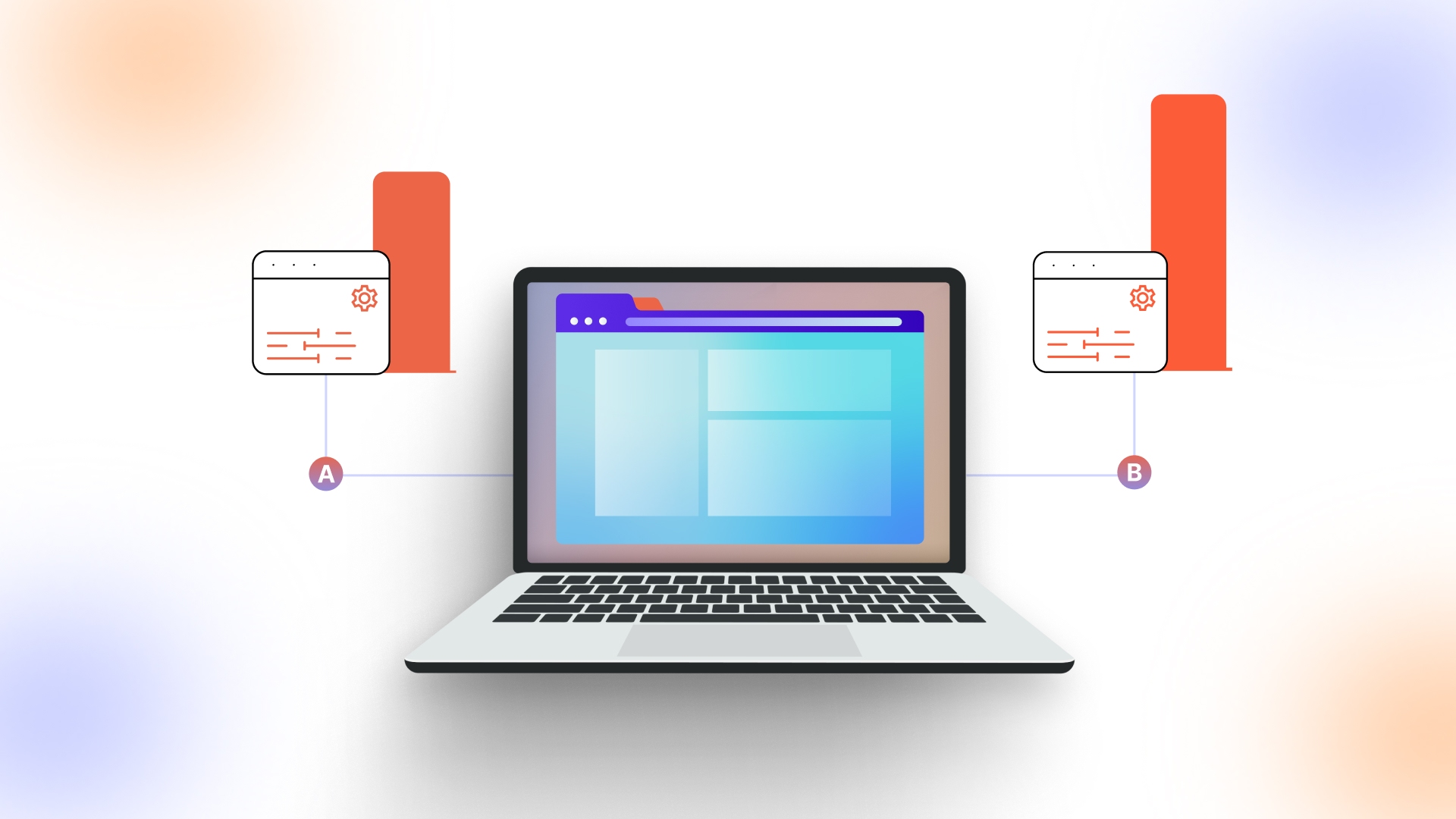
Small changes can reveal big insights about user behavior. By experimenting with headlines, buttons, layouts, and visuals, you learn which combinations naturally guide users toward key actions. Observing engagement patterns across variations helps refine design choices and understand which variations genuinely connect with users.
8. Implement Mobile-First Design & Responsiveness
Every interaction should feel natural on small screens, especially because nearly 9 out of 10 visitors shop through their mobile device. Design layouts, buttons, and gestures to adapt seamlessly across devices, ensuring load times remain fast and touch interactions are intuitive. For example, a product gallery that swipes smoothly on both iPhones and Android tablets allows users to browse without pinch-and-zoom frustrations, keeping engagement high.
9. Use Social Proof
In-app credibility is built through visible, contextual social signals. Highlight verified reviews on product pages, showcase real-time purchase activity, and feature testimonials strategically where decisions happen. When users see peers engaging or validating your app, it nudges them naturally toward completing actions.
10. Optimize Forms & Checkout
Every extra field adds hesitation. Focus on essential inputs, enable autofill for repeat users, and provide inline validation to prevent errors mid-process. You must simplify checkout paths so users reach confirmation screens in minimal taps, reducing friction while subtly guiding them toward completing purchases efficiently.
11. Use Scarcity & Urgency Tactics
When users sense a fleeting opportunity, they naturally prioritize action. Subtle cues, like a banner showing only five items left or a countdown on a limited-time offer, nudge users without feeling pushy. For example, a flash sale for a trending sneaker displayed at the top of the home screen can turn casual browsers into buyers within minutes.
12. Personalize Your Content
Your app should feel built for each user. Adapt home screens, product highlights, and banners based on past behavior, preferences, or engagement patterns. By predicting what matters most, every swipe and tap feels relevant, guiding users naturally toward the actions that drive conversions.
13. Retarget Non-Converting Users
Track exactly where users drop off, like abandoning a subscription setup or leaving mid-product tutorial and deliver tailored experiences that feel seamless. For example, if a user adds items to a cart but doesn’t complete checkout, the app could highlight those exact products with a “Still Interested?” prompt right on the home screen, combined with personalized recommendations based on browsing history.
14. Apply Contextual Micro-Moments Engagement
Certain moments carry closer attention naturally, like right after browsing a featured collection or completing a purchase. Surfacing a relevant suggestion, such as a related product or personalized banner at these points, can gently guide interest into action, making each interaction feel timely and purposeful rather than forced.
15. Use Analytics Insights
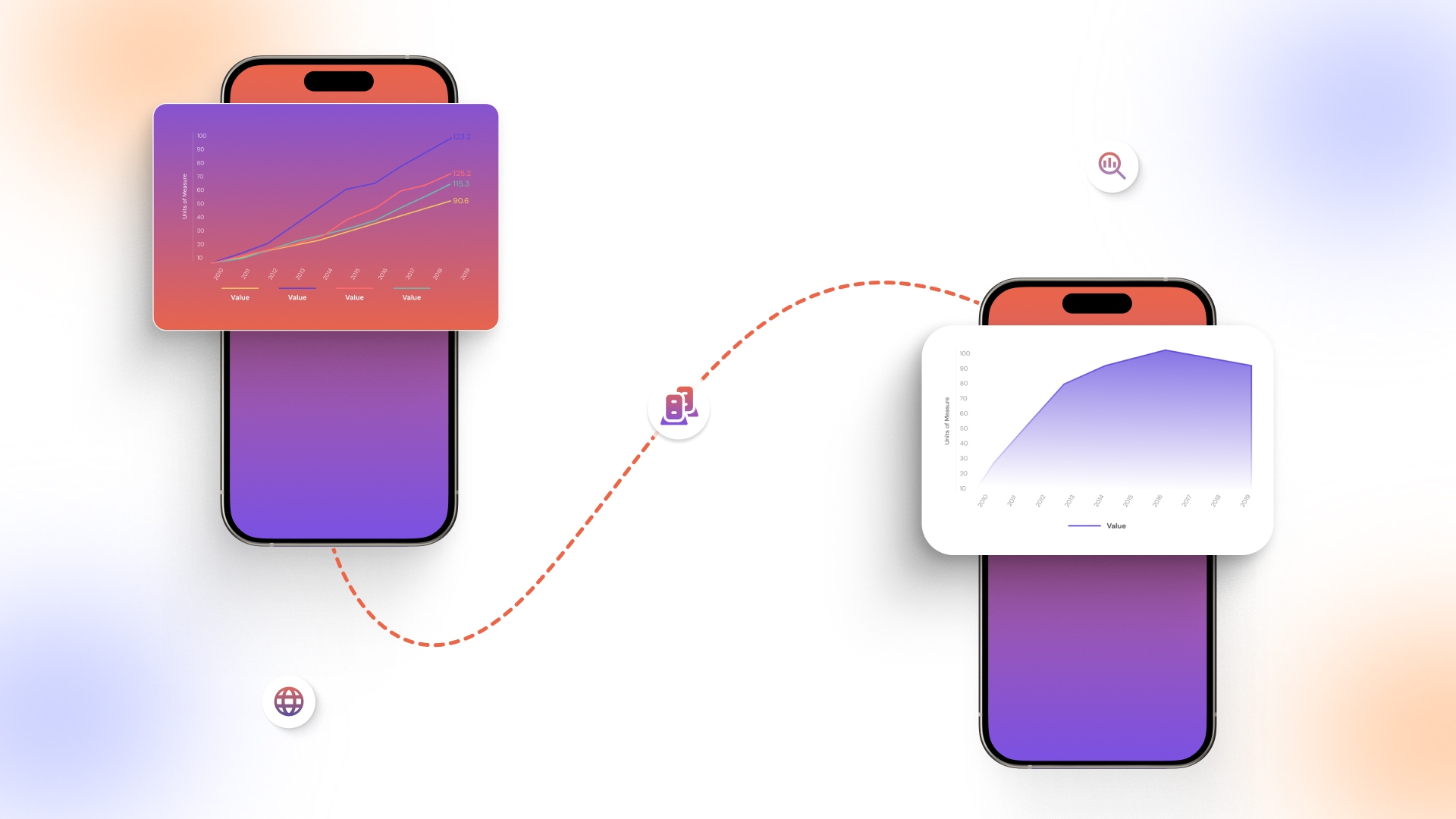
Analytics can reveal patterns that aren’t obvious at first glance. For example, session recordings might show users linger on a product detail page but drop off at the payment step. These insights guide subtle adjustments to layouts or flows, letting the app naturally smooth friction points and encourage completion.
16. Implement AI-Powered Dynamic Home Screens
Home screens can shift subtly based on what each user interacts with most. Using AppMaker’s Rubik AI, for example, an avid sneaker shopper might see new arrivals and top-selling styles front and center, while someone browsing accessories sees curated recommendations. This real-time personalization adjusts banners, product blocks, and featured content seamlessly, making every session feel tailored without cluttering the interface or requiring manual updates.
17. Predictive Offer Engine
Instead of generic promotions, trigger discounts or rewards precisely when a user shows signs of disengagement. For example, a shopper who hasn’t opened the app in a week might receive a limited-time offer on their favorite category, gently nudging them back without over-messaging.
18. Gamified Feature Adoption
Engagement grows when users discover rewards organically. Completing onboarding could unlock a small achievement, while consistent daily actions might reveal hidden features or streak bonuses. These micro-incentives guide users to explore lesser-used app areas, creating habits that deepen retention without feeling forced or interruptive.
19. AR / Interactive Previews
With AR/Interactive previews, let users experience products before committing. A furniture app, for example, could let someone virtually place a sofa in their living room or see how a lamp fits on a desk. These immersive previews reduce hesitation, increase confidence, and subtly drive conversions by making choices tangible.
20. Voice & Gesture-Based Shortcuts
Users might add items to a cart with a simple swipe, or reorder favorites using a voice command. By anticipating intent and minimizing taps, these shortcuts make frequent actions effortless, keeping engagement high while trimming friction in critical flows.
After reviewing these tactics, we’ll show how to implement them systematically in a 4-week plan to lift mobile conversions consistently.
Also Read: 9 High-Impact Mobile Customer Engagement Strategies in 2026
Step-By-Step 4-Week Plan to Boost Mobile App Conversion
Improving mobile app conversion is not about one-off tweaks. Each week should focus on targeted actions, addressing user behavior, friction points, and engagement opportunities to steadily lift conversion rates. By combining performance audits, UX optimization, and data-driven iteration, you create a foundation that converts consistently.
To make this actionable, here’s a week-by-week roadmap detailing exactly what to prioritize, so your team knows what to measure, optimize, and test:
This roadmap ensures that improvements are methodical, measurable, and impactful. By the end of the 4 weeks, your app will be faster, more intuitive, personalized, and conversion-ready. Up next, it’s equally essential to recognize pitfalls that quietly erode engagement and undo your optimization efforts.
Common Mistakes That Kill Mobile Conversion
Even apps with solid features can stumble if hidden pitfalls quietly erode user engagement. Knowing exactly where friction, confusion, or disengagement happens helps you fix issues before they cost conversions.
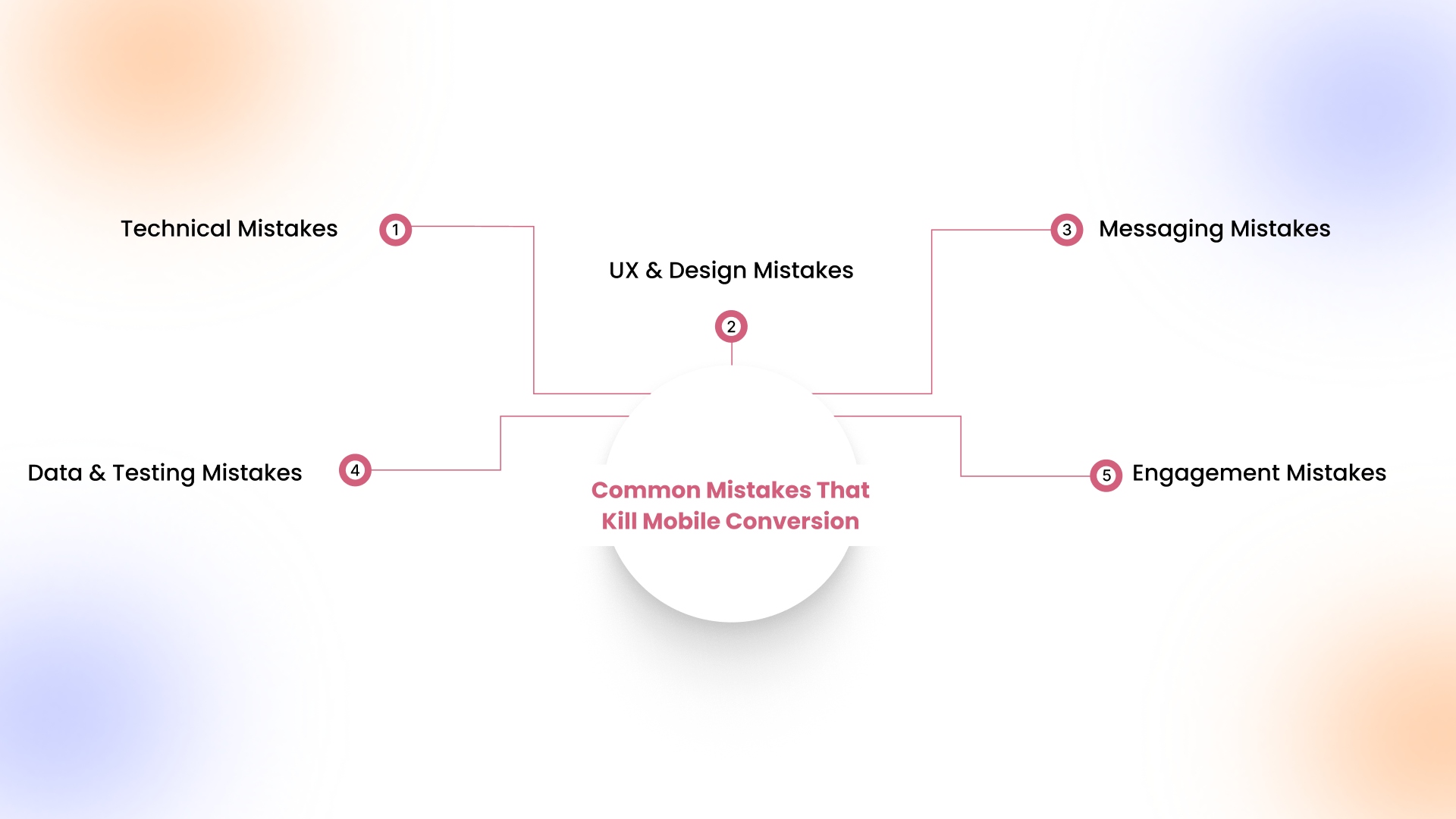
- Technical Mistakes: Slow-loading checkout pages frustrate users ready to purchase, intermittent crashes during onboarding erode confidence, and inconsistent animations or UI glitches break flow across devices.
- UX & Design Mistakes: Buried CTAs, convoluted navigation paths, or unclear hierarchy leave users confused about where to go next, reducing feature discovery and causing premature exits.
- Messaging Mistakes: Vague headlines, generic value statements, or missing testimonials fail to communicate credibility, leaving users uncertain about why the app is worth their attention.
- Data & Testing Mistakes: Ignoring heatmaps or session recordings, running unstructured A/B tests, and not tracking funnel drop-offs prevent insight-driven improvements, making optimizations hit-or-miss rather than precise.
- Engagement Mistakes: Overloading users with irrelevant notifications, lacking segmentation for personalized prompts, or failing to reward repeat actions weakens retention and diminishes lifetime user value.
Recognizing these friction points is only the first step; the real shift happens when your app is structured to detect, adapt, and correct them before they quietly impact revenue.
Also Read: 8 Mobile App Retention Strategies to Turn Users Into Regulars in 2026
How AppMaker Supports Higher Mobile App Conversion
Conversion improves when the app removes small delays that slow decisions. A clearer product page. A checkout that asks only what is needed. A home screen that reflects what the user actually browses. AppMaker is structured to help brands make these adjustments directly inside the app. Because it is no-code, teams can refine layouts, journeys, and engagement logic without waiting for long development cycles.
AppMaker’s systems work together to improve action rates:
- Deep Customization: Control banners, collections, product orders, and screen layouts to guide users toward high-intent actions.
- Rubik AI: Rearrange home sections automatically based on browsing history, repeat category views, and purchase signals.
- John AI: Surface live behavior insights that reveal where users hesitate, exit, or revisit before converting.
- Push Notifications: Trigger timely reminders based on cart dwell time, product revisits, and inactivity gaps.
- Code Blocks & Conditional Blocks: Display different offers, flows, or messages depending on user segment and behavior rules.
When engagement, layout, and messaging respond together, conversion improvements follow naturally.
Conclusion
Mobile app conversion improves when hesitation is reduced at exact decision points: product detail screens, cart reviews, payment steps, and return visits. Small structural changes such as clearer cost visibility, fewer checkout fields, smarter home layouts, and better-timed reminders often create measurable lift without redesigning the entire app.
AppMaker supports these refinements directly within the mobile environment. With Rubik AI adjusting home layouts based on interaction patterns, John AI identifying behavioral drop-offs, and flexible Code Blocks enabling conditional logic, brands can respond to real user signals instead of assumptions.
If your app traffic is steady but purchases or key actions remain flat, contact us now to define your next phase of growth.
FAQs
1. How long does it take to see improvements after optimizing my app?
Visible improvements typically appear within 2–6 weeks, depending on changes. Metrics like funnel completion, session length, and in-app purchases indicate early impact, while retention and engagement trends confirm long-term effectiveness.
2. Should I focus on retention or acquisition first for mobile conversion?
Prioritize retention initially to maximize existing user value, reduce churn, and strengthen engagement. Once a solid retention base exists, acquisition efforts become more cost-effective and drive sustainable conversion growth.
3. How do I measure conversion across multiple app platforms?
Track platform-specific KPIs using unified analytics dashboards. Standardize events like installs, purchases, and feature usage, while segmenting by OS, device, and channel to identify conversion patterns and actionable optimization opportunities.
4. Can AI tools really increase app conversion effectively?
Yes, AI-powered personalization, predictive nudges, and dynamic layouts can boost engagement. By analyzing behavior patterns in real time, AI surfaces relevant content and offers, turning casual users into high-value converters.