
























Key Takeaways
- Mobile drives most Shopify traffic but converts far below desktop, so the traffic you already pay for leaks revenue on mobile web.
- A native app closes that gap: like-for-like data shows engaged shoppers convert roughly twice as often in-app as on mobile web.
- Push notifications are the real advantage. They are a free, owned channel that roughly triples 90-day retention versus sending none.
- No-code builders wire your store to a native shell in days; custom native development runs into six figures and many months.
- App store review, not development, is your timeline bottleneck. Plan a buffer, especially for a first submission.
- New personal Google Play accounts must run a 12-tester, 14-day closed test before publishing; organisation accounts are exempt.
- Treat the app as a retention channel, not a copy of your site, or it never earns the conversion and loyalty lift.
To turn a Shopify store into a mobile app, you connect your store's live product, pricing, inventory, and order data to a native iOS and Android shell, either through a no-code app builder or a custom build wired into Shopify's Storefront API. With a no-code builder, most merchants go from install to a submitted app in under two weeks. The build is the easy part; app store review is the step that sets your real timeline.
This guide covers the whole path: choosing your build approach, catalog sync, cart and checkout, payments, customer accounts, push notifications, analytics, testing, publishing to both stores, ongoing maintenance, costs, and timelines. It is written for a Shopify merchant who wants a working app in 2026, not a survey of the category.
Why Turn a Shopify Store into a Mobile App?
Because mobile now carries the majority of your traffic but converts it at roughly half the rate of desktop, and a native app is the surface built to close that gap. You are already paying to send shoppers to a mobile experience through ads, social, and search. The question is whether that surface is built to convert them.
The traffic looks great on a dashboard. Industry benchmarks put mobile at somewhere between 60% and 80% of Shopify store traffic depending on the dataset and vertical, with fashion and beauty skewing highest. The revenue side tells a harder story. Contentsquare's 2026 Digital Experience Benchmark, based on 99 billion sessions across 6,500 websites, measured mobile web conversion at 2.03% against 3.81% on desktop. People browse on their phones in huge numbers and abandon them right before they pay.
That gap is the entire business case. A responsive mobile website was the right move years ago. Today it is table stakes, and the data points to the same conclusion from several directions: a native app is how growing Shopify brands convert mobile demand instead of leaking it to slow loads, forgettable checkout, and the absence of any owned engagement channel.
What Do Merchants Actually Gain From an App?
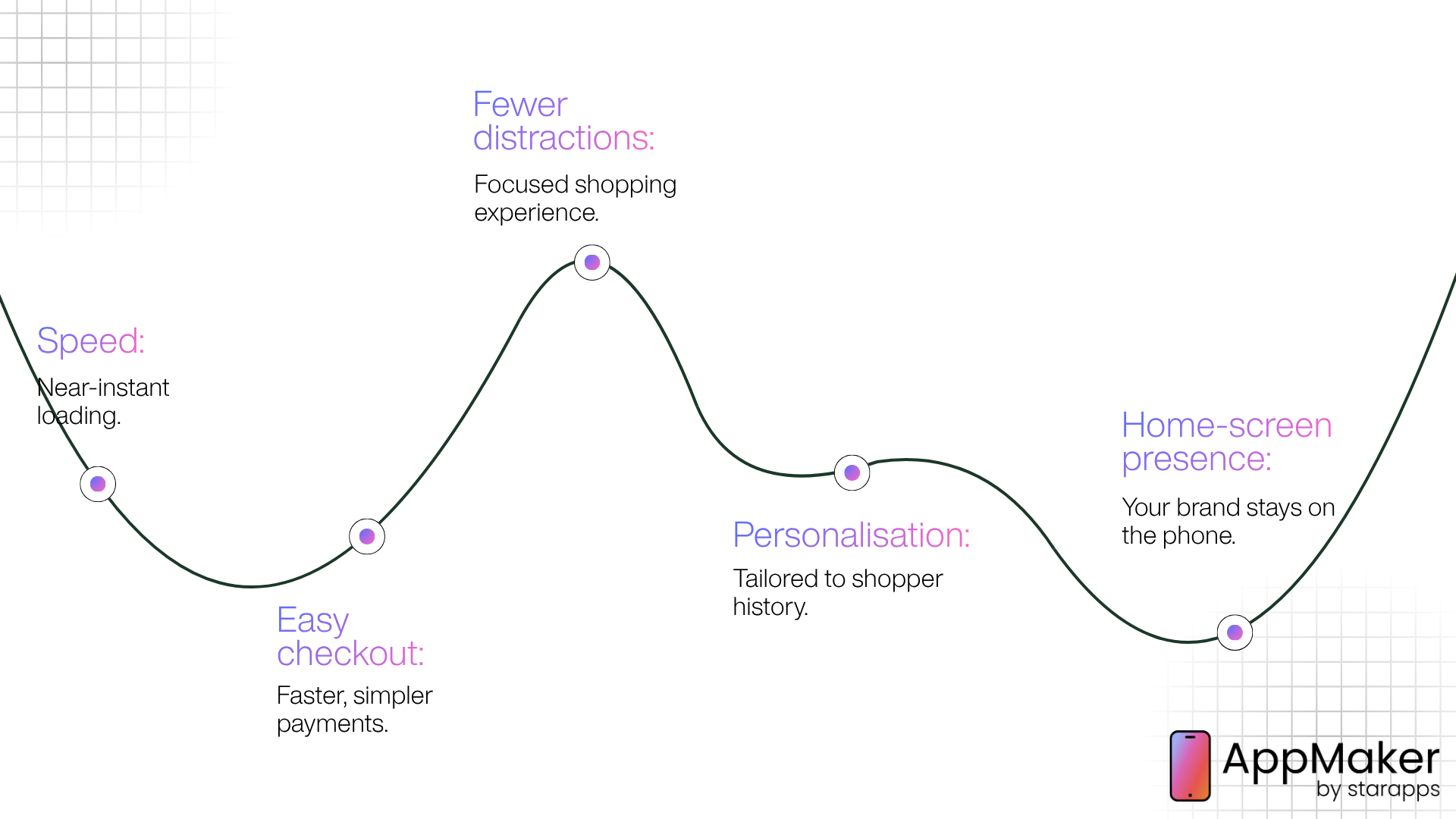
An app changes customer behaviour in ways a browser tab structurally cannot. The strongest evidence is peer-reviewed. Narang and Shankar, in a difference-in-differences study published in Marketing Science, found that app adopters buy 33% more frequently, 34% more items, and spend 37% more than non-adopters in the period after app introduction. Crucially, that lift showed up across both online and offline channels, which points to genuine behaviour change rather than sales shifting from web to app.
The mechanics behind that lift are straightforward:
- Speed: App assets and data live on the device, so screens load near-instantly instead of waiting on a mobile browser render.
- Frictionless checkout: Saved login and payment details cut checkout to one or two taps.
- Fewer distractions: No competing tabs, ad blockers, or accidental back-button exits.
- Continuous personalisation: The app can tailor content to a shopper's history every time they open it, not just within one session.
- A home-screen presence: Your brand sits on the customer's phone permanently, not only when they type your URL.
Order values benefit too. Criteo's matched-shopper research found average order values up to 17% higher for shoppers engaged across app and web, most visibly in fashion and luxury, health and beauty, and high-tech. The same customer spends more per order and orders more often once inside your app.
A note on the widely quoted "3x app conversion" figure: it traces to Criteo's Global Commerce Review, which measured conversion as buyers divided by product-page viewers rather than by sessions, using 2017 to 2018 data. That definition inflates the ratio. Recent like-for-like, same-brand comparisons land closer to a 2x advantage, which is still substantial and a more honest planning number.
Native App vs Mobile Web vs PWA: What's the Difference?
A native app installs from the App Store or Google Play and runs on the device's operating system. The mobile web is your responsive Shopify storefront in a browser. A progressive web app (PWA) is a website dressed to behave somewhat like an app, with limited access to native device features, especially on iOS.
The three perform very differently on the metrics that drive revenue.
| Capability | Native app | Mobile web | PWA |
|---|---|---|---|
| Installs from App Store / Play Store | Yes | No | Limited |
| Push notifications | Full and reliable | Weak, unreliable on iOS | Partial, unreliable on iOS |
| Load speed | Fastest | Slowest | Medium |
| One-tap checkout (Apple Pay / Google Pay) | Yes | Limited | Limited |
| Offline / on-device data | Yes | No | Partial |
| Home-screen presence | Strong | None | Weak |
| App store discoverability | Yes | No | No |
| Build cost | Higher, unless using a builder | Lowest | Medium |
A PWA looks like a shortcut, but it inherits the mobile web's core weakness: no reliable push, no dependable home-screen pull, and limited access to the device features that drive the conversion lift. If retention and push are the goal, native is the only column that checks every box, and a no-code builder is what makes native achievable without a development team.
What Are Your Options for Building the App?
There are three practical paths: build a fully custom native app, use a no-code Shopify app builder, or use a managed conversion platform that mirrors your site. The right choice comes down to budget, how much customisation you need, and how fast you need to launch.
How Custom Development Works, and What It Costs
Custom native development means an agency or in-house team builds separate iOS and Android apps from scratch, wired into Shopify's APIs. It offers maximum control, and the price and timeline reflect that. Expect roughly $50,000 to $200,000 or more upfront depending on scope, plus ongoing maintenance every year to stay compatible with operating system and API changes. Timelines commonly run several months to a year from kickoff.
That maths makes sense for a narrow slice of merchants: brands with very specific technical requirements a builder genuinely cannot meet, real in-house engineering capacity, and a mobile programme mature enough to justify the maintenance overhead.
What custom can do that builders cannot: bespoke UX flows, deep custom logic (complex bundles, configurators, unusual checkout paths), and full ownership of the codebase.
What it costs you: time, money, and a permanent maintenance line item.
How a No-Code App Builder Works, and What It Costs
A no-code Shopify mobile app builder connects to your store through Shopify's APIs, mirrors your catalog, pricing, and orders inside a native shell, and gives you a visual editor to design the layout. The platform handles compiling, submitting, and updating the app on both stores. Modern builders combine the no-code studio with code-level extensibility, so a growing brand is not forced to choose between "easy but generic" and "custom but expensive."
What builders do well: speed to launch, real-time catalog sync, native push, one-tap payments, and a branded experience without a dev team.
Where they have limits: if you run a headless storefront (Hydrogen or another custom frontend), a builder connects to your Shopify backend but does not automatically inherit the custom frontend, CMS content, or bespoke logic you built around it. That trade-off is worth confirming before you commit if your store is headless.
| Approach | Typical cost | Typical timeline | Best for |
|---|---|---|---|
| Custom native development | ~$50,000–$200,000+ upfront, plus annual maintenance | Several months to a year | Brands with unique technical needs and in-house engineering |
| No-code app builder | Entry plans from a few hundred dollars/month, scaling with revenue or features | Days to a few weeks | Growing and established brands that want a branded app fast |
| Managed conversion platform | Setup fee plus a few hundred dollars/month | A few weeks | Brands wanting close web-and-app parity with minimal effort |
Pricing across builders varies widely and changes often, so treat the table as a shape, not a quote, and check each platform's live pricing before deciding.
How to Turn a Shopify Store into a Mobile App, Step by Step
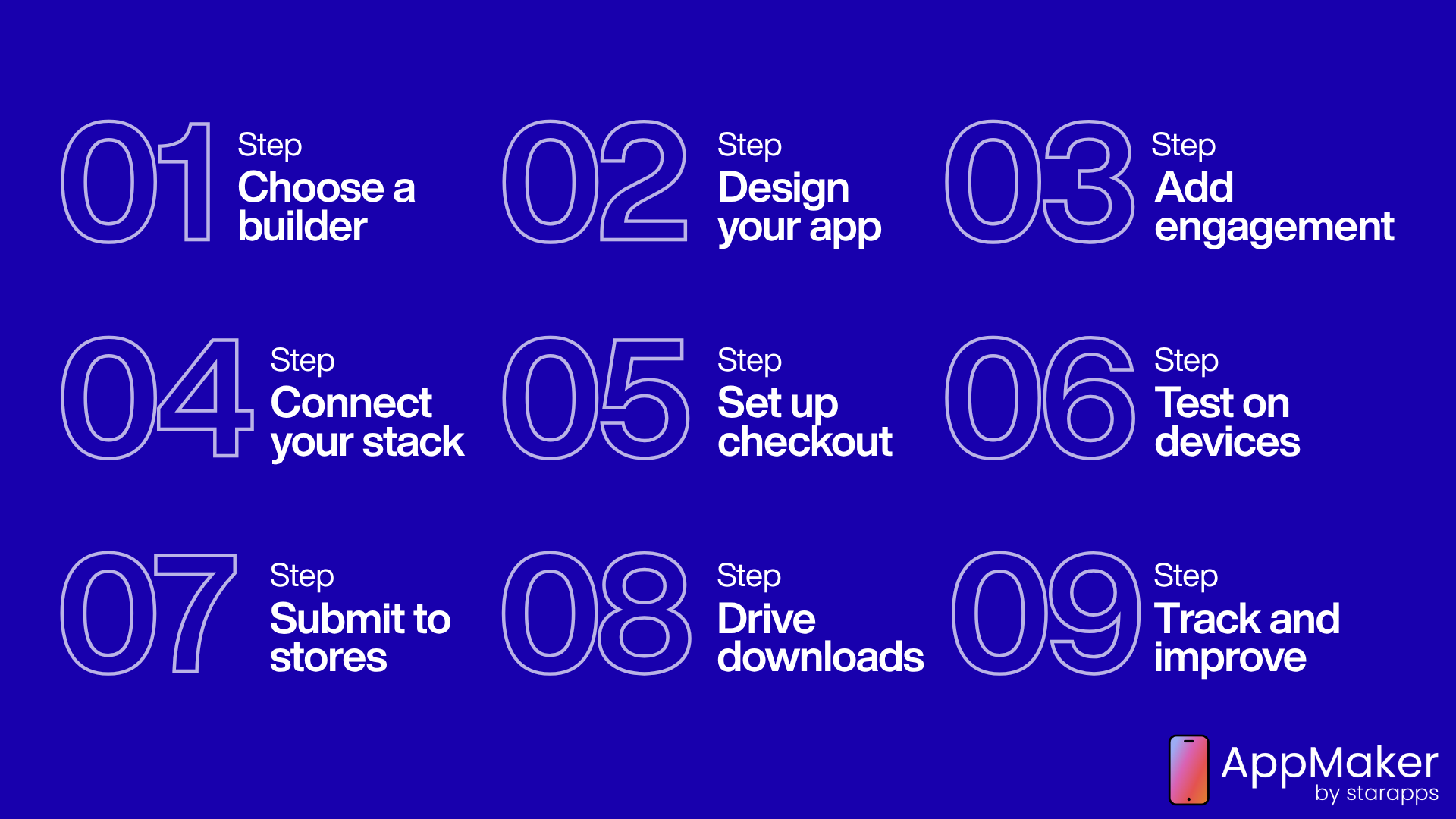
Building and launching with a no-code builder follows eight steps: install the builder, design the app, configure engagement features, connect your existing stack, test on real devices, submit to both stores, drive downloads, then iterate on app-specific analytics. Design and configuration usually take days. App store review is the only step that adds meaningful waiting time.
Step 1. Choose and install your builder:
Add your chosen builder from the Shopify App Store and connect it to your store. A platform with real-time, two-way sync immediately begins mirroring your products, collections, pricing, inventory, and customer data, so there is no manual re-entry. Technically, most builders read this data through Shopify's Storefront API, which Shopify describes as designed to let customers view products and collections, add to cart, and check out on any platform, including apps.
Step 2. Design the app around your brand:
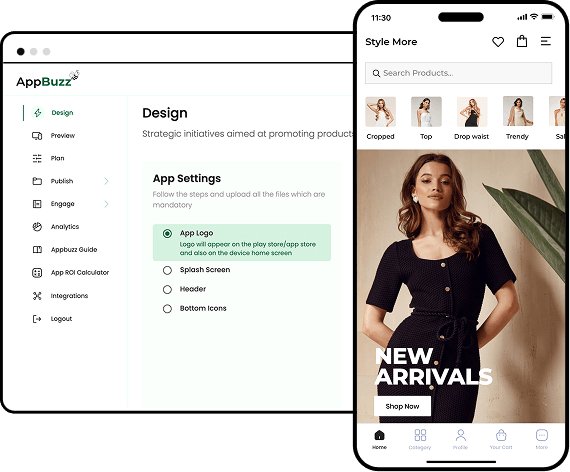
Use the builder's drag-and-drop studio to lay out your home screen, navigation, product pages, and collections. Keep the app native in feel: large tap targets, a persistent bottom navigation bar, a sticky add-to-cart on product pages, and thumb-reachable primary actions. If the platform offers AI-assisted design that can turn a screenshot or design file into a working native layout, this step compresses from weeks into hours.
Step 3. Configure engagement and merchandising:
Set up push notification triggers, personalisation rules based on customer tags or purchase history, and merchandising widgets such as sticky carts, countdown timers, and reorder scrollers. This is the step most merchants underinvest in, and it decides whether the app becomes a retention engine or just a smaller copy of the website.
Step 4. Connect your existing stack:
Link your reviews app, loyalty programme, subscriptions, search, and analytics so nothing in your customer experience breaks in the move from web to app. A builder that forces you to rebuild these integrations from scratch is adding hidden costs you will not see until after signing up. Confirm your specific tools are supported before committing.
Step 5. Handle customer accounts and checkout deliberately:
Customers should be able to log in, see order history, and manage their account inside the app, and their identity should carry over from web where possible. Checkout runs through Shopify, so your existing payment providers, taxes, and discount logic stay intact, and native one-tap payments (Apple Pay, Google Pay) are what make mobile checkout feel effortless. One hard rule to know upfront: Apple and Google require that digital goods and in-app subscriptions use their in-app purchase systems, but physical products sold through Shopify checkout are exempt, which is why physical-goods commerce apps are allowed to use Shopify's own checkout.
Step 6. Test on real devices before submitting:
Walk the entire journey on an actual phone: browsing, filtering, adding to cart, logging in, completing checkout, and receiving a test push. Test on both a current iPhone and a current Android device, since rendering and gestures differ. Catching a broken flow here costs you an afternoon. Catching it after submission costs you a rejection and a resubmission cycle.
Step 7. Submit to the Apple App Store and Google Play:
Submission needs app metadata, screenshots, a privacy policy, data-safety disclosures, and compliance with each store's review guidelines. A strong builder guides you through this or handles it directly. Build in buffer time; review timelines are covered in detail below. You will also need developer accounts: Apple's costs $99 per year, and Google Play's is a one-time $25.
Step 8. Drive downloads from your existing traffic:
An app with zero installs delivers zero value. Promote the download through site banners, post-purchase email and SMS prompts, an on-site pop-up for repeat visitors, and a QR code at any physical retail locations. Convert your highest-intent existing customers first, since they are the most likely to download and stick.
Step 9. Iterate on app-specific analytics:
Once live, track app performance separately from web: app conversion rate, push open and click-through, retention, and revenue per app user. Platforms with a plain-language analytics assistant let you ask questions like "which campaign drove the highest lifetime value" instead of digging through raw dashboards, which matters once you are running weekly push campaigns.
How Do Product Sync, Cart, and Checkout Work?
Your catalog, cart, and checkout all stay anchored to Shopify; the app is a native front end on top of your existing backend. A builder with real-time, two-way sync keeps products, variants, pricing, and inventory accurate in both directions, so a price change or a sold-out variant in Shopify reflects in the app without manual work. This is exactly where lighter, template-only tools struggle: batched or delayed sync causes oversells and pricing mismatches during flash sales and high-volume periods.
Cart and checkout run through Shopify itself, which is what keeps the app trustworthy and compliant. According to Shopify's own documentation, building against the Storefront API involves installing the Headless channel to generate access tokens and manage storefront permissions, and the API supports the full path from viewing products to checkout. Because checkout is Shopify's, your payment gateways, tax rules, discounts, and fraud tooling carry over unchanged, and adding native Apple Pay and Google Pay is what turns mobile checkout into a one-tap action.
How Do Push Notifications Improve Retention?
Push is the single feature that justifies building an app, because it is a free, owned channel that lands directly on the lock screen without competing in an ad auction or a spam filter. The retention evidence is strong. Airship's benchmark study of 63 million new app users found that users who receive any push notifications in their first 90 days have a 3x higher retention rate than those who receive none. Framed from the other direction, Airship reports that brands not currently sending push can increase their 90-day app retention by 190% by starting.
There is a discipline to it. The same research shows the risk of the opposite failure: more than one quarter of opted-in users receive exactly zero notifications, and roughly 95% of those unaddressed new users churn within 90 days. Under-messaging wastes acquisition spend; over-messaging pushes users to disable permissions. The winning pattern is segmented, behaviour-triggered sends (abandoned cart, back-in-stock, price drop, replenishment) rather than a daily blast to everyone. Push, personalisation, and app-only perks together are what earn the retention lift; without them, the app is just a smaller website.
How Long Do App Store Approvals Take?
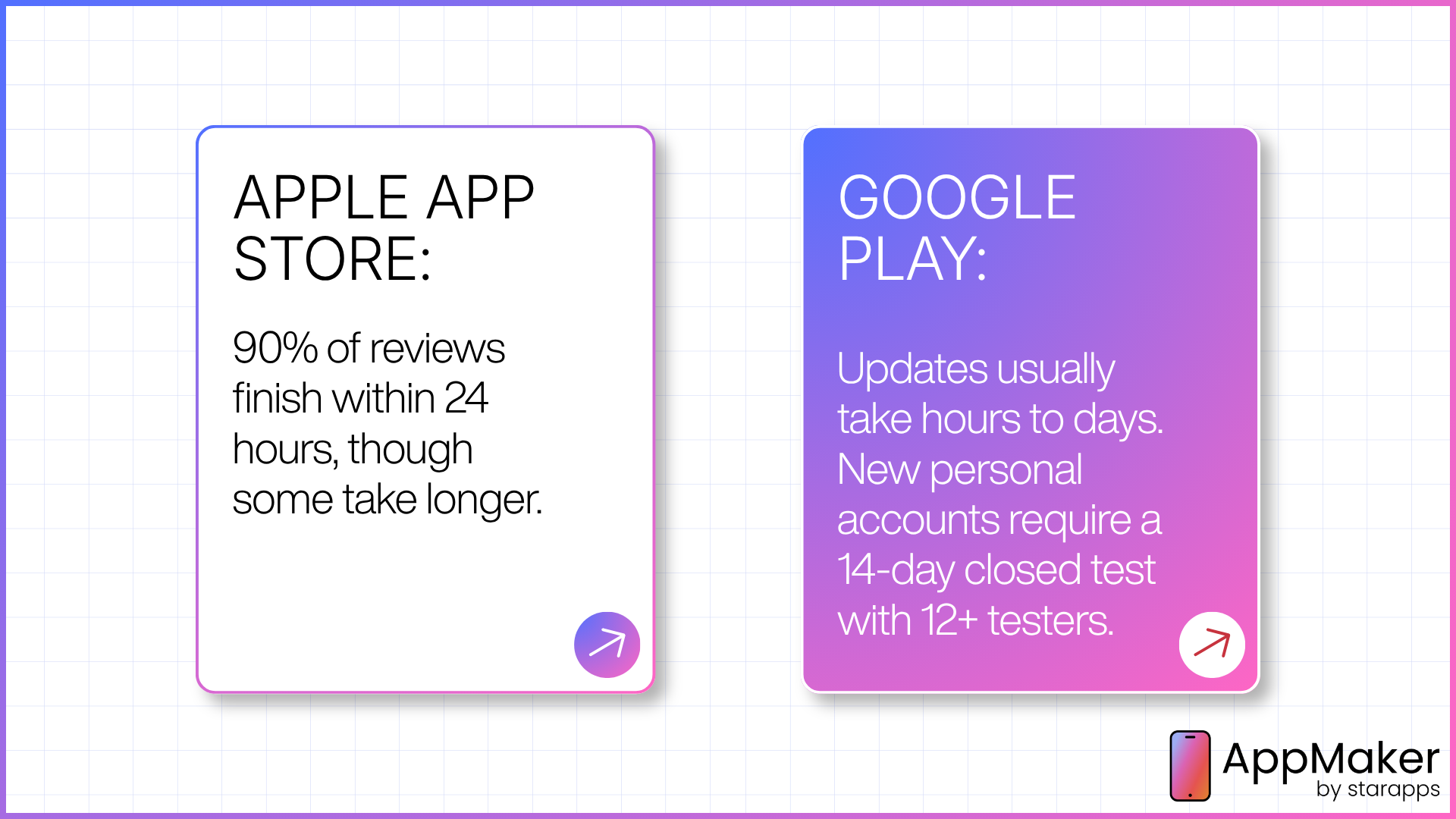
Building the app takes days; the real bottleneck is store review, which is fast on average but has a long tail you cannot control, and a first-time hurdle on Google Play that catches many merchants off guard.
Apple App Store: Apple states on its App Review page that around 90% of submissions are reviewed within 24 hours. In practice, first-time submissions and apps in sensitive categories take longer, and 2026 has seen a heavier slow tail, with some submissions sitting in the queue for several days. Expedited review exists for genuine emergencies.
Google Play: For established accounts, updates clear in hours to a few days. The wrinkle is for new developers. If you created a personal Google Play developer account after November 13, 2023, Google requires that you run a closed test with at least 12 testers opted in for 14 consecutive days before you can apply for production access. Organisation accounts and personal accounts created before that date are exempt and can publish straight to production. That mandatory two-week window is the single biggest first-launch delay on Android, so plan for it.
Two practical takeaways:
- Submit early in the week: Review queues are busiest Monday through Wednesday; a Friday submission often sits over the weekend.
- Build a five-business-day buffer between submission and any public launch date, especially for a first submission. Rejections happen for fixable reasons, incomplete metadata, a missing privacy policy link, an untested edge case, and each rejection restarts part of the clock.
A builder with hands-on submission support genuinely earns its fee here, because navigating a first rejection correctly is where a lot of do-it-yourself launches lose a week or more.
What Does Ongoing Maintenance Involve?
An app is not a one-time build; it needs upkeep to stay live and compliant. Operating systems change every year, and the stores enforce new technical requirements on a schedule. On Android, for example, new apps and updates must target a current API level to be accepted, and both platforms periodically require rebuilds and resubmissions to stay compliant. Beyond compliance, you will ship feature updates, fix bugs, and refresh seasonal content.
This is a real advantage of a maintained no-code builder over a custom build. With a builder, the platform absorbs most operating-system and store-compliance work and pushes updates for you. With a custom app, that maintenance is your team's standing responsibility and a recurring annual cost. Whichever path you choose, budget for maintenance from day one rather than treating launch as the finish line.
What to Look for in a Shopify App Builder
Judge a builder on real capability, not template count. The features that actually drive results are:
- Real-time, two-way sync: For any catalog that changes often, sync must be instant and bidirectional, not batched, or you get oversells and price mismatches.
- Customisation depth: Ask directly whether you are capped at pre-built blocks or can extend with custom code and developer access as you grow.
- Retention and engagement tooling: Segmented, behaviour-triggered push, in-app personalisation, loyalty integration, sticky carts, and countdown timers are what turn a download into a repeat customer.
- AI capability: By 2026, this is a real time-saver: design engines that generate layouts from a screenshot, assistants that draft and schedule campaigns, and analytics you can query in plain language.
- Stack compatibility:Your reviews, loyalty, subscriptions, search, and analytics tools should carry over cleanly.
- Performance under load:Ask how the platform performs at your peak traffic, not your average day.
- Support during launch:App store submission and review compliance are exactly where self-serve tools leave merchants stranded. Hands-on onboarding is worth paying for.
- Transparent pricing:Understand what scales your bill: revenue share, install count, monthly active users, or feature tier, so costs do not surprise you.
For a deeper checklist, AppMaker's ultimate guide to Shopify mobile app builders walks through each of these criteria.
Which Builder Type Fits Your Store's Stage?
Match the platform's depth to where your store is today, and confirm it has room to grow.
| Store stage | Priority | What to look for |
|---|---|---|
| Early-stage / budget-conscious | Validate demand before investing heavily | Low-cost entry tier, fast setup, minimal commitment |
| Growing (roughly $500K–$1M+) | Build a real retention programme | Strong push, personalisation, room to scale without switching |
| Established / Shopify Plus | Full brand control and efficiency at scale | Deep customisation, developer access, AI-assisted design and analytics |
| Web-and-app parity focus | Consistency across every channel | A platform that closely mirrors your site's features and layout |
A pre-revenue store does not need an enterprise platform, and a brand doing several million a year should not be boxed in by a template-only tool. AppMaker's breakdown of how much it costs to build a Shopify app is a useful reference when you are matching approach to budget.
Common Mistakes to Avoid
- Treating the app as a mirror of the site: Without push, personalisation, and app-only perks, you are paying to run a second storefront that behaves like the first and earns none of the conversion lift.
- Choosing on template count alone: Attractive templates do not drive revenue. Real-time sync, stability under load, and retention tooling do.
- Skipping the acquisition plan:An app with no installs delivers nothing. Plan the download path (banners, post-purchase prompts, pre-launch email) before launch day, not after.
- Buying for today instead of for scale:A budget template tool can quietly become a ceiling. If you are growing fast, weigh extensibility heavily from the start.
- Underestimating store submission:This is where unsupported do-it-yourself builds stall for weeks. Confirm what submission support your builder actually provides before you commit.
How to Measure Success After Launch
Success is measured by comparing app-specific metrics against your mobile web baseline, not by download count, which is a vanity metric on its own. Four numbers tell you whether the app is working:
- App conversion rate vs mobile web conversion rate. The clearest signal. If the app consistently converts higher, especially among returning customers, it is doing its job.
- Push open and click-through rate. If these fall well below your channel benchmarks, it usually points to poor segmentation or send timing rather than the channel itself.
- 90-day retention. As Airship's data shows, this is where the long-term revenue lives, and it hinges on a real push strategy in the first three months.
- Average order value and purchase frequency per app user. Track these against your mobile web numbers over a full quarter, since app-driven habit formation takes time to show up.
The merchant who treats these four as the scoreboard is the one who turns an app launch into a lasting revenue channel rather than a one-time press release.
Where AppMaker Fits
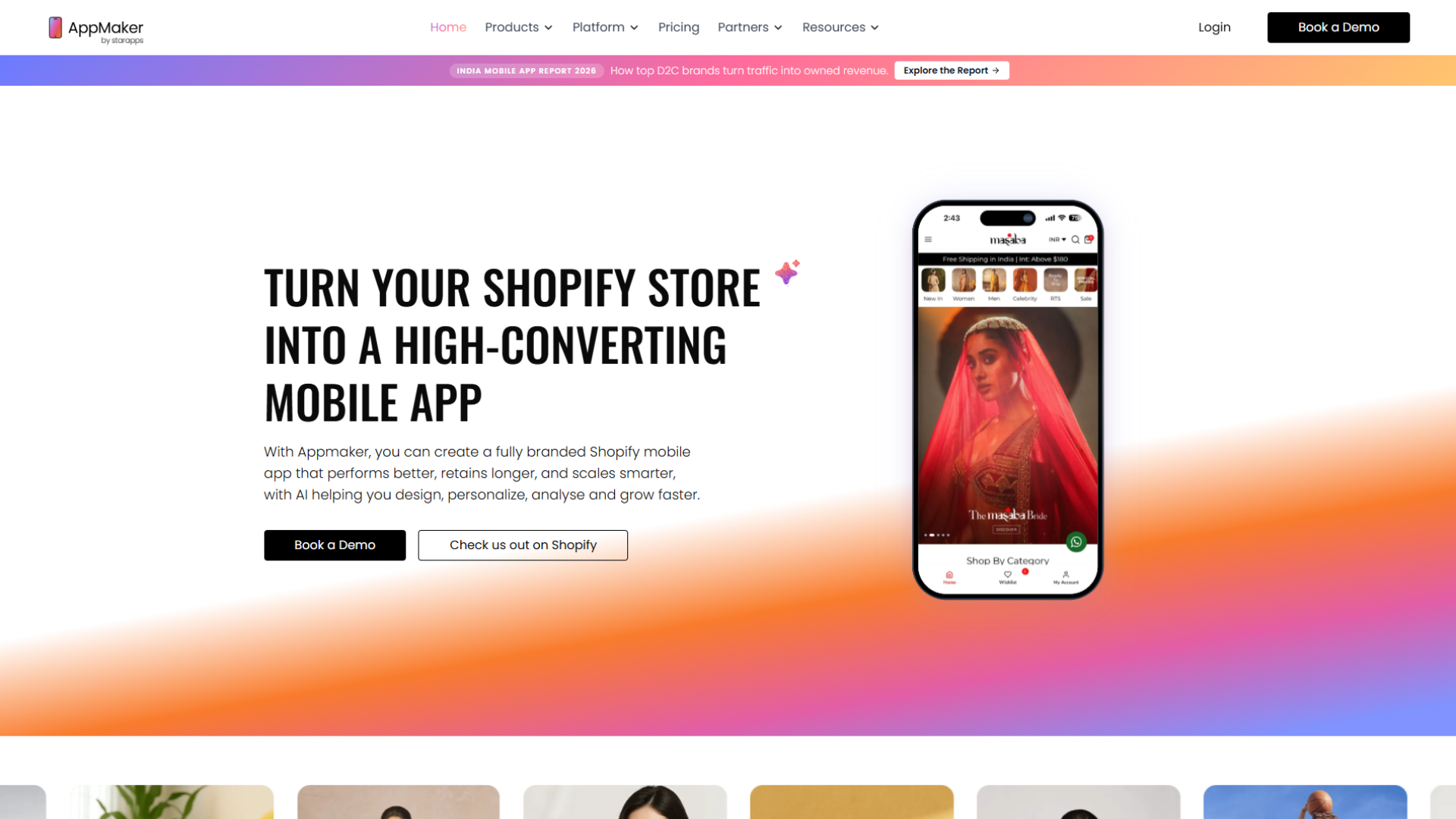
AppMaker is a Shopify-native mobile app builder for growing and established direct-to-consumer brands that want a fully branded, high-performing app without the cost or timeline of custom development.
The core builder, AppMaker Studio, is a drag-and-drop editor with real-time Shopify sync, so teams can design and publish without waiting on a developer. Code Blocks add developer-level customisation when needed, and Conditional Blocks personalise the app using Shopify Tags and Metafields. Eidolon AI supports design-to-component workflows.
AppMaker integrates with the tools most Shopify brands already run, and offers hands-on onboarding and app-success support through the store-submission process, which is exactly where do-it-yourself launches tend to stall. Current plans and pricing are on the AppMaker pricing page.
Frequently Asked Questions
How do I turn my Shopify store into a mobile app?
Connect your store's product, pricing, and order data to a native iOS and Android shell, either with a no-code builder or a custom build using Shopify's Storefront API. With a no-code builder you install the app from the Shopify App Store, design the layout in a visual editor, configure push and personalisation, test on real devices, and submit to both app stores.
How much does it cost to turn a Shopify store into a mobile app?
Costs range from no-code builders (entry plans from a few hundred dollars a month, scaling with revenue or features) up to roughly $50,000 to $200,000 or more for a fully custom native build. Most growing brands use a no-code builder, which delivers a native app without the custom-development price tag. Pricing changes often, so check each platform's live pricing.
How long does it take to launch a Shopify mobile app?
Design and configuration with a no-code builder typically take days to a couple of weeks. The main variable is app store review: Apple reviews around 90% of submissions within 24 hours, while new personal Google Play accounts must first complete a mandatory 12-tester, 14-day closed test before publishing.
Do I need to know how to code to build a Shopify app?
No. No-code builders use drag-and-drop editors so a marketing or ops team can design and launch without a developer. Many platforms also offer optional code-level customisation for brands that want bespoke functionality later.
Is a mobile app worth it if my Shopify store already has a responsive mobile site?
Yes, if you have meaningful mobile traffic and repeat purchases. Mobile web converts at roughly half the rate of desktop, while a native app converts engaged shoppers around twice as often and adds a push channel the mobile web cannot reliably support.
What is the difference between a mobile app and a PWA for Shopify?
A native app installs from the App Store or Google Play and supports full, reliable push and device features. A PWA is a website styled to feel app-like, but it has weak or no push on iOS and no app store presence, which limits its retention value.
How do push notifications improve retention?
They land directly on a customer's lock screen without an ad auction or spam filter. Airship's study of 63 million users found that receiving any push in the first 90 days triples retention versus receiving none, provided the sends are segmented and behaviour-triggered rather than a daily blast.
Can a Shopify app builder handle a large, frequently changing catalog?
Platforms built for scale with real-time, two-way sync handle large, variant-heavy catalogs without lag. Lighter, template-only tools can struggle to keep pricing and inventory accurate during high-volume periods, so confirm sync behaviour before choosing.
Does the app use my existing Shopify checkout and payment providers?
Yes. Checkout runs through Shopify, so your payment gateways, taxes, and discount logic carry over unchanged. Native Apple Pay and Google Pay make mobile checkout a one-tap action. Physical products sold through Shopify checkout are exempt from Apple and Google's in-app purchase requirement, which applies to digital goods.
What is the biggest mistake merchants make when launching a Shopify app?
Treating the app as a straight copy of the website. Without push, personalisation, and app-exclusive perks, it does not earn the conversion or retention lift that justifies building it.
How do I get customers to actually download my app?
Promote it to your highest-intent existing traffic: site banners, post-purchase email and SMS prompts, on-site pop-ups for repeat visitors, and in-store QR codes if you have physical retail. Downloads do not happen automatically after launch; they need an acquisition plan.