




























A recent Forbes report highlights a subtle shift in consumer behavior: shoppers aren’t browsing more, they’re returning more selectively. For e-commerce brands, growth now depends on retaining customers after the first purchase, not just attracting new ones.
For Shopify store owners and DTC marketers, this shift can feel overwhelming. Paid ads and email campaigns are more expensive and often less effective.
Mobile apps solve this by acting as a persistent, high-performing channel that supports faster repeat journeys, stronger engagement, and higher retention after the first purchase.
In this article, you’ll learn practical steps for e-commerce mobile app development, metrics to track, common pitfalls to avoid, and strategies to increase app engagement and usage.
Quick Snapshot
- E-commerce mobile apps are essential when retention costs rise faster than acquisition.
- No-code Shopify-native platforms like Appmaker allow fast launch with real-time sync.
- Core app features like login, cart, checkout, and push notifications are baseline expectations.
- Advanced features like AI personalization, in-app chat, and code blocks drive engagement.
- Monitoring analytics post-launch helps optimize retention and repeat purchases.
Why E-commerce Mobile Apps Matter in 2026?
Mobile accounts for the majority of e-commerce traffic, but conversion on mobile web lags. Why? Browsers introduce friction: slow loading, session resets, login fatigue, and weak re-engagement.
Mobile apps remove these constraints:
- Persistent sessions – Users stay logged in
- Faster checkout – Fewer abandoned carts
- Push notifications – Direct engagement without competing for inbox space
While websites are discovery channels, apps focus on repeat usage and engagement.
By removing browser limitations and enabling features like deep linking, offline caching, and lifecycle notifications, mobile apps consistently outperform mobile web in lifetime value and repeat usage.
Examples of High-Performing E-commerce Mobile Apps
Several leading e-commerce brands illustrate why e-commerce mobile apps outperform mobile web when engagement and retention matter.
Amazon uses persistent login, one-tap checkout, and personalized home feeds to drive frequent, low-friction purchases. Push notifications are tied to price drops, order updates, and replenishment cycles rather than generic promotions.
Nike leverages its app for exclusive drops, member-only pricing, and loyalty rewards. The app experience is tightly integrated with user profiles, browsing history, and purchase behavior, increasing repeat usage beyond transactions.
Sephora combines product discovery with saved wish lists, shade matching, and loyalty tracking in its app. Push notifications and in-app reminders are contextual, driving both engagement and in-store conversions.
Gymshark focuses on community and content alongside commerce. Its app blends workouts, launches, and personalized recommendations, turning the app into a daily touchpoint rather than a periodic shopping tool.
ASOSASOS uses its mobile app as the primary shopping experience rather than a companion channel. Features like saved items, restock alerts, and personalized recommendations based on browsing behavior encourage frequent returns to the app. Push notifications are tightly aligned with user intent, such as price drops on wishlisted items, rather than generic campaigns.
ZaraZara’s app focuses on speed and convenience. Features like persistent login, fast checkout, and store inventory visibility reduce friction across online and offline journeys. The app supports barcode scanning and in-store pickup, making it a hybrid commerce tool rather than just a digital catalog.
H&MH&M integrates loyalty rewards deeply into its app experience. Users can track points, access exclusive pricing, and receive personalized offers based on purchase history. The app reinforces habitual usage by combining commerce with membership benefits.
Warby ParkerWarby Parker’s app blends content, commerce, and utility. Users can browse frames, manage prescriptions, track orders, and access support in one place. The app’s strength lies in reducing post-purchase friction, not just driving initial sales.
AllbirdsAllbirds uses its app to highlight sustainability, product storytelling, and limited releases. Push notifications focus on product drops and restocks rather than discounts, helping maintain brand value while driving repeat engagement.
NykaaNykaa’s app combines shopping with education. Tutorials, reviews, and personalized recommendations keep users engaged beyond transactions. The app also supports frequent push notifications tied to launches and restocks, encouraging habitual usage among beauty shoppers.
These examples show a clear pattern: successful e-commerce apps are not just mobile storefronts. They are engagement platforms designed to reduce friction, personalize experiences, and drive long-term value.
To replicate this success, brands need a clear, step-by-step framework rather than ad-hoc decisions. That’s where the build process becomes critical.
8 Key Steps to Build an e-Commerce Mobile App
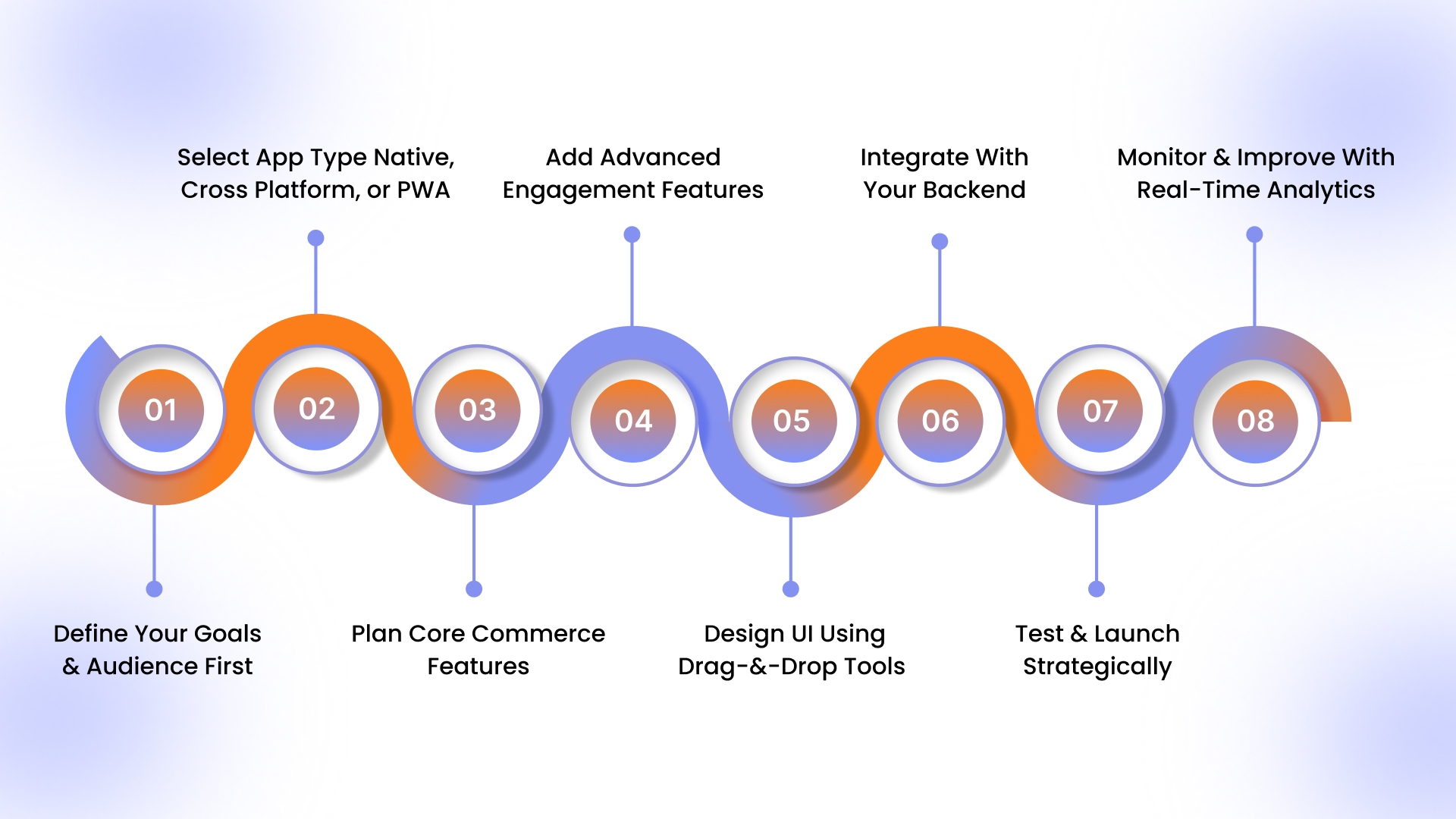
Once the business case is clear, execution becomes the differentiator. Successful e-commerce apps are not built by starting with tools; they are built by sequencing decisions correctly.
Step 1: Define Your Goals and Audience First
Every mobile app should solve a specific business problem. Some brands focus on increasing repeat purchases. Others want faster checkout, better engagement, or stronger brand loyalty.
Clarifying this upfront determines everything that follows, from feature prioritization to platform selection.
An app built for a high-frequency DTC brand will look very different from one designed for a catalog-heavy enterprise store.
This step also includes understanding your mobile users. Existing customers behave differently inside apps than on the web. Ignoring this distinction leads to bloated apps that underperform.
Step 2: Choose Your App Type: Native, Cross-Platform, or PWAs
The next decision is architectural.
Native apps offer the best performance but require separate development for iOS and Android. Cross-platform frameworks reduce duplication but still require engineering resources. Progressive Web Apps (PWAs) are faster to launch but lack deep OS-level capabilities.
In 2025, most e-commerce brands do not choose this layer directly. Instead, they adopt platforms that abstract this complexity while delivering native performance underneath.
Step 3: Plan Core Commerce Features
Regardless of approach, every e-commerce app must get the fundamentals right.
This includes secure authentication, fast-loading product catalogs, reliable carts, and frictionless checkout. These are not differentiators; they are baseline expectations. Any compromise here directly impacts revenue and trust.
Brands that rush this stage often spend months fixing issues post-launch that could have been avoided through better upfront planning.
Step 4: Add Advanced Engagement Features
Once the core is stable, advanced features drive differentiation.
Push notifications play a critical role in lifecycle marketing by enabling timely, intent-based communication that email and paid channels struggle to deliver consistently.
Apps without engagement layers rarely justify their install cost.
Step 5: Design UI Using Drag-and-Drop Tools
Modern e-Commerce app development prioritizes iteration over perfection.
Drag-and-drop builders allow teams to experiment with layouts, promotions, and content blocks without waiting on developers. This matters because mobile commerce is dynamic; what works this quarter may not work next quarter.
Design systems that cannot adapt quickly become bottlenecks.
Step 6: Integrate With Your Backend
Integration is where many projects silently fail.
Real-time syncing of products, inventory, orders, and customer data is non-negotiable. Any delay or inconsistency erodes trust internally and externally. The more manual the integration, the higher the long-term operational risk.
Using pre-built plugins and integrations can significantly reduce this risk.
For example, Appmaker’s integration plugins sync your app directly with Shopify, payment gateways, analytics, and marketing tools, ensuring real-time data consistency during testing.
Step 7: Test and Launch Strategically
Testing goes beyond functionality. Performance, edge cases, payment flows, and app store compliance all matter.
A rushed launch often leads to poor reviews that permanently impact discoverability. In contrast, controlled rollouts allow teams to validate assumptions and fix issues early.
This allows teams to focus on validating user journeys and performance under real conditions rather than troubleshooting broken connections or manual workarounds.
Step 8: Monitor and Improve With Real-Time Analytics
Launch is the starting line, not the finish.
Post-launch analytics reveal how users actually behave. High-performing teams utilize this data to refine onboarding, optimize checkout, and continually personalize experiences. Apps that stagnate post-launch rarely deliver long-term ROI.
With the build process defined, the real decision is what to ship first. Launching with too many features slows execution and increases failure risk.
A focused MVP keeps the app lean, fast, and conversion-ready, helping you validate engagement before investing further.
e-Commerce App MVP Features That You Should Have
An MVP(Minimum Viable Product) e-commerce app should focus on speed to value, not feature overload. The goal is to launch fast, validate engagement, and create a frictionless buying experience that encourages repeat usage.
Below are the must-have MVP features every e-commerce mobile app needs to succeed.
1. Seamless User Login and Persistent Sessions
Your app should allow users to stay logged in across sessions. Persistent authentication removes repeated login friction and improves return rates.
For MVPs, support:
- Email or phone-based login
- Social login (Google / Apple)
- Guest browsing with login at checkout
Persistent sessions are a core advantage of apps over mobile web and directly impact retention.
2. Product catalog with Smart Discovery
At a minimum, users must be able to easily browse and find products.
Essential elements include:
- Category-based navigation
- Search with autocomplete
- Product filters (price, size, availability)
- High-quality product images
Discovery speed matters more than visual complexity at the MVP stage.
3. Product Detail Pages Optimized for Mobile
Your PDPs should be lightweight and conversion-focused.
Key MVP elements:
- Clear product images
- Price and variant selection
- Stock availability
- “Add to cart” CTA above the fold
Avoid clutter. MVP apps convert best when product pages load fast and guide decisions clearly.
4. Cart and Fast Checkout Flow
Checkout friction is where most mobile conversions are lost.
Your MVP must include:
- Persistent cart across sessions
- Minimal checkout steps
- Mobile-optimized payment gateways
- Saved addresses for returning users
The faster the checkout, the higher the app’s conversion advantage over mobile web.
5. Push Notifications for Re-engagement
Push notifications are one of the biggest reasons to build an app.
For an MVP, focus on:
- Order updates
- Abandoned cart reminders
- Price drops or restocks
Avoid mass promotional blasts. Even basic, behavior-triggered notifications significantly improve engagement.
6. Real-Time Sync with Your Shopify Store
Your app should always reflect accurate data.
Must-have sync elements:
- Product inventory
- Pricing and discounts
- Orders and customer data
Real-time sync prevents operational issues and ensures a consistent shopping experience across channels.
7. Basic Analytics and Engagement Tracking
You can’t improve what you don’t measure.
At the MVP stage, track:
- App installs and active users
- Product views and add-to-cart events
- Checkout completion rates
- Push notification opens
These insights help you prioritize features and optimize engagement post-launch.
8. Simple Content Management (No Code)
Non-technical teams should be able to update the app without developers.
Your MVP should allow:
- Banner updates
- Homepage layout changes
- Promotional content swaps
This flexibility enables faster iteration and campaign testing.
What You Can Skip in an MVP
To stay lean, avoid:
- Complex loyalty systems
- Heavy animations
- Over-customized UI
- Rarely used features
These can be layered in after validating engagement and retention.
7 Pre-Development Checks for an eCommerce Mobile App
Before investing time, tools, or budget into e-commerce mobile app development, brands should validate whether the conditions are right for an app to succeed. These checks focus on readiness and risk, not execution.
Skipping this stage is one of the most common reasons apps fail to gain traction, even when they are technically well built.
1. Validate the Business Case (Not Just the Idea)
An app should solve a measurable business problem, not exist because “everyone has one.”
Before development, confirm:
- What specific behavior will the app change (repeat purchases, faster checkout, higher AOV)?
- Which metric will improve if the app succeeds?
- What happens if the app underperforms? Can the business absorb the cost?
If success cannot be defined clearly, execution quality won’t matter.
2. Confirm Mobile-First User Behavior Already Exists
Apps amplify existing behavior; they rarely create it from scratch.
Check whether:
- A significant share of traffic already comes from mobile.
- Customers return frequently or browse repeatedly.
- Promotions, drops, or replenishment cycles exist.
If customers don’t already engage repeatedly on mobile, an app will struggle to justify installs.
3. Assess Internal Ownership and Accountability
Apps fail quietly when no team truly owns them.
Before building, determine:
- Who owns performance post-launch?
- Who handles updates, campaigns, and content changes?
- Who monitors reviews, engagement, and retention?
Without clear ownership, even a well-built app stagnates after launch.
4. Evaluate Competitive Expectations, Not Just Features
Customers compare your app to category leaders, not direct competitors.
Ask:
- What experience standard do users already expect in this category?
- Where do competitor apps frustrate users?
- What would make your app worth keeping installed?
This prevents feature copying and focuses differentiation on experience and usability.
5. Define Success Thresholds Before Launch
Many apps fail because success is judged after the fact.
Before development, define:
- Minimum retention benchmarks (Day 7, Day 30).
- Expected contribution to repeat purchases.
- Timeframe to validate ROI.
Clear thresholds prevent emotional decision-making and help teams iterate objectively.
6. Confirm Compliance and Data Responsibility Readiness
Mobile apps handle deeper customer data than websites.
Ensure readiness for:
- GDPR, CCPA, and regional privacy requirements.
- Secure payment and authentication handling.
- Transparent data usage policies.
Compliance gaps discovered post-launch are expensive and reputation-damaging.
7. Plan for Lifecycle, Not Just Launch
An app is not a one-time release.
Before building, confirm:
- Budget and resources for ongoing updates.
- Ability to test onboarding, layouts, and messaging.
- Willingness to iterate based on real user behavior.
Apps that aren’t designed for continuous improvement rarely sustain engagement.
Why These Checks Matter
Completing these pre-development checks ensures that when you move into execution, you are solving the right problem for the right users with a realistic path to ROI.
Once these conditions are validated, the focus can shift confidently to how to build the app correctly, starting with structured execution steps and a lean MVP.
3 Best No-Code Tools for e-Commerce Mobile App Development
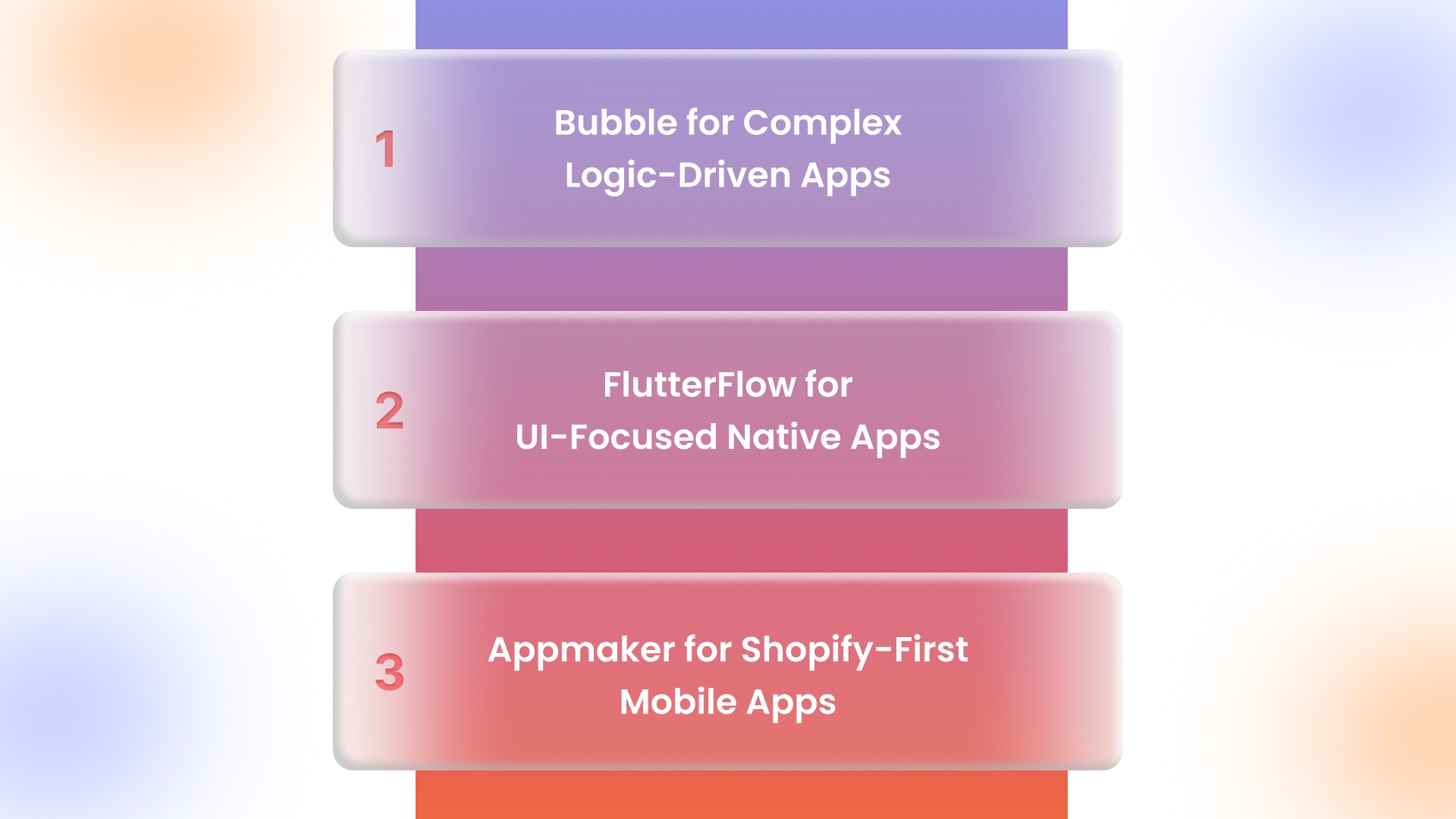
No-code platforms differ widely in focus. Choosing the right one depends on the depth of e-commerce support required.
Bubble for Complex Logic-Driven Apps
Bubble offers flexibility for custom workflows but often requires deeper technical setup. It fits teams building logic-heavy apps beyond commerce.
FlutterFlow for UI-Focused Native Apps
FlutterFlow excels at UI control but often demands more manual backend work for Shopify-centric operations.
Appmaker for Shopify-First Mobile Apps
Appmaker is purpose-built for Shopify brands. It converts existing stores into native iOS and Android apps with real-time syncing, drag-and-drop control, and AI-assisted design tools.
Instead of treating mobile apps as a separate engineering project, Appmaker turns your existing Shopify store into a fully synced mobile app. Products, collections, inventory, customer data, and orders are updated in real time, eliminating the operational overhead that typically slows down mobile initiatives.
For growth-stage brands, this approach solves three core problems at once:
- Speed to market: Apps can be launched in weeks, not months, using a drag-and-drop builder and AI-assisted design tools like Eidolon AI.
- Operational efficiency: Non-technical teams can manage layouts, banners, campaigns, and content updates without developer dependency.
- Scalable customization: As brands grow, Appmaker supports deeper flexibility through code blocks, conditional logic, and developer access, without forcing a full rebuild.
- Retention and re-engagement are built into the platform. Native push notifications, lifecycle campaigns, and personalized in-app experiences help brands move beyond mobile web limitations and drive repeat purchases.
By reducing engineering overhead while preserving room for advanced customization, Appmaker offers a more predictable, scalable path to mobile app ownership for Shopify brands focused on long-term growth.
How Much Does It Cost to Build an e-commerce App?
Traditional custom development often runs into six figures once design, development, maintenance, and updates are included.
No-code platforms significantly reduce this by removing most engineering overhead and shortening build cycles.
For mid-market brands, cost predictability matters as much as cost reduction.

For brands prioritizing repeat purchases, push notifications, and fast iteration, no-code Shopify-native platforms often deliver a better ROI than traditional development, especially in the first 12–18 months.
Also Read: How to Prepare Your Brand and E-commerce Mobile App for the Holiday Season-2023 Edition
How Long Does It Take to Build a Mobile Commerce App?
Timelines depend on scope and tooling.
Custom builds can take months before launch. No-code approaches often compress this into weeks, allowing brands to validate impact faster and iterate without sunk cost pressure.

- No-code platforms like Appmaker allow rapid MVP launches, critical for validating product-market fit and mobile engagement.
- Faster timelines reduce financial and execution risk, enabling brands to refine UX, onboarding, and campaigns based on real user data.
- Brands can move from concept to live app in under two months, compared to the months required for traditional builds, freeing resources to focus on marketing, retention, and personalization.
Common Mistakes to Avoid
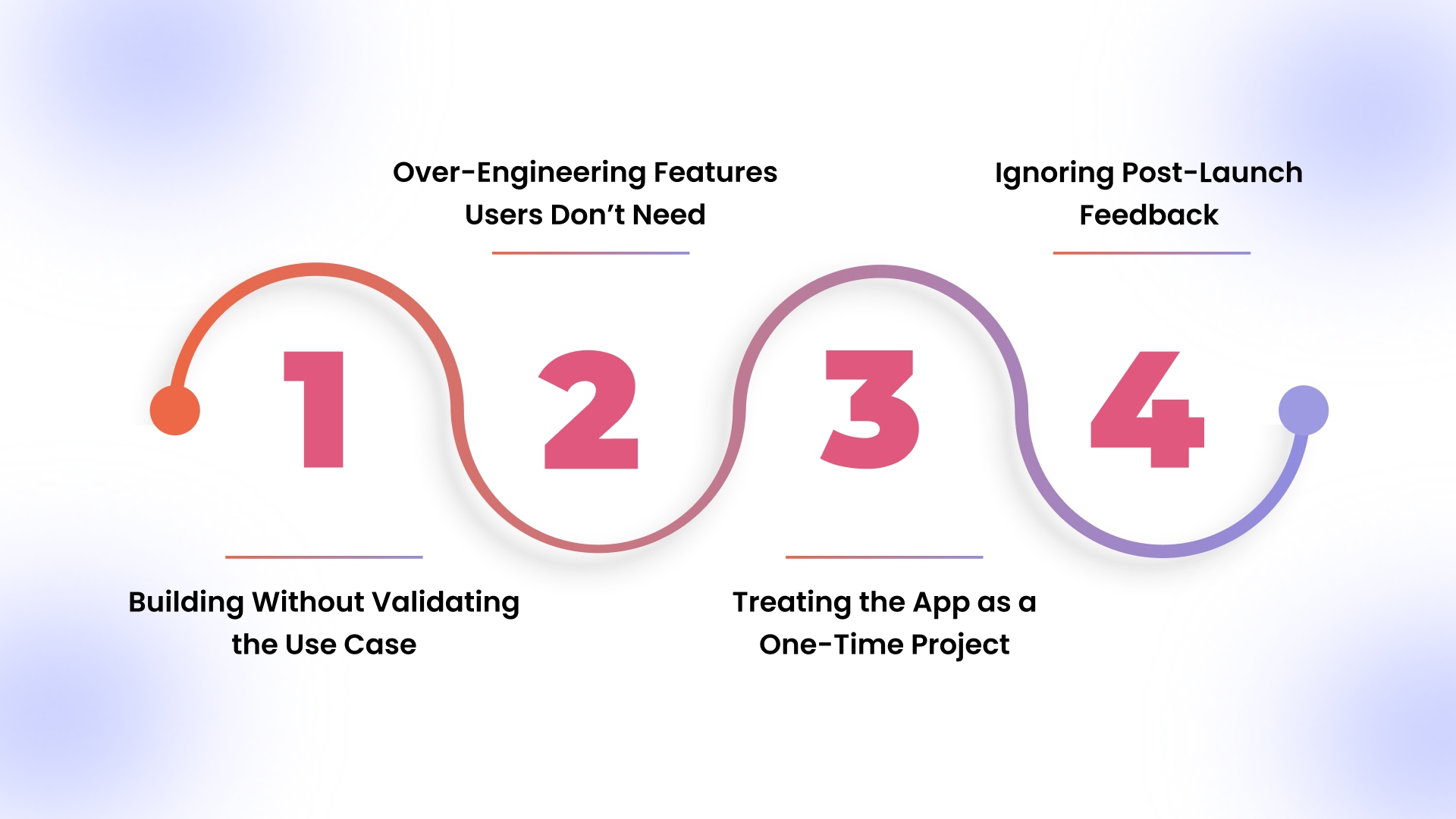
Even well-funded e-commerce apps often underperform, not because of poor ideas, but because of avoidable execution mistakes. Understanding these pitfalls can save time, money, and long-term brand reputation.
1. Building Without Validating the Use Case
Many brands assume their app is “needed” simply because they have a website. They skip validating whether their customers actually want or will use an app.
Impact:
- Low download-to-active-user conversion
- Wasted development and marketing budget
- Misalignment between app features and user needs
How to Avoid:
- Conduct surveys or beta tests with your target audience
- Launch a minimum viable product (MVP) first to gage real demand
- Track early engagement metrics like Day 1 and Day 7 retention
2. Over-Engineering Features Users Don’t Need
Brands often try to pack every possible feature into loyalty programs, complex search filters, and AR try-ons into the first release.
Impact:
- Slower app performance and longer load times
- Cluttered UI leading to confused users
- Increased development and maintenance costs
How to Avoid:
- Prioritize core buying flows first (login, catalog, cart, checkout)
- Use analytics to see which features are actually used before expanding
- Roll out advanced features in stages
3. Treating the App as a One-Time Project
Launching the app is only the start. Many brands view it as a static asset, rather than a dynamic channel that requires ongoing attention.
Impact:
- Rapid engagement drop after initial downloads
- Stagnant retention and repeat purchase rates
- Missed opportunities to optimize lifecycle marketing
How to Avoid:
- Plan for continuous updates and iterative improvements
- Use analytics to monitor engagement and churn signals
- Implement push notifications, personalized content, and seasonal campaigns to maintain relevance
4. Ignoring Post-Launch Feedback
User reviews, session data, and feature adoption insights are often overlooked. Ignoring this feedback can result in repeated mistakes and declining app ratings.
Impact:
- Negative reviews affecting app store discoverability
- Missed opportunities to fix friction points early
- Decline in customer trust and engagement
How to Avoid:
- Actively monitor app reviews and respond to feedback
- Run A/B tests for onboarding flows, push notifications, and UI changes
- Iterate rapidly based on real user data
Each of these errors may seem minor in isolation, but collectively, they can sabotage retention, engagement, and ROI.
Avoiding them ensures your app is not just installed, but actively used and trusted, turning it into a sustainable growth channel rather than a costly experiment.
How Appmaker Simplifies E-commerce Mobile App Development for Shopify Brands
For many Shopify brands, the biggest challenge in e-commerce mobile app development isn’t deciding whether to build an app; it’s figuring out how to build one without slowing the business down.
Traditional custom app development requires long timelines, high costs, and ongoing developer dependency. Appmaker removes much of this friction by offering a Shopify-native, no-code approach that lets brands launch and iterate faster while keeping full control over their store data.
Built Specifically for Shopify Commerce
Unlike generic app builders, Appmaker is designed around Shopify workflows. Your product catalog, pricing, inventory, customer accounts, and orders stay fully synced in real time, reducing operational risk and manual intervention.
This ensures the app behaves as an extension of your store rather than a disconnected channel.
No-Code Control With Advanced Flexibility
Appmaker’s no-code builder allows teams to manage layouts, banners, navigation, and campaigns without developer involvement. At the same time, it supports Code Blocks and Conditional Blocks, enabling deeper customization when needed.
- Code Blocks allow reusable logic and components across the app
- Conditional Blocks display content dynamically based on user behavior, location, or purchase history
This balance makes Appmaker suitable for both fast-moving DTC teams and more complex e-commerce operations.
Built-In Tools to Increase App Engagement
Appmaker includes engagement features that directly support retention and repeat purchases:
- Push notifications for lifecycle-based messaging
- AI-powered personalization using tools like Eidolon AI to tailor layouts and product recommendations
- Fast checkout and saved sessions to reduce friction
- In-app support and deep linking for smoother user journeys
These capabilities help brands increase app usage, improve engagement, and drive higher lifetime value, without relying on heavy custom development.
Faster Iteration, Lower Risk
One of the biggest advantages of Appmaker is speed. Brands can test layouts, refine onboarding flows, and adjust engagement strategies quickly, a critical aspect in 2025 as user expectations and competition continue to rise. Book a demo now.
For teams without dedicated mobile engineers, this shortens build cycles while still allowing advanced customization through code blocks, conditional logic, and API-level extensions when required.
Conclusion
By 2025, mobile apps will be less about experimentation and more about ownership. For e-commerce brands, they offer a direct line to returning customers, predictable engagement, and fewer dependencies on paid channels.
The real advantage comes from execution, choosing an approach that lets you move quickly, test often, and improve without dragging your team into long development cycles.
If you want to see what that looks like in practice, Appmaker gives Shopify brands a way to launch and run native iOS and Android apps without adding technical complexity.
You can explore how it fits your current setup, timelines, and growth goals by booking a demo with the Appmaker team and walking through a real use case from your store.
FAQs
1. Do e-commerce mobile apps perform better than mobile websites for repeat buyers?
Yes. Mobile apps reduce friction with saved logins, faster checkout, and push notifications. This makes it easier for customers to return and complete repeat purchases compared to the mobile web.
2. Can small e-commerce brands justify building a mobile app?
Yes, if the brand has repeat customers or frequent promotions. No-code platforms make mobile apps affordable and faster to launch, even for small or mid-sized stores.
3. Should an e-commerce app support iOS or Android first?
This depends on where your customers are. Many modern platforms launch on both iOS and Android together, removing the need to choose and expanding reach instantly.
4. How does app store optimization (ASO) help e-commerce apps?
ASO improves visibility in app stores through optimized titles, descriptions, and reviews. Better rankings lead to more organic installs and lower acquisition costs.
5. How often should an e-commerce mobile app be updated?
Ideally, every 2–4 weeks. Regular updates help improve performance, fix issues, and adapt to user behavior, while also signaling reliability to app stores.